
Best AI for business: which to choose in October 2026?
Best business AI in October 2026: compare Copilot, Gemini, ChatGPT Business and Claude Team on prices, data, models and custom AI.
Reading time: 13 min
The Best AI for Companies is the one who works in the suite that you already use: Copilot with Microsoft 365, Gemini with Google Workspace. Without a reference suite, in October 2026 the most solid choices are ChatGPT Business and Claude Team.
The second filter is data, and there it decides the plan more than the brand. In Microsoft, Google, OpenAI and Anthropic business plans the company's content is not used to train models by default; in ChatGPT and Claude's personal accounts they can serve, until someone deactivates the option. The same AI can be the right choice or a risk, depending on how you buy it.
Here we remain on the decisions of a company: licenses, contracts, models via API and Custom AI. The comparison between assistants for each use, from writing to videos, is in the guide to Best Artificial Intelligence. Prices and plans quoted are those of the official pages as of October 3, 2026: they change often, so read them again before signing.
In summary
- We start from the suite: Microsoft 365 leads to Copilot, Google Workspace in Gemini; without suite, ChatGPT Business or Claude Team.
- In business plans, content does not train models by default; in personal accounts, the option must be deactivated by hand.
- The best AI for companies are not just chats: searching with sources, AI inside the work tools and automations often save more hours.
- The models behind the assistants are also used via API, on consumption, to build tools connected to your software.
- A Custom AI starts with saved instructions and documents; when it needs to act on mail, CRM and management software needs an agent connected to the data.
What is the best AI for companies in October 2026?
The suite rule has a practical reason. An assistant who reads mail, files, and meetings with permissions that the company already has works on the real data; a brighter one but locked in a separate window receives only what someone copies and pastes. These are the four floors that we encounter most often in Italian SMEs.
| Business plan | Price in October 2026 | Where he works | Data and Training |
|---|---|---|---|
| Microsoft Copilot on Microsoft 365 | Copilot Chat included in eligible subscriptions; the Copilot licence for business data is added per user, at Microsoft’s list prices | Word, Excel, PowerPoint, Outlook and Teams, with your tenant's permissions | Prompts, answers and data read by Copilot do not train basic models (Microsoft) |
| Gemini in Google Workspace | Business Starter 6,80 €, Standard 13,60 €, Plus 21,10 € per user per month with annual commitment, excluding VAT (Workspace prices) | Gmail already with Starter; Documents, Sheets, Drive and Meet from Standard | No content trains models outside your domain without permission (Google) |
| ChatGPT Business | From $20 per user per month with annual billing (OpenAI), from two users up | ChatGPT app on web, desktop and mobile | Content excluded from training by default; EU data region only in the Enterprise plan (ChatGPT rates) |
| Claude Team | 18 € per seat per month with the annual, 21,04 € with the monthly, excluding taxes (Anthropic) | App Claude, Claude Code, connectors managed by administrators, access with SSO | No training by default |
On Microsoft we need two clarifications. The first is about names: Microsoft 365 Copilot today is called Microsoft Copilot, and Copilot Chat is included at no additional charge in eligible Microsoft 365 subscriptions but responds with the web, while to work on emails, files and company meetings you need the Copilot license (Copilot licenses). The second concerns the residence of data: if staying in Europe is a requirement, know that Microsoft excludes for now from the EU data boundary the models of Anthropic used in Copilot (Data protection in Copilot), a point to check with who administers the tenant.
Direct comparisons are in ChatGPT vs Copilot and Gemini vs Copilot; how you work every day with the two suites is explained in Copilot for Microsoft 365 and Gemini for Google Workspace.
What are the best AIs for companies besides assistants?
Those looking for the best AI for companies almost always think about chats. In an SME, however, the hours are often recovered elsewhere: in the tools they seek with the sources, in the AI already within the work programs and in the automations that link the software together. Each category solves a different problem, and it is best to know where it stops.
| Tool Type | Examples | What solves | Where it stops |
|---|---|---|---|
| Suite Assistant | Copilot, Gemini | Email Drafts, Meeting Summaries, Sheet Analysis | By default it stays within the suite: CRM and business management software need connectors to be configured |
| Assistant Generalist | ChatGPT Business, Claude Team | Writing, long documents, file analysis, code | Almost always the work starts from a person writing the request; planned tasks and connectors cover simple cases |
| Search with sources | Perplexity | Market research, calls, regulations with links | Sources should be opened and read before deciding |
| AI inside the work tools | Notion AI, completed by the Business Plan (Notion) | Internal documentation, meeting notes, document search | Work especially on the data that stands in Notion; links to other apps come with the highest floors |
| Automation of flows | Make, Zapier or n8n with AI steps (comparison) | An email that becomes a quote, a module that updates the CRM | It must be designed, tested and maintained over time |
| Custom Agent | Agent connected to email, CRM and business management software | A whole process, from incoming request to response | Requires a project and rules on what he can do for himself |
The combination that works most often is short: the suite assistant for everyone, a second tool for those who write or analyze a lot, a AI Automation on the process that costs more hours. Tabs on individual assistants are in ChatGPT for companies, Claude for companies and Gemini for Companies.
What criteria do they count for choosing corporate AI?
Before names, the meter. These five criteria really shift the decision, in the order we look at them with SMEs.
- Data and contract. If personal data of customers or employees enters the prompts, the provider processes it on your behalf and the GDPR requests a contract that binds it (Art. 28 of EU Regulation 2016/679). Also check where the data is processed and for how long it remains stored.
- Integration. Does the assistant work in mail, documents and CRM or lives in a separate window? It depends on how much it will actually be used.
- Checks for administrators. Access with the company account, centralized management of users and connectors, single billing: these are the functions that allow you to go from three people to thirty without redoing everything.
- Quality on your work. Not in the abstract: on your emails, on your contracts, on your Italian. A test week on real tasks says more than any ranking.
- Cost per post and adoption. The price per user should be read along with the hours saved and the licenses that are likely to stand still.
What AI models do companies use?
Behind each assistant are one or more Business AI Models: GPT for ChatGPT, Claude for Anthropic’s app, Gemini for Google, while Copilot uses more than one model, including Anthropic’s. Companies use them in two ways. The first is an app subscription, at a fixed price per user. The second is through APIs: the model connects to your software, such as a module in the business management system or a website assistant, and is charged by usage per million tokens (AI APIs: What They Are).
| Producer | Model for daily work | Tip Model | API price per million tokens, input/output | Source |
|---|---|---|---|---|
| OpenAI | GPT-6.1 Sol | GPT-6 Astra | Sol 2 $ / 10 $; Astra 10 $ / 50 $ | OpenAI Pricing |
| Anthropic | Claude Opus 5.5, or Sonnet 5.5 if speed counts | Claude Fable 5.1 | Opus 4 $ / 20 $; Sonnet 2 $ / 10 $; Fable 10 $ / 50 $ | Models Claude |
| Gemini 3.8 Flash | Gemini 3.1 Pro, preview | Flash $0.75 / $3.75 until December 31, 2026; 3.1 Pro 2 $ / $12 up to 200,000 tokens | Gemini API Pricing |
Via API the plan also decides the processing of data. The free level of Gemini APIs uses content to improve Google products, the paid one does not (Gemini API Pricing). GPT-6.1 Sol can be used with EU data residency (model card), and OpenAI applies a 10% surcharge to regional processing for models released on March 5, 2026 (OpenAI prices).
To connect a model to a process it is better to start with the task, not the name: the overview is in best AI models for companies, the criteria for a small business in which AI model suits an SME, the task choice for task in the best AI model depends on the use case. Those who want to keep their data in-house should consider Mistral, a European company that installs its Vibe assistant on company servers or in a private cloud for Enterprise customers (Mistral Vibe), or a Local AI model.
Which AI to choose based on your company profile?
Find the profile closest to yours: almost always the choice closes by looking at the suite before the model.
Work in Microsoft 365 (Outlook, Word, Excel, Teams)
Starting from Copilot. Copilot Chat is already included in eligible subscriptions; the Copilot license should be given first to those who spend the day between mail, meetings and spreadsheets, because that is where they work on company data with the permissions you already have. A second instrument, Claude or ChatGPT, is added only for tasks that Copilot covers less well.
Work in Google Workspace (Gmail, Documents, Sheets, Meet)
Starting from Gemini, which is already in your subscription: with Business Starter works in Gmail, from Business Standard also in Documents, Sheets, Drive and Meet. With Gems you can save assistants with fixed instructions, for example one that responds to suppliers in the tone of the company.
Write and analyze many long documents
Look Claude Team. It is often the best choice for contracts, reports and reports, and the most recent Claude models work with a context of up to a million tokens (Anthropic). Usually side by side with the suite assistant instead of replacing it. Insight: Claude for long documents.
You don't have a reference suite
ChatGPT Business is the most complete generalist, with the business plan already available from two users. Many in the office already use it in their personal version, and this usually shortens the training.
Treat very sensitive data or have residency constraints
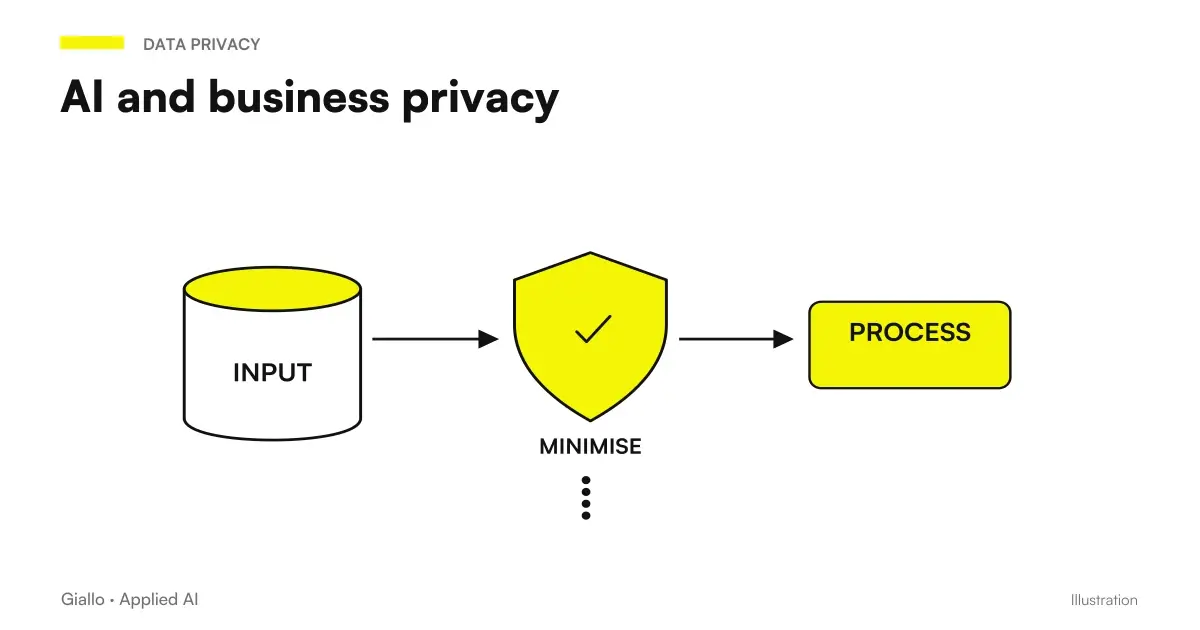
The discriminant is the contract. Demand an agreement on data processing, exclusion from training and, where needed, residency in Europe: in ChatGPT the EU region is provided for in the Enterprise plan, in Microsoft the EU data boundary should be checked. For more sensitive data, Mistral or a model installed in the home; the complete picture is in AI and corporate privacy.
When do you need a custom AI for the company?
For Custom AI for Companies you mean very different things, with very different costs. It is better to climb one step at a time and stop at the first one that solves the problem.
- Saved instructions and documents. A project in ChatGPT or Claude, or a Gem in Gemini, is reminiscent of the company's tone, rules and reference files. It is included in the license and is prepared in a matter of hours.
- Answers from your documents. When there are hundreds of documents and they change often you need a system that looks into your files and cites where the answer comes from: it is the RAG, as in the demo of Company AI knowledge base.
- An agent connected to the systems. It reads the request, checks the order in the business management software, prepares the reply or updates the CRM, and a person approves the sensitive steps. It is the level of AI agents.
- A model trained on your data. The fine-tuning makes sense for very specific formats and high volumes; for most SMEs the first three steps are enough.
One assistant is enough
- The work is individual: write, summarize, translate, analyze a file.
- The task changes every time.
- A person always stays in the cycle and decides.
We need a tailored system
- The same process is repeated dozens of times a week.
- AI must read or write in CRM, management software, mail or database.
- The answers must start from your documents, not from general knowledge.
If the agent responds directly to customers there is also an obligation of transparency: Article 50 of the AI Act asks that people know to talk to an AI (EU Regulation 2024/1689). How you design an agent working within processes, with its limitations, is explained in AI Agents for Companies.
How much does AI really cost in the company?
License is the easiest entry to read. Ten people on Claude Team with annual billing cost 180 € per month plus taxes (Claude Plans); the same ten on Google Workspace Business Standard, with annual commitment, cost 136 € per month plus VAT, with also mail, Drive and Meet in addition to Gemini (Workspace prices). The items that decide whether the investment yields are three more.
- Configuration. Permissions, connectors, data rules and some project or Gem ready for recurring tasks. Without it, the tool works blindly.
- Training. Two hours on prompts and real cases of your office are worth more than any move to an upper floor (training the team on AI).
- Licenses firm. The most common risk is not choosing the wrong tool, but paying locations that no one opens. If after a month half of the team does not use it, the problem is adoption, not the model.
The right bill is made on the hours saved in the chosen process, not on the price list: a more expensive plan that enters the suite and is used every day costs less than a cheap one that remains closed. To set it there are how much AI costs in the company and the hidden costs of AI projects.
How do they choose an accountant, an e-commerce and a law firm?
Take an accountant's firm with eight people on Microsoft 365. Everyone uses Copilot Chat, already included in the subscription; the Copilot license goes to the two partners who spend the days between Outlook, circulars and spreadsheets. To summarize a long circular they remain in the same tool, without pasting customer data into personal accounts. Industry applications are in AI for accountants.
Think of a clothing e-commerce on Google Workspace. Gemini in Gmail and Sheets prepares drafts of the product cards from the suppliers' data sheets, and routine responses. The questions about returns, sizes and shipments however come in dozens every day: there you need an automation that reads the mail, checks the order and prepares the answer, as in the demo of AI customer care for SMEs.
A Law Firm has a different need: reading and comparing long contracts accurately. The starting point is Claude Team, with written rules on which documents may be uploaded and a lawyer reviewing every citation. More details in AI for law firms.
Finally think of a workshop with three locations, where customer comments after the intervention arrive on WhatsApp and no one reads them again. Here you don't need an extra license but a stream: an automation collects messages, the AI classifies them by theme and every Monday each venue receives a summary (Automation WhatsApp Business).
None of them start from the ranking: everyone looks at the suite, the data and the work that costs more hours.
What mistakes make the AI budget waste in the company?
- Buying licenses before choosing the process. Without a precise use case the stations remain stationary and the AI is misjudged.
- Using personal accounts for customer data. Without contract on treatment and with active training is a GDPR risk that does not need to run.
- Expecting results from the first week. Need some request template for recurring tasks and some practice of prompt engineering.
- Leaving each one alone. Without training and without an internal referent that collects successful cases, the tool ends up using it well only those who were already passionate.
- Taking output for good. All assistants can Making Mistakes With Confidence: numbers, rules and customer data should always be checked.
How do you introduce AI into the company from a pilot group?
- Choose a process. The repetitive task that costs more hours or more errors: customer responses, quotes, reports.
- Look at suites and data. The suite indicates the starting assistant; the data tells which plan and rules are needed. Put them in writing in a corporate policy on the use of AI.
- Start with two or three motivated people for a month. Same process, times measured before and after: are the numbers with which to decide whether to extend (AI Pilot Project).
- Name an internal contact. It collects requests that work, helps colleagues, and signals where the tool isn't enough.
- Decide on the next step. Extend licenses, change tools, or, if work crosses multiple software, design an automation or agent.
What remains valid when changing models and prices?
Model names change every month and price lists almost as often; the method does not. Start with the suite you have, choose a business plan with a clear data contract, test it on a real process and measure. The overview for those starting from scratch is in AI for Companies: Complete Guide, the extended method in how to choose an AI model.
When the pilot emerges that the work to be lightened does not lie in a chat but passes from mail, management software and documents, Giallo Studio builds the AI agent which carries it out connected to your systems, with the approval of a person where it serves.
Giallo Studio guides: methodology and sources
How we apply it in the company
Related resources
 Best AI tools by use case: October 2026
 Best AI Models for Companies
 How to Choose an AI Model
 AI for businesses: a complete guide to getting started
 ChatGPT vs Copilot: which to use in business?
 Gemini vs Copilot: Which to Choose
 AI agents: what they are and how they work
 AI and corporate privacy: what happens to your data in AI tools
FAQ
What is the best AI for companies?
The one that works inside the suite that you already use: Copilot with Microsoft 365, Gemini with Google Workspace. Without a reference suite, in October 2026 the most solid alternatives are ChatGPT Business and Claude Team. Before signing up it is better to try them on three real company tasks, with a business plan and not with personal accounts.
What are the best AIs for an Italian SME?
Beyond the suite's assistant, you rarely need more than two tools: a general-purpose assistant such as ChatGPT or Claude for writing and analysis, and one for research with sources, such as Perplexity. When work spans multiple software systems, such as email, CRM and business management software, the right tool is an automation or an agent connected to the data rather than another chat.
Which AI is more secure for business data?
The plan matters more than the brand. On Microsoft, Google, OpenAI and Anthropic business plans, company content is not used to train models by default, and the provider signs a data processing agreement. On ChatGPT's and Claude's personal accounts, however, training must be disabled manually.
How much does AI cost for a company?
In October 2026, ChatGPT Business starts at $20 per user per month and Claude Team at €18 per seat, both billed annually and excluding taxes; Gemini is included in Google Workspace plans, and Copilot is added as a licence to Microsoft 365 subscriptions. Add configuration and training to the licence costs: these determine whether the seats will actually be used.
What's the difference between a free AI and a business plan?
The free plan is designed for one person: lower usage limits, no centralized control and content that can end up in training if the option is not deactivated. The business plan adds shared spaces, user management by administrators and a contract on data processing.
Can a company without an IT department use AI?
Yes. Business-plan assistants are activated through the administration panel and used in the browser or within Word, Gmail and Outlook, without installation. Internal or external technical expertise is needed when AI must read and write independently in the business management system or CRM.
When do you need a custom AI for the company?
When answers must draw on your documents or AI must act on your systems. The first step costs little: a project in ChatGPT or Claude, or a Gem in Gemini, with instructions and reference files. If the work involves CRM, email and business management software, you need an agent connected to the data; training your own model is rarely necessary for an SME.
Is European AI more GDPR compliant than American?
Not automatically. Where data is processed and what the contract provides matter, rather than the provider's nationality: major US providers sign data processing agreements and offer European data residency on some plans. A European provider such as Mistral or a model installed on your own servers may simplify the assessment, which must still be carried out with the person responsible for privacy.
Can I use multiple different AIs in the company?
Yes, and it is normal: the suite assistant for everyday work and a second tool for precise tasks, such as Claude for long documents or Perplexity for searches with sources. However, written rules on what data can be inserted in each tool are needed.