
AI automation: what it is and how it works
What AI automation is and how it works: differences from conventional automation, real SME examples, step-by-step workflows, limitations and implementation.
Reading time: 10 min
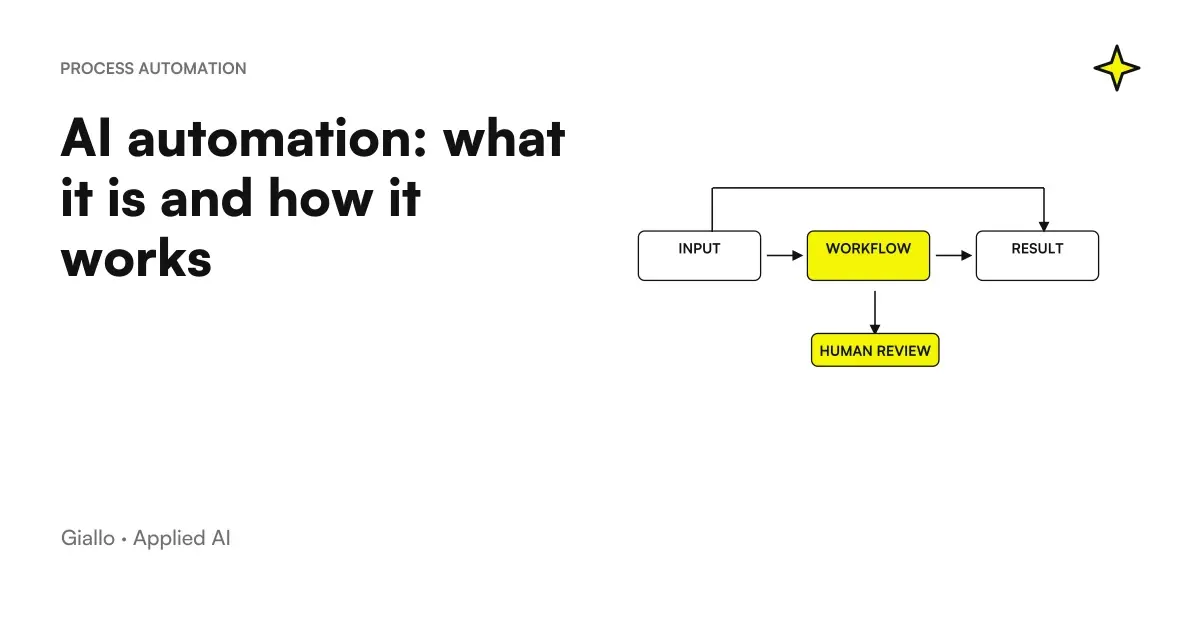
The AI Automation is the use of artificial intelligence models to get a software to perform a repetitive task that previously required a person, especially in the points where it is needed understand something unstructured or decide between multiple options. It's basically an automatic workflow where AI handles the "smart" part —reading an email, classifying a document, extracting data from a PDF, writing a draft —and the rest of the system performs the resulting actions.
The key difference from traditional automation is this: the classical automation follows fixed rules written by a human ("if the object contains 'invoice', move to folder X"), while the AI automation manages variable inputs and makes nuanced decisions. The first only works when everything is orderly and predictable; the second holds up the confusion of the real world, where emails are misspelled, documents have different formats and each customer asks in his own way.
In this guide we see what AI automation really is, how it differs from rules and RPA, how a step-by-step flow works, where it is best to use it in the company and what its concrete limits are.
In summary
- The AI Automation makes a software perform a repetitive task using an AI model for parts that require understanding or decision-making.
- The classic automation (rules, RPA) follows fixed instructions and only handles ordered and predictable inputs; AI automation handles unstructured inputs such as emails, PDFs and messages.
- The value is not "AI does everything", but AI prepares and the person approves: the final decision and doubtful cases remain human.
- Often the system combines multiple pieces: a chatbot or a model that understands, the API connecting software, a Agent which performs the steps.
- For an SME the return comes by choosing the fair process to lighten and measuring hours, errors and times before and after.
What "AI automation" means
To understand AI automation you have to start with automation in general. Automate means to have a software perform a task that a person used to do, without manual intervention at every step. It has been around for decades: an Excel macro, an invoice-generating management system, a stream that moves files to a folder are all automations.
The AI Automation adds to this scheme a new ingredient: a Artificial Intelligence Model which intervenes in points where a fixed rule is not enough. Where classic automation freezes in front of a strangely written email or document in an unexpected format, AI interprets the content and moves on. It is the same logic as Artificial Intelligence applied to an operational process: instead of answering a question, the model triggers an action.
A useful clarification: AI automation does not necessarily mean "agent doing everything alone". In most cases it is a Hybrid Flow: a part runs with simple and reliable rules, and only the piece that requires understanding switches to the model. This makes the system more robust and easier to control.
Classic Automation vs. AI Automation: The Difference That Matters
Here lies the heart of the matter. For years "automation" has meant rules and, in the most structured companies, RPA (Robotic Process Automation): software that mimics a human's clicks on screen to move data from one system to another. It works, but on one condition: everything has to be predictable.
The problem is that much of the office work is not predictable. Emails come written in a thousand ways, invoices have different layouts, customers describe the same problem with different words. On these unstructured inputs rules multiply in infinite exceptions, and the RPA breaks as soon as a detail of the interface changes.
AI automation solves exactly this: the model does not need a rule for each case, because it has learned to recognize patterns. Let's see the comparison on a typical activity — sort incoming emails.
First: classical automation (rules / RPA)
- It only works if the object or sender follows a fixed pattern.
- Every new case = a new rule to write by hand.
- An email written "out of format" ends up in the wrong folder or crashes.
- He doesn't understand the meaning: he only sees text that matches or doesn't match a rule.
- Transparent and predictable, but fragile in front of the real variety.
After: AI automation
- The model reads the content and understands what the request is, even if it is written in a new way.
- It handles nuances and cases never seen without adding rules.
- It can extract data (amounts, dates, names) even from disorganised text.
- Decides the category and, if uncertain, reports the case to a person.
- More flexible, but less transparent: it should be checked and measured on critical points.
The practical rule: classic automation remains perfect for orderly and high stakes tasks (calculations, structured data transfers), while AI automation shines where input is variable and interpretation is needed. In serious projects the two things coexist. If you want to see how they fit into an overall process design, the page automation of business processes explains the step-by-step approach.
| Criterion | Classical automation (Rules / RPA) | AI Automation |
|---|---|---|
| Input Type | Structured and predictable (fields, modules) | Also unstructured (email, PDF, voice, chat) |
| How he decides | Fixed rules written by a human | Recognize schemas and choose the most likely output |
| New cases | They require a new rule | Managed without rewriting the stream |
| Transparency | High: You always know why he acted like that | Lower: Don't always explain the "why" |
| Typical Errors | Blocks or skips cases out of scheme | He may err or invent on rare cases |
| When it makes sense | Repetitive, ordered, high-risk tasks | Repetitive tasks with variable input and revision margin |
How AI automation works, step by step
A well-made AI automation is not a single magic box: it is a sequence of steps where each piece does only one thing. We see the typical flow, for example to handle requests that come via email to an office.
- Trigger. Something starts the flow: an email arrives, a file is uploaded, a customer writes in chat. It is the event that turns the automation on.
- Understanding (AI). The model reads the unstructured input and derives a meaning from it: what the request is, what data it contains, how urgent it is.
- Decision. Based on what he understood, the system chooses the right branch: respond automatically, sort to a department, or report to a person if the case is doubtful.
- Action. The stream executes: updates the CRM via API, create a ticket, prepare a draft reply, archive the document in the correct folder.
- Human control (where needed). On critical points the person approves before sending. It is the safety net that keeps the system reliable.
- Measurement and improvement. You track errors, times and cases passed to the human. You correct instructions and data, and the flow improves over time.
Where the automation ends and the agent begins
There is an important nuance. A "simple" AI automation follows a path you designed: trigger → understand → acts. A AI Agent Takes an extra step: decide alone the sequence of actions to achieve a goal, choosing which tools to use and in what order.
In practice: an automation sort the emails following the pattern you have defined; an agent can receive the goal "handle this request" and decide independently to read the email, search in the management software, prepare the answer and update the ticket. More autonomy means more power, but also more need for control. For an SME it is almost always convenient start with guided automation and introduce autonomy only where it makes sense. If you want to see prototypes and concrete experiments, there is The Lab.
The tools you need (in short)
No need to build everything from scratch. A typical AI automation puts together three types of bricks:
- An orchestrator connecting steps: no-code/low-code platforms like Make or n8n, or custom code for the most integrated cases.
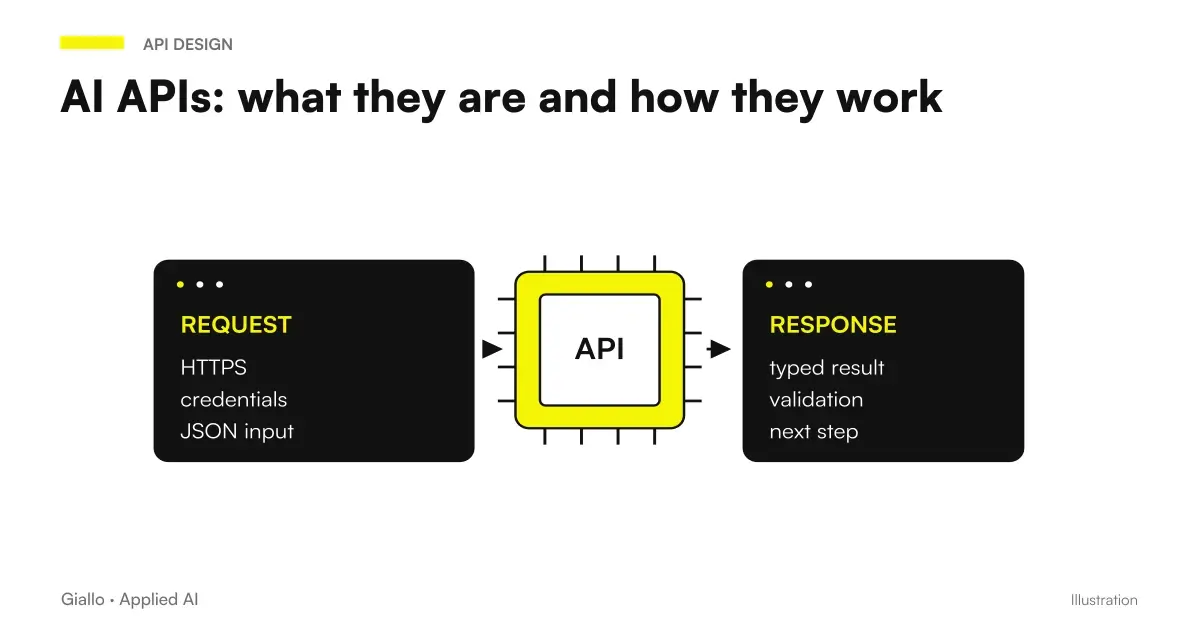
- An AI Model recalled via API for the part of understanding and generation.
- The software you already use (email, CRM, management software, e-commerce) connected to the flow through their integrations.
What AI automation is for in the company
The practical point is simple: AI automation serves to remove repetitive manual work where input is messy and a fixed rule is not enough. Stronger cases in SMEs are few and recurrent.
- Sorting and triage: read emails, tickets or requests and route them to the right department or answer.
- Extracting data from documents: derive amounts, dates and items from invoices, orders and contracts in different formats.
- Drafts and answers: prepare the first draft of an answer, a quote or a description, which the person reviews.
- Top-level customer support: a chatbot which answers frequently asked questions and passes on complex cases to the human.
- Reconciliation and Control: compare data between different systems and report inconsistencies instead of having them searched by hand.
The common thread is always the same: AI handles the part repetitive and low risk, the person holds the decision on the cases that matter. For an organic overview on processes, costs and priorities, the guide AI for businesses gathers the complete picture from which to start.
Practical examples
Three realistic scenarios of SMEs and Italian professionals, to make the speech concrete.
1. Accountancy firm — Passive invoices. Hundreds of supplier invoices arrive by email each month, as PDFs with varied layouts. AI automation reads each attachment, extracts number, date, taxable amount and supplier — even from previously unseen documents — and populates the business management software. Cases with uncertain data go into a “requiring verification” queue for the operator. Typical result: less manual data entry, fewer transcription errors. A traditional RPA system would have stopped at the first PDF with a new format.
2. E-commerce — assistance and orders. An AI assistant answers questions about shipping, sizes and returns around the clock, using the actual information in the catalogue. When a customer asks to change an order, the workflow understands the request and checks its status in the e-commerce system through API and prepares the action, leaving the confirmation to the operator. Simple questions close themselves, complex ones come to a person already contextualized.
3. Service business — quotes. The salesperson pastes the customer's request, often a discursive email. AI extracts key data, proposes quote entries based on history, and prepares the draft in the business format. The person corrects the prices and sends. The time for quote drops from tens of minutes to a few, and the commercial works on margin instead of formatting.
In all three cases the winning model is not "AI does everything", but "AI makes first draft, human decides".
When it makes sense to use AI automation and when not
Not every process needs to be automated with AI. Sometimes a rule is enough, sometimes it doesn't have to be automated at all.
Do I want AI automation or just one rule?
If your input is already ordered and predictable (a module with fixed fields, table data), often simple rule automation is cheaper, more transparent and more reliable. AI is better when input is variable or unstructured email freely written emails, documents in different formats, required in natural language — and when writing a rule for each case would be impossible.
What if the process is critical (payments, sensitive data)?
AI automation can still prepare the job, but the final decision must go through a check: a person approving, or an automatic check with thresholds. Never let the model perform irreversible actions alone (payments, mailings, cancellations) without a safety net.
What if I don't have data or examples to base myself on?
Recent generative models work well even with a few examples, because they have already learned the language. But if the task is very specific to your company, you still need your instructions and reference documents to guide them. Without context, the model guesses.
Practical rule, identical to that of automation in general: AI automation doesn't fix a broken process, it speeds it up. If you automate chaos, you get chaos faster. First you put order in the flow, then you automate.
Mistakes to Avoid
- Automating a confusing process. If today nobody knows exactly how a task works, AI will not fix it: first you map it, then you automate it. Otherwise you encode the disorder.
- Treating output as truth. The model produces the most likely response, not the verified one. On amounts, deadlines and customer data always needs an automatic or human check.
- Feeding sensitive data without criterion. Entering personal data of customers in public tools can violate the GDPR. We need clear rules on what you can share and with which providers.
- Skipping human control over critical points. Letting an automation send, pay, or delete itself without a review threshold is the quickest way to turn a small mistake into serious damage.
- Not measuring before and after. Without numbers (hours, errors, response times) you will never know if automation is giving you value or just the impression of modernity.
How to apply it in the company
Introducing AI automation in a sensible way is a short and repeatable path, not a big project to postpone.
- Find the process that hurts the most. What repetitive activity, with messy input, steals more hours or generates more errors? Start from there, not from the most striking case.
- Measure the starting point. How many hours, how many mistakes, how many days of waiting today. Without a "before" there is no ROI.
- Choose the minimum instrument. Often a no-code orchestrator plus an API model connected to the software you already use is enough, not a custom software.
- Keep the human in control. AI prepares, the person approves, especially in the first few months and on critical steps.
- Measure again and decide. If the numbers improve, extend to a second stream; if not, change approach. One confirmation at a time.
This is exactly the kind of work for which there is a Process Automation Consulting: understand where it really is best to intervene, choose the right mix between rules and AI, and avoid spending on tools that no one will use. If you want to see the full picture of the method, start from the page automation of business processes.
Conclusion
The AI Automation is not a futuristic version of the software: it is a concrete way of getting a machine to perform repetitive tasks where the input is messy and needs to be interpreted or decided. The difference with classical automation is clear — the rules handle the orderly and the predictable, AI handles the variety of the real world — and in serious projects the two work together. For an SME the advantage does not come from "having AI", but from choosing the right process, keeping the person where judgment and responsibility are needed, and measuring the result. From here you can continue with AI agents to understand when more autonomy is needed, or to return to the basics with Artificial Intelligence.
AI becomes useful when it enters processes. Giallo Studio helps SMEs and teams to build concrete, measurable and sustainable automations.
Giallo Studio guides: methodology and sources
How we apply it in the company
Related resources
 RPA explained: robotic process automation and when it makes sense
 AI agents: what they are and how they work
 AI APIs: what they are and how they work
 AI for businesses: a complete guide to getting started
 Artificial intelligence: what it is and how it works
 AI Chatbots: What They Are and How They Work
 n8n explained: how it works and how to use it in business
 Zapier: what it is and how it works, practical guide for SMEs
FAQ
What is AI automation in simple terms?
AI automation is a workflow that independently performs a repetitive task, using an artificial intelligence model for the part requiring understanding or decision-making. Unlike traditional automation, it handles unstructured inputs such as emails, PDFs, or voice messages, not only data arranged in predefined fields.
What is the difference between AI automation and classic automation?
Classical automation (rules, RPA) follows fixed instructions: 'if X happens, do Y'. It only works when the input is predictable and structured. AI automation adds a model that interprets variable inputs and makes nuanced decisions, handling cases that with fixed rules would require thousands of exceptions.
Does AI automation replace people?
No, it replaces individual repetitive tasks within a job: reading, sorting, extracting data, writing a first draft. Important decisions, quality control and dubious cases remain with the person. The most solid model is 'AI prepares, human approves'.
Do you need to know how to program to use AI automation?
Not always. Many SMEs start with no-code or low-code tools, such as Make or n8n, connected to software they already use. More complex workflows or those integrated into business management systems require technical configuration, but rarely require building a model from scratch.
How reliable is AI-based automation?
It depends on the task and how it is designed. A model produces the most likely answer, not the certainly correct one: it can go wrong on rare cases or invent data. That is why at critical points (numbers, payments, customer data) a human control threshold or an automatic verification is needed.
Where is it best to start with AI automation in the company?
From the process that steals more hours or generates more errors, not from the most flashy one. You measure the starting point (hours, errors, times), you automate a single well-defined flow keeping the human in control, then you measure again to understand if it is better to extend.