
Gemini vs Copilot: Which to Choose
Gemini vs Copilot: practical differences, when to choose each, integrations, privacy and business licences. Your software stack guides the choice.
Reading time: 11 min
Gemini vs Copilot is a choice between AI experiences related to work tools, not a comparison that can be decided by the name of the model. For an SME, the process, the functions included in the plan and the authorized sources count. The stack already in use indicates a reasonable candidate, but does not demonstrate equal quality of the two products or automatic convenience.
On the Microsoft side, chat included, standard access in apps and Premium have different rights: Effective Copilot License. On the Google side, the available AI functions depend on the Workspace edition and the current conditions of the official pricing. Do not compare a personal chat to an enterprise function linked to the team context.
This guide offers criteria, hypothetical scenarios and a test path. The result must indicate which activity is covered, what data is needed and how much work remains for the person: not declaring a universal winner or a saving without measure.
In summary
- The stack is a starting point: the plan and the concrete task decide the test.
- Do not assume that Gemini and Copilot have equal quality or identical functions in all editions.
- For Copilot it distinguishes chat included, standard access in apps and Premium with its working context.
- Evaluate accounts, authorized sources, data conditions, and connector identities.
- Compare errors, completeness, review time, and total cost on identical examples.
- A second tool makes sense if it covers a distinct need and exceeds the cost of training and management.
Gemini and Copilot: What They Really Are
The Microsoft side requires a further distinction: Copilot Chat and Copilot access to corporate work they can offer different sources and functions even in the same ecosystem.
When you evaluate Gemini, specifies whether you mean a function in Workspace applications or an experience in the app. The rights are not derived from the general name. The Google Workspace price list distinguishes the editions and features included; for the context read What is Gemini AI.
Copilot includes chat, features in apps, and agent paths. Copilot Chat (Basic), Microsoft 365 Copilot (Basic) and Premium have different rights. The included corporate chat can work with provided content or authorized paths, but it does not amount to the automatic recovery of work information enabled by Premium. The Microsoft guide to chat with and without add-ons explains the border; What is Copilot AI offers the general map.
In part of the Microsoft documentation the names are becoming Microsoft Copilot and Microsoft Copilot Chat. Licenses can retain Microsoft 365; the app changes guide helps to recognize the path. A unified interface does not make personal and business accounts identical.
What is the real difference between Gemini and Copilot
The initial criterion is the integration necessary for the process. To summarise a conversation, access to the thread, citations and exception handling matter; for analysis, files, ranges and the ability to check the calculation matter. Having AI in the suite can remove steps, but the benefit must be measured.
If the team already uses Microsoft 365, Copilot is a candidate to try in the eligible plan. If it uses Workspace, evaluate the functions available in your edition and in real clients. The guides Copilot for Microsoft 365 and Gemini for Google Workspace help to organize applications; the comparison is completed with official requirements.
Do not turn this initial preference into a rule that excludes other sources. Microsoft documents extensions and connectors for Copilot in the Extensibility Guide. However, an external source or action is not already connected because there is a connector: verification of permissions, format, licenses and maintenance. On the Google side you have to check the path actually predicted by the plan, without attributing capabilities deduced from a demo.
For the test choose examples that represent the difficult work: a contradictory thread, an incomplete file, a procedure with multiple versions. If you try only the cleanest material, you learn little about the behavior that counts in production. The Guide how to choose an AI model distinguishes evaluation on the task and abstract rankings.
Gemini vs Copilot: comparison table
Fill out this table for plans assigned to your company. Columns are checks to be made, not judgments on the absolute quality of the two assistants.
| Criterion | Gemini in your edition | Copilot in your license |
|---|---|---|
| Team Tools | Checking Workspace apps actually used | Microsoft 365 app verification actually used |
| Background to the request | Check which materials the function can use | Distinguish material supplied, opened or recovered from work |
| Sheet Analysis | Try the task in the available client and plan | Test the task with available modes and rights |
| Meetings | Check function prerequisites in the Google plan | Distinguish use during and subsequent recovery in Teams |
| Quality in Italian | Same cases, same address book, verified errors | Same cases, same address book, verified errors |
| Controls | Accounts, data, accesses and route conditions | Accounts, data, accesses and route conditions |
| Cost | Edition, training, any services | Base, add-on, training and eventual consumption |
The Workspace Price list and the Microsoft requirements are the references to verify inclusions and prerequisites. Do not summarize licenses as "both are always add-ons": the included functions may differ by edition and the Copilot chat is included in eligible licenses.
If a function does not appear, do not immediately attribute the absence to a general product limit. On the Microsoft side the Copilot button guide absent also has version, account and location checked in the interface. In the comparison it records the configuration: otherwise you risk evaluating an unenabled function against a fully available one.
When to choose Gemini and when Copilot
The stack indicates which candidate to try first. The following lists are starting conditions to be validated with license, requirements and a test on the process.
Choose Gemini if
- The company already uses Google Workspace: mail on Gmail, files on Drive, sheets on Google Sheets.
- The team collaborates in real time on the Documents and makes meetings on Meet.
- You want AI inside the Google tools that people already open every day.
- You have a mixed device fleet (even a lot of browsers and ChromeOS).
Choose Copilot if
- The company lives on Microsoft 365: Outlook, Word, Excel, files on OneDrive/SharePoint.
- Excel is central to the processes and you want the AI working in it.
- The collaboration goes through Teams for chats and meetings.
- You already have IT governance built on the Microsoft ecosystem.
Note that neither list appears "because the model is more powerful". It is not the deciding criterion: it is where your data lives and where your people work. If you're indecisive about using a bit of both, count where the bulk of your day-to-day work lies: emails and operating documents weigh more than a single rarely used tool.
Privacy and business licenses: what to check
Before the economic confrontation, rebuild Microsoft Copilot prices and licenses for the Italian SME with suitable basis, cadence, taxes and conditions of the promotion.
The useful criterion is the authorized path for data, not the "free vs. business" contrast. Copilot chat included in eligible licenses can be covered by Enterprise Data Protection with work accounts: Microsoft EDP. For Google it checks the commitments applicable to your edition and the function used, without automatically extending the Workspace conditions to a personal account.
Microsoft documents the non-training of LLM foundations for prompts, responses, and Graph data in the covered enterprise paths in the Copilot Privacy Page. Non-training does not always mean processing in EU: the Anthropic models as a Microsoft subprocessor are currently excluded from the EU Data Boundary and applicable in-country commitments. This distinction should be considered when choosing authorised functions and models.
- Account and function. What identity does it access and what experience is used on the material?
- Rights. Does the plan allow for the task and use of the necessary sources?
- Treatment. What agreements, purposes, storage and subprocessors apply?
- Access. Who can read the source, and with what identity does an agent perform the actions?
- Geography. Does the route meet the requirement of the organization without inferring it from non-training?
- Review. Who corrects output and handles unsolvable requests?
On the budget, check inclusions in the Workspace edition and Microsoft rights before adding services. The Copilot License Guide distinguishes chat, standard and Premium access. In the quote also preserves cadence, duration, taxes and renewal: comparing two digits without these details can produce a wrong decision.
Practical examples
Three scenarios hypotheticals, not Giallo customer results. They illustrate a test criterion, without attesting convenience or savings.
1. Professional study on Google Workspace — email responses. A study with mail on Gmail and documents on Drive receives many repetitive requests from customers. With Gemini built into Gmail, the assistant proposes a draft reply based on the thread and linked documents; the person reviews it and sends it. Before adding another tool, the study checks whether the authorized Workspace path covers the need. A possible Copilot would require a concrete evaluation of sources and integrations, it should not be excluded for an alleged impossibility.
2. Manufacturing company on Microsoft 365 analisi analysis in Excel. A company with management software and reports on Excel and mail on Outlook needs to analyze sales data every month. With Copilot inside Excel, a manager asks in Italian "trend of sales by region in the last quarter" and gets tables and graphs from the actual sheet. Copilot is a candidate to try: check totals, intervals and corrections before deciding whether the function improves the process.
3. E-commerce growing — the hybrid case. An online store uses Google Workspace for mail but handles accounting in Excel on Windows PCs. The temptation is to take both licenses. The manager separates two needs: mail management and accounting file analysis. It evaluates the functions already understood and measures the revision; a second license enters the budget only if it covers a distinct activity with a benefit to be verified.
In all cases the stack indicates the initial proof; the process, sources and revision decide the configuration to be adopted.
Quick Questions and Answers
Gemini is from Google and Microsoft's Copilot: Does that mean they need different accounts?
Yeah. Gemini for the company is activated on the Google Workspace account; Copilot for the company on the Microsoft 365 account. They are linked to their respective subscriptions and identities: they do not "move" from one ecosystem to another.
If I change ecosystems in the future, do I lose the work done with AI?
Migration should be evaluated for documents, formats, chronologies, integrations, and configurations. Do not give as a guarantee the transferability of every object created with AI. Changing suites involves team work in addition to single chat: prepare an inventory and proof before the decision.
For a freelancer alone, which is convenient?
Even for a professional the stack indicates the candidate to try. It checks the functions already understood and the commitments on the data of the chosen path; then measures the actual work, without assuming a second license.
Mistakes to Avoid
- Choosing based on the "best model of the month". The rankings change with each version and the advantage lasts little. The integration with your stack, on the other hand, is structural: it is the one to guide the choice.
- Comparing free chats to decide the business purchase. A personal chat does not automatically represent the team's enterprise function. Evaluate the authorized path, including any corporate chat already included in the plan.
- Giving for already linked sources. An external tool may require integration; an internal one may have plan or configuration limits. Check the path instead of inferring it from the brand.
- Classifying protection from price. A company chat included and a personal account are different. Use authorized accounts and features for the material, with applicable agreements.
- Adding two tools without a distinct need. Compare already available rights, training and pilot results before duplicating the service.
How to apply it in the company
Translating this choice into a concrete decision is a short path.
- Photograph the real stack. Where is the mail? Where are the documents and sheets? What devices do people work on? The answer already indicates the candidate.
- Identify the 2-3 repetitive tasks. Email drafts, meeting summaries, sheet analysis: cases where integrated AI saves real hours.
- Verify privacy and license. Business plan, data processing contract, data residency. Check the updated official pages before signing.
- Start with a pilot on a few users. It measures saved hours and avoided errors on one department, not on the entire company at the first shot.
- Extend if the numbers come back. If the pilot gives measurable value, expand; if not, review the process before the instrument.
The delicate point is not to install Gemini or Copilot: it is to connect them to the right processes, manage permissions and data and measure the result. AI Consulting helps to choose the pilot and check which rights are really needed. If instead you want to go beyond the series assistant —to streams that read, decide and act in your systems —the AI agents and the process automation.
Conclusion
In comparison Gemini vs Copilot the stack helps to choose where to start, but the result is decided on the team's activities. Identifies the plan, sources, and function; tests representative cases and records errors, review time, and steps between systems. Do not assume the same qualities or migrations needed.
The Microsoft side requires the distinction between chat included, access in apps and Premium; on the Google side it verifies the inclusions of the Workspace edition. Data commitments must be read in the actual path, separating non-training, access and geography. Before extending, check whether the observed benefit supports cost and management.
To learn more about candidates read Gemini for Google Workspace and Copilot for Microsoft 365; for a cross-sectional evaluation use how to choose an AI model. If the need is an operational sequence, the next step may be a AI Agent and not another individual subscription.
To build a comparison on the process of your SME, Giallo Studio offers AI consulting with sources, responsibilities and test criteria defined together with the team. You can also explore the interactive examples of The Lab.
Giallo Studio guides: methodology and sources
How we apply it in the company
Related resources
 Gemini AI: what it is and how it works
 Copilot AI: what it is and how to use it
 Gemini for Google Workspace
 Copilot for Microsoft 365
 How to Choose an AI Model
 AI to eliminate manual data entry and copying in business
 AI for CRM and sales: automate the sales process
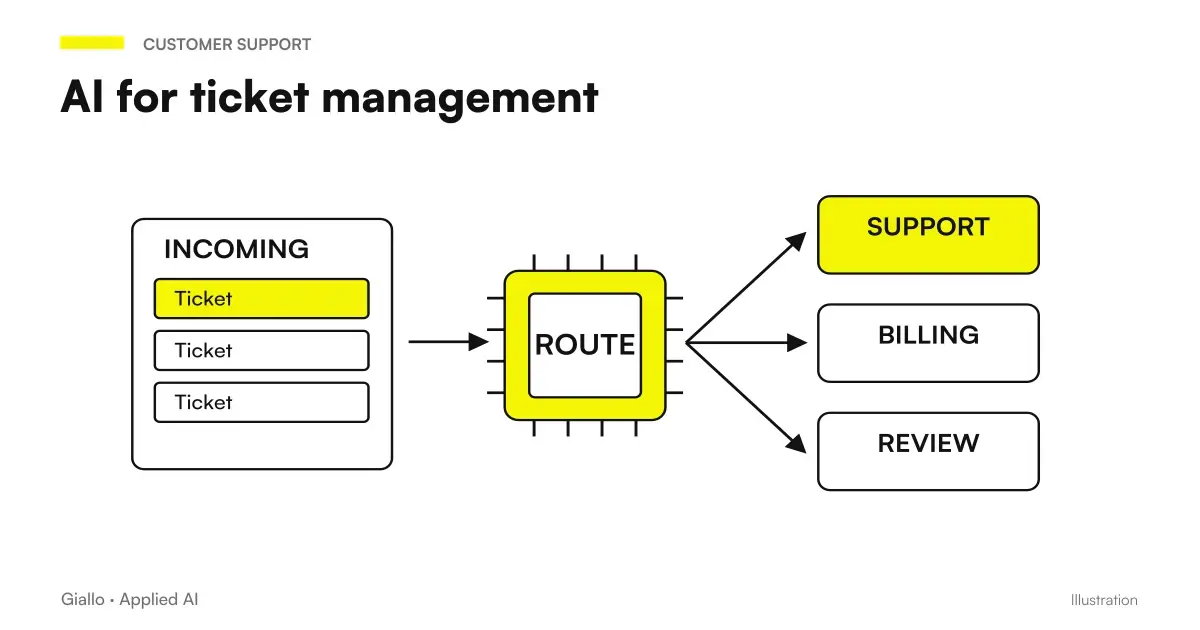 AI for ticket management: shorter waits, more resolutions
Other direct comparisons
The same criteria applied to other model pairs.
- ChatGPT vs Gemini: which subscription is worthwhile in October 2026?
- GPT-5.6 Sol vs Terra: which makes sense?
- Gemini 3.6 Flash vs 3.5 Flash
- GPT-6 Astra vs Claude Fable 5.1
- Claude Fable 5.1 vs Sonnet 5
- GPT-6 Astra vs GPT-5.6 Sol
- Claude vs Perplexity
- GPT-6 Sol vs Claude Opus 5.5: the official numbers and when to use which
- Claude vs Gemini: Which to Use
- GPT-6 Sol vs Luna: which one to choose and for which jobs
- Claude vs DeepSeek: Which to Choose
- Claude Haiku 4.5 vs Gemini Flash-Lite
FAQ
Gemini and Copilot: what's the main difference?
The comparison concerns workplace experiences, plans and integrations. Your existing stack is a starting point; context, entitlements and features must be checked in the actual configuration. Comparing two model names is not enough.
Which is better for my business: Gemini or Copilot?
Choose a recurring task and test the candidate closest to your team’s tools. Compare completeness, errors, review time and total cost. The ecosystem alone does not establish quality or value for money.
Do Gemini and Copilot use my data to train models?
Commitments depend on the service, account and authorized feature. Microsoft documents non-training for covered enterprise paths; for Google, check the terms of the chosen edition and service. Non-training and geographic data residency are separate checks.
Can I use both Gemini and Copilot together?
Yes, if your organization authorizes the paths and they meet distinct needs. Before adding a second tool, check the features already included and the costs of training and management. The decision must follow from the pilot.
Do you need technical skills to use Gemini or Copilot?
Requests use natural language, but people need instructions on sources, review and permitted data. Administrators must check entitlements, accounts and configuration. Training must be built around the team’s actual tasks.
How much do Gemini and Copilot cost for companies?
What is included differs by edition and assigned entitlement. These are not always equivalent add-ons: Microsoft also offers business chat included in eligible licenses. Check current prices and add configuration, training, renewal and any usage costs.