
Make vs Zapier vs n8n: which one to choose for your company
Practical comparison between Make, Zapier and n8n: costs, limits, real use cases for SMEs. Find out which automation tool is right for you.
Reading time: 9 min
Make, Zapier and n8n are the three most used no-code/low-code automation tools by SMEs to connect apps, move data, and build workflows without writing code from scratch. The choice between the three is not trivial: it changes the cost, the technical limit, the privacy of the data and the type of workflow you can build.
This comparison helps you understand which tool best suits your company based on concrete use cases — without proclaiming an absolute winner, because it does not exist. If you want to first understand what AI automation is in the widest sense, start from AI automation: what it is and how it works.
In summary
- Zapier: the simplest, thousands of ready-made integrations, ideal for those who want to start in a few minutes without technicians. Higher cost per volume.
- Make: advanced visual logic, branching scenarios, cost per lowest operation. Average learning curve.
- n8n: public code with fair-code license, self-hostable, no execution limit on your server. Requires technical skills for installation and maintenance.
- For GDPR and sensitive data: n8n self-hosted on a European server is the option with more control over where the data is.
- The decisive criterion is not the power of the tool but the complexity of the process and the skills of the team.
What are Make, Zapier and n8n
All three belong to the category of workflow automation builder: visual environments where you connect a trigger (something that happens) to one or more actions (things that happen as a consequence). A classic example: a completed form arrives on the website → create a contact in the CRM → send a welcome email → notify the salesperson on Slack.
The difference is not "what they do" in the abstract, but how they do it And at what price.
- Zapier (2011, USA) is the veteran: minimal interface, linear "Zap", catalog of thousands of apps. It is configured in minutes, without any technical experience.
- Make (formerly Integromat, 2016, Czech/US) has a visual editor to canvas where you see the flow branching out: routers, iterators, aggregators. More powerful than Zapier for complex logics, with a generally lower cost per operation.
- n8n (2019, German, fair-code license) stands out because you can install it on your server and have total control. Native nodes for AI/LLM, no execution limit on self-hosted. For those with a minimum of technical skills, it is the most flexible and private solution.
To deepen the individual tools, find dedicated guides on automation with Zapier, Automation with Make and automation with n8n.
Direct comparison: Make vs Zapier vs n8n
| Criterion | Zapier | Make | n8n |
|---|---|---|---|
| Ease of use | ★★★★★ Very simple | ★★★★☆ Average curve | ★★★☆☆ Requires technical |
| Advanced Logic | Limited (linear) | Advanced (ramifications, iterators) | Very advanced (code, AI agents) |
| Ready-made integrations | The widest catalogue | Wide | More restricted, with HTTP node for any API |
| Cost (entry plan) | Higher by volume | Medium | Free (self-hosted) |
| EU Data Residence | Partial option | Partial option | Full (self-hosted) |
| Native AI/LLM | Yes (via integrations) | Yes (via integrations) | Yes (native AI nodes) |
| Server Maintenance | None | None | Necessary (self-hosted) |
| Ideal for | Non-technical teams, simple flows | SMEs with complex processes | Tech team, maximum flexibility |
Prices change frequently: always check the official pages of Zapier, Make and n8n before comparing costs.
Zapier: when to choose it
Zapier makes sense when priority is leave now without depending on a developer. Setting up a base Zap takes minutes: choose the trigger, choose the action, map the fields, activate.
The strong point is the catalog: you hardly find a management app, a CRM, an e-commerce or a marketing tool that is not already integrated. For Email Automation, customer follow-up and automatic notifications, Zapier covers most cases without touching a line of code.
The limit is logic: flows are linear. If you need complex ramifications (if the customer is type A you do X, otherwise you do Y and then Z), you need to build more separate Zaps or move to a more expensive plan with conditional paths.
When to choose Zapier
- The team has no technical skills and must start independently.
- You need to connect popular apps (Gmail, Slack, HubSpot, Notion, Shopify).
- Flows are linear: trigger → 1-3 actions, without complex logics.
- The monthly volume is low and the cost per operation is not a problem.
When to Avoid Zapier
- You have processes with many conditions, loops or complex data transformations.
- The volume of operations is high: the cost scales quickly.
- You need to process sensitive data and you have strict GDPR requirements on data residency.
- You need advanced AI logic or multi-step agents.
The comparison must also consider the changes of the adopted product. The migration from Zapier Agents to AI by Zapier requires you to verify editor, sources, and behavior of the existing stream, instead of comparing only the number of declared integrations.
Make: when to choose it
Make is the right choice when the process has branched logic and you want a visual environment that makes the flow readable. The canvas editor shows data passing between modules, which helps enormously in debugging.
Compared to Zapier, Make counts "operations" (each data passage between modules) instead of "tasks", which often results in a lower cost for complex workflows. It also has native tools to aggregate data from multiple sources, iterate on arrays, transform fields with functions — things that in Zapier would require workarounds or higher planes.
An agency that manages Automatic Reports for multiple customers, or a studio that automates the generation of estimates, finds in Make the right flexibility without having to write code.
When to choose Make
- The process has conditions, multiple branches, or cycles on data lists.
- You want a visual interface that shows the full flow at a glance.
- The volume is medium-high and you want a low cost per operation.
- You have someone in the team (even non-developer) willing to devote a few hours to the configuration.
When to Avoid Make
- The team is completely non-technical and does not have time for the learning curve.
- You need a very niche integration supported only by Zapier.
- The GDPR requirement on data residency is absolute: Make is not self-hosted.
In installations that require monitoring, the Make Event Subscriptions add platform notifications via HTTPS. It is a feature to compare on real behavior in case of an error, including signing, logging, and retrieval when the recipient is unavailable.
n8n: when to choose it
n8n is the right tool whenever you want full control: over the code, data and costs. Installed on a VPS (even at 10-20 €/month), you have no execution limits and the data never leaves your servers. For companies handling sensitive customer data, this is often the only way to comply fully with Art. 28 of the GDPR (contract with the data processor).
n8n also has the advantage of native AI nodes: you can build AI agents which call LLM models, perform multi-step reasoning and use external tools — without depending on third-party integrations. If you are interested in understanding how AI workflows work in a broader sense, read AI workflow: what they are.
The cost of self-hosted n8n is mainly the time of the technician installing and maintaining it. For teams without developers, n8n cloud (SaaS) is a compromise: easier, but with less control over data than self-hosted.
When to choose n8n
- You have an in-house technician or consultant available for installation and maintenance.
- It processes personal data of EU customers and you want servers in Europe under your control.
- You want to build advanced AI automations (agents, LLM chain, RAG) at no cost per call.
- The volume of operations is high: the fixed cost of the server beats the variable cost of Make/Zapier.
When to avoid n8n
- You don't have anyone in a team with technical expertise and you don't want to depend on an outside consultant.
- You need an integration ready for a very specific app not covered by n8n nodes.
- You want something active in less than a day without infrastructure configurations.
The choice of n8n also includes the license perimeter. The new clarification on the business use of n8n Community Edition distinguishes internal flows and consulting from products where external users can create or control workflows.
GDPR and privacy: the theme that many guides ignore
The data that goes through your workflows (customer names, emails, document content) goes through the provider's servers. Zapier treats them in the US, without an option to keep them only in the EU, and includes the DPA (Data Processing Agreement) in its terms (Zapier, DPA). Make has a data center chosen for each organization in the EU or US (Make, organizations). In any case, a DPA is required, mandatory under the Art. 28 GDPR.
n8n self-hosted on a European server (e.g. Hetzner DE, OVH FR) gives you complete control over data residency: you decide where they are and who manages them. For health data, legal data or any data subject to industry constraints, this difference is substantial.
Practical examples: Italian SMEs
1. Tax consultancy firm — email sorting and CRM. A Milan accountant receives emails every day from clients with different attachments (F24, invoices, Agency communications). With Zapier configured it in less than an hour: Gmail → attachment parser → Google Drive (customer folder) → row in the "to process" sheet → Slack notification. A linear workflow, with no technician involved. Estimated saving: 45 minutes per day of manual sorting.
2. E-commerce clothing — multi-channel order management. A Brescia store sells on Shopify and on a marketplace. With Make built a scenario that aggregates orders from both sources, checks stock availability, updates the business management system, generates a PDF pick list and notifies the warehouse worker. Branching logic (if the order is urgent → priority channel), impossible in Zapier without paying for higher-tier plans. Make cost: 40% lower than the Zapier equivalent.
3. Marketing agency — automation leads and reports. An agency with 3 developers installed n8n on a Hetzner VPS. It handles: intake form → AI lead qualification → sales assignment → weekly PDF report generation → sending to customers. Customer data never leaves the EU, and there are zero variable costs per operation. ROI: the VPS cost (around €15/month) is covered by the hours saved in the first month.
How to Choose: Decision Making Scheme
- Map the process. How many conditions does it have? Is it linear (trigger → actions) or branching (if A then X, otherwise Y)? A process that has not been mapped cannot be automated well with any tool.
- Evaluate team skills. Is someone willing to configure and maintain the tool? Nobody → Zapier. A patient team → Make. A technician available → n8n.
- Estimate the volume. A few hundred operations per month → any tool works. Thousands per month → compare real costs on updated official price lists.
- Check the GDPR requirements. Do you process personal data of EU customers? Sign the DPA, identify the residence of the data, evaluate n8n self-hosted if the risk is high.
- Small parts. Test the simplest flow that gives you measurable value. Don't build the perfect system on the first try.
Mistakes to Avoid
- Automating before you understand the process. If you don't know exactly what goes in and out, automation produces silent errors that are difficult to debug.
- Choosing the tool for brand awareness. "We use Zapier because everyone talks about it" often leads to high costs for features you don't use. The comparison should be made about the actual use case, not popularity.
- Ignoring the GDPR. Passing emails and customer data through US servers without signed DPA is a violation of Art. 28 GDPR. It is not a technical detail, it is a legal obligation.
- Not monitoring workflows. An unmonitored automation stops working silently (token expired, API changed, data format modified). Set up error notifications from day one.
- Depending on a single point of failure. If the whole Automated data entry It rests on an undocumented Zap, the next person who touches it doesn't know what it does. It documents every stream, even in a sheet of text.
How to apply it in the company
If you are evaluating one of these tools for the first time, the most effective route is this.
- Identifies a process with high low risk impact. Email sorting, notifications, CRM contact creation. Do not start with billing or legal processes.
- Choose the tool based on the team, not the functionality. The best tool is what your team will be able to maintain in 6 months.
- Build the minimum working flow. Trigger + 2-3 actions. Test on real data for a week before activating it in production.
- Measure before and after. Hours saved, mistakes avoided, response times. Without numbers you don't know if it's worth extending.
- Then scale. Once the first flow works and gives measurable value, add the second. Do not build 20 automations in parallel from scratch.
If the automation of business processes is new to you, read first what to automate in an SME to understand where ROI is most rapid.
Conclusion
Make vs Zapier vs n8n is not a race: they are three tools for three different profiles. Zapier for those who want to leave immediately without technicians. Make for those who have complex processes and want a powerful visual editor. n8n for those who want total control over data and costs.
The right choice depends on the complexity of the process, team skills, and privacy requirements. In all cases, the result depends much more on the quality of the process than on the automated tool you use.
AI becomes useful when it enters processes. Giallo Studio helps SMEs and teams to build concrete, measurable and sustainable automations.
Giallo Studio guides: methodology and sources
How we apply it in the company
Related resources
 Zapier: what it is and how it works, practical guide for SMEs
 Automation with Make: what it is and how it is used for SMEs
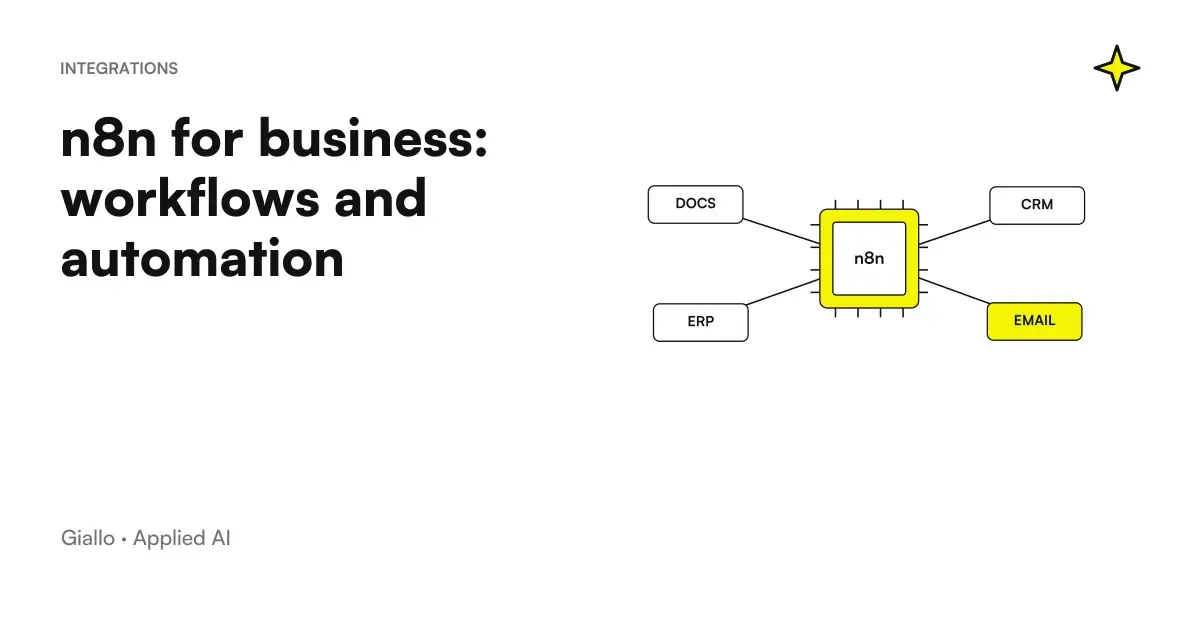 n8n explained: how it works and how to use it in business
 How to automate processes in an SME: the practical guide
 AI workflows: what they are and how to build them
 ROI of an AI project: how to calculate it
 OpenAI Decisions API in beta: classify tickets and requests with controllable answers
 Kimi AI Agents for Companies: Roles, Tools, and Controls
Other direct comparisons
The same criteria applied to other model pairs.
- Kimi AI vs Claude: documents, code and costs
- Copilot Chat and Microsoft 365 Copilot: What Changes
- Kimi AI vs ChatGPT: which to choose for work?
- Mistral vs Llama: comparison between the two open weight models
- Jev AI vs LLM: how to choose the right model
- Claude Opus 5 vs Fable 5.1
- Claude Haiku 4.5 vs GPT-5.6 Luna
- Claude Opus 5 vs Gemini 3.1 Pro
- Claude Haiku 4.5 vs Gemini Flash-Lite
- Claude Opus 5 vs GPT-6 Astra
- GPT-6 Sol vs Luna: which one to choose and for which jobs
- Claude Opus 5 vs Sonnet 5
FAQ
What is the main difference between Make, Zapier and n8n?
Zapier is the easiest to use and suits those without technical skills; Make offers more advanced visual logic with branching scenarios at a lower cost; n8n has a fair-code licence, can be self-hosted and has no execution limits, but requires more technical expertise to configure.
Which one of Make, Zapier and n8n is free?
All three have a free plan or trial. n8n has a fair-code licence, and its Community Edition can be hosted for free on your own server; Make and Zapier offer free plans with limits on monthly operations and features. Check official price lists because the limits change frequently.
Is n8n suitable for an SME without developers?
Depends. n8n self-hosted requires a minimum of technical expertise for installation and maintenance. n8n cloud is more accessible. If you don't have an in-house technician, Make or Zapier are more immediate starting points.
Make or Zapier: which one costs less for simple automations?
Make generally has a lower cost per operation than Zapier at the same volume. For simple automations and low volume, both have comparable entry level plans. The precise comparison depends on the number of monthly operations: check updated listings on their respective official pages.
Are these tools GDPR compliant?
Zapier processes data in the United States and does not offer an option to keep it solely in the European Union; Make lets you choose an EU data centre; self-hosted n8n lets you keep data wherever you want. For EU customers' personal data, assess where the data is processed and ensure that you have a DPA (Data Processing Agreement) with the provider, mandatory under Article 28 of the GDPR. Consult a legal expert about your specific situation.
Can I use Make, Zapier or n8n for automation with AI?
Yes. All three integrate with AI model APIs (OpenAI, Anthropic, etc.) and allow you to build workflows that call language models, process text, classify documents, or send automatic responses. n8n has native AI nodes for LLM agents and chains.
What is the most common mistake with these tools?
Automating a process that is not yet defined. If the manual workflow is chaotic or changes every time, automation amplifies the problem. Stabilise the process first, then automate it.