
AI WhatsApp Business automation: replies without touching your phone
How to automate WhatsApp Business with AI: chatbots, automatic responses, tools, real costs and GDPR limits for Italian SMEs.
Reading time: 9 min
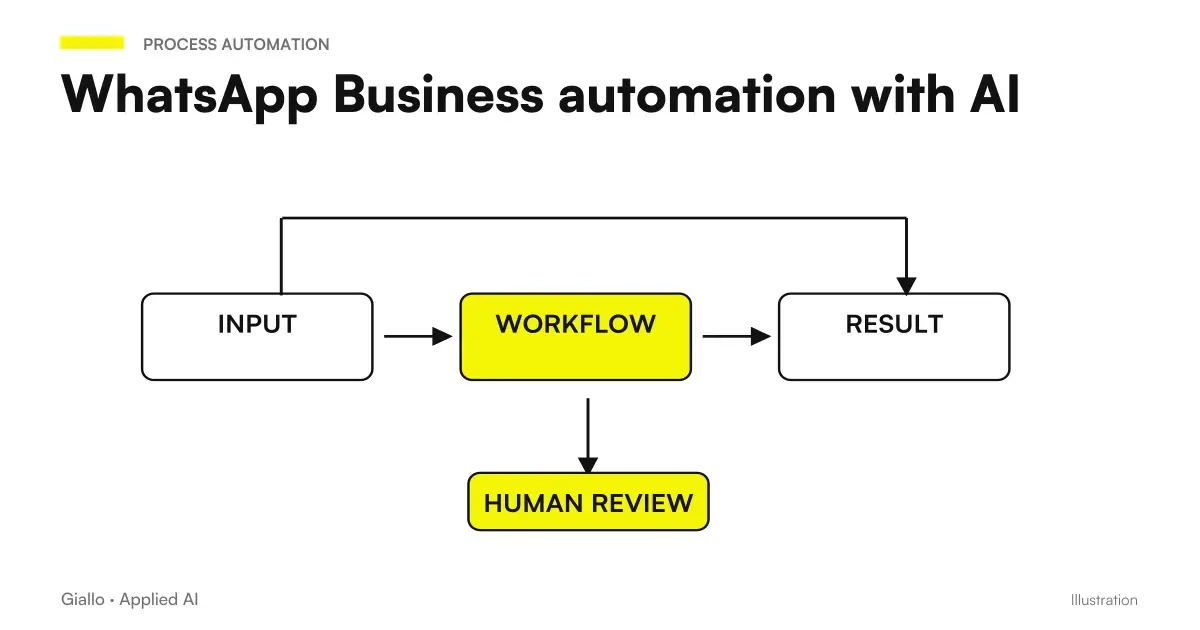
Automation WhatsApp Business with AI means that your messages receive a relevant, immediate response and — in the simplest cases — without anyone touching your phone. It's not about sending absence messages like "we're closed, call tomorrow," but about a system that understands the request, ranks it, and responds or sorts to the right department.
For an Italian SME that uses WhatsApp as a sales or service channel, this has a concrete impact: less time spent copying the same answers every day, no requests lost out of hours, response times under 30 seconds even at midnight. The AI Chatbots applied to WhatsApp Business are today among the fastest automations to implement and with the most measurable return.
This guide explains how WhatsApp Business automation works, what tools exist, how to set it up step by step and — which is important. when it doesn't make sense to do so.
In summary
- WhatsApp Business offers automations free natives (welcome, absence, quick answers): cover basic cases without technique.
- To respond in natural language and handle complex requests you need a AI chatbot via API, with an intermediate layer (Twilio, WATI, Make, n8n).
- The GDPR applies: legal basis, disclosure and no non-EU transfers without guarantees (Artt. 13, 44-46). Consult a legal expert.
- The model that works: the bot manages the 60-80% of simple cases, the human takes complex cases with the context already collected.
- Indicative costs: from free (native functions) to 50-300 €/month for SaaS platforms, up to variable costs on volume for custom solutions. Depends on the case.
What is WhatsApp Business AI automation and how it works
WhatsApp Business automation goes from simple to complex. It is useful to understand levels before choosing what to implement.
Level 1 — Native functions of the WhatsApp Business app (free, zero technique): welcome message at first contact, out-of-hours absence message, quick replies with shortcuts. These tools speed up the work of the human operator, but they don't really automate: someone has to read and respond.
Level 2 Chat Chatbots with default streams: sequences of messages and buttons that guide the user through a fixed path ("Type 1 for orders, 2 for assistance..."). Managed via SaaS platforms such as WATI, Respond.io or Landbot. They work well for linear processes (bookings, data collection, standard FAQs), but they freeze in front of out-of-script questions.
Level 3 con Conversational AI (the level that really changes the game): the message is sent to a language model (via API), which understands intent in natural language, generates a consistent response and can perform related actions (verify availability in management software, create a ticket, update a CRM). This is the AI Automation applied to messaging.
The basic technical flow is: WhatsApp message → webhook → backend/orchestrator → AI model (API) → formatted response → WhatsApp. The intermediate layer can be Make, n8n, Twilio or a custom solution.
How to configure WhatsApp Business automation step by step
- Choose the number type. The standard WhatsApp Business app is fine for small SMEs with an operator. For advanced automation and multi-agent management you need the WhatsApp Business API (Meta Cloud API or a Certified Business Solution Provider). The number must be dedicated: you cannot use an already active number on the normal app.
- Choose the management platform. SaaS Options: WATI, Respond.io, Landbot, Callbell. No-code/low-code options: Make or n8n linked to the Twilio API or the direct Meta Cloud API. More control = more technical complexity.
- Design the main streams. Identifies the 5-10 most frequent requests (timetables, prices, order status, bookings, after-sales service). Build a response for each. This is the catalog on which AI is instructed.
- It integrates the AI model. Connect the platform to a language model API (OpenAI, Anthropic, or others). Pass the context of the conversation + the specific instructions of your company. If you have business documents (FAQs, price lists, procedures), consider a system RAG to have them consulted at the bot in real time.
- Configure human escalation. Define the conditions under which the bot gives way (key words of complaint, questions out of scope, explicit request of the user). The operator receives the recap of the conversation already made: nothing "can you repeat again?".
- Set Meta-approved Message Templates. Proactive notifications (order updates, appointment reminders) require templates pre-approved by Meta, not free text. Schedule these templates at the beginning, approval can take days.
- Test on real cases before launch. Use internal numbers to simulate the most frequent conversations and limit cases. Check that escalation works. Measure response time.
- Put in production and monitor. The first two weeks monitor every conversation: bot errors at this stage are instructive. Adjust instructions and flows based on real cases, not imagined ones.
Tools to automate WhatsApp Business with AI
| Tool | Type | Technical level | Suitable for |
|---|---|---|---|
| WATI | SaaS (based on WhatsApp API) | Low | SMEs that want chatbots without dev, up to ,1000 conv/month |
| Respond.io | Multi-channel SaaS | Low-medium | Teams managing multiple channels (WA, IG, email) together |
| Landbot | No-code flowbuilder | Low | Simple visual flows, no advanced conversational AI |
| Twilio + Make/n8n | API + automation | Medium | Developers or technical teams, maximum flexibility |
| Meta Cloud API Direct | Pure API | High | Companies with dev teams, no vendor lock-in |
| Custom Solution | Tailored development | High | Complex processes, integrations with proprietary management software |
Costs change a lot based on volume: Meta charges per conversation (distinguished between "business-initiated" and "user-initiated"), which add up to SaaS platform fees. There is no fixed number valid for all: Always calculate from your estimated monthly volume of conversations.
Practical examples: Italian SMEs that can use it immediately
Mechanical workshop — reservations and updates. The customer sends "I want to bring my car in for a service". The bot replies with available dates, confirms the booking and sends a reminder 24 hours beforehand. When the work is finished, it sends a notification with the cost and asks whether the customer wants to pay or come and collect the car. No phone calls, no sticky notes.
Dental practice — appointment management and FAQ. The bot responds to "how much does a cleanup cost?", "Have you placed Thursday morning?", "how do you get there?". All out of hours without operator. Cases of acute pain or urgency are recognized by keywords and sorted to the guard number. On Monday morning the agenda is already updated with weekend bookings.
E-commerce clothing — order status and returns. Instead of answering "where's my package?" A hundred times a day, the bot connects to the management software, reads the tracking and responds in real time. Return requests follow a guided stream that automatically generates the shipping label and updates the CRM.
Real estate agency — lead qualification. Those who write "three-room search in Milan" immediately receive qualification applications (budget, area, times). The bot collects the information and inserts it into the CRM. The agent receives the card already filled out and calls only qualified leads. See also AI for CRM and Sales for the full picture.
When to use it and when to avoid it
When it makes sense
- You receive the same 10 questions every day (timetables, prices, availability).
- Messages come out of hours and you lose customers who don't wait.
- You have a well-defined linear process (booking, order, info request).
- Your team loses hours copying identical answers on WhatsApp.
- You want to collect lead data before they talk to a salesperson.
When to Avoid It (For Now)
- Conversations are almost all unique and require case-by-case judgment.
- The product or service is complex: a bot that is wrong damages trust.
- You haven't defined processes: automating chaos produces chaos faster.
- You cannot guarantee GDPR compliance (sensitive data, EU users, no DPA with suppliers).
- The volume is low (a few dozen messages/week): the return does not justify complexity.
GDPR and privacy: what you need to know before you leave
WhatsApp Business automation collects and treats messages from individuals: the GDPR applies. The critical points that many SMEs ignore:
Legal basis (Art. 6 GDPR): You may not use conversation data for marketing or profiling without a valid basis (consent, contract, legitimate interest documented).
Information (Art. 13 GDPR): the user must know that he is interacting with an automatic system, who processes his data and for what purpose. A short text at the beginning of the conversation solves the problem in most cases.
Non-EU transfer (Artt. 44-46 GDPR): if you use AI model APIs with USA servers (OpenAI, Anthropic, Meta itself), check the standard contractual clauses (SCC) and the Transfer Impact Assessment. Hetzner DE is ok; US server without SCC is not.
Data Processor Agreement (DPA): Every provider that processes messages (Twilio, WATI, Make, the AI model provider) is a "processor" and requires a signed DPA.
Mistakes to Avoid
- Skipping the escalation to human. A bot that doesn't know how to give way frustrates the customer and damages the reputation. Each bot must have a clear way out to a real person.
- Template Messages misspelled. Meta approves or rejects templates and can suspend the number in case of policy violations (spam, deceptive messages). Read the guidelines first, not later.
- Putting into production without testing on real cases. The cases imagined in the design phase never cover the inventiveness of real users. Intensive tests the first two weeks, then adjustments.
- Ignoring costs per conversation. The Meta price per conversation seems small, but on high volumes it accumulates. It calculates the breakeven compared to the cost of human labor replaced before proceeding.
- Not measuring before and after. "The bot responds" is not a result: the result is "managed requests without operator: +70%; average response time: -85%; leads lost out of hours: 0". Without numbers you don't know if automation really works.
How to apply it in the company
The minimum path to go from zero to a working bot in 2-4 weeks:
- Census the current conversations. Take the last 100 WhatsApp conversations and rank requests. How many repeat identical? These are your basic catalog.
- Start with the free native functions. Welcome message, absence message and quick answers already cover a good part of the problem at no cost. Measure the real impact before investing in advanced tools.
- Consider whether you really need the API. If native functions are not enough, define the specific use cases that require conversational AI. If the list is short, perhaps a flow with buttons on WATI or Landbot is enough.
- Regularize the GDPR part before launching. Information, legal basis, DPA with suppliers. Not after: before.
- Launch on a subset of conversations. Don't throw all the traffic on the bot on day 1. Start with a type of request (e.g. booking only) and expand after checking the quality.
If you want to integrate the WhatsApp channel into a wider system of customer care automation or connect it to the CRM, the logic is the same as the AI agents: a system that receives an input, understands the context and acts on multiple tools at the same time. You can also deepen the theme by reading what to automate in an SME to figure out if WhatsApp is the right priority for your case.
For those who use visual automation tools, Make vs Zapier vs n8n helps choose the right platform to build the WhatsApp-AI stream without writing code from scratch.
Conclusion
Automation WhatsApp Business with AI It is not a project for large companies: it is already accessible to a workshop, a medical practice or an e-commerce with a few dozen messages a day. The starting point is almost always free (native functions), and you scale to conversational AI only where the numbers justify it. The most important variable is not the tool, but having clear processes before automating them — and GDPR compliance in order before launch.
If you want to go from testing with ChatGPT to an AI system integrated into business processes, Giallo Studio custom designed agents and automations.
Giallo Studio guides: methodology and sources
How we apply it in the company
Related resources
 Customer Care Automation: When AI Responds for You
 AI Chatbots: What They Are and How They Work
 AI for Business Customer Care: How It Really Works
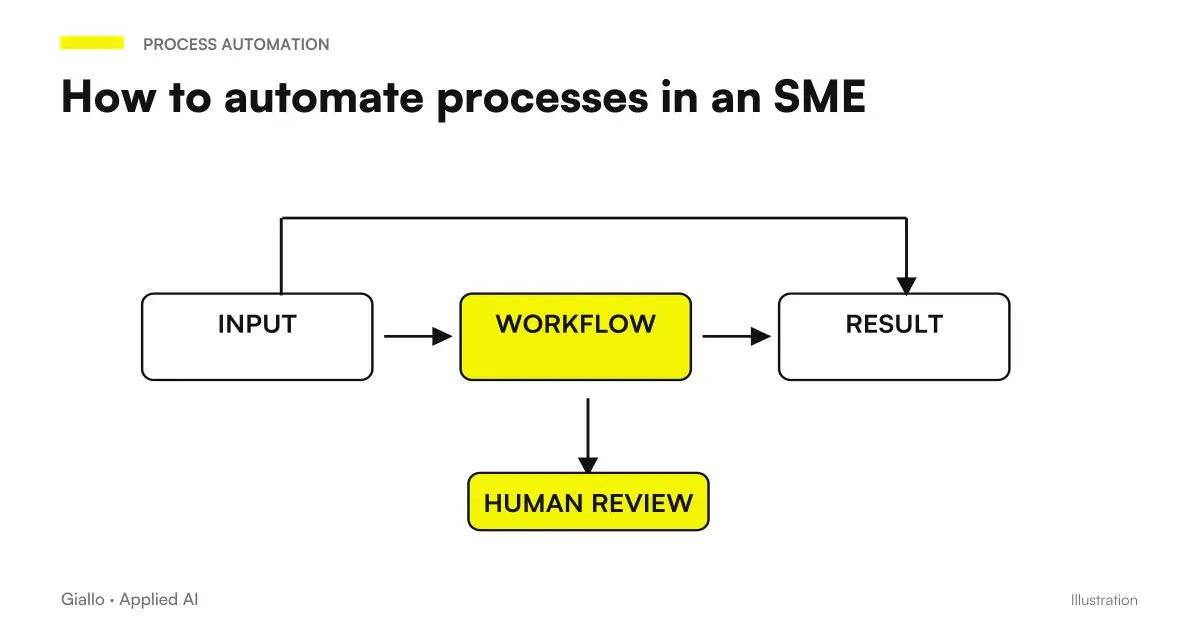 How to automate processes in an SME: the practical guide
 AI agents: what they are and how they work
 Mandatory 2FA for business software: why and how to implement it
 WhatsApp agent for short-term rentals: the full case study
 Business voice assistants: how to build one
FAQ
Can I automate WhatsApp Business without spending much?
Yes. WhatsApp Business native automatic replies (absence message, welcome message, quick answers) are free and already integrated into the app. For more advanced automations with AI, we need third-party tools such as Twilio, WATI or Make/n8n, with costs ranging from a few tens to a few hundred euros per month depending on the volume of messages.
What is the difference between quick replies and a WhatsApp AI chatbot?
Quick replies are predefined texts that the operator inserts using a shortcut: they speed up human work, not replace it. An AI chatbot responds autonomously in natural language, classifies the customer's intent and can perform actions (check an order, book an appointment) without anyone touching the phone.
Is the WhatsApp Business API different from the normal app?
Yes. The WhatsApp Business app is for those who manage conversations personally, with basic automation functions. The WhatsApp Business API (now part of Meta Cloud API) is designed for businesses and developers: it allows advanced automation, chatbots, CRM integrations and multi-agent management, but requires a dedicated number and a Meta certified partner or direct access to the API.
Is WhatsApp automation GDPR compliant?
It can be, but requires care. You need a legal basis for processing contacts’ data (typically explicit consent), must inform users that they are interacting with an automated system, and must not transfer data to servers outside the EU without appropriate safeguards (Articles 13, 44-46 GDPR). Consult a legal expert before putting a system that collects personal data through WhatsApp into production.
Can I use ChatGPT or Claude directly on WhatsApp?
Not directly: ChatGPT and Claude do not connect to WhatsApp Business natively. You need an intermediate layer (Twilio, WATI, Make, n8n) that receives the WhatsApp message, passes it to the AI model API and resends the response. This layer also handles compliance with Meta's Template Messages.
How many conversations does a WhatsApp chatbot handle before it has to scale?
It depends on the architecture, not the volume: a bot on cloud API theoretically handles thousands of simultaneous conversations. The bottleneck is often the cost per message (Meta applies rates per business-initiated and user-initiated conversation) and the quality of responses when cases get complicated.
Does a WhatsApp chatbot replace human customer service?
In simple cases (FAQs, opening hours, order status, standard bookings), it can handle 60-80% of requests without human intervention. Complex cases, complaints, and situations outside standard procedures must always be routed to an operator: a good system always includes escalation to a person.