
Local AI models: when they make sense
Local AI models with Ollama and LM Studio: when they make sense for SMEs, privacy and cost benefits, real limitations and local versus cloud deployment.
Reading time: 10 min
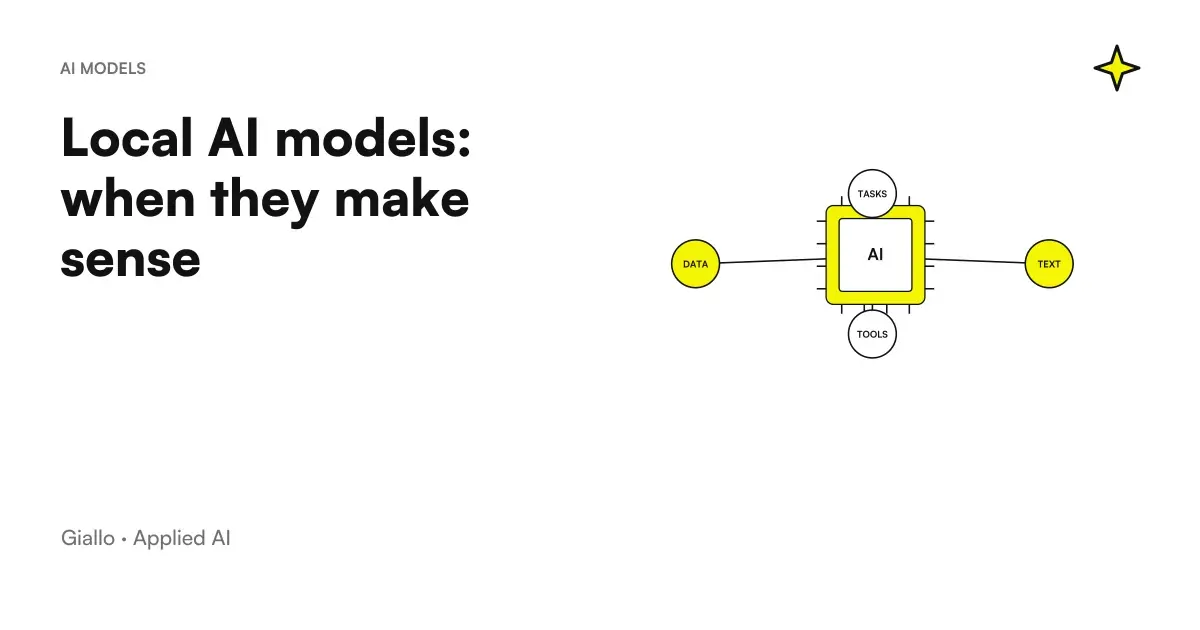
The Local AI Models are artificial intelligence models that run directly on your computer or a server at your business, rather than on the servers of a provider such as OpenAI, Anthropic or Google. In practice, you download an “open-weight” model (such as Llama or Mistral) using a tool like Ollama or LM Studio, and from that moment every question is processed on your hardware: data does not leave your infrastructure.
The right question is not "is the local better than the cloud?", but "What process in my company makes sense?". Running AI around the house brings real benefits on privacy, recurring costs, and offline operation, but it asks for hardware, accepts less capable models on average, and dumps maintenance on you. For many SMEs the cloud remains the most practical choice; for others, with sensitive data or high volumes, the locale becomes the right move.
In this guide we see what local AI models really are, their concrete advantages and disadvantages, a direct local vs cloud comparison and the cases in which it suits (and those in which it does not) a small or medium Italian enterprise.
In summary
- The Local AI Models run on your hardware (PC or server): the data stays in the company and is not sent to an external provider.
- They are used with tools such as Ollama or LM Studio, which perform open weight models such as Llama or Mistral.
- The main advantages are Data privacy, nothing Token Costs, operation offline and total control over the versions.
- The Disadvantages: Serves appropriate hardware, the models are smaller and less capable than large cloud models, and the maintenance is at your expense.
- It suits an SME with sensitive data, high and constant volumes or compliance constraints; for occasional uses or for the highest quality, the cloud is simpler.
- Local ≠ automatically secure: eliminate one risk (the data that comes out) but hire another (protect the server yourself).
What are local AI models (and how they work)
When you use ChatGPT, Claude or Gemini, you write a question and it travels over the internet to the provider's servers, which performs the calculation and sends you back the answer. cloud: convenient, always up to date, but your data goes from a third party company.
With local AI models the flow changes: the model is a file (its weights, i.e. the parameters learned during training) that you download once and keep on your device. From that moment every request is processed on your hardware, without mandatory internet connection. This is only possible with the Open Source AI Models or "open weights", because large proprietary models are not distributed as downloadable files.
The most commonly used tools for doing this, at the conceptual level, are three:
- Ollama: a command-line program (with third-party graphical interfaces) that downloads and starts models with a single command. Much used to integrate it into applications.
- LM Studio: a desktop app with a graphical interface, designed for those who do not want to touch the terminal. Great for trying out models and chatting with us right away.
- llama.cpp: the technical "engine" under many of these tools, which allows you to run models even on modest hardware by compressing them (quantization). More developer-oriented.
In all cases the principle is the same: the model lives by you. The difference with the cloud is not in the what does the AI, but in where the calculation takes place and who He sees the data.
What are the benefits of local AI models?
The benefits of the club are concrete, but they only apply if they respond to a real need. Let's see them one by one.
Privacy: the data does not leave the company
It's the number one reason. With a local model, documents, customer emails, contracts or health data you feed to AI they never leave your network. There is no external provider that receives them, stores them or (potentially) uses them. For a law firm, accountant or clinic, this completely changes the GDPR discourse: no data transfer to third parties to be managed and documented.
Costs: no token payment
Cloud services are paid for based on usage, usually at Token: the more process text, the more you pay. With the locale, after the initial investment in hardware, additional use costs nothing in licenses. If you process large volumes every day (thousands of documents, mass classifications), the cloud account grows month after month, while the locale has a fixed cost. On high and constant volumes, mathematics often rewards the local.
Offline operation and independence
A local model works without the internet and without depending on a supplier. No interruptions if the cloud service goes down, no surprises if the price changes or if a version of the model is withdrawn. The model you downloaded remains the same as long as you want: useful where continuity matters or where the connection is unstable (yards, warehouses, remote locations).
Total control
You decide which version to use, when to update it, how to configure it. You can also do fine-tuning on your data without sending it to anyone. It is the highest degree of control possible on an AI system.
What are the disadvantages and limitations?
The club is not "free" or "best in all". The costs move, they do not disappear.
- It needs hardware. Large models require expensive GPUs or a lot of memory. On a normal laptop you only spin small models, and slowly. Hardware is a real initial investment, not a detail.
- Smaller, less capable models. The models you run around the house are usually smaller than the cloud giants. On complex reasoning or very general tasks they make less. The difference is especially noticeable on difficult cases.
- Maintenance at your expense. Updates, monitoring, fault management, integration with your software: in the cloud it is the provider who takes care of it, locally it is up to you (or to those who assist you).
- Technical setup. Testing a model is easy; putting it into production, connecting it to management software and making it reliable requires expertise. It is not an "install and forget".
- Security to really handle. As written in the callout: control implies responsibility. It should be treated like any corporate server.
Local vs cloud: the comparison
Here are the criteria that count to decide, compared. No option wins at all: it depends on your use case.
| Criterion | Local AI Models | Cloud AI Models |
|---|---|---|
| Data privacy | Maximum: data remains in the company | Data passes from the provider ( clauses and GDPR must be verified) |
| Cost | Initial investment in hardware, then almost free use | No hardware, but consumer payment growing with volumes |
| Quality on complex tasks | Good, but smaller models make less | Generally superior, larger and updated models |
| Offline operation | Yes, independent of the internet | No, we need a connection |
| Maintenance | Yours (servers, updates, backups) | Charged to the supplier |
| Boot Speed | Initial technical setup | Operational in minutes |
| Version Control | Total: you decide what and when | The provider can change or withdraw versions |
| Specific Compliance | Easier to prove residence and data isolation | To be verified on a case-by-case basis (residence, sub-suppliers) |
To understand more thoroughly how to weigh these criteria on your case, the guide on how to choose an AI model.
When it suits an SME (and when it doesn't)
Summarizing the criteria above in a practical choice:
When the locale is convenient
- Sensitive data that must not leave (health, legal, accounting, contractual).
- You have high and constant volumes: the token cost in the cloud would become heavy.
- You have compliance constraints that require residence and data isolation.
- You need to run offline or without depending on an external provider.
- The task is specific and well defined (classify, extract, summarize), where even a small model suffices.
When the Cloud Is Better
- Use is occasional or experimental: not worth the investment in hardware.
- You need the highest quality on complex and general tasks.
- You don't have the proper hardware or expertise to handle it.
- The data you use is not sensitive: the privacy advantage of the premises matters little.
- You want to start right away and measure the value before investing.
The practical rule: It often starts from the cloud to validate the use case, switches to the local when privacy, volumes or compliance justify it with numbers in hand. Many SMEs make a hybrid — cloud path for general tasks, local for sensitive data.
Practical examples
Two realistic scenarios of Italian SMEs and professionals.
1. Law Firm — analysis of reserved contracts. The firm wants to use AI to summarize and compare contracts, but the documents contain confidential customer data. Sending them to an external cloud service would be a problem. Solution: an open weight model (e.g. a Mistral, see Mistral AI) run on a studio server with Ollama. Contracts never leave the network; the model prepares the summary, the lawyer checks. The value of the local here is not the cost, it is the non-negotiable privacy. Similar speeches apply to the AI applied to law firms.
2. E-commerce — massive classification of reviews and tickets. An online store processes thousands of reviews and service requests per month. On this volume, the cost per token of a cloud service would grow every month. Solution: a medium-sized local model (a Llama or similar) ranks sentiment, sorts tickets and prepares near-zero marginal cost response drafts after GPU purchase. Data is not ultra-sensitive, but volume makes the venue economically sensible.
In both cases it is not "AI does everything on its own": the model prepares, the person decides. where Turn the calculation.
The local model must also be compatible with the tool that uses it. The novelty of GitHub Copilot CLI with Ollama requires attention to tool calling, client version and offline mode: starting Ollama does not amount to disabling any external communication on its own.
In addition to the model weights counts the runtime that performs the calculations. The open source release of ML Drift for Local AI on GPU concerns that technical level: backend support, memory and performance must be tested on the recipient device.
How to choose: four steps
1. Start with the process, not the tool
Define first what task you want to lighten and how sensitive the data that enters it. From here you understand if the privacy of the place really serves you or if it is a constraint that you are inventing.
2. Estimate real volumes
How many requests a month? If they are few, the cloud costs very little and the locale is a useless effort. If they are many and constant, do the math: at a certain volume the fixed cost of the hardware beats the consumption payment.
3. Check the hardware (or agree to buy it)
Check what you need for the model you're interested in on its official page. Without GPUs or proper memory, large models don't run in a useful way. Be honest about what you have today.
4. Plan management
Who updates the server? Who makes the backups? Who secures it? If the answer is "none", the locale will give you problems. Evaluate whether you have (or want) this internal or external expertise.
Local execution of commands does not imply that of the model. The GitHub Copilot local sandbox it concerns the isolation of operations: it should be assessed separately from the choice of local or cloud inference.
Mistakes to Avoid
- Choosing the locale only because it "seems safer". As seen, local does not mean safe: it means that security is your responsibility. If you do not manage it, it is an extra risk, not less.
- Underestimating hardware. Thinking of running a large model on a regular laptop leads to very slow responses and frustration. before, not later.
- Expecting the quality of ChatGPT or Claude from a small local model. On complex tasks the difference is. Choose the locale for specific tasks where a smaller model is already good enough.
- Forgetting maintenance. A server installed and never updated becomes a security hole. The locale is a continuous, not a one-time commitment.
- Investing in hardware before validating the use case. Start from the cloud to see if AI really solves the problem; switch to the local only when the numbers justify it.
How to apply it in the company
For an SME, the sensible way of introducing local AI models is gradual and linked to a real need, not to technological curiosity.
- Identifies a process where data privacy is a real constraint, not a theoretical one.
- Validate the use case in the cloud first, measuring saved hours and avoided errors.
- Estimate volumes and compare annual cloud cost with local hardware investment.
- Start with a small model on a defined task, not with the larger "why yes" model.
- Define who handles security, backups, and server updates right away.
- Keep the human in control: the model prepares, the person approves.
This is the point where a AI Consulting makes the difference: honestly understand if in your case the locale is convenient or if it is a useless complication, and avoid buying hardware that will remain turned off. If you need a custom-made system —a local model connected to your management software —it can fit into a project of custom software or of automation of business processes. Experiments and concrete evidence on these issues can be found in The Lab.
The natural sequel to this article: Cheap AI Models Compared and AI model latency compared.
Conclusion
The Local AI Models They are neither a fashion nor the right choice for everyone: they are a tool that suits those who have sensitive data to protect, high volumes to manage, or precise compliance constraints. In return, they ask for hardware, accept less capable models on average, and download on you maintenance and —most importantly.security, which the premises do not guarantee on their own. For most SMEs it makes sense to start from the cloud to validate the use case and evaluate the locale when the numbers justify it. From here you can continue with the Open Source AI Models and with guidance AI for businesses to frame everything in a strategy.
AI becomes useful when it enters processes. Giallo Studio helps SMEs and teams to build concrete, measurable and sustainable automations.
Giallo Studio guides: methodology and sources
How we apply it in the company
Related resources
 Open Source AI Models: Complete Guide
 Llama AI: what is the open source model of Meta
 Mistral AI: What It Is and Why It Matters
 How to Choose an AI Model
 Fine-tuning AI: what it is and when it is needed
 AI for businesses: a complete guide to getting started
 Best AI for Translations: Tools and Comparison
 AI project KPIs: what to measure
FAQ
What are local AI models?
They are artificial intelligence models that run directly on your computer or on a corporate server, without sending data to an external cloud service. Use software such as Ollama or LM Studio to download an open-weight model (Llama, Mistral, etc.) and run it on-premises. All the computation takes place on your hardware and the data does not leave your infrastructure.
When is it better to use AI locally instead of the cloud?
It is worthwhile when data is sensitive and must not leave the company, when high, steady volumes would make per-token costs expensive, when you need offline operation or when you have specific compliance constraints. For occasional use, the highest quality or a lack of suitable hardware, the cloud remains more practical.
What hardware does it take to run an AI model locally?
It depends on the size of the model. Small models (3-8 billion parameters) run on a good recent laptop with 16 GB of RAM, albeit slowly. For larger models and fast responses you need a dedicated GPU with a lot of VRAM or a Mac with a lot of unified memory. The exact numbers change quickly: check the requirements on the official tool page.
Are local AI models less capable than ChatGPT or Claude?
Generally yes, for the same complex task. Models you run locally are smaller than large cloud models, so they perform less well on difficult reasoning or very general tasks. For specific, well-defined tasks (classifying text, extracting data and summarising), the difference is often negligible, and privacy and cost benefits prevail.
Is running AI locally automatically safer?
No. Keeping data in-house removes the risk of sending it to an external provider but makes you responsible for protecting the server: access, backups, updates and encryption. A poorly configured local server may be less secure than a well-managed cloud service. Local means control, not guaranteed security: it still needs management.
Can I use a local model for my company without being technical?
For a trial, yes: tools such as LM Studio have a simple interface and can be installed in minutes. Putting it into production, connecting it to business management systems and making it reliable require technical expertise. Many SMEs start with a cloud model and consider local deployment only when privacy, volumes or compliance justify it.