
n8n explained: how it works and how to use it in business
n8n explained for SMEs: workflows, nodes and AI agents, cloud prices in October 2026, self-hosted and fair-code license, examples and when not to use it.
Reading time: 12 min
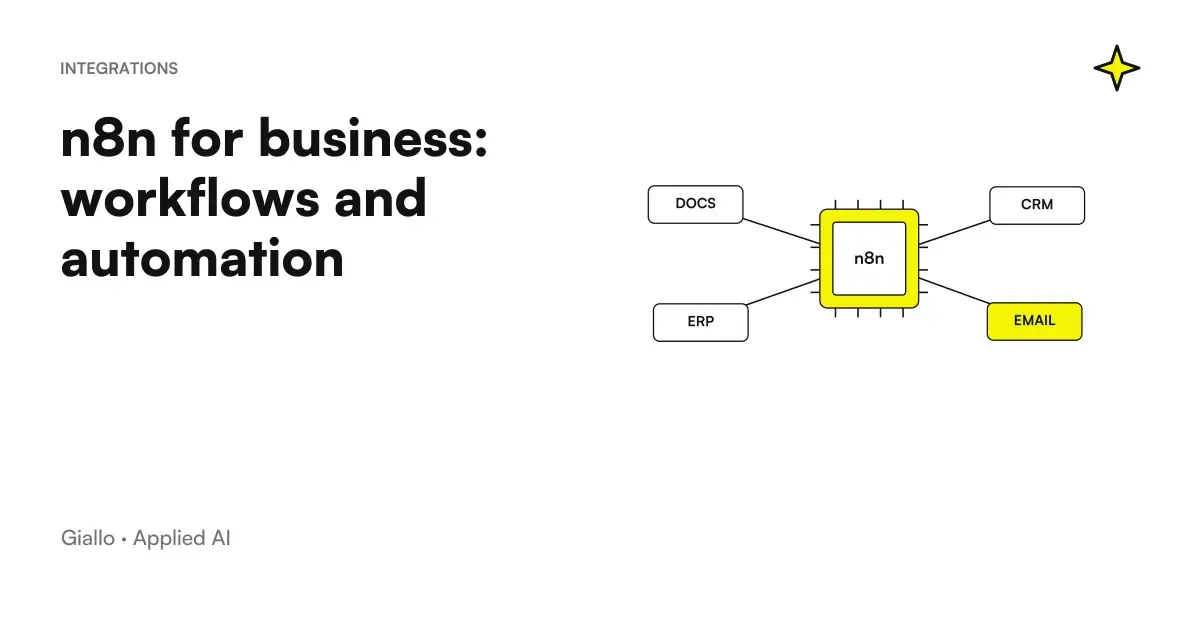
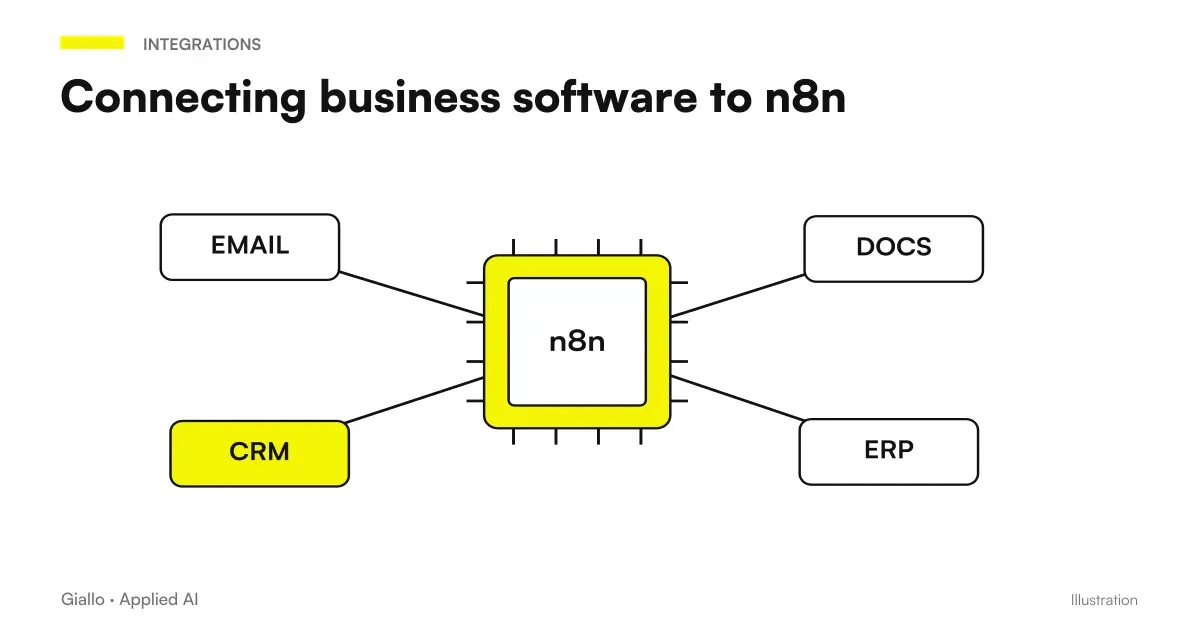
n8n is a platform for automating business processes and building AI agents: colleagues apps, databases, and language models by joining nodes on a visual editor, and write JavaScript or Python only when needed. It is used in the cloud for a fee or free on your servers.
The name stands for "noderation" and is pronounced "n-eight-n", as the founder Jan Oberhauser explains in Project README on GitHub; n8n GmbH develops it, based in Berlin (corporate data).
In summary
- n8n connects apps, data, and AI models with visual nodes, plus JavaScript or Python code where you need it.
- The Community Edition self-hosted is free; the cloud starts from 24 € per month, 20 € with annual payment (price list as of October 3, 2026).
- It is not open source in the strict sense: the license fair-code allows the internal use of the company, not the resale of n8n as a service.
- The AI agents are born from the AI Agent node: a model, tools, a memory and, if necessary, a person's ok before acting.
- The interface is in English; from n8n 3.0, arriving in October 2026, self-hosted installs only with Docker.
How n8n works: workflows, nodes, triggers and credentials
A workflow is a set of nodes that automates a process: starts when a condition is triggered and executes the steps one after the other (n8n glossary).
- The trigger. Each workflow in production starts from a trigger node: a time, an incoming email, a new order, a webhook call.
- The knots. Following are nodes that read or write data in apps and logic nodes like If and Merge; HTTP Request calls any service with an API. Data switches from one node to another as JSON objects.
- Credentials. API keys and passwords are saved once, encrypted in the database, and nodes reuse them (node types).
- Proof. Perform the workflow from the editor and see input and output of each node; you can fix the data of a step so as not to query the external service each time.
- The publication. Published, the workflow runs on its own: every complete turn is a execution, registered node by node.
Where ready nodes are not enough there is the code: the expressions calculate a field with a JavaScript fragment, the node Codes run scripts in JavaScript or Python. In the cloud the Code node does not load external libraries, except crypto and moment, to your server yes (node Code).
n8n is free? Cloud and self-hosted prices in October 2026
Yes, if you install it: the Community Edition self-hosted has no canon and contains almost all functions (editions in comparison); pay server and management. The cloud, after a 14-day free trial (how to choose), is a subscription. The plans of the official pricing, read on October 3, 2026:
| Plan | Where it runs | Per month | Per month, paying the year | Executions per month |
|---|---|---|---|---|
| Community Edition | On your server | Free | Free | No Plan Limits |
| Starter | Cloud of n8n | 24 € | 20 € | 2.500 |
| Pro | Cloud of n8n | 60 € | 50 € | 10.000 |
| Business | Self-hosted only | 800 € | 667 € | 40.000 |
| Enterprise | Cloud or self-hosted | On request | On request | Tailored |
All plans include unlimited users and workflows and all integrations: change the executions, that is, the complete turns of a workflow, whatever the number of nodes. Only those in production count, not the tests (executions), but in a chatbot every message to the Chat Trigger is worth an execution (Chat Trigger). The Business, with single access (SSO), separate environments and versions on Git, is only self-hosted; under 20 employees the Start-up Plan, if you have the requirements, discount it by 50%.
The costs of n8n add up to the AI models. On Starter and Pro you can use models of OpenAI, Anthropic or Google without API keys, scaling a prepaid credit (Gateway credits); otherwise you pay the supplier to token. How to estimate the expense is in how much AI APIs cost, model prices in the guide to Best Artificial Intelligence.
n8n is open source? What does the fair-code license allow
No, not according to the Open Source Initiative, and n8n itself does not use that label: the code is public but some uses are reserved, a model that the company calls fair-code (license page). The Sustainable Use License allows you to use and modify the software for internal or personal non-commercial business purposes, and to distribute it only for free and for non-commercial purposes. Official FAQs They translate it into practical cases.
Allowed with free license
- Use n8n to run your business, even on multiple instances.
- Build automations for customers on your instance, if they can't create or modify them.
- Get paid to create, install, and maintain workflows, for training and advice.
- Use n8n behind the scenes of your product, with users starting ready-made automations.
We need a trade deal with n8n
- Offer n8n as a service where customers build their workflows.
- Have external users configure workflows, from your own interface, API, via MCP, or with an AI agent.
- Start with the n8n code to launch your own automation product, or rebrand it.
- Activate Enterprise functions without the related license.
For an SME that automates its processes the free license is enough, even if n8n installs it for you a paid consultant, as long as you don't also sell the hosting.
The Official clarification on the n8n Community Edition license helps to distinguish internal use, consulting and products where external users control workflows. It is not the announcement of a new license: for doubtful cases, the perimeter with the supplier must be verified.
n8n cloud or self-hosted: what's best for an SME
| Criterion | n8n Cloud | Self-hosted, Community Edition |
|---|---|---|
| Cost | From 24 € per month, 20 € paying the year (price list) | Free license; pay server and management |
| Maintenance | Loaded with n8n | Updates, backups and security at your expense |
| Data | In the European Union, on servers in Frankfurt | Where you decide |
| Teamwork | Shared Projects: One in the Starter, Three in the Pro | Workflows and credentials visible only to the creator and owner |
| Code | No external libraries | Enabled npm and Python libraries |
| Who it is for | Who wants to leave immediately without a systemist | Who has technical skills or a partner who cares for the server |
On the GDPR, the n8n cloud processes data on your behalf and in the Legal Page offers an agreement on the treatment already signed to be countersigned, the contract provided for by the Article 28 of the GDPR. Self-hosted does not close the speech if a workflow sends data to an external AI model: that provider also receives it. The practical rules are in GDPR and artificial intelligence in the company; to keep the AI in the house there are also the Local AI Models, which n8n connects with the Ollama Chat Model node.
How to install n8n, and what to change with n8n 3.0
For a test it was long enough npx n8n, with Node.js from 20.19 to 24 (installation with npm). This road closes: according to the documentation, from n8n 3.0, due to be released in October 2026, the program will be distributed only with Docker. The method shown now is a command that controls Docker, creates configuration and secrets and starts n8n (installation in one line).
curl -fsSL https://get.n8n.io | sh                  # installa e avvia, editor su localhost:5678
curl -fsSL https://get.n8n.io | sh -s -- --upgrade  # aggiorna all'ultima versione
Before running a script taken from the internet you can download it and read it, as the same guide suggests. The default database, SQLite, is fine for testing; for production the documentation recommends Postgres (Docker Compose) and warns that self-hosting is for experienced users, because an error can cost data, security, and service downtime (installation with Docker).
n8n self-hosted: updates, backups and credentials
The weakness of self-hosted is maintenance. n8n releases a minor version almost every week (notes on versions) and in September 2026 alone published 49 safety notices, 27 of high gravity (GitHub Alerts). It's the rhythm of a very used and controlled project, but a firm instance for months has made it known to everyone.
- Update at least once a month, with the stable version and not the beta (installation with Docker), reading the release notes before skipping multiple versions (Update Guide).
- Save the .n8n folder along with the database. There is the key that encrypts the credentials: without it, a restored database will not decrypt. Full backup before each update (backup and restore).
- Use business credentials with minimal permissions, not colleagues' personal accounts, and two-factor authentication for those who enter the editor.
- Expose editor only in HTTPS and turn off what you don't use, like n8n's public API (instance security).
If no one in the company can make these commitments, the cloud costs less than it looks.
AI agents in n8n: how they work, with an example
If you want to evaluate another model in the process, the guide Kimi AI with n8n describes an integration to be designed and validated. The article on Kimi Agents for Companies helps define roles, tools and responsibilities before entrusting actions to the workflow. When you just classify a request, you can keep the decision separate from the full agent: the guide to JEV API with n8n describes the link between call, outcome, and operational path.
In n8n a AI Agent is the AI Agent node with a language model and at least one tool: it reads the request and decides which tools to call (AI Agent node). Tools are called APIs, code, other workflows or MCP servers; a memory holds the thread of the conversation. The model is chosen by you, from OpenAI, Anthropic, Google or Mistral to a local model with Ollama, and you can change it without redoing the workflow. For fixed tasks you just need nodes AI simpler than the agent: Basic LLM Chain writes a text, Information Extractor extracts fields, Text Classif requests AI Agents: What They Are.
Still in preview are the Agents, agents with instructions, tools, documents and channels like Slack or Telegram built next to the workflows (Agents), and n8n Assistant, which creates workflow from a written description, to be reread before publishing them (n8n Assistant).
Example: A spare parts distributor receives emails such as "Do you have 40 X-code filters? When are they coming?". Gmail Trigger passes text to an AI Agent with two tools: HTTP Request Tool for stocks in the management software API and a sub-workflow that reads delivery times from a Google sheet. The agent writes the response, but sending requires Human Approval: the workflow stops and asks for the ok on Slack (approval of instruments). A similar demo is in The Lab:AI Agent for Business Emails.
n8n in Italian: interface, documentation and tutorials
The interface of n8n is in English. The variable N8N_DEFAULT_LOCALE allows other languages, with return to English for untranslated texts (location), but the official repository contains only the English file (Language Folder): an editor in Italian means to write translations. In English they are also documentation, courses of the n8n Academy and almost the whole forum, where the tutorials section in Italian has only one discussion. Forms, chats and emails for customers, instead, you write them in Italian.
To learn we start from the official tutorial Build your first workflow, with a weekly trigger, a node reading external data and an If, and give template of the community to import and adapt. Better still a process of yours, small and frequent: real data immediately shows the limit cases.
Four n8n workflows for an Italian SME, node by node
Four typical processes, with the nodes you would use.
| Process | Trigger | Main knots | To be guarded |
|---|---|---|---|
| Order of e-commerce in management software | Shopify Trigger or WooCommerce Trigger | Edit Fields (Set), HTTP Request, If, Slack | An order twice received must not create two documents |
| Commercial email in CRM | Gmail Trigger or Email Trigger (IMAP) | Information Extractor, HubSpot or Pipedrive | Badly extracted fields: at first someone double-checks |
| Monday Report | Schedule Trigger | Google Sheets or Postgres, Aggregate, Basic LLM Chain, Gmail | Dates and formats other than true |
| Agent for customer requests | Gmail Trigger or Chat Trigger | AI Agent, chat model, Simple Memory, HTTP Request Tool | Every chat message is an execution |
Orders in management software. A spare parts store on WooCommerce has a management software with API but no connector ready. The trigger receives the order, Edit Fields adapts the fields, HTTP Request creates the document, If reads the response and Slack notifies the warehouse only if something goes wrong; a workflow with Error Trigger collects the failed cases. Protected webhooks and repeated calls are explained in integrate business management software with n8n.
Requests in CRM. A technical study receives requests for a quote in the info box. Gmail Trigger collects them, Information Extractor extracts their name, company, service and urgency, HubSpot creates contact and negotiation. Other cases are in CRM automation with AI; the Monday report is told in report automation.
When not to use n8n: better Zapier, Make or a custom software
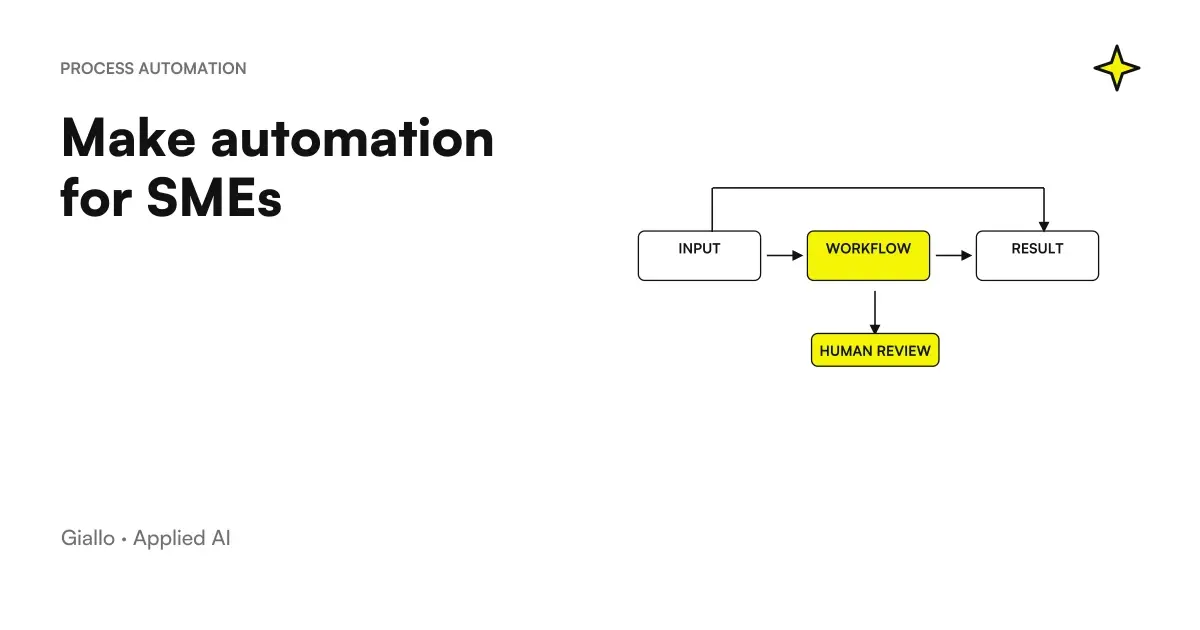
n8n asks someone who reasons as a technician, even in the cloud. Zapier it is fine if those who build the automations are not technical and the flows are few and linear (automation with Zapier); Make stands in the middle, with rich visual scenarios and no servers to manage (Automation with Make). Costs and limits of the three are compared in Make vs Zapier vs n8n.
It serves a custom software when the process requires your own screens, a complex data model, different permissions for dozens of users, or when you want your customers to build automations, which free licensing excludes. n8n can stay the engine behind the scenes, but the part people use must be designed as a tailor-made management software. If the program to be connected has no API or exports, n8n has no entry doors: that's where the RPA.
The mistakes that make the first project fail with n8n
- Staying on SQLite and on a server without backup. It's okay to try, not for a real trial: Postgres and regular copies are needed there.
- Saving the database but not the key. Without the encryption key the restored credentials are unreadable.
- Personal credentials in business workflows. If the colleague changes their password or leaves, the automation stops.
- No error workflow. Without an Error Trigger linked to a warning, the first mistake is discovered by a customer.
- Free agents on actions that do not cancel. Sends, deletions, and changes to the data deserve a person's ok, at least at the beginning.
Where to start with n8n in your company
Choose a frequent process, with clear rules and already digital data: order entry, email requests, a report compiled by hand every week. If you don't know which, the list of what to automate in an SME help decide. Build it in the cloud test, count the executions it consumes, then decide whether to stay there or switch to your server.
If you prefer the first workflow to design and bring it to production who does it every day, including updates and backups, watch how Giallo Studio works on the automation of business processes.
Giallo Studio guides: methodology and sources
How we apply it in the company
Related resources
 Make vs Zapier vs n8n: which one to choose for your company
 Integrate business software with n8n: APIs, webhooks and HMAC signing
 AI agents: what they are and how they work
 Automation with Make: what it is and how it is used for SMEs
 Zapier: what it is and how it works, practical guide for SMEs
 RPA explained: robotic process automation and when it makes sense
 How much does a custom AI agent cost
 Frontier-Bench: what it is and what it measures
FAQ
What is n8n?
n8n is a platform for automating processes and building AI agents: you connect apps, databases and language models with nodes on a visual editor, adding JavaScript or Python code when needed. n8n GmbH in Berlin develops it and you can use it in the cloud of n8n or install it on your own servers.
Is n8n free?
Yes, in the self-hosted version: the Community Edition has no fee and includes almost all the functions, but servers and maintenance remain at your expense. The cloud has a free trial and then a subscription: as of October 3, 2026 the Starter costs 24 euros per month, 20 with annual payment, for 2,500 monthly executions.
Is n8n open source?
Not according to the definition of the Open Source Initiative, and n8n itself does not describe itself that way. The code is public with the Sustainable Use License, a fair-code license: you can use it and modify it for your company's internal processes, but not offer it as a service where customers build their own workflows.
Is n8n Cloud or self-hosting better?
Cloud is the simplest choice: n8n manages servers, updates, and security, and the data stays in the European Union, in Frankfurt. Self-hosting has no licence costs and lets you choose where to keep data, but updates, backups, and protection are your responsibility. In the free self-hosted version, workflows and credentials also cannot be shared between colleagues.
Is n8n available in Italian?
No: the official interface is in English, as are the documentation and n8n Academy courses, and the repository contains only the English translation. You write the texts your customers see, such as forms, chat messages, and emails, so these can be in Italian.
Do you need to be able to program to use n8n?
For simple workflows no: triggers, app nodes, and conditions are configured from the visual editor. For particular data processing or APIs without a ready node it helps to know JavaScript, and the Code node also accepts Python. Installing and maintaining n8n on your server requires systems administration skills instead.
What are n8n's AI agents?
They are workflows where the AI Agent node receives a request, reasons with a language model chosen by you and decides which tools to use, for example an API for the business management system or another workflow. You can give it a memory of the conversation and ask for a person's approval before sensitive actions, such as sending an email.
Is n8n secure for business data?
The credentials are stored encrypted and in the cloud the data remains in the European Union. On a self-hosted instance the security depends on who manages it: n8n publishes security fixes very often, so the instance should be updated regularly, exposed only in HTTPS and saved with backups that include the encryption key.