
How to automate processes in an SME: the practical guide
How to automate processes in an SME: which workflows to choose first, with which tools, how long it takes and how to measure the result.
Reading time: 14 min
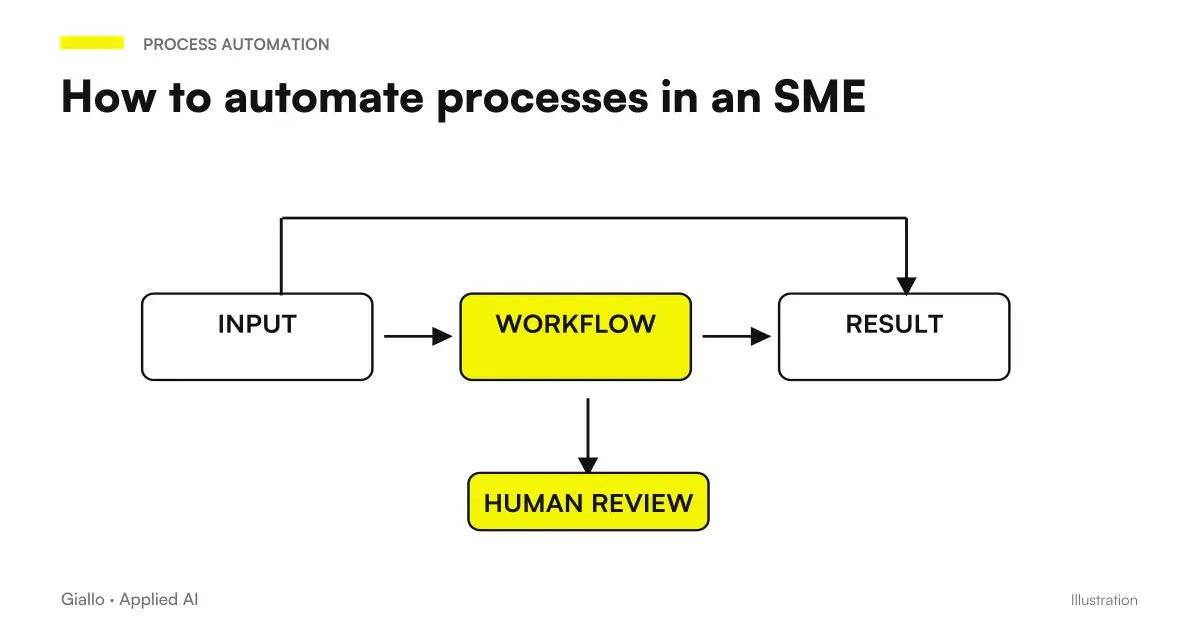
The Automation of Business Processes consists of having software carry out, autonomously and continuously, tasks that would otherwise require a person’s manual intervention. This is not new: Excel macros, automatic calendar reminders and purchase confirmation emails are all forms of automation. What has changed with AI is the ability to automate processes variables, not just rigid sequences.
For an Italian SME uno a accountant, a workshop, an e-commerce for 5-10 people, an agency — automation has a precise practical meaning: take away hours of mechanical work (data entry, copy-paste, send manuals, archive) and give that time back to activities that require judgment and relationship. It's not about replacing people, it's about shifting people's attention where it's worth the most.
This guide covers how process automation works, what tools exist, how to choose what to automate first, and how to avoid the most common errors.
In summary
- The Business Process Automation replaces repetitive tasks with software that performs them automatically, with or without AI.
- The most suitable processes: data entry, email sorting, follow-up, archiving, reporting, CRM update.
- AI adds the ability to manage variability: read unstructured documents, classify requests, generate drafts.
- Before automating, the process must be mapped and working: automating chaos produces chaos faster.
- No-code tools (Make, Zapier, n8n) allow you to start without internal IT; for complex cases, custom integrations are needed.
- GDPR: any automation that processes personal data must be documented in the Register of Treatments (Art. 30 GDPR).
What is business process automation and why it matters to SMEs
A business process is a sequence of activities that transforms an input (a request, a document, a data) into an output (a response, an archived file, an updated record). Many of these processes are repeated dozens or hundreds of times a day with minimal variations: receiving an email and sorting it, copying data from a PDF to a sheet, sending a reminder three days after a signature.
Automation intercepts these processes and executes them without human intervention, following defined rules ("if the email has object X, archive it in Y") or using AI to handle cases where the rule is not hand writable ("read this document and tell me what type it is").
For SMEs, the point is to free the right people from the wrong tasks, rather than have the most sophisticated technology. A consultant spending two hours a day copying data from email to business management software loses two hours they could use to talk to customers. An automation handling that workflow costs — once fully operational — less than the alternative.
The Guide on AI Automation deepens the intelligent component; here we focus on how to design and implement a concrete automation system.
How Business Automation Works: The Basic Components
Any automatic workflow, simple or complex, has three elements:
Trigger — the event that starts the workflow. This could be an incoming email, a new CRM record, a submitted form, a fixed time (every Monday at 8:00), or a file uploaded to a folder.
Actions — the steps performed automatically. Copy data, send a message, update a record, generate a document, call an API, ask an AI model to classify or write something.
Output — the result: an archived document, an email sent, an updated CRM, a ready report, a notification to the manager.
Complexity arises from conditions ("if the invoice exceeds X, notify the CFO"), parallel branches and AI in intermediate steps (read a PDF, extract data, generate a draft). To understand how these flows are built with modern tools, the guide on AI workflow gives a useful overview.
What processes to automate first: criteria of choice
Not everything needs to be automated. The first step is to choose the right process.
| Criterion | Suitable for automation | Not suitable |
|---|---|---|
| Frequency | Repeated every day or week | It happens a few times a year |
| Variability | Similar input, predictable output | Each case is different from the previous one |
| Error risk | Error is expensive or frequent | Rare and minimal impact errors |
| Lost Time | Significant hours/week | Sporadic minutes |
| Dependence on judgement | Low: the decision is almost always the same | High: each case requires evaluation |
| Documentability | The process can be mapped in clear steps | The process exists "in the head" of a person |
A good way to find the first process is to ask each team member, "What's the most boring thing you do every day?" Responses often overlap. Then it is calculated: how many times a day, how long per single run, how many errors it generates. That number is the roof of return possible.
For a reasoned list of what to automate in an SME, see what to automate in an SME.
How to start a process automation project: the steps
- Map the current process. Write every step as it happens today, who does it, how long it takes, what tools they use, where they freeze or get it wrong. No formal diagrams are needed: a list of steps on paper is good to start with.
- Measure the starting point. How many hours per week, how many errors per month, how many requests remain unfilled. Without this baseline you cannot prove the result of automation.
- Locate the automatable step. You don't have to automate the whole process right away. Often a single step (email reception and sorting, CRM update, follow-up submission) already gives a significant return.
- Choose the minimum instrument. For simple streams: Make, Zapier or n8n. For AI streams: an agent or an integration with a language model. For processes that require rigid existing software: consider RPA. The guide Make vs Zapier vs n8n helps to choose.
- Build and head on a small scale. Automate first 10-20 cases, check each output, correct exceptions. Do not go into production on 100% of the volume before you have seen at least one complete cycle.
- Add human control where needed. The first few weeks, you predict a review point on ambiguous or high-impact cases. Automation is not "unsupervised" since day one.
- Measure again and decide. After 4-6 weeks compare the numbers with the baseline. If the return is positive, extend. If not, analyze why and correct before scaling.
In the work on projects and documentation, Rovo with OpenAI, Jira and Confluence represents an internal path to the Atlassian ecosystem. The evaluation must cover really available activities, access to content and responsibility of those who approve the outcome.
If automation is offered inside a product, who controls the workflow counts. The Official clarification n8n on the Community Edition helps to assess this boundary; does not announce a new license and does not replace a concrete case verification with the provider.
Business Automation Tools: Overview
The tools are divided into three main categories, which are often used in combination.
No-code / low-code workflow platforms They allow you to connect different applications and build visual flows without writing code. The three most used in the Italian SME field are Make, Zapier and n8n: Make is powerful and flexible for complex flows, Zapier is the most immediate for simple flows, n8n has the public code with a fair-code license and can be accommodated independently (useful for those who have privacy needs or want to avoid costs on consumption).
AI automation (language agents and models) When the process involves natural language —reading an unstructured email, extracting data from a PDF, classifying a request, writing a draft —you need an AI model. These integrate into workflows through APIs or through tools such as AI agents which can perform sequences of actions. The guide on AI API Explains how technical integration works.
RPA (Robotic Process Automation) Software that simulates a user's actions on a graphical interface: click, copy, paste between applications. Useful when there are no APIs and you have to interact with legacy software. It only works if the process is very rigid; the slightest variation in the interface breaks the robot. The difference from AI is explained in RPA vs AI automation.
When to use automation
- The process is repeated at least 3-4 times a week.
- The steps are definable in advance, although with manageable variants.
- There is at least one tool already used in the company with API or integration available.
- The team is willing to review the outputs in the first few weeks.
- There is a manager who will take care of the maintenance of the flow.
When to Avoid It (For Now)
- The process is undocumented: no one knows exactly how it works today.
- Exceptions are the norm: each case would require a different branch.
- Automated error is irreversible (e.g. massive sending to customers, financial transactions).
- There is no one who can monitor the flow the first few weeks.
- You want to automate "to make modern" without a measurable problem to solve.
Among the options to be evaluated in a Microsoft environment, the new quotas and conditions of Logic Apps Automation require an account per configuration. A free fee does not imply a cost-free process: actions, connectors, infrastructure and maintenance must be distinguished.
Practical examples of automation in Italian SMEs
Accountancy firm — filing tax documents Dozens of attachments arrive by email each day: invoices, F24 payment forms, bank statements and contracts. Before automation, a staff member spent 1-2 hours a day renaming them and filing them in the correct customer folders. Afterwards, a workflow detects each email with an attachment, an AI model classifies the document (“supplier invoice”, “bank statement” or “other”), renames it using the company convention and files it in the corresponding customer folder. Cases that cannot be classified confidently go into a review queue. Time spent fell to 15-20 minutes a day to review uncertain cases.
Clothing e-commerce — post-purchase follow-up and cart recovery The automation handles three streams: order confirmation email with shipping details, satisfaction follow-up 7 days from delivery, reminders to those who have abandoned the cart for more than 24 hours. All three are written in a brand-friendly tone thanks to an AI model configured with business guidelines. The marketing team reviews templates once a month, not every email. For similar cases see email automation with AI.
Mechanical workshop — standard quotes For 70% of jobs (cuts, overhauls, tire replacements) quotes follow a fixed structure. A form on the site collects vehicle and service data requested; an automatic flow retrieves prices from the list, generates the quote in PDF with the company logo and sends it to the customer via email with a link to accept or ask for clarification. The holder intervenes only on complex works or estimates beyond a certain threshold. See also AI quote automation.
Marketing agency — customer reporting Every Monday morning, a stream collects data from Google Analytics, Meta Ads and the customer's CRM, formats it into a custom PDF report and sends it to the customer with an AI-generated summary ("X campaign performed better than last week for these reasons..."). The consultant integrates strategic comments and sends. The time per report went from 45-60 minutes to 10-15. See AI report automation.
GDPR and privacy in process automation
Key points for an SME:
Legal basis (Art. 6 GDPR): any automated processing must rely on a basis: execution of the contract, legitimate interest, consent. Automating the sending of post-purchase service emails typically relies on contract execution; automating marketing campaigns requires consent.
Automated decisions (Rule 22 GDPR): if automation produces decisions that have legal or significant effects on natural persons (e.g. automatic rejection of an offer, scoring of a customer), it triggers the right not to be subject to that process without human intervention. In practice for SMEs this mainly concerns CRM with automatic scoring and lead qualification systems.
Register of processing (Art. 30 GDPR): every automated stream that handles personal data must be logged in the log. When you add an automation, update the log.
Data outside the EU: many automation tools (Zapier, Make in some configurations, American AI models) transfer data to the USA. It is necessary to verify that the supplier has the guarantees of Chapter V (Adequacy Decision, SCC). To learn more: AI and GDPR and AI and corporate privacy.
Minimization: passes only the data necessary for the process. If to classify an email just the subject and the text, do not also send name, phone and history orders to the AI service.
If an assistant operates on AWS resources, the tool interface is not enough to delimit its power. AWS MCP Server in other regions should be accompanied by verification of endpoints, authentication and minimum IAM privileges.
Mistakes to Avoid
Automating without mapping first. A flow built on an undocumented process becomes a fragile system that no one can maintain. When something breaks (and breaks), you don't know where to start.
Not planning for exception handling. Every trial has anomalous cases. If the automation does not provide a path for exceptions (review queue, notification to manager, manual flag), the anomalous cases disappear without anyone noticing.
Putting into production without a baseline. If you don't measure the process before automating it, you can't prove the return. And with no demonstrable return, it's hard to justify the investment and iterate.
Relying blindly on AI output. An AI model that classifies documents or generates estimates is wrong. How often? On what cases? Without a periodic verification sample, errors accumulate silently.
Ignoring maintenance. Automations break down when they change the interfaces of the tools they use, the document formats, the APIs. It is necessary to designate a manager and provide for a periodic review.
Copying solutions from larger companies. An automation with 15 steps and 6 connected tools works for a team of 50 people, not a studio of 3. Start with the minimum that solves the problem, not the maximum that impresses.
How to apply automation in the company
The practical path for an SME starting from scratch.
- Collect the "most boring activities" from each team member (15 minutes of interview is enough).
- Estimate hours/week for each and choose the first to deal with (high volume + low variability).
- Map the process in maximum 8-10 steps. If you can't map it, it's not ready for automation.
- Choose the tool: Make or n8n for complex flows, Zapier for quick connections between apps, AI only where variability is needed.
- Build and test on 20-30 cases before going into production.
- Designate a flow manager (even if it's just you: put it on the calendar).
- Add processing to the GDPR register if it involves personal data.
- Review performance every 4 weeks in the first 3 months.
If you work with a CRM, see CRM Automation and AI for CRM and Sales. If your first goal is to reduce data entry, AI to delete data entry is a good place to start. For customer support, customer care automation covers the main options.
Conclusion
The Business Process Automation It doesn't require you to be a tech company, to have an internal IT or to invest important figures to get started. It requires choosing the right process —the one that hurts the most, that often repeats, that has definable steps —and building the minimum flow that handles it. Return is measured in hours and errors, not impressions.
AI adds the ability to manage variability —read unstructured texts, classify requests, generate drafts.but is not indispensable for every automation. Many useful flows are built with simple rules and no-code tools. AI enters where the rule cannot be written by hand.
AI becomes useful when it gets into processes. If you want to go from driving to a really spinning stream, this is our service of automation of business processes: first production process in 2-4 weeks, measured on saved hours and avoided errors.
Giallo Studio guides: methodology and sources
How we apply it in the company
Related resources
 AI automation: what it is and how it works
 What to automate in an SME: the list of the right activities
 Examples of AI automation in the company: real cases for SMEs
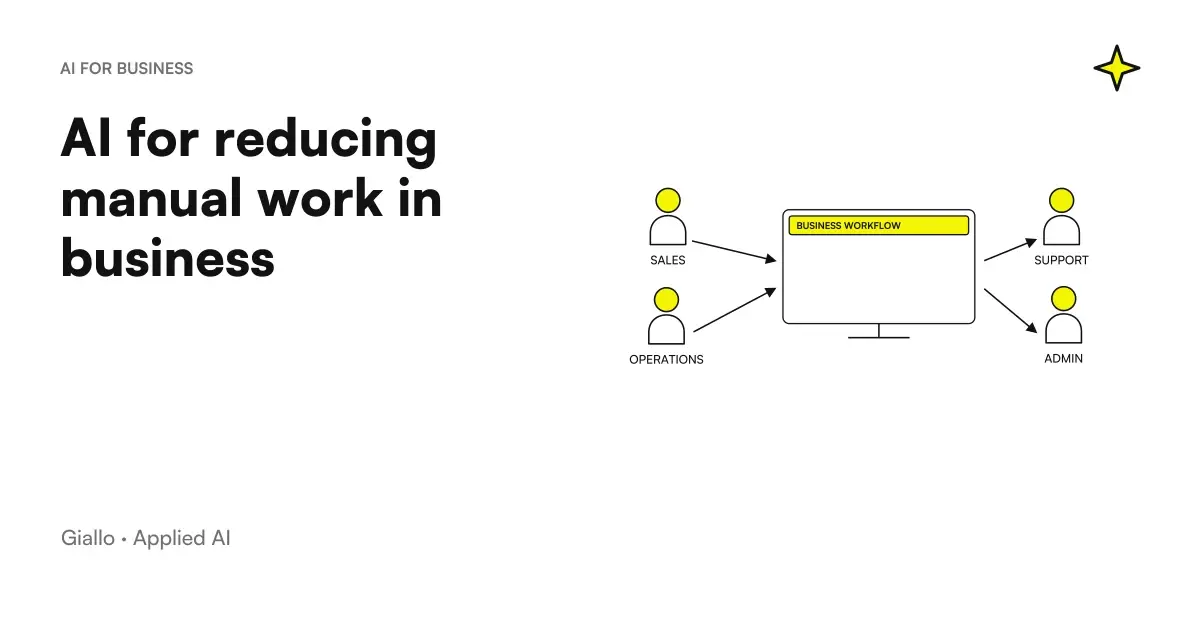 AI to reduce manual work in the company
 RPA vs AI automation: differences, costs and when to use which
 Mandatory 2FA for business software: why and how to implement it
 AI Act: the four levels of risk explained
 AI Act: when it comes into effect and what changes
FAQ
What is business process automation?
Business process automation is the replacement of repetitive and manual tasks with software that executes them automatically, following defined rules or using AI to manage variability. It includes simple automations (email forwarding, notifications) and complex flows with artificial intelligence (reading documents, classification, text generation).
What processes can be automated in an SME?
The best candidates are repetitive, high-volume processes with definable inputs and outputs: data entry, email sorting, quote generation, follow-up messages, document archiving, CRM updates and periodic reporting. Irregular processes, tasks requiring extensive judgment and frequently changing workflows are poor candidates for automation.
How much does it cost to automate a business process?
It depends on the type of automation. Simple flows with no-code tools (Make, Zapier) cost a few tens of euros per month of licenses plus a few hours of configuration. More complex AI automations (read documents, agents) vary from a few hundred to a few thousand euros one-off, plus the operating cost of the AI services used. The useful parameter is not the absolute cost, but the ratio with the hours saved.
What is the difference between RPA and AI automation?
RPA (Robotic Process Automation) automates rigid sequences, clicks on interfaces, copying data between software. It only works if the process never varies. AI automation adds language understanding, classification and adaptation to new cases: it can read an unstructured email and figure out what to do. They are often used together: RPA for mechanical steps, AI for variable parts.
Does process automation violate the GDPR?
Not in itself, but must be managed properly. Every automated processing of personal data must have a legal basis (Article 6 GDPR). If automation makes decisions that produce legal effects on natural persons, it triggers the right not to be subject to automated decisions (Article 22). The processing log (Article 30) should be updated and, if data leaves the EU towards American cloud services, the guarantees of Chapter V are needed. Always consult a legal expert.
Where do you start to automate in an SME?
From the process that hurts the most: the one that steals the most hours or generates the most errors. You measure the current flow (time, frequency, errors), you choose the minimum instrument that covers it, you test on a small volume, you measure the result. Only if it works does it extend. You don't need to start with a big project.
Is an internal IT team needed to automate processes?
No, not necessarily. Most first-level automations are configured with no-code or low-code visual tools. For more complex automations (deep integrations, custom AI agents) an external technical partner is useful, not necessarily an internal team.