
Examples of AI automation in the company: real cases for SMEs
Practical business AI automation examples: email, documents, quotes, customer support and CRM. Real cases Italian SMEs can apply today.
Reading time: 10 min
When it comes to AI automation in the company, the most frequent question is not "what is it?" but "okay, but basically what does it do?". Right. Abstract definitions serve little: what changes the way we work is to see a real case, to understand what happened before and what happens after.
This article collects concrete examples of AI automation applicable today to Italian SMEs. Not cases of large multinationals with budgets of hundreds of thousands of euros, but recognizable scenarios: a professional firm, a service company, an e-commerce. Processes that are repeated every day, where AI already makes a difference.
If you are still looking for an introduction to the theme, start from What is AI Automation and from AI for Companies: Complete Guide. If instead you want to understand how to reduce manual work systematically, read the Practical Guide to AI for SMEs.
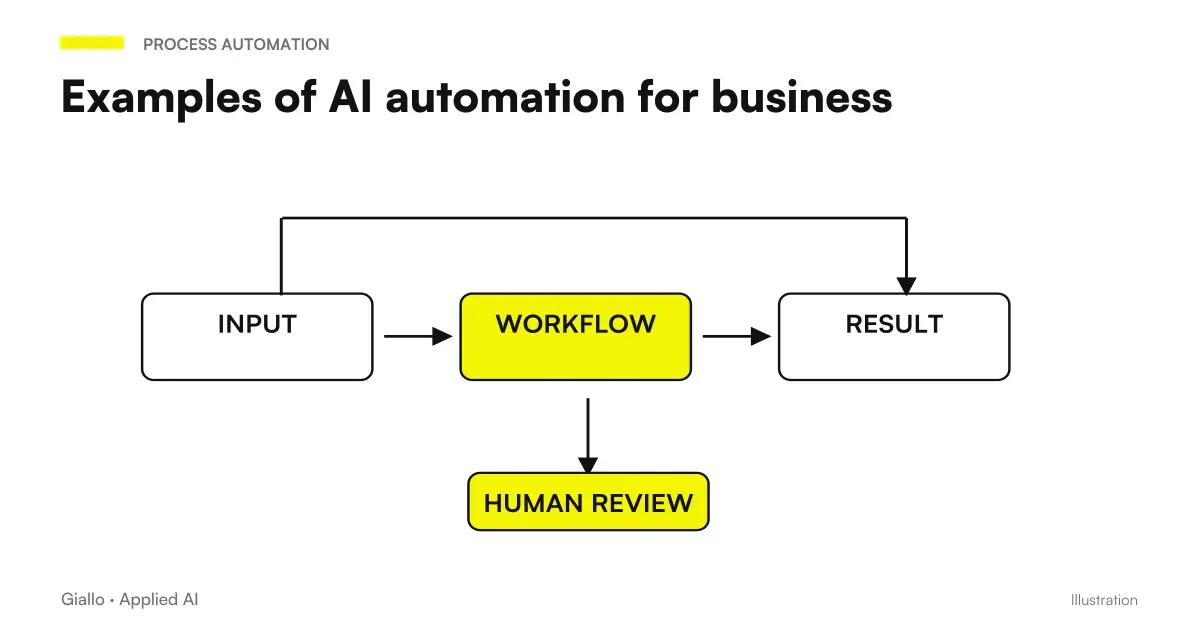
The thread that binds all the cases below is the same: high volume, low variability, human in control. When a process repeats often, follows more or less the same steps and a mistake is expensive, AI can handle the execution while the person verifies the result. It's not magic: it's structured delegation.
Key Points
- The most suitable processes for AI automation have high volume, low variability and a human controlling the result
- SMEs can start from simple cases (emails, documents, reports) without changing the software already in use
- Every automation should have a measurable ROI: hours saved, errors reduced, response times lowered
- Not everything is automated: processes that are highly variable or require relational judgment remain human
- The starting point is the process that hurts the most today, not the technically most interesting one
Back-office and administration
Back-office is often the first department where AI automation produces visible results, because processes are repetitive by definition and data is already in digital (or almost) format.
Extracting data from invoices and PDFs
Problem. Every month dozens of invoices arrive from different suppliers, in different formats, that someone has to open, read and transcribe in the management software. One hour a day, five days a week, for a task that requires no judgment but generates errors when fatigue is felt.
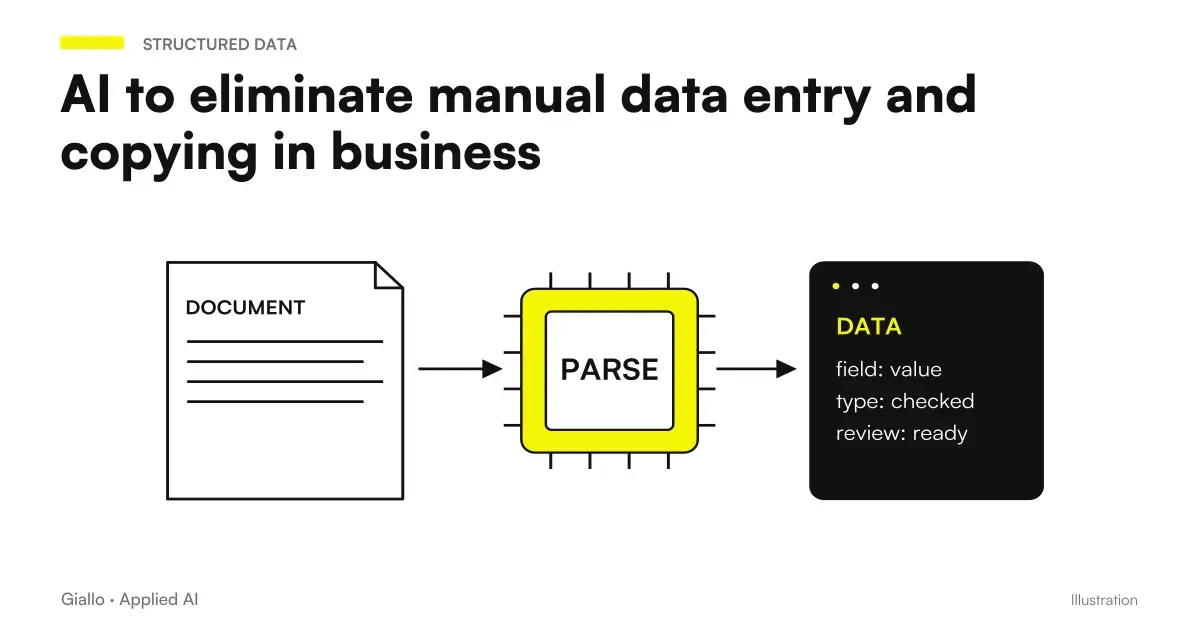
AI solution. A document reading system (based on OCR + language models) reads every incoming invoice, extracts the relevant fields —supplier, amount, date, VAT number, items of expenditure —and inserts them into a draft in management software. An operator verifies and approves. If the document is not readable or the data looks abnormal, the system reports the exception.
Typical result. 70-80% reduction in data entry time. The operator switches from transcribing to verifying, with a significantly lower error rate. Learn more with how to delete data entry with AI.
Automatic Sorting and Archiving of Documents
Problem. Every day documents arrive via email and uploads: contracts, delivery notes, bid requests, communications from customers and suppliers. Sorting and storing properly takes attention and time, and when something ends up in the wrong folder you get lost later.
AI solution. An AI agent reads the contents of each incoming document, classifies it by type and sender, and stores it in the correct folder (Google Drive, SharePoint, the document management software). It adds metadata to make it easier to search. Exceptions — ambiguous documents or new categories — end in a review queue.
Typical result. Zero manual storage for 80-90% of documents. Freed time goes to work which really requires reasoning.
Customer care
Customer care is the area where AI is most visible on the outside, but also the area where the error is most paid for. The point is not to take away the human: it is to manage the volume without losing quality. For a specific in-depth analysis, read AI for corporate customer care.
Automatic response to FAQs via email
Problem. Every day the same questions arrive: times, prices, order status, payment methods, documents required. Manually respond to each time cost, and the quality of the response depends on who writes it and how tired he is.
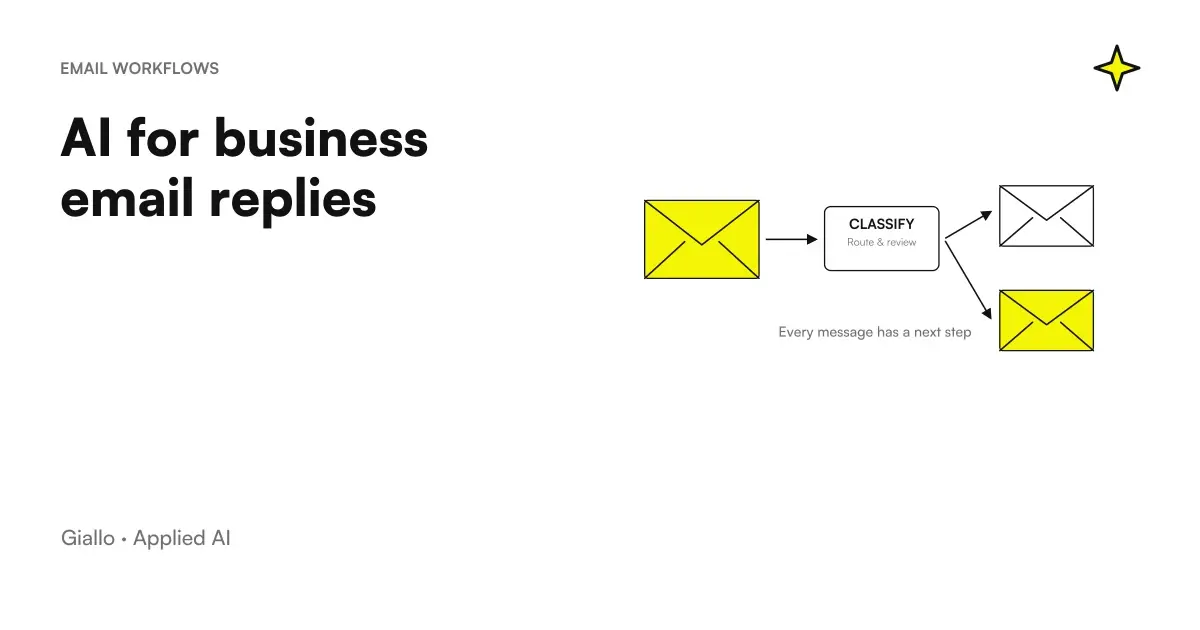
AI solution. An AI system reads every incoming email, recognizes whether it falls into one of the managed categories, and generates a response based on a business knowledge base. The answer starts automatically, or is presented to the operator as a draft to be sent with a click. Complex or unrecognised emails are forwarded to the operator with a response proposal as a starting point.
Typical result. 40-60% of emails receive response without human intervention, with time reduced from hours to minutes. how to respond to business emails with AI.
Ticket Sorting and Smart Escalation
Problem. When requests for assistance come from different channels qualcunoemails, forms, chats. someone has to understand what it is, prioritize it and turn it to the right person. If this person is busy or absent, the ticket is lost.
AI solution. An AI system reads every incoming ticket, classifies it by type (technical problem, commercial request, complaint, information), assigns a priority based on keywords and customer history, and sorts it to the correct queue. If the customer is reported as critical or the problem exceeds a threshold of urgency, the immediate escalation to a manager triggers.
Typical result. First sorting times reset. No tickets forgotten in the box. Operators work on already prioritized queues, not messy sets.
Commercial and Sales
Commercial is often the area most resistant to automation, for one understandable reason: relationships are the heart of work. But there are parts of the sales process that do not require relationship — they require execution. On those the AI gives concrete relief. See also AI for CRM and Sales.
First draft automatic quote
Problem. Making a quote requires collecting the customer's needs, retrieving updated listings, calculating totals, formatting the document. For a salesman who handles ten negotiations in parallel, even just assembling the document is a bottleneck.
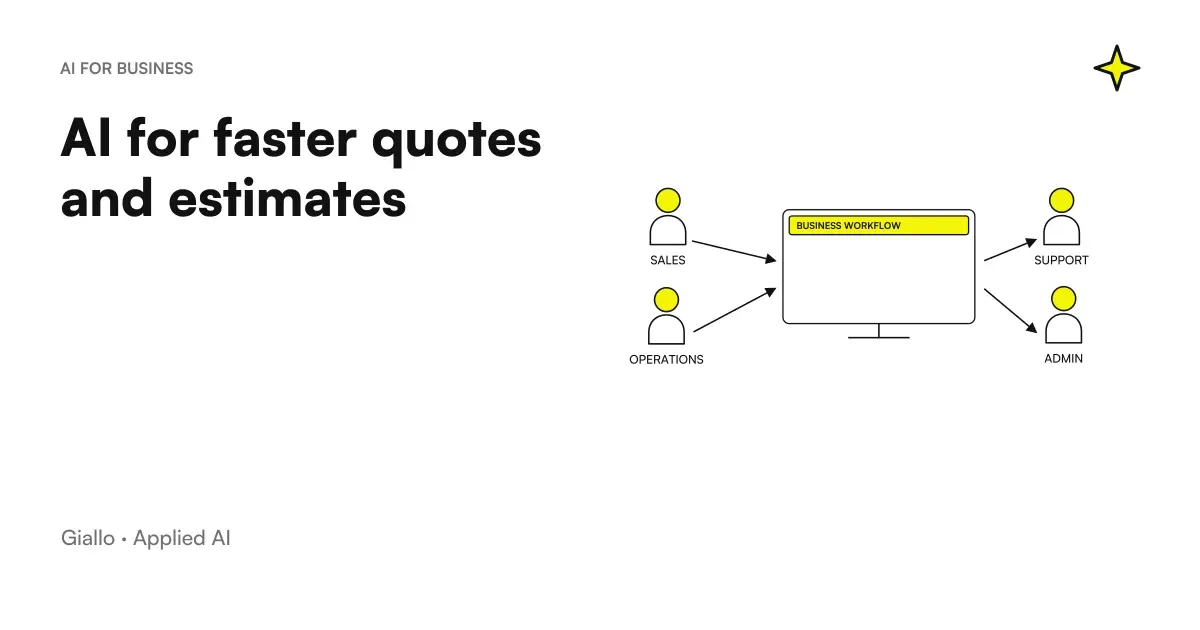
AI solution. The salesperson fills out a structured form with the information collected by the customer. An AI system generates the draft estimate: recovers prices from the price list, applies the customer's business conditions, structures the document according to the company template, adds the standard notes. The salesman reviews, customizes where it's needed, and sends.
Typical result. The production time of a quote drops from 45-60 minutes to 10-15 minutes. The commercial focuses on the report, not on the assembly. To learn more: How to Use AI to Create Quotes.
Automatic commercial follow-up
Problem. After sending an offer, follow-up is crucial but often does not happen: the trade is busy, you forget, you don't know when the right time is. The deals are lost for lack of continuity, not for lack of customer interest.
AI solution. An AI agent monitors the open negotiations in the CRM and, based on the phase and the days elapsed, generates and sends personalized follow-up emails —with the customer name, the reference to the offer, the right tone for that commercial phase. The salesperson can intervene at any time; if the customer responds, the thread returns to human management. Read How to automate follow-ups with AI.
Typical result. Follow-up rate going from 30-40% to 90%+. Fewer deals forgotten, more conversions from already submitted offers.
Internal and external communication
Communication is one of the processes that consumes the most hidden time: meetings to summarize, reports to prepare, updates to send. AI does not replace communication — it makes it less burdensome to produce.
Automatic Periodic Reports
Problem. Every Monday the manager must extract the data from the management software, fill out an Excel sheet, add comments, format and send the report to the owner. An hour and a half every week for a task that always follows the same pattern.
AI solution. An AI agent connects to the management system (or database) every Monday morning, extracts the defined KPIs, compares them to the previous period, generates the comment text based on the significant changes and sends the report via email or publishes it on Notion/Slack. The manager reads it instead of producing it. Learn more: AI for Business Reporting.
Typical result. Complete elimination of report production time. The manager only intervenes if there is an anomaly to explain.
Automatic summary of meetings
Problem. After each meeting someone should write the record: who was there, what was decided, who does what and when. In practice, this task is postponed or wronged, and decisions are lost.
AI solution. The audio recording of the meeting (with the consent of the participants) is transcribed and processed by an AI model that extracts: points discussed, decisions made, actions assigned with name and deadline. The summary arrives by email to all participants within minutes of the end of the meeting.
Typical result. Zero forgotten minutes. Actions are plotted with name and date. The next meeting starts from a clear basis.
Business Knowledge
Every company accumulates years of documents, emails, procedures, technical specifications. The problem is not that knowledge does not exist: it is that it is not found when it is needed. how to use AI to analyze business documents.
Searchable knowledge base
Problem. The new commercial asks how the warranty works on a certain product. The answer is in an email from 2023, in a PDF attached to a proposal, in a chapter of the manual that no one reads. Finding that answer takes 20 minutes, if that's okay.
AI solution. All business documents —manuals, contracts, archived emails, technical specifications, procedures —are indexed in a semantic search system. An internal chatbot answers questions in natural language by citing sources. If the answer isn't there, he says so.
Typical result. Average internal search time reduced from 15-30 minutes to 1-2 minutes. Faster onboarding for new hires. Fewer repeated questions to the same colleagues.
Summary: automations by business area
| Area | Automated process | Type of AI | Difficulty |
|---|---|---|---|
| Back-office | Extracting data from invoices and PDFs | OCR + LLM | Medium |
| Back-office | Sorting and archiving documents | Classification + LLM | Low |
| Customer care | Automatic response to FAQs via email | LLM + knowledge base | Low |
| Customer care | Ticket Sorting and Escalation | Classification + rules | Low |
| Sales | First draft estimate | LLM + template | Medium |
| Sales | Automatic follow-up on negotiations | Agent AI + CRM | Medium |
| Communication | Automatic Periodic Reports | Agent AI + data | Medium |
| Communication | Meeting summary | Transcript + LLM | Low |
| Knowledge | Searchable knowledge base | Semantic Search + LLM | High |
Extensive practical examples: three Italian SME scenarios
We go from individual processes to complete cases. Three types of company, three real automation flows.
Law Firm (10 lawyers, contract area)
Context. Dozens of email requests come in every week. Members spend hours reading emails, figuring out what it is, sorting out the right colleagues, and responding with a first assessment.
Automated flow.
- The email arrives in the study box.
- An AI system reads the text, identifies the type of practice (commercial contract, litigation, tax advice, other) and the level of urgency.
- The email is automatically sorted to the relevant lawyer with a two-line summary of the content.
- If it is a FAQ question (e.g. "how much does an initial consultation cost?"), a standard automatic answer starts.
- The lawyer receives the already qualified request and can respond from an AI-generated draft based on similar answers from the past.
Result. Members stop filtering 80% of emails. The first response time to the customer drops from 24-48 hours to 2-4 hours.
Technical services company (installation and maintenance of plants, 25 people)
Context. Technicians compile intervention reports on paper or in PDF. The data ends up in the office where someone transcribes them into the management software, invoice the customer and update the plant history. The process is slow and generates errors.
Automated flow.
- The technician fills out the report on a mobile app (or photographs the paper form).
- AI extracts data: customer, plant, type of intervention, hours worked, materials used, anomalies detected.
- The data is entered into the business management software automatically. If the materials used correspond to items in the price list, a draft invoice is generated.
- The office checks and approves with a click. The anomalies reported by the technician automatically generate a reminder for the next maintenance.
Result. The billing cycle is reduced from 5-7 days to 1-2 days. Zero manual transcriptions. The history of each plant is always up to date.
B2B E-commerce (building materials, 40,000 products)
Context. Customers make quotation requests via email for custom orders. Compiling each quote requires searching the products in the catalog, checking availability, applying customer discounts, calculating delivery times and formatting the document. Each quote: 30-60 minutes.
Automated flow.
- The customer sends the request via email or form.
- The AI reads the request, identifies the requested products (even with approximate descriptions), recovers availability and prices from the ERP, applies the customer's business conditions.
- Generate the draft of the quote in PDF format with the business template.
- The commercial receives the draft, checks in 5 minutes, adjusts if necessary, and sends.
- If the customer does not respond within 5 days, a follow-up automatically starts.
Result. Estimate time: 45 minutes to 10 minutes. Manageable quote volume: +300%. Conversion rate: +18% thanks to systematic follow-ups.
AI automation: suitable or not suitable?
Adapt to AI Automation
- Repeated process several times a day or week
- It follows more or less the same steps
- Input data is structured or semi-structured
- An error is verifiable and correctable
- The result can be reviewed by a human before taking effect
- Current quality is limited by volume or fatigue, not by lack of competence
Not suitable (or premature)
- Each case is substantially different from the others
- Requires relational judgment or negotiation
- An error has serious consequences and is not easily reversible
- The process is not yet defined or documented
- Volume is too low to justify configuration
- Requires creativity or empathy as a central element, not an accessory
Mistakes to Avoid
Automating before you understand the process. If the current flow is chaotic, AI amplifies chaos. Before automating, it maps the process, identifies frequent exceptions, documents the rules. AI follows the rules you give it.
Expecting 100% automation. None of the cases above completely eliminate human intervention. The model that works is: AI performs, human approves or corrects. Automations that "turn on their own without control" are those that generate silent damage.
Starting with the most complex case. The temptation is to prove that AI is powerful from a complicated process. The result is a project that lasts months, costs too much and disappoints. You start with the simplest case with the clearest ROI, you put it into production, you learn, then scale.
Not measuring. If you don't know how many hours it takes now, you'll never know if automation worked. Before you start: Measure the average time per task, the monthly volume, the error rate. Next: Remeasure the same indicators.
Ignoring the AI agents and the chatbot. Many automations not only require passive processing, but active action across multiple systems. The difference between simple automation and an AI agent is important to understand what can be done. Read What are AI Agents to understand when they are needed.
How to apply it in the company
Map repetitive processes
Ask each person in charge, "What task do you do every day that seems like a waste of time?" Collect at least 10 candidate processes.
Prioritize for ROI
For each process: estimate the weekly time, monthly volume, the cost of an error. Sort by expected impact on hours savings or error reduction.
Start with the case with the clearest ROI
Not the most technically interesting. The most measurable. The one you can say "if it works, I save X hours a month".
Configure, Head, Measure
Activate automation in parallel with the existing process. Compare results for 2-4 weeks. Then decide whether to go into production.
Scale gradually
A working automation gives confidence and generates data. Use that trust to propose the next case. Do not start with 5 automations in parallel.
Related insights, with verified data on official documentation: Claude Sonnet 5 vs Haiku 4.5 and AI models for high volume work.
Conclusion
The examples in this article are not future scenarios: they are applications in use today in Italian SMEs, with tools already available and without the need to rewrite existing systems.
The starting point is not technology. It is the process that hurts the most: the one that consumes hours, generates errors, slows down the response to the customer or holds people hostage with tasks that do not require their judgment.
If you want to understand how to map your processes and identify where to start, read the Practical Guide to AI for SMEs. If you want to understand how to reduce manual labor systematically, start from How to Reduce Manual Work with AI.
Or, if you want a direct analysis of your company's processes, discover our automation services or go to the page dedicated to the automation of business processes.
Frequently asked questions
What are the most common examples of AI automation in the company? The most common in SMEs: automatic response to frequent emails, extraction of data from invoices and PDFs, first draft of quotes, sorting of assistance tickets, automatic periodic reporting, scheduled commercial follow-ups. All of them have a pattern: high volume, low variability, human review of the result.
Does AI automation also work for small businesses, not just large businesses? Yes, and often SMEs benefit the most because every hour saved has a greater proportional impact. Modern tools do not require an IT department: many flows are configured with no-code tools or through consulting.
How long does it take to activate an AI automation? It depends on the complexity. A simple workflow (e.g. automatic response to FAQs via email) can be activated in a few days with ready-made tools. Automation integrated with business management software or a CRM requires weeks of configuration and testing.
How do you choose where to start with AI automation? From the process that hurts the most: high volume, low variability, high error cost or high wasted time. You map the current flow, measure the average time per task, estimate the savings and choose the case with the clearest ROI.
Do you need to change existing software to introduce AI? Usually not. Most AI automations connect to software already in use (email, CRM, business management software, Google Drive) via API or standard connectors. The change is about the way of working, not necessarily the platform.
Giallo Studio guides: methodology and sources
How we apply it in the company
Related resources
 Artificial intelligence: concrete examples from everyday life to work
 AI for SMEs: a practical guide to really getting started
 AI to reduce manual work in the company
 AI to eliminate manual data entry and copying in business
 AI to Respond to Business Emails: How It Works
 Creating quotes with AI: how to speed up the process
 Review documents with Claude Opus 5.5: inconsistencies, dates and numbers
 AI for technical firms: surveyors, architects and engineers
FAQ
What are the most common examples of AI automation in the company?
The most common in SMEs: automatic response to frequent emails, extraction of data from invoices and PDFs, first draft of quotes, sorting of assistance tickets, automatic periodic reporting, scheduled commercial follow-ups. All of them have a pattern: high volume, low variability, human review of the result.
Does AI automation also work for small businesses, not just large businesses?
Yes, and often SMEs benefit the most because every hour saved has a greater proportional impact. Modern tools do not require an IT department: many flows are configured with no-code tools or through consulting.
How long does it take to activate an AI automation?
It depends on the complexity. A simple workflow (e.g. automatic response to FAQs via email) can be activated in a few days with ready-made tools. Automation integrated with business management software or a CRM requires weeks of configuration and testing.
How do you choose where to start with AI automation?
From the process that hurts the most: high volume, low variability, high error cost or high wasted time. You map the current flow, measure the average time per task, estimate the savings and choose the case with the clearest ROI.
Do you need to change existing software to introduce AI?
Usually not. Most AI automations connect to software already in use (email, CRM, business management software, Google Drive) via API or standard connectors. The change is about the way of working, not necessarily the platform.