
Best free AI tools in October 2026, by use case
Best free AI in October 2026: what ChatGPT, Gemini, Claude, Copilot and Perplexity offer for free, image-generation choices and what not to upload.
Reading time: 10 min
The best AI for free, in October 2026, depends on the job: ChatGPT Free and Gemini They are the most complete handymen, Claude Free makes more about texts and documents, Perplexity in searches with sources. For images we start from the app Gemini.
Free, however, does not mean without conditions. In ChatGPT and Claude's personal plans conversations can serve to train models until you disable the option, and some image generators make public everything you create. Free AIs are great for learning, sketching, and searching; customer data stays out.
Here we compare only what you get without paying, use for use, images included. If you are also evaluating subscriptions, the complete picture is in the guide to Best Artificial Intelligence. Plans and limits are those of the official pages as of October 3, 2026.
In summary
- There is not a single best AI for free: ChatGPT Free and Gemini as handyman, Claude Free for lyrics, Perplexity for searches with sources.
- In the free plans spins on light or mid-range models: GPT-5.6 Luna in ChatGPT, Sonnet and Haiku in Claude, 3.6 Flash in Gemini.
- For the free images there are Gemini and ChatGPT for drafts, Bing Image Creator and Adobe Firefly with daily limits, Canva and Ideogram to credits.
- In personal plans content can train models if you don't turn off the option: no customer data.
- Using two on the same task costs zero and is the quickest way to figure out if, and for what, to pay.
What is the best free AI in October 2026?
Each of the great assistants, built on Language Models different, it has a real free plan, but each one makes on a different ground. The table summarizes what you get without paying and where you stop.
| Assistant | What you got for free | Where do you stop | Ideal for | Source |
|---|---|---|---|---|
| ChatGPT Free | Unlimited chat with GPT-5.6 Luna; images, in-depth search, files and Codex in limited form | No GPT-6 models; about 12 pages of text per request with the Instant model | Handyman, first drafts, quick questions | ChatGPT Rates |
| Gemini | Gemini 3.6 Flash, variable access to 3.1 Pro, images, Deep Research, Gemini Live | Lower usage limits than Google AI plans | Who lives in Gmail, Drive and Google Search | Google AI plans |
| Claude Free | Sonnet and Haiku, web search, file creation, code execution, up to 5 projects | Opus and Fable only for a fee; with long files the limits come soon | Write, synthesize, work on documents | Plans Claude |
| Copilot | Basic Chat | Inside Word, Excel and Outlook you need a Microsoft 365 subscription | Who already works with Microsoft programs | Microsoft 365 plans |
| Perplexity | Searches with cited sources next to the answer | Less suitable for long, creative texts | Searches, verifications, recent news | Perplexity Prices |
| Mistral Vibe, former Le Chat | Limited Messages and Searches | Smaller Ecosystem than Large US | Who wants a European alternative | Mistral prices, new name |
Before saying that an app "writes worse", check the model: in free plans it almost always spins on a different band than the news. ChatGPT Free uses GPT-5.6 Luna, the lightweight model of the previous generation, while the GPT-6 starts from Plus; on Claude.ai, however, Sonnet 5.5 is available for anyone, even without a subscription (Anthropic). Direct comparisons are in ChatGPT vs Claude and ChatGPT vs Gemini; when a light model is enough it really tells Economic AI Models Compared.
What are the best free AIs for writing, searching, and programming?
The most useful way to choose is to start from the task. Open the case closest to yours: find the tool to start from and the one to keep as a second opinion.
Write emails, texts and content in Italian
Starting with Claude Free, which holds good tone and structure also in Italian, and uses ChatGPT Free when you need many variations, for example ten titles for the same post. Give both the same email to rewrite: in a few minutes see which one asks for the least corrections. Insight: Best AI for Writing.
Search for up-to-date and verifiable information
Departing from Perplexity, which responds by placing the sources next to the text. For a report that crosses many sources, in-depth research is also limited in ChatGPT Free and Gemini. Always open the links on which a decision is based. Comparison: Best AI to do research.
Read PDFs and long documents
Claude Free is the most convenient for summarizing and querying a document, but with long files the usage limits come soon; Gemini is a good second opinion. Remove names and personal data before uploading anything. Guide: best AI for documents.
Write or understand code
Claude Free and ChatGPT Free That's enough to explain a script or fix a formula, and Claude Free also runs code on the files you upload. To work on a whole project you need agents, Claude Code or Codex, which in the free plans are missing or are limited. Guide: Best AI for Programming.
Working in Word, Excel and Outlook
Copilot free is a basic chat; to have it inside Word, Excel and Outlook you need a Microsoft 365 subscription (Microsoft), as explained in Copilot for Microsoft 365. In the office, with business data, a business plan directly agrees.
To make these tests a repeatable choice there is the method of how to choose an AI model.
What are the best free AIs to create images?
For images the free offer is wider but more fragmented: each tool has its own system of credits and, above all, different conditions on who can see and use what you generate.
| Tool | What gives for free | To know before you use it | Source |
|---|---|---|---|
| Gemini App | Generating and editing images in the plan without cost | Convenient for quick drafts and variants | Google AI plans |
| ChatGPT Free | Creating images in limited form | Higher limits from the Go up plan | ChatGPT Rates |
| Bing Image Creator | 15 fast creations per day, then standard speed, up to 200 requests in 24 hours | You need a personal Microsoft account, not a corporate one; creations stay saved for up to 90 days | Microsoft Help |
| Adobe Firefly | Free generation every day, even with models from other manufacturers | Adobe declares its Firefly models trained on licensed and secure content for commercial use | Firefly Plans |
| Canva Free | Up to 20 uses per month of AI tools, according to Canva's estimate | The counter resets on the first of the month | Canva Guide |
| Ideogram | 30 credits per week by logging in with Google, Apple or Microsoft | On the free floor everything you generate is public | Ideogram Plans |
For a test post almost everything is fine; for an image that ends up in a catalog or campaign counts the license first, for this in the table the conditions stand next to the credits. If then the image resembles real people, places or events and may seem authentic, that is, it is a deepfake, from August 2, 2026 who publishes it must declare that it is generated or manipulated by AI (Article 50 of EU Regulation 2024/1689). Licenses and paid instruments are compared in best AI models for images; rights and paternity in copyright and AI-generated content; how to write the request in AI prompt for images.
What happens to your data when you use a free AI?
The rules change from service to service, and it is worth reading them. Bing Image Creator declares that uploaded images can serve to improve its processing services but not to train models (Microsoft Guide). The free layer of Gemini APIs, the one many use for early prototypes, also uses content to improve Google products, unlike the paid layer (Gemini API Pricing).
- Do not paste personal data of customers, employees or suppliers: names, emails, telephones, IBANs.
- Do not upload contracts, medical records, documents or documents that are covered by secrecy.
- To try a prompt use fabricated or anonymized data.
- Disable the use of conversations for training in every service you use.
- For true company data move to a business plan with a data processing contract.
What happens, step by step, to what you write in a chat is explained in Business Data and AI.
When is free enough and when is it better to pay?
Free is enough if
- You're learning or using AI sometimes a week
- work on your own texts, public or invented data
- you want to compare multiple tools before choosing
It is better to pay if
- slam every day against message or file limits
- You need the top models, Claude Code or Codex
- business data and you need written guarantees
The first step for a fee costs less than you think. In October 2026 Google AI Plus costs €4.99 per month (Google AI plans), ChatGPT Go 8 € and Plus 23 € (ChatGPT rates), Microsoft 365 Personal with Copilot 10 € (Microsoft); Mistral Pro 14,99 $, Claude Pro 18 € (15 € with annual, excluding taxes) and Perplexity Pro 20 $ (Mistral, Anthropic, Perplexity). What really changes by paying is in Free ChatGPT vs Plus and ChatGPT Plus vs Claude Pro.
How do they use free AI a consultant, an online store, and a small office?
Get a consultant who works alone. Use ChatGPT Free to set the proposal structure and Claude Free to refine the tone of important emails: zero cost, two tools that complement each other. When a customer sends him a confidential contract he does not paste it into either chat: he sums it up by hand, or he switches to a data contract plan.
Think of an online clothing store. The suppliers' data sheets end up in a document, Gemini proposes three variants of description for each garment and the operator chooses and corrects. For context photos on social media use Adobe Firefly or Canva for free, keeping an eye on credits and licensing. When products become hundreds and descriptions must be published automatically on the site, free is no longer enough: a flow connected to the catalog is needed, such as those described in AI for e-commerce.
Finally imagine a small office working with Word and Outlook. Use free Copilot in the browser to rewrite and summarize texts, and Perplexity to check suppliers and regulations, opening each source before deciding. Before you pay Microsoft 365 with Copilot it measures for a month how much time it really saves.
The free AI does the first draft and the raw search; the person checks, decides and keeps out the confidential data.
What mistakes make free AI useless, or risky?
- Looking for the best ever. The winner changes with the task: choose based on the work you do most often, not the fame of the instrument.
- Pasting confidential data. It is the most expensive error, because on the free one there is no contract and no guarantees: customer data and sensitive documents remain out, always.
- Judging an app from just one trial. The first disappointing results often depend on the request, not the tool: a little practice of prompt engineering It changes a lot.
- Publishing the draft as it is. Free AI produces drafts, not finished documents. Numbers, rules and dates should be checked, because the hallucinations are also in the most recent models.
- Trusting limits read months ago. Messages, models and credits change often: before organising work around them, check the official page.
How do you bring free AI to the company without risk?
- Start with a repetitive activity. Similar emails, draft offers, vendor searches: something you do every week.
- Write the data rule. Decide in writing what never sticks into the free tools.
- Try the same task on two instruments. Same request, same invented files: see which one makes best on your case.
- Measure time. How long it took you before and how long it took, including corrections.
- Decide if you want to go up. If the task becomes daily and touches real data, it switches to a business plan: the criteria are in Best AI for Companies.
When is it best to switch from free AI to a custom-made system?
The best free AIs are used to figure out where AI saves you time, without spending. Sooner or later the evidence indicates a passage that repeats itself every day, such as answering the same questions as customers or copying the data of an email in the management software: there an extra subscription changes little, because a chat, free or not, works only when someone writes them.
At that point, you need a stream that starts on its own, reads, controls, and prepares work in the programs you use. Giallo Studio starts right from that passage and automates it by connecting it to the company's software; a concrete example is the demo of the AI Agent for Business Emails.
Giallo Studio guides: methodology and sources
How we apply it in the company
Related resources
 Best AI tools by use case: October 2026
 Free ChatGPT vs ChatGPT Plus
 ChatGPT Plus vs Claude Pro: which subscription to choose
 Best AI for business: which to choose in October 2026?
 Best AI Models for Images
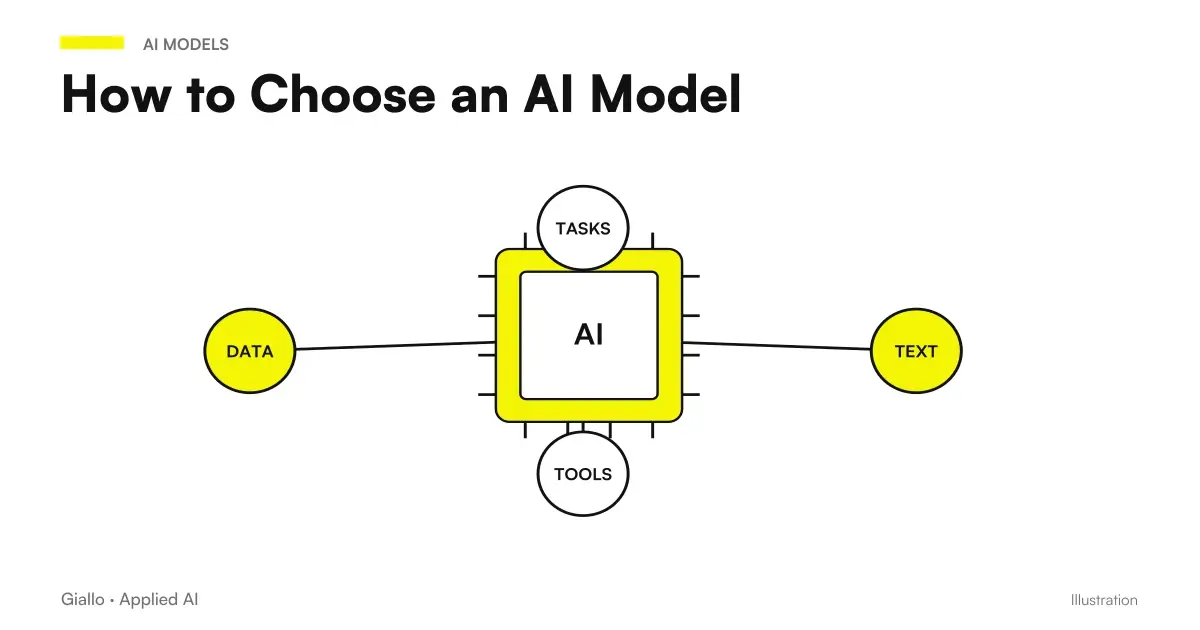 How to Choose an AI Model
 Best AI for Excel (October 2026): Copilot, ChatGPT, Claude or Gemini?
 AI prompts: a complete guide to effective instructions
FAQ
What is the best free AI?
It depends on the work you do most often. In October 2026, ChatGPT Free and Gemini are the most complete all-rounders, Claude Free performs better on text and documents, Perplexity on research with sources, and Copilot if you already work with Microsoft programs. Try two on the same task before choosing.
What is the best free AI to write in Italian?
Claude Free and ChatGPT Free write excellent Italian even without a subscription: Claude tends towards better-organised, less repetitive text, while ChatGPT is convenient when you need many variants. The quickest way to choose is to give both the same email to rewrite and count the corrections.
Are there free AI tools for creating images?
Yes. The Gemini app generates and edits images even on the free plan, ChatGPT Free creates a limited number, Bing Image Creator with a personal Microsoft account offers 15 fast creations a day, and Adobe Firefly provides free daily generations. If the image will be used for work, the tool's licence matters more than the result's quality.
Do free plans use my data for training?
Often yes, unless you disable it. On ChatGPT's and Claude's personal plans, conversations can be used to train models, with an option to exclude them, and everything you generate on free Ideogram is public. This is why customer data, contracts and confidential documents must not be uploaded on free plans: those require a business plan.
What is the difference between free and paid ChatGPT?
ChatGPT Free offers unlimited chat with GPT-5.6 Luna and, in limited form, images, in-depth search, file upload and Codex. Go raises the limits and can show advertising; Plus adds GPT-6 models, scheduled tasks, and custom GPTs. Prices are on the official OpenAI page and change often.
Can an SME only work with free AI?
For trials and occasional work, yes, while keeping customer data out. For everyday use, the limits soon become apparent, and data controls and contracts are missing: when a process becomes recurring, a business plan or a system connected to the software the company already uses is worthwhile.
What limits do free AI plans have?
Typically less powerful than paid models, fewer messages with files and tools, less memory, and less space for long documents. On ChatGPT Free, for example, OpenAI indicates a maximum input of about 12 pages of text with the Instant model. Limits often change and need to be checked on the official page.
Is it better to use multiple free AIs together?
Yes, it is the best move. Giving the same request to two or three free assistants improves the result and shows which performs best on your tasks. It is also the cheapest way to decide whether a subscription is worth paying for and which tool to choose.