
AI image prompts: examples for Midjourney, ChatGPT and Firefly
Write AI image prompts for Midjourney, ChatGPT (GPT Image, formerly DALL-E), Gemini, Firefly and Ideogram: structure, real examples and business use.
Reading time: 12 min
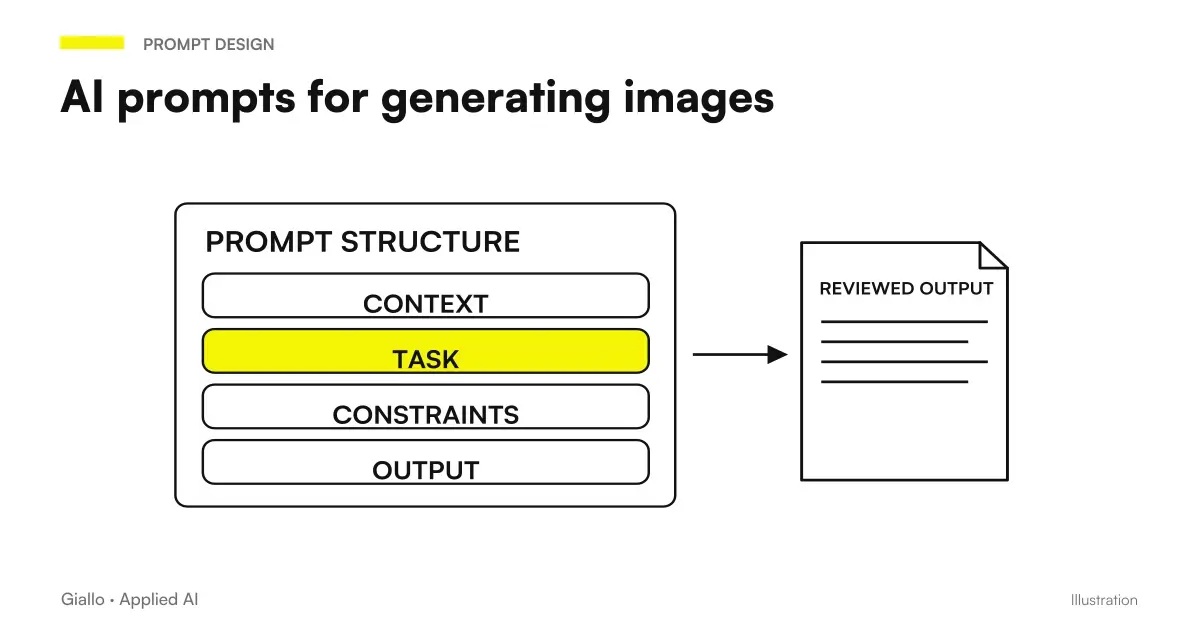
A AI prompt for images is a textual description that tells a generative model what to draw, photograph, or illustrate. The quality of the output depends almost entirely on the quality of the prompt: the same tool can produce a generic image or a professional view depending on how it is driven. Understanding how to structure a prompt is the competence that makes the difference between "I tried" and "I really use AI in my work".
AI image generators like Midjourney, ChatGPT, Gemini, Adobe Firefly and Ideogram are tools of Generative AI: do not follow rules, but produce the most likely image given the input description. This means that prompt vagi produce predictably mediocre results, while structured prompts give the model enough constraints to converge towards creative intention. The logic is the same as writing prompts for text — if you have already read the guide to prompt engineering, you will find many parallels.
In this guide we see the structure of an effective prompt, the differences between the main platforms, practical examples for business use and the limits to know before using the images generated in production.
In summary
- A AI Image Prompt effective describes: subject, visual style, light source, color palette and format.
- Midjourney prefers compact keywords in English with explicit parameters; ChatGPT and Gemini understand natural language also in Italian; Adobe Firefly uses models that Adobe declares safe for commercial use.
- For business use always check the TOS of the platform: the rights to the output vary between free and paid plan.
- Do not generate images of real identifiable people, third party logos or registered characters: risks suspension of account and legal liability.
- The Business Use Cases more solid are: product photos, promotional banners, illustrations for articles and social posts.
How a prompt for AI images is structured
An effective prompt for any AI image generator has five components. They don't all need each time, but knowing them allows you to add control where the default result isn't enough.
1. Subject cosa what must appear in the image. The more specific it is, the better. "An espresso" is vague; "a cup of espresso on a gray stone top, viewed from above" is a precise instruction.
2. Visual style realistica Realistic photography, vector illustration, oil painting, flat design style, 3D render. Without this indication the model chooses independently, often inconsistently with the brand.
3. Light — natural window light, diffuse studio light, dramatic side light, golden sunset light. Light defines the mood of the image more than any other element.
4. Colors — a specific palette (white, beige, anthracite grey) or a mood reference (warm tones, a monochromatic palette). Avoid generic adjectives such as "lively" or "professional".
5. Format and composition spect aspect ratio (1:1 for social, 16:9 for banner, 4:5 for Instagram), point of view (frontal, top, isometric perspective), detail or context.
- Precise subject: describe what needs to be in the center, where it is, how it is positioned.
- Style: photography, illustration, render, painting — indicates the visual medium.
- Light: source, intensity, direction. "Soft study light" or "golden hour sunlight" completely change the result.
- Colors: explicit palette or tonal reference consistent with your brand.
- Format: aspect ratio and composition to adapt the image to the intended use.
Differences between Midjourney, ChatGPT, Gemini, and Adobe Firefly
Major platforms have different approaches to prompt, distinct strengths and business usage rules that change the framework for companies. Choosing the right one depends on the use case, not which one is "the best" ever — for a complete overview see the guide to best AI models for images.
| Platform | Prompt Language | Prompt style | Parameter control | Commercial use | Strength |
|---|---|---|---|---|---|
| Midjourney | English (preferred) | Compact keywords + parameters (--ar, --v, --style) |
High (many flags) | Paid plan (TOS verification) | Aesthetic quality, artistic images |
| ChatGPT Images / GPT Image (OpenAI) | Italian and English, natural language | Conversational descriptions, chat touches | Medium (proportions, selection of an area) | Output assigned to you from the conditions of use | Ease of use, changes in conversation |
| Gemini (Google) | Italian and English, natural language | Subject + action + scene, then details | Medium (Fast Models, Reasoning, Pro) | Google does not claim ownership of the generated content | Conversational changes, text in images |
| Adobe Firefly | Italian and English | Detailed descriptions + UI filters | Medium-high (dedicated UI) | Yes, with the Adobe's Firefly Models | Learned about licensed content, Creative Cloud integration |
| Ideogram | English (the text in the image is more precise in English) | Full sentences, text to be written in quotation marks | Medium | Ideogram does not claim ownership of images | Text readable in logos, posters and graphics |
| Stable Diffusion | English (keyword) | Positive + Negative Prompt, LoRA | Maximum (self-hosted) | Depends on the model used | Total control, free self-hosted |
How to write prompt for Midjourney
Midjourney works best with English keyword sequences followed by technical parameters. The recommended structure is:
[soggetto], [stile], [luce], [colori], [dettagli aggiuntivi] --ar [ratio]
Practical examples:
- Product Photo:
Minimalist espresso machine on a marble surface, product photography, soft studio lighting, white and grey tones, sharp focus, high detail --ar 1:1 - Corporate Banner:
Modern open office with plants and large windows, aerial view, natural light, warm tones, no people --ar 16:9 - Blog Illustration:
Flat design illustration of a robot reading documents, blue and yellow palette, clean lines, no text --ar 4:3
The parameter --ar set the aspect ratio. With --v (or --version) choose a different version of the model from the default: if you do not write it, Midjourney uses the default version indicated in the official documentation. Add --no [elemento] to exclude unwanted items.
How to write prompts for ChatGPT and GPT Image (formerly DALL-E 3)
DALL-E is no longer available: OpenAI removed DALL-E 2 and DALL-E 3 from the API on May 12, 2026 and indicates GPT Image models as replacements, as reported by the official page on decommissioning. In ChatGPT images today are created with ChatGPT Images, available on all floors, on the web and in apps for iOS and Android.
ChatGPT also interprets conversational descriptions in Italian. You can write complete sentences and give instructions that refine over the course of the conversation. It follows directions to add text or details and to make the background transparent, and generates images in any format: choose proportions from the selector or write them in the prompt.
Examples:
- Product Photo: "Create a product photo on white background of a light brown leather bag, diffuse studio lighting, front view, professional e-commerce style."
- Article image: "Clean digital illustration for an article on business automation: robot collaborating with a human in the office, modern flat design style, blue and gray palettes, no text."
- Social Post: "Square image for Instagram representing a classic Italian breakfast, natural light from the left, warm tones, flat lay composition, no text."
If the result is not the expected one, you can continue the conversation with corrections: "change the light to cold blue" or "move the subject to the left". For a targeted touch-up there is also the selection tool: highlight an area of the image and describe the change. This flexibility is ChatGPT's main advantage over tools to parameters like Midjourney. Who already uses ChatGPT finds images in the same interface, without learning a new tool.
If you develop an application, in the OpenAI API Image models are called GPT Image: they generate images from a prompt, edit existing images, and, within a conversation, accept multi-step retouches.
The same conversational approach applies to Gemini, which for images uses the Nano Banana models. The official page suggests starting with the formula "create an image of + subject + action + scene" and then adding composition, style, quality and proportions. After the first version you can ask to change the background, replace an object or add an item, keeping the details you like.
When the text inside the image is the central point, as in a logo or poster, also try Ideogram. His text and typography guide recommends complete sentences, placing the text to display in quotation marks at the start of the prompt, and keeping text short. It also warns that rendering is more accurate in English and accented letters can cause problems: for Italian text, always check the result.
How to Use Adobe Firefly for Safe Commercial Use
Second Adobe, Firefly models are trained on content licensed by Adobe Stock and on public domain content with expired copyright. This makes Firefly the safest choice for commercial use of generated images — a critical aspect for companies that use them in communications, packaging, or advertising.
One detail to check: the Firefly app currently also contains partner models from Google, OpenAI, Luma AI and Runway, while Adobe describes its own Firefly models as “safe for commercial use”. Before publishing, verify which model you used.
The Firefly interface includes filters for style, lighting, and color that can be used in conjunction with the text prompt.
Examples:
- Marketing Material: "Professional photo of Italian artisan cheese on a wooden board, natural light, rustic style, warm tones, high resolution" — then set the "Photography" style and the "Natural" light filter.
- E-commerce site: "Clean product shot of running shoes, white background, studio lighting, top angle view" — select "White background" effect from the interface.
Practical examples for business use
Cosmetics E-commerce — product photo
An online cosmetics store needs consistent images for 50 new products. Instead of a full photo session, use Firefly with Adobe models, designed for commercial use:
Luxury skincare serum bottle on a white marble surface, soft diffused studio lighting, cream and gold color palette, minimal shadows, product photography style + "Photography" style in Firefly.
Result: consistent images for aesthetics, usable immediately in the site. The human review checks that the bottle shown matches the actual product and that there are no incorrect generated texts in the image.
Consulting firm — illustrations for articles and newsletters
A consulting firm publishes articles every week and needs original cover images without buying stock every time. With ChatGPT:
"Modern digital illustration for an article on how SMEs use artificial intelligence. It shows a small office with graphs and digital icons emerging from a laptop screen. Flat design style, cobalt blue and white palette, no text in image, 16:9 horizontal format."
The visual tone remains consistent and the images are never seen elsewhere. To learn more about what tools to use in this context, look at the guide to Best AI Tools.
Communication agency — variants of banners for campaigns
To test visual variants in a Google Display campaign without design costs for each variant:
Italian family at a dinner table, warm evening light, candid style photography, no text, high quality --ar 16:9 on Midjourney.
It generates 4 variants with different seed, selects the best for the A/B test, then brings to production only the winners. Also here: verifies that no face generated looks like known real people.
Before reusing a received content, it may be useful to check its source signals. SynthID Detector now publicly available Look for supported watermarks: it is not a universal AI content detector and a negative outcome does not prove authenticity or ownership of rights.
Copyright, real people and commercial use: the limits to know
This is the chapter that many skip — and that can create real problems.
Copyright of the generated subjects. AI models learn from existing images, but the output is technically new. The legal issue is still open in many jurisdictions, including the EU. The safest position: not to generate images that resemble specific living artist styles and not to play registered franchise characters.
Real people. Generating realistic images of identifiable real people —politicians, CEOs, public figures —is banned from all major platforms. The risk is not just technical: it is legal (defamation, deepfake) and reputational. Adobe Firefly actively blocks this category.
Third-party logos and brands. Do not ask the model to generate images that include well-known brand logos. They are not your property and the generation violates the TOS.
Commercial use per floor. On Midjourney all plans are subscription-based and include commercial use, but a company with more than $1 million in annual gross revenue must have the Pro or Mega plan, as indicated by the official page on plans. Always check the active plan before using an image in advertising.
For those who want to deepen the choice between platforms, the article on best AI for images It also compares the licensing conditions.
Copyright checklist before publishing a generated image
Before using an AI image in commercial contexts, check these points:
- Are you using a paid plan that grants commercial rights?
- Does the image include people who look real and identifiable?
- Does the image include logos, trademarks or registered characters of third parties?
- Is the style recalled in the prompt of a specific living artist?
- Have you read the updated TOS of the used platform?
If an answer is "yes" or "I don't know", go deeper before proceeding.
Mistakes to Avoid
- Prompt too vague. "A beautiful photo of an office" produces generic results. Add style, light and specific palettes.
- Ignoring the language. On Midjourney, prompts in Italian produce mediocre results compared to English. It is worth learning the basic keywords in English.
- Treating the first output as final. Image generators require iteration. Regenerate, refine the prompt, use variants — rarely the first result is to be published.
- Not checking text in the image. Models often insert unreadable or invented text. If the text is not needed, add "no text" to the prompt; if needed, add it in post-production.
- Using images without verification of rights. Free plan is not equivalent to free commercial use. Always check before publishing. Credits and conditions of free generators are compared in best AI for free.
When the prompt enters a design environment, the single image becomes part of a stream of changes. Figma Design Agent, Weave and AI Credits help to assess this difference: operations and consumption pools should be read in the context of the product used.
How to apply it in the company
AI images enter business processes primarily in three modes.
Low-cost volume production. Product photos, article images, newsletter covers, social posts: activities that required a photo session or stock subscription are now handled internally with a prompt and a few minutes. Savings on large catalogues are measurable.
Rapid Prototyping. Before commissioning a professional photo shoot, generate 10 visual concept variants in 30 minutes and choose the direction that works best with the customer or marketing team. Reduces revision cycles.
Visual consistency for distributed teams. A brand manual with standardized prompts (pallets, style, light) allows anyone on the team to generate consistent images without photographic training. Especially useful for teams that produce content in many channels.
If you want to integrate AI image generation into a larger production stream èfor example, connected to a CMS or automated workflow —it is the type of project that can be built concretely. Also read the guide to AI prompt to understand how the same logic applies to text, data, and code.
Conclusion
Write AI prompts for images is not an artistic skill: it is a descriptive skill. People who can specify subject, style, light, colours and format get usable results; those who write “a beautiful image” get predictable mediocrity. The main platforms follow different approaches: Midjourney for aesthetic quality, ChatGPT and Gemini for ease of use in Italian, Adobe Firefly for commercial use, Ideogram for text in images. The choice depends on the use case, not the overall ranking.
The real limits to keep in mind are subject copyright, prohibition of identifiable real people, and licensing conditions that vary by plan. Respecting them is not a technical detail: it is the difference between a useful tool and a legal risk.
AI becomes useful when it enters processes. Giallo Studio helps SMEs and teams build concrete, measurable, and sustainable automations — including those that integrate image generation into real-world content streams. Or explore the projects already carried out in The Lab.
Giallo Studio guides: methodology and sources
How we apply it in the company
Related resources
 AI prompts: a complete guide to effective instructions
 Prompt engineering: what it is and how to get started
 Best AI Models for Images
 Generative AI: What It Is and Why It Matters
 How much does it cost to maintain an AI system
 Which AI model suits an SME
 Buying with AI in Italy: what the Shopify report says about Christmas 2026
 Stop hook: loopless checks in Claude Code
Prompt Collections
Ready prompts for other roles and tasks.
- AI prompts for Excel and Google Sheets: formulas and data analysis
- AI marketing prompts: copy, campaigns and content
- AI email prompts: ready-to-use examples for every situation
- AI presentation prompts: PowerPoint and Google Slides examples
- AI e-commerce prompts: product descriptions, email and support
- AI coding prompts: write, fix and explain code
- AI document analysis prompts: contracts, reports and PDFs
- AI SEO prompts: optimise content and rankings
- AI customer support prompts: ready-to-use examples
- AI prompts for social media: ready-to-use posts, captions and content
- AI prompts for accountants: ready-made examples for documents, analytics and clients
- AI sales prompts: emails, offers and follow-ups
FAQ
What is an AI prompt for images?
An AI image prompt is a text description instructing a generative model (Midjourney, OpenAI's GPT Image, Gemini, Adobe Firefly, Ideogram or Stable Diffusion) on what to depict. The more structured the prompt — subject, style, lighting, colours and format — the closer the result is to the creative intent.
How to write a good prompt for Midjourney in Italian?
Midjourney accepts Italian prompts but is trained mainly in English, so English gives the best results. Structure the prompt with subject + artistic style + light + colours + parameters (--ar 16:9 for the format; --v only if you want a version different from the default). Example: 'Product photo of a minimalist espresso machine, studio lighting, white background, high detail --ar 1:1'.
What is the difference between prompt for Midjourney and ChatGPT?
In ChatGPT, describe the image in Italian using complete sentences, then correct it in the same conversation; the same applies to Gemini. Midjourney instead prefers compact sequences of English keywords with explicit parameters. Adobe Firefly uses models that Adobe states are safe for commercial use because they are trained on licensed Adobe Stock content and public-domain content.
Can I use AI-generated images for commercial use?
It depends on the tool. Adobe declares its Firefly models safe for commercial use. OpenAI's terms of use assign the output of ChatGPT and APIs to you, within the limits of applicable law. Midjourney is subscription-only and allows commercial use, but above a certain turnover threshold companies must have the Pro or Mega plan. Always check the platform's up-to-date TOS before publishing business materials.
How to avoid generic results with AI image prompts?
Avoid vague adjectives such as 'beautiful' or 'professional'. Instead, specify photographic or illustrative style, light source (natural light from the left or diffused studio lighting), colour palette (neutral beige and graphite tones), format (square 1:1 or horizontal banner 16:9) and contextual details (white background or linen texture). Greater specificity = less randomness.
What can't you generate with AI image tools?
All major tools prohibit: images of real people identifiable without explicit consent, violent or sexually explicit content, material that violates known copyright (registered characters, third-party trademark logos). Adobe Firefly automatically blocks the generation of famous people. Violating these limits may result in account suspension and legal liability.