
Copilot AI: what it is and how to use it
What Copilot AI is and how to use it: Office and Windows features, product variants, privacy, licences and when it makes sense for a business.
Reading time: 12 min
Copilot AI is the name used by Microsoft for several AI-based service experiences. It includes app and chat, features in Microsoft 365 applications, and tools to build agents. Account, license, and configuration determine what you can use and what data comes into the response. Opening Copilot on Windows, alone, does not activate the context of the entire company. The distinction is documented in the Microsoft Overview.
In office work the value can come from the proximity to documents, emails and sheets: preparing a draft without continuously moving files and information. However, Basic and Premium experiences have different rights; the company chat included does not coincide with a free personal account. For this you first choose the work to be improved, then you check the actual plan.
This guide helps to orientate between variants, understand the relationship with ChatGPT, read the limits and choose a first test for an SME. The functions described are documented possibilities, to be confirmed in your tenant: not results obtained from Giallo customers.
In summary
- Copilot is a name shared by different experiences: the actual license counts more than the app icon.
- The Corporate chat included, standard access in apps and Premium experience have distinct rights.
- Context can be a given file, open content or authorized organizational information: they are not the same thing.
- Microsoft 365 features can use different models; some options require administrative authorization.
- No corporate data training and geographic residence are two separate verifications.
- The assistant produces drafts to check; agents and actions require a project with permissions, tests and responsibilities.
What Copilot is and why the name confuses
When a person says "Copilot use", it is better to ask with which account and for which activity. It can mean a general question in chat, a review of the file opened in Word, a search among work materials or an agent following company instructions. The name does not allow you to infer accesses and costs.
A useful example is commercial mail. Summarizing a selected thread is different from automatically searching for decisions between emails, meetings, and organization documents. For the first task, an included experience may suffice; the second requires skills and rights on the working context. Microsoft distinguishes these paths in the chat guide with and without add-ons.
In the administrative pages you will now also find the names Microsoft Copilot and Microsoft Copilot Chat, while licenses and some screens retain Microsoft 365. The transition does not make personal and business accounts equivalent. An administrator must verify the name of the assigned license, not derive it from a tutorial or from the title of this guide. The app changes guide explains the unified experience.
What are the variants of Copilot
To separate available accounts, sources, and functions, start from the comparison between Copilot Chat and Microsoft 365 Copilot. The Cost of Copilot for an Italian SME should be read together with the basic license and commercial conditions. If the job requires an assistant built on knowledge and tools of his own, learn more how to design an agent in Copilot Studio.
The following map distinguishes work experiences. The Basic and Premium labels are those documented by Microsoft: not a ranking on model quality. Check your account screen with the guide to the actual license.
| Experience | Documented context and access | First question to ask |
|---|---|---|
| Copilot with personal account | Personal experience in the app; own conditions | Is the account authorized for this material? |
| Copilot Chat (Basic) | Chat included in eligible licenses; no automatic rights to Word, Excel, PowerPoint, and OneNote | What data have I provided and which apps do I have the right to use? |
| Microsoft 365 Copilot (Basic) | Standard access in planned apps, subject to availability and rights | Is the necessary function active in my environment? |
| Microsoft 365 Copilot (Premium) | Add-ons with priority access and work context via Graph/Work IQ when enabled | What authorized sources improve this task? |
| Copilot Studio | Design of agents with knowledge and tools | Who authorizes actions and who measures consumption? |
| GitHub Copilot | Software Development Product | What repositories and tools are within its perimeter? |
Basic chat can also work with materials provided explicitly or with agents authorized for consumption. It does not, however, equate to automatic search among all organizational data. By contrast, having Premium does not mean that every content is available: permissions and settings continue to limit recovery.
Do Copilot and ChatGPT always use the same model?
No. Microsoft also documents GPT and Claude options in some Excel experiences, with plan requirements and administrative consent for Anthropic. Availability should be checked in the Official Excel FAQ. Model, integration and processing of data remain three different choices.
For developers, the GitHub Local Sandbox concerns the isolation of operations; Copilot CLI with Ollama concerns another path yet. Neither one automatically enables functions for Microsoft 365 documents.
What Copilot does inside Office, in concrete
Inside Microsoft 365 applications the assistant can reduce first draft work and help query content. Actual functions depend on license, client, version and configuration: the presence of a button does not certify that the entire catalog is available.
In Word
To turn an approved source into a document to review, follow the path Copilot in Word for documents and proposals: structure, references and data control have different roles. You can build a draft document, rewrite a passage or use selected material as a reference. If you prepare an offer, it separates the facts in the brief from what is still required of the customer. Do not let the assistant complete prices, conditions or deadlines to make the text more fluid. The Microsoft Guide to Drafts and Word Content describes the route.
In Excel
Documented modes include chat work, scheduling, and sheet editing. The possible advantage is to explore a table or build a formula without remembering each command; the result must still be verified on intervals, units and totals. Check platforms and requirements in the FAQ Copilot in Excel; to choose between different instruments laws Best AI for Excel.
In Outlook
Summaries and drafts can help reconstruct a conversation and propose an answer. The summary does not prove that the sender has accepted all the conditions: open the mentioned messages before committing the company. Functions also depend on the type of box and client; the reference is the Outlook FAQ.
In Teams and PowerPoint
When the result has to become a presentation, the guide Copilot in PowerPoint from sources to slides distinguishes playlist, template and content verification. A Teams summary can become a list to verify of decisions, managers and open points. The mode only during the meeting is distinct from the next recovery: the guide without transcription explains that untranscribed spoken content does not remain available after. In PowerPoint you can start from approved material for a slide draft; check the path requirements in the PowerPoint FAQ.
The criterion is operational: which step do you do best, on which data and with which revision? To place it in the process read AI for businesses; for the suite map, Copilot for Microsoft 365.
What Copilot does in Windows
On Windows, you can open the Copilot app from the system and sign in with your intended account. Microsoft documents functions such as sharing a screenshot, Vision, and searching files, depending on availability and permissions. The app can also guide you to the relevant option in the settings; should not be presented as a universal controller that automatically changes every PC setting. Current capacities are listed in Official Windows Guide.
The point for a company is the identity used. The same entry into the app does not guarantee the same data processing for a personal and a work account. Do not deduct access to mail and organizational documents from the app's presence alone: first check the tenant's account, license and policy. The Microsoft administrative requirements help to make this verification.
If your goal is to review a contract or summarize a meeting, take the test in the feature you're really going to use. A good result on a general question in the app does not prove that the work path is active or suitable for confidential documents.
Is Copilot convenient for your company? When yes, when not
The answer depends almost entirely on where your work already lives. Copilot gives the best inside the Microsoft ecosystem; out of that, the advantage of integration is lost.
When Copilot agrees
- Used Office every day: Word, Excel, Outlook, PowerPoint.
- Email on Outlook, documents on SharePoint/OneDrive, collaboration on Teams.
- You already have Microsoft 365 licenses and an IT identity management (business accounts).
- You want to save time on emails, meeting summaries, and first drafts of documents.
When to Assess Alternatives
- Work mainly on Google Workspace: compare functions already available and evaluated Gemini on the same process.
- You need a general chat: first check which authorized business experience is already included in your plan.
- The use case is specific and repetitive (sorting documents, replying to customers): better a Custom Automation.
- The budget is limited and you still haven't measured where AI would really save you.
The principle is that of always: You don't start with the tool, you start with the process. Copilot is great if your work is already inside Microsoft and the friction to remove is "write, summarize, read files". If instead the problem is a flow precise that crosses several systems (email → business management system → CRM), a workflow or an AI Agent designed on that stream. It can also be built with Copilot Studio if connectors, tools, licenses and controls are suitable for the process; verify the Official Study Overview. To orient yourself among the different assistants there is also the guide how to choose an AI model.
For developers, Copilot CLI can locate local Ollama models. It is a possibility of the GitHub product, to be distinguished from Office functions: local inference, tool compatibility and offline mode should be checked separately.
Privacy, licenses and data: what to know before activating it
For business materials, separate verifications are needed: identity, access, data use, and place of processing. A zero price for the included chat doesn't turn it into a consumer service; paying for a personal plan doesn't turn it into an enterprise contract.
- Identity and License. Check that the user has the expected work account and the right on the requested function, following the License Guide.
- Access. Business data recovery complies with permissions; content shared too widely remains an issue to be corrected.
- Training. Microsoft states that prompts, responses, and organizational data from covered enterprise paths do not train LLM foundations. The privacy documentation specific commitments and context.
- Geography and suppliers. Non-training does not always mean processing in EU. The Anthropic page as subprocessor indicates the current exclusion of its models from the EU Data Boundary.
- Budget. Distinguish chat included, add-on per user and possible agent consumption; double-check the Italy price list before the purchase.
Before the pilot, check who can access contracts, price lists and folders on SharePoint. Better search results may make materials already shared too widely easier to find. This is why content quality and permissions must be prepared together, rather than left to individual users’ goodwill.
Practical examples
Three scenarios hypotheticals, not customer case studies, show how to set up a test. Functions and results should be verified in the available plan.
1. Consulting firm — email management and proposals. The studio uses Outlook and Word every day. With Copilot in Microsoft 365, every morning consultants ask for the summary of the longest email threads and have the first draft of the business proposals generated from the meeting notes. The goal to be measured is to reduce the writing time while maintaining completeness and quality; it is not an already proven result. Integration matters because everything is already inside Office.
2. Manufacturing company — reporting in Excel. The administrative office prepares monthly reports in Excel. Those who do not remember the formulas ask Copilot to build them and highlight the deviations from the budget. Useful, but with a firm internal rule: any number that ends up in an official report is rechecked, because AI can safely miscalculate.
3. E-commerce on Google Workspace — case in which Copilot not is the choice. An online store works on Gmail, Google Docs and Sheets, not Office. Before adding Copilot, it is best to check whether the authorized functions in the existing stack already cover the need. It makes more sense here Gemini, integrated into Google Workspace, or a dedicated automation for product and service descriptions. The right tool is the one that lives where you live.
In all cases the principle does not change: Copilot can assist activities in the tools you use; it is not a magic wand and does not replace a well-designed process.
Mistakes to Avoid
- Confusing variants. Trying a personal account and use it to judge an enterprise function, or confuse the included chat with all Premium rights. First identify account, plan and function.
- Treating output as truth. Copilot produces the most likely response, not the verified one: on numbers, deadlines, customer data and public content always needs a revision. It is the same caution that applies to AI Hallucinations.
- Activate it without fixing permissions. Giving Copilot access to documents and emails while internal permissions are messy means making more visible data that should remain confidential. First the permissions, then the AI.
- Choose it by fashion, not by ecosystem. If the process crosses multiple platforms, verify extensions, sources, and steps needed. Proximity to the stack helps, but does not prove convenience or worthlessness on its own.
- Buying carpet licenses. Activating Copilot for everyone without having verified who really gets value leads to spending on underused licenses. Better to start from a pilot group and measure.
How to apply it in the company
Introducing Copilot in a sensible way is a short and measurable path, not a purchase in the dark.
- Check the ecosystem. Do you really live inside Microsoft 365 (Office, Outlook, Teams, SharePoint)? If so, Copilot takes advantage. If not, consider alternatives first.
- Choose a concrete use case. Email summary, first drafts of documents, Excel reporting: start from where you waste most time, not from the "coolest" case.
- Permits and data system. Check who accesses what on SharePoint and OneDrive before enabling Copilot access to content.
- Start with a pilot group. Few people, few licenses, a few weeks. Measure time saved and mistakes avoided before extending.
- Define the rules of use. What you can enter, what you can't, what you should always double-check. Clear rules help maintain consistent behavior and review responsibilities.
- Measure and decide. If the numbers improve, extend the licenses; if not, change the use case or tool. One confirmation at a time.
This is exactly the type of assessment for which there is a AI Consulting: understand if Copilot is really the right choice for your context, avoid unnecessary licenses and, where the problem is a flow that crosses multiple systems, design the automation or agent in the suitable product, also verifying Copilot Studio when it is consistent with the process. The operational detail on adoption, costs and governance for businesses is in the article Copilot for companies. If you want to see real experiments and prototypes, take a look at the The Lab.
Conclusion
Copilot AI is a name that covers multiple experiences, not a single set of functions valid for all. For an SME, the choice goes through three questions: where to work, what context is authorised and what activity is best to improve. Basic and Premium licenses, used account, and availability in the tenant affect responses; check them in the Microsoft official directions.
Start with a circumscribed case: a draft, analysis, or summary with clear review criteria. If the value is in a sequence between systems, consider also the agents and workflows, without attributing to the name Copilot capabilities that you have not verified. To compare tools use how to choose an AI model and Copilot for companies.
To link documents, responsibilities and tools to real work, Giallo Studio designs AI agents starting from the process and the necessary controls to your team.
Giallo Studio guides: methodology and sources
How we apply it in the company
Related resources
 Copilot for Microsoft 365
 Copilot for companies
 ChatGPT: what it is and how to use it
 Gemini AI: what it is and how it works
 AI for businesses: a complete guide to getting started
 How to Choose an AI Model
 AI and GDPR: What a company needs to know before using AI
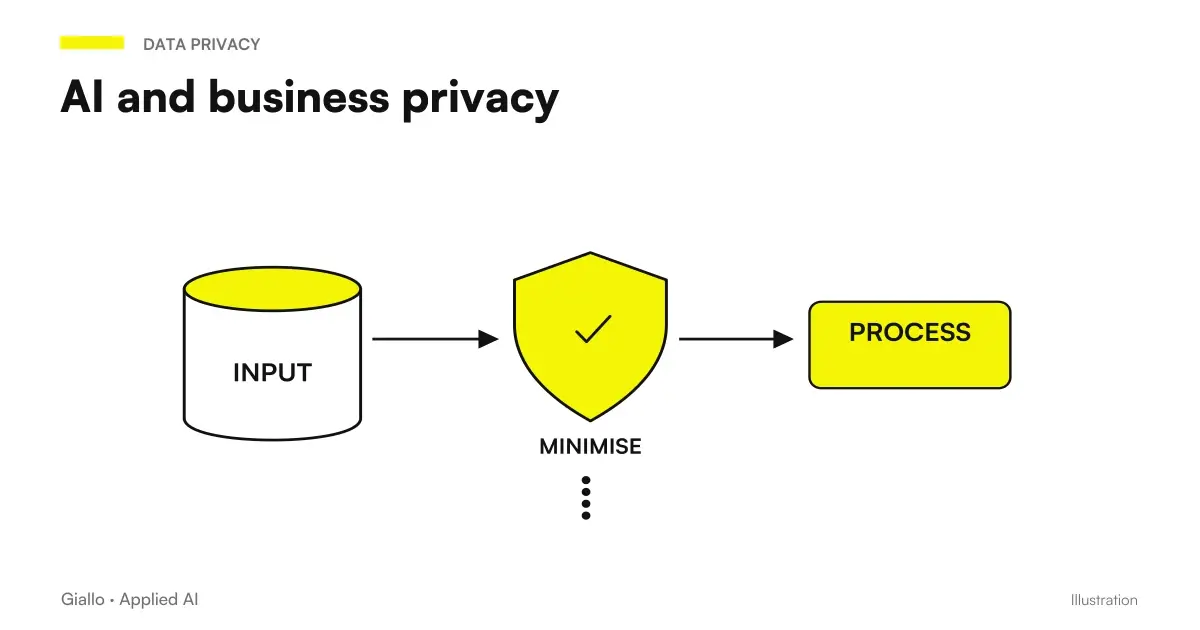 AI and corporate privacy: what happens to your data in AI tools
FAQ
What is Copilot AI in simple terms?
Copilot is the name shared by multiple Microsoft AI experiences: chats, features in apps, and agent tools. It does not identify a single product or model. Account, license, and settings establish available functions and data.
Is Copilot free or is it paid?
It depends on the setup. Copilot Chat is included in eligible business licenses, while standard access in the apps, Premium and agents have different conditions. Don't confuse the included chat with a consumer account or all rights to the add-on.
What is the difference between Copilot and ChatGPT?
They are different products. The comparison must consider authorized functions, integrations, sources and data processing in the actual plan. Copilot does not always use a single model, and a chat app does not automatically imply access to business documents.
Does Copilot read my documents and emails?
It depends on the licence, supplied context and configuration. An uploaded or open file is different from automatic retrieval of organisational context. The authorised setup must respect access permissions; a licence does not fix overly broad sharing.
Which companies is Copilot really good for?
It is a candidate to try when documents, mail and collaboration are already on Microsoft 365. Value should be measured on specific tasks and roles, including revision, training and cost. For processes between systems, agents and workflows are also evaluated.
Can Copilot be wrong?
Yes. Like any assistant based on language models, Copilot produces the most likely answer, not the certainly correct one: it can invent information, misquote a document or miscalculate. It should be treated as a first draft to be reviewed, especially on numbers, deadlines, customer data and content that comes out of the company.
What does it mean that Copilot is an umbrella brand?
It means that the name appears in experiences with different accounts, rights and goals. To choose you have to specify which app, license and function you mean. GitHub Copilot for development and Copilot for business documents are distinct paths.