
Gemini AI: what it is and how it works
What Google's Gemini AI is and how it works: multimodality, Google Workspace integration, when to use it, privacy and real business limitations.
Reading time: 12 min
Gemini is the family of models of generative artificial intelligence developed by Google. It is basically an AI assistant that understands and produces content — text, but also images, audio and code — and that exists in two forms: as an app and dedicated chat, and as an integrated feature within the Google tools that many companies already use every day, from Gmail to Documents, from Sheets to Meet. The name "Gemini" indicates both the underlying models and the assistant you interact with.
The thing that makes Gemini different from the other assistants is not an alleged superior "power", but where he lives: is within the Google ecosystem. If your workday goes through Gmail, Drive, and Sheets, AI is already next to your data and streams, and that changes the practical experience a lot. Like any generative model, however, produces the most likely answer and not a guaranteed truth: should be used methodically, not blindly.
In this guide we see what Gemini really is, how its multimodality, how it integrates with Google Workspace, when it is best to prefer it, what to know about privacy and data, and what its real limits are.
Google also presented Playground, the platform to create games with AI, on 7 October 2026. It is an experimental product separate from the Gemini app and Workspace: the detailed article clarifies US access for users aged 18+, availability in Italy that has not been announced, and prototype export.
In summary
- Gemini is Google's family of generative AI models and the assistant that uses it: it understands and creates text, images, audio and code.
- It is multimodal by nature: in the same exchange you can give it a text, an image or a file and receive an answer that puts them together.
- Its main advantage is the native integration with Google Workspace: works in Gmail, Documents, Sheets, Presentations and Meet.
- Especially suitable for those who already lives in the Google ecosystem, because AI is where the data is and reduces copy-paste between tools.
- How each generative model can Misleading or Inventing Data (hallucinations): on numbers, norms and customer data always needs human review.
- Names, versions, and prices often change: always check the official Google page before choosing a plan.
What Gemini AI is and where it comes from
Gemini is the name by which Google brings together its most recent generative artificial intelligence models and the assistant built on top of them. It is a Great Language Model Multimodal: belongs to the same category of technologies as ChatGPT and Claude, i.e. systems that have learned language patterns (and not only) from huge amounts of data and generate the most likely answer word by word. If you want the general picture of this family, the guide on LLM, Language Models, explains the basic mechanism.
The Gemini project was born by unifying Google's previous initiatives in conversational AI under a single brand. What matters to those who work, however, is not the technical genealogy: it is that today Gemini presents itself in two complementary guises. On one side there is the Gemini Assistant (web and mobile apps) with which to chat like you would with any AI assistant. On the other hand there is Gemini in Google Workspace, that is, the same intelligence that appears as an integrated function in Gmail, Documents, Sheets and other tools.
How Gemini AI Works
Gemini works like other generative assistants: you write an instruction (the prompt), the model processes the context and produces a response by calculating, piece by piece, the most plausible continuation. It does not "understand" in the human sense of the term: it recognizes regularity in data and applies them. This explains why he is very good at rewording, summarizing and sketching, and why he can still make mistakes when a precise fact is needed.
The practical difference from an "external" assistant is the context that can be accessed. When you work within Google Workspace, Gemini can take into account the content of the document you're writing, the email thread you're reading, or the data in the open sheet. You no longer have to copy and paste the text into a separate chat: the assistant is already at the point where you are working.
- Input. You provide him with an instruction and, if necessary, a content: a text, an image, a file, or the document/email you are already working on.
- Context. The model considers your request and the material it has access to (in Workspace products, also the open file, with your account permissions).
- Generation. It produces the most likely answer: a draft email, a summary, a formula, a table, an image.
- Review. You check, correct and decide. Especially on numbers, names and sensitive data this step will not jump.
What does it mean that Gemini is "multimodal"
A Model multimodal is not limited to text: it handles multiple types of content in the same exchange —text, images, audio and, depending on the version, other. Specifically, you can upload a photo of a receipt and ask to extract its data, give an image and ask for a description, or start with a text and get an image. It is the same concept as explained in the guide on Multimodal AI: the novelty is not "knowing how to make images", but being able to mixing formats in one conversation.
For a company, multimodality matters because real work is rarely just text: there is a scanned invoice, a screenshot, a graph, a meeting recording. An assistant who reads them all reduces the manual steps of "translating" a content into another format before you can use it.
How to integrate Gemini with Google Workspace
Here's the real hallmark of Gemini. If you're already inside the Google ecosystem, the assistant is not a separate app: it's a feature that appears inside the tools you use. This is the number one reason why a company chooses Gemini instead of a generic assistant.
| Google Tool | What Gemini does in there | Practical example |
|---|---|---|
| Gmail | Write email drafts, reply, summarize long threads | Summarize an exchange of 20 messages and propose an answer — see Gemini for Gmail |
| Documents | Generate drafts, rewrite, synthesize, change tone | Turn raw notes into an ordered first draft |
| Sheets | Create formulas, rank data, suggest analysis | Generating a complex formula by describing it in words — see Gemini for Google Sheets |
| Presentations | Create slide drafts and support images | Starting from a document and getting a presentation playlist |
| Meet | Summarizes meetings and takes notes | Have the minutes and points of action without handwriting |
| Drive | Search and summarize your files | Ask "what customer X's contract said" on your documents |
The common thread is that AI works on your content, in the place where I am, with your account permissions. This eliminates the clutch typical of external assistants — copy, paste, reformat, bring back — and is why those who are already "all Google" find Gemini natural. For the full picture of integration, the guide dedicated to Gemini for Google Workspace goes into detail instrument by instrument.
When to Choose Gemini
There is no "best AI assistant ever": there is the right one for your context. Gemini has a very clear profile — it is the natural choice for those living in the Google ecosystem. and this helps to decide without endless comparison.
When Gemini is convenient
- The company already uses Gmail, Documents, Sheets, Drive and Meet every day.
- You want to reduce copy-paste: AI has to stay where the data is.
- You need summaries of emails and meetings as part of the normal flow.
- You often work with mixed content (text, images, files) and want a multimodal assistant.
- You already have Google Workspace governance and want an assistant covered by the same agreements.
When to evaluate other
- The company works primarily on Microsoft 365 or another ecosystem.
- You want an assistant independent of the productivity suite.
- The prevalent use case is the analysis of very long documents, where an alternative can fit better.
- You need to integrate AI into custom software: there the API counts more than the app.
In many cases the choice is not exclusive: one company can use Gemini in Workspace for daily work and another assistant for specific tasks. To orient yourself among the options, comparisons with ChatGPT and with Claude AI, which have different strengths. The right question is not "which is the most powerful", but "where my data and processes live".
Gemini, ChatGPT or Claude: how do I choose in 30 seconds?
Start from the suite you already use. If you are "all Google" (Gmail, Documents, Sheets, Drive), Gemini reduces the steps because it is integrated. If you want a neutral, widely used assistant with a large library of tools, consider ChatGPT. If the heart of your work is to read and write long documents with text care, look Claude. In any case the difference for most office tasks is less than it looks: it matters more the flow than the model.
Privacy and data: what to know before using it in the company
This is the point on which it is not sudden, especially for a European SME that must respect the GDPR. The practical rule to keep in mind is that consumer and business versions treat data differently.
- Consumer/free versions: in some cases conversations can be reviewed or used to improve services. They are not the right place for sensitive customer data.
- Business versions (Google Workspace): customer data is not used to train models and falls under Google's data processing agreements.
- DPA and responsibility: for a compliant business use you need the agreement on data processing with Google and an internal policy on what you can enter.
- Input Personal Data: even with a business plan, avoid pasting unnecessary personal data. The principle of minimization of the GDPR applies.
The good news is that, in Workspace plans designed for companies, governance is designed for professional use. But it remains an organizational decision, not just a technical one: we need to define who can use it, what data and with what control. It is exactly one of the themes of the guide AI for businesses.
Practical examples
Three realistic scenarios of SMEs and Italian professionals already working with Google.
1. Consulting firm — email and verbal management. The studio uses Gmail and Meet all day. With Gemini, long threads are summarized in a few places and response drafts are ready to review; after online calls, the action point verbal is generated automatically. The professional no longer writes recaps by hand: he controls them. The recovered time ends on the work that the customer really pays for.
2. E-commerce — tabs and analysis on Sheets. The catalog lives in a Google Sheet. Gemini helps to create formulas to clean and categorize sales data, and to lay out first drafts of description starting from the real data sheets (not from invented adjectives). The team reviews and publishes. For carts and the site, the real job stays in the platform e-commerce, but the preparation of data is lightened.
3. Small service company — internal documentation. Procedures, quotes and contracts are on Drive. Instead of asking a colleague "where's the updated template", the team questions Gemini about their documents and gets the answer with the file reference. It's a first step towards real internal search; when you need something more structured on business documents, you switch to a system RAG type.
In all three cases, the golden rule applies: Gemini prepares the first draft, the person decides. It is the model that works, here as with any other assistant.
Mistakes to Avoid
- Treating answers as truth. Gemini produces the most likely output, not a verified fact: it can invent numbers, citations and references. On critical data it always needs a human control — the same speech as the AI Hallucinations.
- Confusing free and corporate version on data. Entering customer data in the consumer version thinking that the same guarantees as the Workspace plan are valid is a GDPR risk. First it occurs, then it is used.
- Expecting me to know your company. The generic model knows nothing about your processes: it makes the best when you give it context, clear instructions and, where possible, your documents.
- Choosing the assistant by fashion, not by ecosystem. Adopting Gemini "because there is AI" while the company works on another suite nullifies its main advantage, which is precisely integration with Google.
- Skipping measurement. Without a "before" and an "after" (hours, errors, response times) you won't know if Gemini gives you real value or just the feeling of being updated.
How to apply it in the company
Introducing Gemini sensiblely is a short, repeatable path, not a big IT project. It's especially true if you're already on Google: the starting point is to lighten a real process, not "activate AI".
- Start with a time-wasting Google process. Emails to sort, minutes to write, sheets to clean: choose the one that steals the most hours.
- Measure the starting point. How many hours a week, how many mistakes, how many delays today. Without numbers there is no ROI.
- Review plan and governance. Check what your Workspace plan includes, have DPA and settings fixed, define what you can insert.
- Keep the human in control. Gemini prepares, the person approves. Especially in the first few months and on everything that comes out to the customer.
- Measure again and decide. If the numbers improve, extend to another process; if not, change approach. One confirmation at a time.
When the "out of the box" assistant is no longer enough — because the process involves management software, the site or external systems — you switch from Gemini as a personal tool to a real automation, in which AI is a piece of an integrated flow. It is the jump that the guide on AI agents: the AI stops waiting for your prompt and starts to perform steps towards a goal. This is exactly the type of job for which there is a AI Consulting: understand where integration really suits and where the standard assistant suffices.
If you want to go into detail about specific models, Gemini 3.6 Flash vs 3.5 Flash and Claude Opus 5 vs Gemini 3.1 Pro.
Conclusion
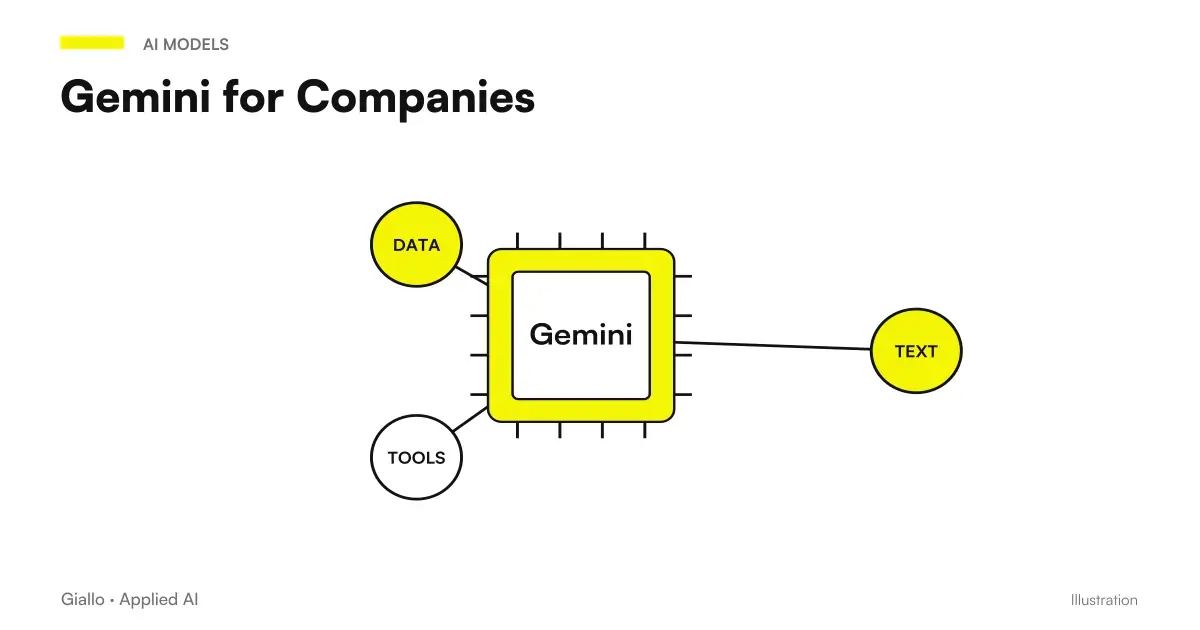
Gemini is Google's generative AI assistant: multimodal, capable of working with text, images, audio and code, but above all integrated into Google Workspace. It is this integration —not an abstract superiority — that makes it the natural choice for those who already live in Gmail, Documents, Sheets and Meet, because it takes AI where the data is and cuts copy-pastes. It remains a generative model: it produces the most likely response, it can be wrong, and on sensitive data it must be used with the right governance and a human review. From here you can continue with Gemini for Companies for the operational framework, or compare it with ChatGPT and Claude AI to choose with criterion.
If you want to go from testing with ChatGPT to an AI system integrated into business processes, Giallo Studio designs custom-made agents and automations — and in The Lab Find the experiments we carry.
Giallo Studio guides: methodology and sources
How we apply it in the company
Related resources
 ChatGPT vs Gemini: which subscription is worthwhile in October 2026?
 Gemini for Google Workspace
 Gemini for Gmail
 Gemini for Google Sheets
 Gemini for Companies
 ChatGPT: what it is and how to use it
 Claude AI: what it is and when to use it
 LLM: What Language Models Are
 AI for businesses: a complete guide to getting started
FAQ
What is Gemini AI, in simple terms?
Gemini is the family of generative AI models developed by Google. It is an AI assistant that understands and produces text, as well as images, audio and code: it is multimodal. It is available both in a dedicated app/chat and directly within Google tools such as Gmail, Docs, Sheets and Meet.
What is the difference between Gemini and ChatGPT?
Both are generative AI assistants based on large language models. The main practical difference is the ecosystem: Gemini is Google’s and works best if you already use Gmail, Docs, Sheets and the Google environment; ChatGPT is OpenAI’s and is less tied to the suite you use. The choice depends more on where your data lives than on raw ‘power’.
Is Gemini free or paid?
There is a free version with limits, and paid plans (for individuals and businesses via Google Workspace) that unlock more capable models, higher limits, and full integration into tools. Prices and plans often change: always check the official Google page before choosing.
Is Gemini integrated into Google Workspace?
Yes. This is its main strength: Gemini can work within Gmail (writing and summarizing emails), Docs (drafts and rewrites), Sheets (formulas and analysis), Slides and Meet (meeting summaries). Native integration with your files and emails sets it apart from external assistants.
Are the data I enter in Gemini used to train models?
It depends on the version. In free consumer versions, some conversations may be reviewed to improve services, while on Google Workspace business plans, customer data is not used to train models and remains covered by data processing agreements. Check the official terms and settings for any business use.
When should Gemini be chosen instead of another AI assistant?
It is particularly useful if your business already operates in Google’s ecosystem: you use Gmail, Docs, Sheets, Drive and Meet every day. AI is then already where your data and workflows are, reducing copy-and-paste work. If you mainly use Microsoft 365 or want an assistant independent of your suite, other options may fit better.
Can Gemini make mistakes or invent information?
Yes. Like all generative models, Gemini produces the statistically most likely answer, not verified truth: it can make mistakes or invent data (hallucinations), even when it sounds confident. Numbers, legal citations and customer data always require human review.
Do you need a Google account to use Gemini?
Yes. Gemini is accessed through a Google account, either a personal account or a business Google Workspace account. Integration with Gmail, Docs and Sheets works precisely because the assistant operates within the account holding your files and emails.