
AI presentation prompts: PowerPoint and Google Slides examples
AI prompts for effective ChatGPT presentations: ready-to-use examples for outlines, slide text, speaker notes and sales pitches.
Reading time: 8 min
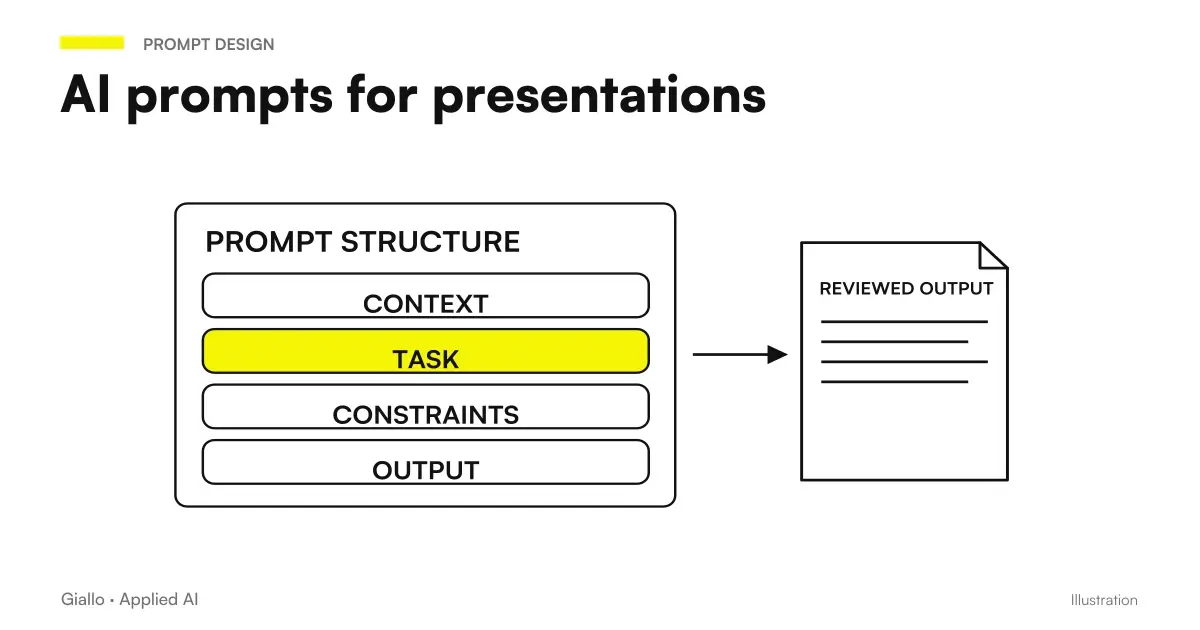
Using AI to structure a presentation It doesn't mean clicking a button and finding yourself a ready deck. It means driving a language model with precise instructions — the brief, the audience, the number of slides — and getting a solid structure to work on in minutes instead of hours. The real advantage is not the design: it is the content of slides, the one that often locks for half an hour in front of the white screen.
In this guide you will find ready-made examples of AI prompt for the most common presentation types, a step-by-step workflow, and errors that turn a good prompt into useless output. The angle is deliberately on the content — texts, outline, speaker notes — not on the graphic design.
In summary
- An effective prompt for presentations always specifies: type, audience, duration, goal and tone.
- The optimal workflow has 4 stages: brief → outline → slide text → speaker notes. Ask for one stage at a time, not everything together.
- AI structures content; the real data you have to carry them: names, numbers, company-specific cases.
- For commercial pitches and customer proposals, include in the prompt the main objection you want to disassemble.
- Speaker notes are often the most useful part to generate with AI: spoken text, transitions, timing.
- Tools such as Gamma or Beautiful.ai generate visual slides from a brief, ChatGPT and Claude work on textual content.
Why AI prompts for presentations must be different from others
When you use ChatGPT prompt to write a text or analyze a document, the output is linear: a block of text that you read from start to finish. A presentation has a hierarchical structure — deck title, slide titles, bullet, notes. and must work for a specific audience at a specific time.
This changes the prompt logic. You must specify:
- Type of presentation: pitch, update, training, client proposal, keynote
- Number of slides or duration: without explicit limit, AI always produces too much
- Public: investors, colleagues, clients, managers, technical team
- Final objective: approval, purchase, training, alignment
- Output format: slide + bullet title or full text or only outline
Without these items, you get a generic presentation on any topic — which could be anyone's.
4-step workflow with ready prompts
The procedure is also applicable to presentations created with Kimi AI: public, expected decision and sources remain part of the brief. Before entrusting the product with recurring works, verify the Kimi app plans and limits.
The most efficient way to use AI for a presentation is not to ask "create me a presentation on X". It's to build slide by slide, phase by phase.
- Brief. Describe the full context to AI: topic, audience, duration, goal, tone, any constraints. This message is the foundation of everything that follows.
- Outline. Ask for the structure: title of each slide and communicative goal of each. No texts yet. Correct here if the structure does not convince you.
- Slide lyrics. For each slide (or group), ask for definitive title + 3-4 concise bullet. Add your real data at this stage.
- Rapporteur's notes. For each slide, ask for the speaker's notes: key point, example, transition to the next slide. Max 80 words per slide.
Brief prompt (phase 1)
I need to create a [TYPE] presentation.
Audience: [WHO THEY ARE].
Duration: [X minutes / X slides].
Goal: [WHAT VIEWERS SHOULD GAIN].
Tone: [formal / direct / narrative].
Context: [2-3 lines about the product/service/project].
Before proceeding, confirm the structure we will use.
Outline prompt (phase 2)
Create the presentation outline. For each slide:
- Number and title
- The slide's communication goal (one line)
- Suggested content type (text, data, chart, image)
Total: [N] slides. Do not write the text yet.
Slide Text Prompt (phase 3)
Write the content for slide [N]: "[TITLE]".
Format: H2 heading + 3 bullets of max 12 words each.
Data to include: [insert your actual figures here].
Tone: [consistent with the brief].
No generic phrases: each bullet must be specific and verifiable.
Prompt for speaker notes (phase 4)
Write the speaker notes for slide [N]: "[TITLE]".
Max 80 words. Structure: key point (1 sentence) → concrete example → transition to the next slide.
Tone: spoken, not formal like a written text.
Prompt for presentation type
Each type of presentation has a different narrative logic. Here are the starting prompts for the most frequent cases.
| Type | Objective | Recommended structure | Starting Prompt |
|---|---|---|---|
| Commercial Pitch | Convince to Buy | Problem → Solution → Proof → Offer | "Create a pitch of 8 slides to sell [product] to [customer type]. Core point: Disassemble the objection '[main objection]'." |
| Business Update | Aligning the team | Current status → Results → Next Steps → Requests | "Create a 10-slide monthly update deck for management. Tone: Direct, numbers in center. Include risk section." |
| Internal training | Gaining competence | Context → Theory → Examples → Exercise → Recap | "Create the form of 20 slides on [topic] for new hires. Every 5 slides add one slide with verification question." |
| Project presentation | Get approval | Problem → Approach → Timeline → Budget → Risks | "Create project progress presentation [name] of 12 slides for the sponsor. Include risk section with probability level." |
| Customer proposal | Close an offer | Current status → Gap → Our proposal → ROI → Next step | "Create a proposal of 8 slides for [customer name] on [service]. Include a 'Why Us' slide with 3 concrete differentiators." |
Prompt for high impact specific slides
Some slides make the difference between a convincing presentation and one that is forgotten. Here are the prompts for the three most critical.
Opening Slide (hook)
Create the opening slide for a presentation on [topic].
Goal: capture attention in 30 seconds.
Options to give me: 3 title variations (shocking data / provocative question / scenario).
No "today I will present X": go straight to the problem or tension.
Slide "Why Now"
Create the slide that answers "why act now on [problem/opportunity]".
Include: 2 actual market signals (which I will provide) + 1 risk of delaying.
Max 4 bullets. No artificial urgency.
Slide call to action final
Create the final slide with the call to action for [type of presentation].
Audience: [who is watching].
Specific CTA: [what they should do: approve, sign, reply by X].
Add a concrete next step with a realistic date or deadline.
Practical examples
Consulting firm — client proposal. A partner in a professional studio uses this workflow: paste the client brief (a Word page) into the prompt, ask for the 8-slide outline, then generate the slide texts per slide by manually entering the quote numbers. Time: 25 minutes for the first draft instead of 3 hours. Human review focuses on prices and nuances of relationship, not structure.
Head of HR — Onboarding Training. The training module on business processes was updated once a year because it required too much work. With training prompts, each update starts from a regenerated outline in 10 minutes. AI produces slide texts, HR adds internal examples and specific policies. The module updates quarterly.
These cases reflect a common pattern: AI deals with the Structure and Standard Texts, the professional brings the specific context and real data that AI cannot invent. To understand how to extend this approach to other documents, read the guide on AI prompt for documents.
Mistakes to Avoid
- Prompt without defined audience. "Create a presentation about AI" produces something for no one. It always specifies who is watching and what they already know about the topic.
- Asking for everything in a prompt. "Create me 20 complete slides with texts and notes" returns long and poor output. One slide at a time, or a block of 5, keeps the quality high.
- Accepting AI numbers. If AI writes "the market is worth 4.2 billion", either that data you provided or don't use it. Presentations with fabricated data deflate at the first audience demand.
- Ignoring the speaker's notes. Slides are visual support, not teleprompter. The speaker's notes are where the narrative lives. Asking AI is often more useful than optimizing the bullets.
- Using the same prompt for different audiences. A same presentation for the board and the operating team has completely different structures, tones and levels of detail. Adapt the prompt, not just the content.
How to apply it in the company
AI for presentations becomes a structural advantage when it stops being an individual experiment and becomes a shared process.
A concrete approach for an SME: create an internal document with the approved template prompt for the most used 3-4 types of presentation (pitch, update, customer proposal). Each template already includes the company's standard brief —sector, type audience, tone.so the user just needs to add the case-specific data. Time savings multiply on the team, not the individual.
For those who use ChatGPT for content already in other departments, integrating presentations into the stream is natural: same tool, same prompt scheme, same human review logic on the output.
If you want to explore tools that also generate the visual design of slides — not just text — the guide on Best AI Tools covers the main options with a practical comparison.
For teams that use Claude instead of ChatGPT, the above prompts work without modification: the syntax is identical, they slightly change the output format preferences (Claude tends to structure markdowns better).
Conclusion
The AI prompt for presentations They work when you stop asking AI to "make the presentation" and start using it as a collaborator who needs a precise brief. The 4-step workflow — briefs, outline, texts, notes — reduces the time on the first draft from hours to minutes and focuses human work where it is worth: the real data, the relationship tone, the final call to action.
AI becomes useful when it enters processes. Giallo Studio helps SMEs and teams build concrete, measurable, and sustainable automations — including business document and presentation production flows.
Giallo Studio guides: methodology and sources
How we apply it in the company
Related resources
 AI prompts: a complete guide to effective instructions
 ChatGPT prompts: ready-to-use examples to copy and adapt
 Claude prompts: examples for better answers
 AI document analysis prompts: contracts, reports and PDFs
 Best AI for presentations: tools to create slides
 ChatGPT to create content
 Dots automations: reminders, recurring checks and monitoring
 Copilot in PowerPoint: slides from business documents
Prompt Collections
Ready prompts for other roles and tasks.
- AI marketing prompts: copy, campaigns and content
- AI coding prompts: write, fix and explain code
- AI image prompts: examples for Midjourney, ChatGPT and Firefly
- AI SEO prompts: optimise content and rankings
- AI prompts for Excel and Google Sheets: formulas and data analysis
- AI prompts for social media: ready-to-use posts, captions and content
- AI email prompts: ready-to-use examples for every situation
- AI sales prompts: emails, offers and follow-ups
- AI e-commerce prompts: product descriptions, email and support
- AI video prompts: Runway, Kling and Gemini alternatives to Sora
- AI document analysis prompts: contracts, reports and PDFs
- AI prompts for real estate agents: ready-made examples for ads, emails and customers
FAQ
Can I use ChatGPT to create a PowerPoint presentation?
ChatGPT does not directly generate .pptx files, but produces outlines, text for each slide and speaker notes you can paste into PowerPoint, Google Slides or Canva in a few minutes. Tools such as Gamma or Beautiful.ai instead integrate AI directly into the editor and generate complete presentations from a text brief.
What is the best prompt to create a presentation structure with AI?
An effective prompt specifies the presentation type (pitch, update or training), duration or number of slides, audience, objective and tone. Example: 'Create an outline for a 10-slide pitch to seed investors for a B2B SaaS startup. Each slide: title + 3 bullet points. Tone: concrete, centred on data.'
How do I use AI prompts for speaker notes?
After generating the outline, pass each slide to the AI with a dedicated prompt: 'Write the speaker's notes for this slide. Max 80 words. Include: the key point, a concrete example and the transition to the next slide.' The notes guide delivery without overcrowding the slides.
Does AI make presentations all the same?
If you use generic prompts, yes. The difference is the context you provide: real data, company-specific cases, customer name, your industry numbers. A prompt with real data produces content that is hard to replicate. AI makes the structure, you bring the substance.
How many slides should an AI-generated presentation have?
It depends on the type. An investor pitch: 10-12 slides (Guy Kawasaki's rule). A business update: 8-15. Training: 20-30, with exercises in between. A client proposal: 6-10. Specify the number in the prompt: AI tends to extend the presentation without an explicit limit.
What are the most common mistakes in presentation prompts?
The three typical mistakes: 1) an overly vague prompt without context (audience, objective and duration); 2) asking for everything at once instead of building slide by slide; 3) failing to supply real data and accepting figures invented by AI. Slides with numbers specific to your company are worth ten times those with generic statistics.