
Kimi AI for presentations: from sources to slides
Kimi AI presentations with Kimi Slides: from brief to editable PowerPoint. Choose sources, structure and charts, and check the exported file.
Reading time: 11 min
Kimi AI allows you to create presentations through Kimi Slides, starting with a brief or documents and downloading an editable PPTX. The result becomes useful when translating controlled sources into a message for a specific audience: explaining an offer, discussing an investment or submitting a report.
The Kimi Slides official guide, accessed October 9, 2026, documents generation, online editing and PowerPoint downloads. This article explains how to prepare the work and verify its output; examples are hypothetical scenarios, not generated and tested presentations. For the general context find the Guide to Kimi AI.
In summary
- The brief must declare the addressee and the requested decision, not just the subject matter.
- Approve structure and messages before finishing the design.
- The numbers in the slides must retain period, unit, and source.
- An editable PPTX still requires control in the program you will use to present it.
- A presentation for a client must distinguish confirmed performance and proposals to be discussed.
What does Kimi Slides do and what needs to be checked?
The product helps build a presentation: it organizes content and proposes a visual rendering. The guide lists PDF, Word, PPTX, Excel, TXT and images input, as well as text; it also describes custom templates and reference materials. The fact that an input is supported does not guarantee that every element of the original is interpreted or reproduced faithfully. The source is Kimi Slides overview.
The task does not coincide with writing alone. A presentation must decide what to show, in what order and with what level of detail. If this choice is missing, an assistant can turn a long document into a dense page sequence. The appearance appears cured, but the listener struggles to recognize the point of the discussion.
The Current guide to Kimi models K3 is associated with PPTX production, while K2.6 provides text output as an outline. So a list of titles and a PowerPoint file turned out different. Specifies the format when you assign the job, without assuming that any response becomes an attachment.
Evaluate content, design, and files separately. A draft can be corrected in the data and weak in the hierarchy; a PPTX can look good but a wrong message. Separating these verifications helps to ask for targeted corrections, keeping the parts already approved.
What brief does it take to create a presentation with Kimi AI?
Start with the recipient. A potential customer wants to understand offer and conditions; the operations manager looks for dependencies and steps; the management must discuss a decision. Write down what the person should be able to do after seeing the slides. This goal orients the level of detail and how to use the sources.
Then it indicates the context: live presentation or document sent, familiarity of the audience with the theme, available materials and limits of the proposal. A slide accompanied by an explanation may be synthetic; a presentation read without a speaker must retain more context. They are not interchangeable, even if they use the same basic content.
A demonstration prompt could be: "Prepare the structure of a presentation for a manufacturing company's purchasing manager. Objective: to discuss a pilot project. Only use the approved brief. Distinguish activities included, prerequisites and points to be negotiated. For each slide you propose a title that expresses the message, a visual element and a note for the speaker. Don't invent results."
Ask for the outline first. Correcting the order of arguments is simpler before producing the formatted version. When the team approves the route, it switches to PPTX. To develop more targeted requests consult the AI prompt for presentations, keeping the company's specific constraints in the brief.
How to turn a PDF into a slide without losing sources?
A source document and a presentation have different functions. The PDF can explain all the details; the slides must build a path of understanding. First it identifies theses, evidence, and implications for the recipient. It stores ancillary information in notes or appendixes, without automatically turning it into pages in the main sequence.
Ask for a map between messages and sources. For each slide, the assistant should indicate which step in the document supports the content. If a sentence does not have a basis in the Annex, it must be reported as a proposal or open application. This register allows the auditor to verify the meaning without rereading all the material at each correction.
PDF tables should be checked before becoming graphs. A badly read column or an omitted note can change the visual conclusion. If the source is a scan, check the essential values in advance. The Guide Kimi AI for PDFs and documents shows how to distinguish reading problem and synthesis problem.
If the work includes external research, keep it separate from data supplied by the company. A market figure retrieved online must not become a customer result. To build and check the external context before creating slides, you can use the method described in Kimi AI Deep Research.
How to choose titles, charts and slide text?
A useful title expresses a message, rather than naming a container. "The process requires a check before sending" orients reading more than "Process". It does not mean writing emphatic conclusions: the message must be supported by materials and leave room for the conditions that make it valid.
Choose the view according to the question. A comparison of options requires equal criteria; a flow requires steps and responsibilities; a series over time requires consistent periods. Avoid added charts to fill a slide. The reader must understand which relationship is being shown and from which data it derives.
For numbers specifies drive, period and origin. If data comes from a sheet, approve the analysis described in the guide first Kimi AI for Excel. Do not use layout as an opportunity to reconstruct already validated calculations: the report and presentation must share the same source.
| Slide Type | Main information | Suitable view | Auditor's check |
|---|---|---|---|
| Proposal | Assets, Expected Value and Conditions | Perimeter diagram | No performance added to the brief |
| Comparison | Differences on Equal Criteria | Readable Table | Criteria and sources consistent between options |
| Report | Indicator and period | Graph consistent with data | Verified totals, units and axles |
| Process | Sequence and Responsibility | Flow with Passes | Visible exceptions and approvals |
| Decision | Required choice and prerequisites | Options with consequences | Assumptions distinct from confirmed facts |
Reduce the text without removing the decisive conditions. If a slide talks about an activity that is subject to approval, that dependency must remain visible. Technical details can be in the appendix; what changes the promise or sense of number belongs to the main message.
How to review the PPTX downloaded from Kimi?
Open the file in the program and on the device you will use for delivery. The documentation describes a modifiable PPTX; this does not prove that each element behaves as it wishes in any environment. Check font replacement, text breaks, cropped images, and overlapping objects.
Check that the essential texts are really editable and that the charts retain the data needed by the team. If a chart arrives as an image, it may be enough for a static document, but not for a report that will have to change every month. Request the object type consistent with the use, avoiding confusing file extension and internal structure.
Check references after export. A link in the preview can become difficult to reach if it is hidden or small. It also indicates the source in a readable note and keeps a complete list in the appendix. For images and materials of third parties verify rights and provenance before external delivery.
Finally, try the sequence as the audience will see it. Look at the slide at normal size, without zooming in to read a note. If the speaker has to explain each label or continuously anticipate subsequent content, the problem is in the structure. A color finish doesn't correct a story you don't let follow.
Prepare one copy for distribution and one for display when the two uses require different details. In the first it preserves sources and explanations necessary to read the document on their own; in the second it uses the notes of the speaker for what will be explained by voice. Keep the same version of the data in both and clearly name the files. You will avoid that a short annex, designed to accompany the speech, is interpreted as a complete proposal without essential conditions.
Three separate revisions before handing over
Content review controls facts, numbers, names, and conditions. Visual review controls hierarchy, contrast, and readability. The revision of the file controls editability, links, and yield in the target program. Mark the fixes in the layer they belong to: avoid regenerating the entire document when you only need to fix a chart or source.
Can a Manufacturing SME submit a pilot project with Kimi?
Imagine one hypothetical scenario: a manufacturing company from Vicenza prepares an internal comparison on a new quality control process. The sources are an approved description of the current process and a document with pilot requirements. There are no measured results yet, so the presentation needs to talk about goals and method of assessment.
The brief asks for a path: the observed problem, project boundaries, roles, required data, a success criterion and the decision requested. Kimi can propose a structure and visuals, but must not turn an objective into a benefit already achieved. Phrases such as "reduces errors" must be replaced with what the pilot will need to measure until evidence exists.
The management approves first contents and conditions. The person in charge controls the process flow with the person who actually runs it, then finishes the file. In this scenario the quality of the presentation depends on the clarity of the decision, not the number of slides or the degree of decoration.
How to prepare a business presentation for a service studio?
One second hypothetical scenario concerns a consulting firm in Florence that must submit a proposal to a potential client. The brief contains agreed activities, responsibilities and points still open. The presentation must help the discussion, keeping the conditions aligned with the draft offer.
The firm requests slides covering the client’s context, the proposed path, materials to supply and the next decision. Unconfirmed parts receive a clear label. Kimi must not add testimonials, success stories or improvement percentages to make the document more persuasive. Even a figure presented as an example must be recognisable as such.
The auditor compares the texts with the offer, especially on deadlines and performance. Prepare notes for the speaker that anticipate real questions, avoiding filling the slides with all the answers. Before sending check names and recipients: Reusing a good layout should not leave references to a previous proposal.
What mistakes to avoid in presentations created with AI?
The first is to ask for a "professional" presentation without indicating audience and purpose. The second is to start with the template and then adapt the contents to its boxes. The structure must follow the decision, while the design helps to make it readable. An available visual template is not mandatory for each project.
The third mistake is accepting external data without opening the sources. Check that the page supports the claim and that the period matches. The fourth is to insert a stronger conclusion than materials: an association or prediction does not become a certain result just because it occupies a well-drawn slide.
A final mistake is about corrections: asking for “make it better” can alter already approved data. Specifies what needs to change and what needs to remain stable. If you compare different tools, use the same brief; the guide to AI for presentations helps to choose consistent criteria.
When should I create a process for recurring presentations?
If the group rebuilds the same report every month, the problem also concerns sources and updates. Define which data comes from the business management software, which messages require interpretation and who approves. Keep a content template before a visual template: fields, units, references and decisions are the stable part.
For an occasional test you can start from public or synthetic materials. For real business presentations, clarify the data allowed and the conditions of use of the product; find the questions to be addressed in Kimi AI and privacy. Even an unshared draft may contain confidential business information.
When the report needs to regularly turn into updated slides, Giallo Studio can design a system that connects sources, content templates, and team approval. Kimi Slides becomes a possible step of the work, while the consistency of the presentation remains verifiable from the origin to the final PPTX.
Giallo Studio guides: methodology and sources
How we apply it in the company
Related resources
 Kimi AI: what it is, what it does and when to use it
 Kimi AI for Excel: Data Analysis and Controls
 Kimi AI for PDFs and documents: analysis to verify
 Kimi AI Deep Research: research and source verification
 Best AI for presentations: tools to create slides
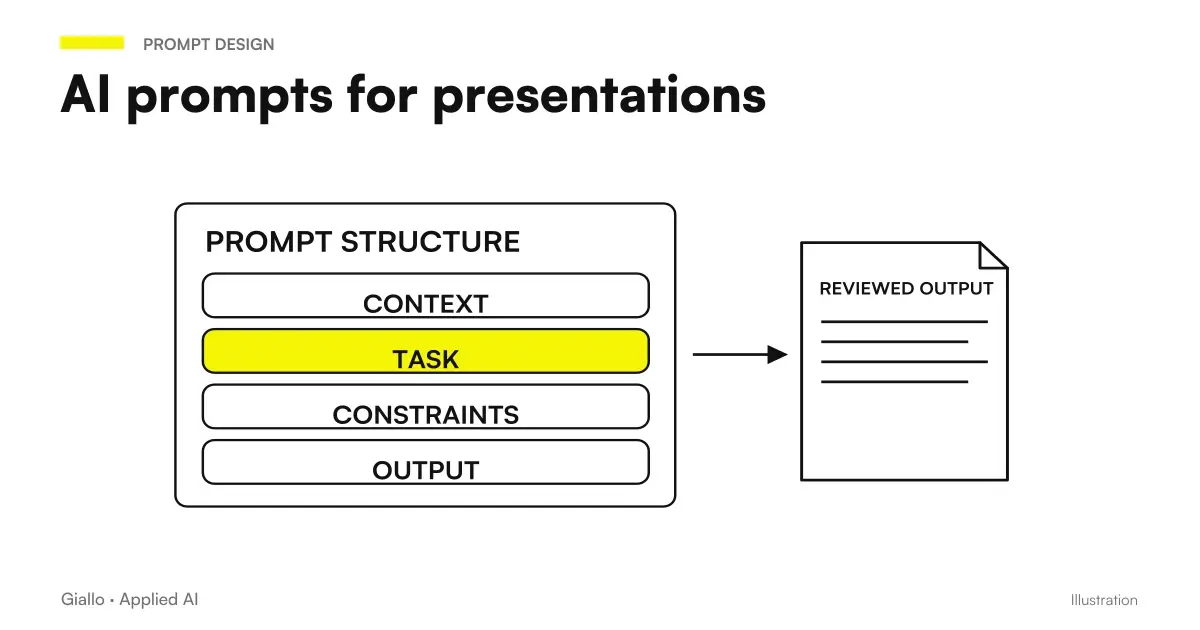 AI presentation prompts: PowerPoint and Google Slides examples
FAQ
Can Kimi Slides create PowerPoint presentations?
The official guide describes the generation, preview, online editing and download of an editable PPTX. The file must be checked in the presentation environment used by the team.
What materials can I supply to Kimi Slides?
The documentation lists text, PDF, Word, PPTX, Excel, TXT and images. Before generating a presentation, choose the approved sources and indicate which data or messages cannot be altered.
Can Kimi turn a PDF into slides?
PDF is among Kimi Slides' documented inputs. For a useful presentation, choose the audience and the decision you are asking for, rather than spreading the entire document across many slides.
Are the sources in the slides automatically reliable?
They must be verified. Open the original link and check that it supports the number or claim shown, with the correct period and scope.
Is the generated PPTX ready to send to a customer?
Treat it as a draft to review. Check content, names, figures, image rights, readability and file behaviour before delivery.
Does Kimi Slides require the same prompt as a generic chat?
The brief must specify audience, target, sources, messages and final format. The current guide distinguishes K3, capable of producing files, from K2.6, oriented to text outputs: asking for an outline is different from asking for a PPTX.