
Copilot for companies
Copilot for business: practical use, M365 permission governance, privacy, licences, ROI and adoption. A guide for Italian SMEs and teams.
Reading time: 12 min
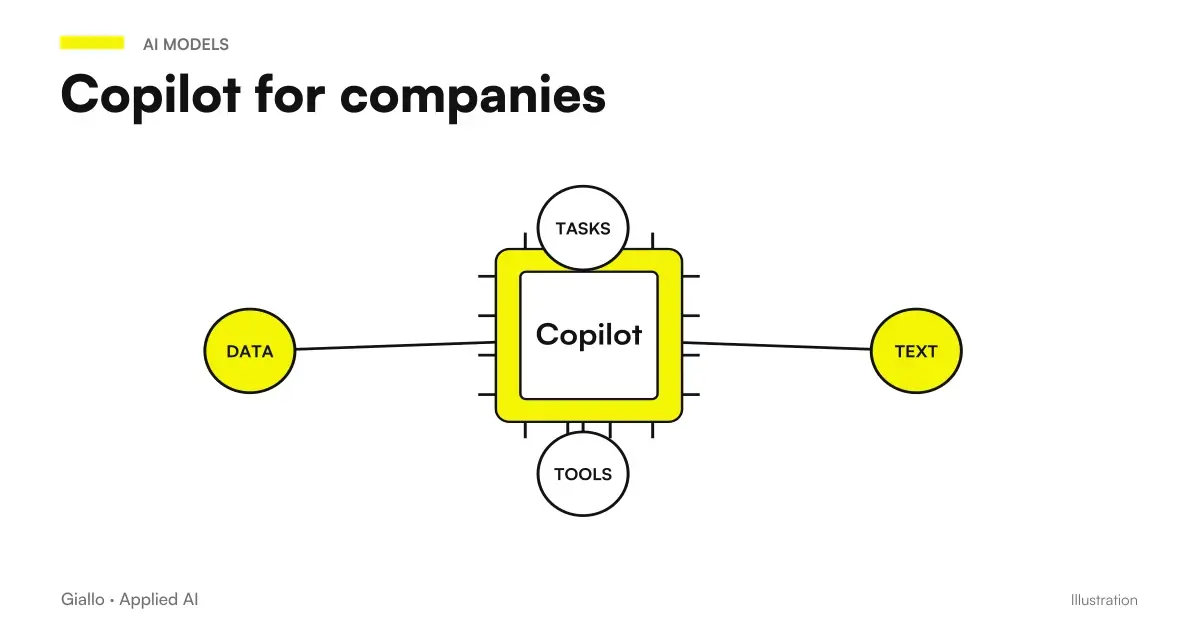
Copilot for companies can assist work in Microsoft 365 documents and offer access to a work chat, according to license and configuration. The context can be provided by the user or retrieved through the authorized organizational functions. Included chat, standard app access, and Premium add-on are not the same experience: the Copilot License Guide It allows you to distinguish them.
For an SME value is built on precise activities: preparing a response, reconstructing a meeting, analyzing a sheet or looking for a procedure. Data governance is part of the project: recovery of authorized content complies with existing permissions, so too large shares need to be reviewed before extending use. Microsoft describes this principle in Privacy Documentation.
The guide addresses productivity, permissions, licensing, and adoption, without attributing automatic results to the product. It also helps to distinguish functions for the person from agents and workflows: these can be built with Copilot Studio or other technologies, according to process and requirements.
In summary
- The value of Copilot for companies should be evaluated on a task, role and authorized sources.
- Included Chat, Standard and Premium Access offer different rights: verify the account and the actual license.
- Permissions, quality and content owners are a useful preparation before the pilot.
- Commitments enterprise on non-training do not equal processing always in the same region.
- The return considers review, training and costs in addition to the minutes of first draft.
- Copilot Studio and workflows can link tools; each action requires identity, checks and maintenance.
What Copilot does in the company, in concrete
Two daily jobs can be assessed separately: Summary and Drafts of Mail with Copilot in Outlook and minutes and meeting actions with Copilot in Teams. For each choose sources and verification criteria before the test.
Copilot includes more experiences. The context of your work enters the answer according to what you provide and what the plan allows to recover. The following list collects documented activities to try, not rights automatically assigned to everyone: Microsoft Overview.
- Word: writes a first draft starting from a brief, rewrites a paragraph in a more formal tone, summarizes a long document.
- Excel: explains a formula, suggests analysis on a table, identifies trends in a data sheet.
- Outlook: prepares the draft of an answer, summarizes a long thread, extracts the actions to be done from an email chain.
- Teams: summarizes a meeting, lists the decisions made and the points opened, recovers what you missed if you arrived late.
- PowerPoint: transforms a document into a first slide structure.
- Internal research: in the work context enabled path, it can help find authorized materials; in a basic chat you may need to provide the sources or use an authorized agent.
The common thread is that Copilot makes the first draft and recovery work, while the person decides, corrects and takes responsibility. It is the same model that applies to any AI in the company: AI prepares, the human approves. For the specific detail on integration into the suite, see Copilot for Microsoft 365.
Copilot, ChatGPT or a generic assistant: what changes
A useful comparison does not assume that one product knows all the files and the other none. what sources you have linked, with what identity and for what function. The context of Copilot also varies by plan; the other platforms should be considered in the actual configuration, without reducing them to copy-paste. Governance concerns both content recovery and possible actions. If you are considering the alternative, compare with ChatGPT for companies, Claude for companies and Gemini for Companies: the choice depends on the suite you already use and the level of integration you need. The complete comparison between business plans is in Best AI for Companies.
Data Governance: The Point That Decides Everything
For working documents, the path Copilot with SharePoint and OneDrive separates source quality, versions, and access permissions.
Here's the part that most presentations skip. In Microsoft 365 data recovery, Copilot is designed to use authorized content for the user: privacy documentation. This principle does not automatically correct too large a group and does not replace verification of identities used by agents or connectors.
The problem is the flip side. In many companies permissions have been layered over the years: folders shared "for convenience" with the whole organization, groups created for a project and never closed, sensitive documents ended up in an open library. As long as those files were buried among thousands of others, no one found them by chance. Natural language research can make authorized content more available. However, it does not guarantee that a specific question will recover them, nor does it assign new rights: the test is used to understand what emerges with the real identities of the team.
In practice, before distributing Copilot it is better to answer these questions:
- What SharePoint folders and libraries are shared with "all the company" or with links open for no real reason?
- Are there groups or teams created for closed projects that still have access to sensitive content?
- Are documents with personal data, salaries, contracts, or confidential information isolated in restricted-access libraries?
- Is there a classification of content (privacy labels) at least on the most critical data?
- There is a clear owner for each library, responsible for who can access it?
This permit hygiene work is not a technical detail: it is the precondition because Copilot is a productivity tool and not a flaw. It's also an opportunity to put order into something that needed to be fixed anyway, regardless of AI.
Privacy and corporate data protection
The Guide Microsoft Copilot and Enterprise Data Privacy distinguishes contract protection, permits and model boundaries: they are different checks and should be read on the sources of the chosen product.
The enterprise treatment should be read in the context of the function and the account used. Microsoft states that covered prompts, responses, and Graph data are not used to train LLM foundations: the reference is the Copilot privacy documentation. Business protection is referred to as Enterprise Data Protection, should not be traced simply to the presence of a paid subscription.
Non-training is not equivalent to geographical residence. Models and routes may have different conditions. The Anthropic models page in Microsoft services specifies that these models are currently excluded from the EU Data Boundary and, when applicable, from in-country processing commitments. The administrator must evaluate the allowed options before dealing with materials for which the organization imposes a certain geographical boundary.
Documented Excel experiences can use GPT or Claude according to license and administrative consent: Excel FAQ. Do not extend this choice to each product and do not describe the entire catalog as one OpenAI model. For the project it counts to know who processes the data in that function, not to guess the engine from how it writes an answer.
Applicable agreements, purposes, accesses, retention and internal procedures are evaluated for personal and confidential data. No plan replaces this assessment or certifies the compliant use on its own. One AI Consulting may translate the operational requirement into a configuration and a pilot to be evaluated by the relevant managers.
Licenses: What You Really Need
The user budget is treated in Copilot prices and licenses for Italian SMEs. An agent may have another perimeter of consumption: read also Copilot Studio prices and credits before estimating the project cost.
Copilot Chat is included in eligible Microsoft 365 licenses, while the rights in the apps and the add-on have different conditions. Check the actual level: Copilot Chat (Basic), Microsoft 365 Copilot (Basic) and Microsoft 365 Copilot (Premium) are not synonyms. The License Guide Assigned allows you to identify it without relying on the app name.
For Italian SMEs the price list of 10 October 2026 Microsoft 365 Copilot Business 18.20 € per user per month with annual commitment, VAT excluded and Microsoft 365 license separately eligible base. The promotion indicates €15.60 for the first year, for eligible existing Business customers and conditions of the offer from July 1 to December 31, 2026. The reference is Official price list Italy: availability, renewal and channel must be rechecked in the estimate, not deducted from an isolated figure.
The budget must distinguish base license, add-on, any consumable agents, configuration and training. A price per user is not the total cost of the initiative. Before assigning new licenses, check if one task is already covered by existing law and if another requires Premium or a different path.
For the pilot choose users who have a recurring activity and a review manager. It is not enough to count accesses to the chat: ask what results were used and what corrections they required. The Microsoft requirements help to verify the technical conditions; the return is decided on the process, not on the number of licenses purchased.
Practical examples
Two scenarios hypotheticals, not case studies of Giallo customers. People, times and sizes describe planning examples; they do not attest to results obtained.
1. Professional Studio — email and document management. A professional firm with twenty people enables Copilot for its partners and administrative roles. In Outlook, it summarises long threads and prepares draft replies; in Word, it drafts initial versions of letters and reports from internal templates. Before activation, however, the firm discovers that a folder containing client contracts was shared with all staff: it isolates it and limits access to the people responsible. The team measures total time, corrections and use of drafts; reorganising permissions is an activity planned in the example, not an already achieved result. If the next step is automating classification of incoming documents, that moves into the area of automation of business processes.
2. Manufacturing SMEs — meetings and internal knowledge. A company with 120 employees gives Copilot to its sales and project management team. Teams meetings are automatically summarised with decisions and actions; internal search helps find the latest versions of price lists and specifications without asking a colleague. IT starts with a pilot of 15 users, measures the time saved for a month and only then decides whether to extend. When it emerges that an assistant is needed to answer customer questions in the catalog (not just to employees), a dedicated system with AI agents.
In both cases the same rule applies: first the permits and the pilot, then the ladder. AI makes the first draft and recovery; the person decides.
Copilot vs custom AI system: how to choose
When the task includes actions, deepen Copilot Studio and Power Automate. For a management software or CRM, the guide Copilot connectors and integrations distinguishes searchable knowledge and operations on systems.
The useful question is assistant for the person's work or system that manages an operating sequence? Word or Outlook functions may suffice in the first case. In the second it is necessary to design knowledge, tools, identity and exception management; even Copilot Studio can be a suitable technology. The Official Study Overview describes the construction of agents with tools and sources.
| Criterion | Copilot functions in apps | Agent or workflow designed for the process |
|---|---|---|
| Objective | Assist with drafts, analysis, or recovery | Perform steps according to explicit rules |
| Working Point | Supported application or chat | Authorized systems and channels |
| Control | Output Review and User Rights | Identity, privileges, approvals and exceptions |
| Data | Context provided or retrieved according to plan | Sources and connectors verified in the project |
| Technology | Function ready to check in tenant | Copilot Studio, workflow or dedicated development according to requirements |
| Cost | Licenses and training | Project, consumption, testing and maintenance |
This distinction does not impose a choice against Microsoft. A custom-made project can include Studio, existing connectors, and dedicated code. The integration work is about what your management software exposes, the identity with which you read or write data and the behavior when a request is not manageable. Extensions are described in Microsoft Guide to Extensibility.
How to tell if Copilot is enough for you or you need a custom-made system
If the need is to prepare a draft inside an already used app, try the authorized function and measure the revision. If the need is to read a document, retrieve data, update a system, and notify a person, draw the sequence first. Then it evaluates Studio, a workflow or a agent designed for the process based on API, permissions and maintenance. In The Lab you can explore these steps as interactive examples.
Mistakes to Avoid
- Activating Copilot before fixing permissions. It's error number one. Copilot complies with existing permissions, so if they're messy it exposes sensitive data to those who shouldn't. Cleanup should be done sooner, not later.
- Distributing licenses to everyone right away. Without a pilot and a measure of real use, you don't know what licenses produce value. It starts with the roles that live within Office.
- Taking the privacy level for granted. Guarantees change between versions and licenses. The name "Copilot" is not enough: the actual plan must be verified on the official Microsoft page.
- Treating output as truth. Copilot, like any generative AI, produces the most likely answer, not the certainly correct one. On numbers, clauses and customer data, a human review is always needed.
- Confusing productivity and automation. Confusing a draft in Outlook with an already integrated process leads to an incomplete project. Agents, even in Studio, need identities, tools, and exception handling.
How to apply it in the company
The process Copilot and ROI pilot project for SMEs helps to compare work, review and adoption costs on the same basis, before extending licenses.
Introducing Copilot sensiblely is an orderly path, not a mass purchase.
- Clear the permissions. First of all: who sees what on SharePoint and M365, which folders are too open, where the sensitive data is. This is the precondition, not an option.
- Choose the pilot group. The roles that spend the most hours in Office (administration, commercial, management). Few users, well chosen.
- Define the rules of use. What you can and cannot ask, how to process customer data, when human review is needed. Put it in writing.
- Measure the starting point and the after. Hours spent today on emails, documents and meetings; the same measures after a month of Copilot. Without numbers there is no ROI.
- Decide whether to extend. If the pilot shows real saved time, he enlarges to new roles; if not, he changes approach. One confirmation at a time.
This is exactly the kind of work for which there is a AI Consulting: decide where Copilot really agrees, arrange permissions before activation and figure out when a custom system is needed instead. Distributing licenses is easy; doing so safely and with measurable return is the part that requires method.
If you need operational detail on individual models, The best AI model depends on the use case and Which AI model suits an SME.
Conclusion
Copilot for companies is a serious productivity tool within Microsoft 365, but its value depends on one thing you tend to underestimate: the Data Governance. Copilot respects the permissions you already have — which means that your cleaning job (or its absence) determines whether it will be an accelerator or a risk. Start with permissions, continue with a measured pilot, verify privacy and licenses on the official Microsoft page, and keep the person where judgment and responsibility are needed. When need crosses multiple systems, the next step is to design a AI Agent or a process automation, also evaluating Studio when it meets the requirements.
To choose roles, sources and criteria of the first pilot, Giallo Studio helps you in AI consulting with a path built on the real work of your company.
Giallo Studio guides: methodology and sources
How we apply it in the company
Related resources
 Copilot AI: what it is and how to use it
 Copilot for Microsoft 365
 AI for businesses: a complete guide to getting started
 ChatGPT for companies
 AI agents: what they are and how they work
 Customer Care Automation: When AI Responds for You
 AI WhatsApp Business automation: replies without touching your phone
 AI Act: the guide for Italian companies
FAQ
What is Microsoft Copilot for Business?
It is a set of AI experiences for Microsoft chats and applications, according to the assigned plan. The context can be provided by the user or retrieved via the authorized organizational path. Not all licenses allow the same job.
Does Copilot comply with company data access permissions?
Microsoft 365 content retrieval is designed to respect users' access permissions. Overly broad sharing still needs to be corrected. For agents and connectors, you must also assess the identities and permissions under which the project performs its operations.
Are corporate data entered into Copilot used to train AI?
Microsoft documents that prompts, responses and Graph data are not used to train foundation LLMs in the covered enterprise setups. This is not a guarantee that all processing always takes place in the EU. Models, subprocessors and features have terms that must be checked separately.
How much does Copilot cost for a company?
Cost depends on basic license, Copilot rights and any agent consumption. Chat is included in eligible licenses, while add-ons and promotions have specific conditions. Quote must specify country, cadence, taxes, duration and renewal.
When is a custom AI system more worthwhile than Copilot?
When it is necessary to govern a sequence between data, tools and responsibilities, an agent or workflow must be designed. It can also be built with Copilot Studio if technology and licenses are suitable. The choice depends on available integrations, controls and maintenance.
Should all employees have Copilot right away?
No. The safest approach is to start with a pilot group (the roles that spend the most time inside Office), measure actual use and time saved, fix permissions and usage rules, then extend. Distributing licenses to everyone without guided adoption is the quickest way to waste budgets.