
Figma AI: Design agent and Weave tools exit beta, consumption changes
Figma AI Design agent credits: the end of beta, variable usage and differences from the standalone Weave pool. Check budgets and the team's work.
Reading time: 11 min
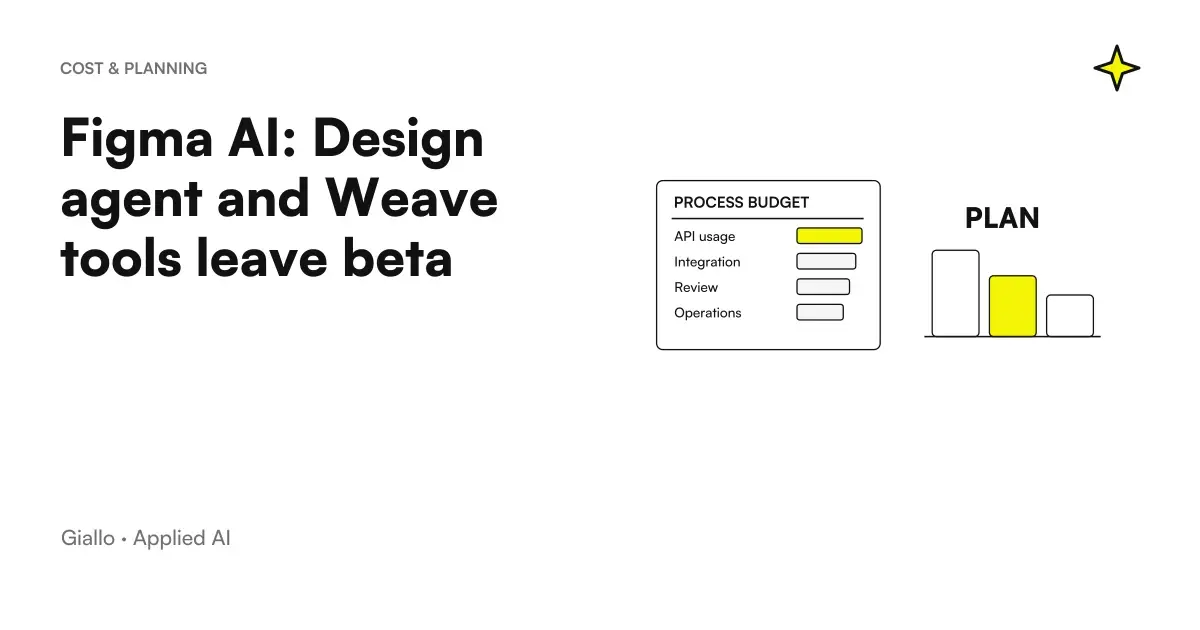
Figma Design agent and Weave tools integrated into Design exit the open beta and begin consuming Figma AI credits. For a team that uses them in their day-to-day work, the change is about budgets, permits, and consumption control. It does not mean that every design activity has a fixed price or that all Figma products share the same credit.
The transition to general availability is indicated for the 6 October 2026. During the open beta these uses were not counted; with the new scheme they fall within the budget. The increase in add-on credits mentioned in the FAQ instead dates back to August 25, 2026 and should not be presented as news of the same day. Official update FAQ.
The most important distinction is between Weave tools within Design and Weave standalone: the latter uses a separate Figma Weave pool from Design's Figma AI credits. Before starting a project, the manager must know what surface the team is using and what budget is consumed. How Credits Work.
In summary
- The move to general availability brings the consumption of Agent Design into the Figma AI budget.
- Agent consumption varies with complexity and context of the request.
- Weave tools first party inside Design have a cost per execution.
- Weave standalone uses a distinct pool, not to be confused with Design credits.
- The budget must be verified on plan, assigned seat and administrator settings.
What does the agent do inside a Design file?
The agent works in the context of the design file, according to the functions described by Figma. For a product team, the ability to deliver requests directly into the file can facilitate preparation and modification of items. The result still requires revision: understanding the request is not equivalent to automatically respecting the visual system and the needs of users.
The documentation explains how to work with the agent in Design files and constitutes the reference for current capacity and availability. This article does not present independent evidence or a session held on an Italian account. Any access must be verified in your environment, along with team permissions. Guide to Agent Figma.
A useful request starts from a circumscribed goal: modify a component, explore a variant or prepare a structure to control. A very large request increases the difficulty of evaluating the result. The team should know which elements can change the agent and which version remains the approved project reference.
Why does the end of the beta change the budget?
During a beta a team can develop habits without seeing the same effect on the budget that will have the full use. When consumption is counted, repetitions, discarded attempts, and extended demands become part of the economic assessment. Change should not be treated merely as an announcement of availability.
Figma distinguishes the variable consumption of the agent, influenced by complexity and context, by the cost per execution of the Weave tools first party within Design. There is therefore no reason to assume a universal conversion between "a project" and a fixed number of credits. Figma AI Rules.
To estimate the work, it is advisable to observe representative tasks and distinguish usable result from simply successful generation. A variant that requires substantial corrections does not have the same value as a draft close to the brief. The cost of the process also includes revision, coordination and maintenance of the components, in addition to the consumption recorded by the platform.
Design and standalone Weave consume the same pool?
No. Weave standalone uses a Figma Weave pool distinct from the Figma AI credits associated with Design. The similarity of names can generate budget errors if the team considers credits to be a single balance. The manager must verify the product, plan and assignment in their account. Official Pool Distinction.
Even a purchased add-on should not be interpreted without reading to which perimeter it applies. The fact that a platform offers multiple creative tools does not prove the full interchangeability of its budgets. Before approving a work it is useful to indicate which product will be used and how consumption will be controlled.
This attention also applies outside of Figma. Higgsfield Ad Multiplier has variable costs related to the generation of advertising variants. The useful comparison is not between the names of credits, but between tasks, revised results and the overall cost of production. An available balance does not amount to an estimate of the finished work.
What controls do designers and administrators give?
| Appearance | Question to be clarified | Responsible possible |
|---|---|---|
| Access to the product | Who can use agents and tools? | Team Administrator |
| Consumption | Which pool is used? | Budget manager |
| Brief | What constraints must the request comply with? | Designer or product owner |
| Quality | Which version is approved? | Project contact person |
| Transition to development | What is ready to be implemented? | Designer and Developer |
The table proposes organizational responsibilities, not guaranteed options in each plan. Actual settings must be verified in the documentation and account. The assigned seat can also be relevant: you do not have to transfer a condition seen by a colleague to the whole team without checking it.
For those who are evaluating creative tools, the guide to AI models for images helps to distinguish generation and design. A beautiful image does not solve navigation, interface hierarchy or error states. The Design agent enters into a broader process of product decisions.
Hypothetical scenario: an SME redesigns the customer portal
Let's imagine an SME wanting to update the portal where customers consult orders and documents. The designer uses the agent to explore a screen, starting with approved components and constraints. He does not ask him to invent trade rules or new data to show: these decisions are defined by the person in charge of the process.
The team checks empty states, errors, long content, and mobile usage. A convincing screen in the ideal case can work badly when a document is missing or a customer has many orders. Variants are evaluated on the user's task, along with consistency with the rest of the application.
This is a hypothetical scenario, not a client project. Budget is observed on actual activities and necessary corrections. A percentage of savings is not declared. The value is to check whether the agent helps produce useful alternatives while keeping the designer's choices legible and the work to be transferred to development.
Hypothetical scenario: an e-commerce prepares a seasonal campaign
Consider an e-commerce that has to prepare materials and pages for a campaign. The team distinguishes files Design, integrated tools and external creative production. Before leaving, it clarifies what consumption falls into the Figma AI budget and which belongs to other products or services.
The visual proposals are checked with respect to catalog, availability and commercial message. AI must not introduce prices, features, or promises that the product does not possess. Consistency between ad and landing page matters more than just the variety of materials.
This case is also hypothetical. The Shopify reports on AI purchases in Italy offers a context on the stated intentions of consumers, not a forecast of sales of the campaign. The team can use that context to reason about product information, without turning it into an automatic justification for increasing spending or generations.
How to write requests that reduce unnecessary corrections?
A useful brief specifies task, audience, available content and constraints. “Improving this screen” leaves too many interpretations open. It is more verifiable to ask to make the status of an order recognizable by keeping components, palettes and fields already approved. The designer thus retains a criterion for accepting or rejecting the proposal.
It is advisable to separate exploration and finishing. First you decide the direction; then you correct hierarchy, details and states. Constantly changing the lens makes it harder to control both quality and consumption. The Guide to image prompt offers a method of describing constraints, to be adapted to work on an interface.
The context must be relevant. Adding material indiscriminately can introduce conflicting references or data that is not needed. For corporate files, the team needs to know what information they can share and with what tools. The presence in the file does not automatically make any content suitable to be used in any AI function.
What to check before approving the result?
Open the review tab for a generated screen
Compare the result with the brief and approved components. It verifies real content, empty states, error messages, mobile behavior, and transition to development. Identify which items are proposed and which have been approved. It records consumption relevant to the product used without confusing the pools.
The review must include accessibility and comprehensibility. A weak contrast, an ambiguous label or a state shown only by color can create problems even in a pleasant screen. These verifications belong to the design process and should not be delegated entirely to the evaluation of the model.
The provenance of materials is another check. If the project includes synthetic images, a detector can provide a signal but does not automatically resolve permissions and rights. The guide to SynthID Detector clarifies the role of content verification. The team must still keep track of the origin, permitted use and approval of the materials used.
Where are you wrong with the new Figma credits?
The first error is to consider free uses that were not counted during the open beta. The second is to add separate pools as if they were interchangeable. The third is to present the August add-on increase as part of the October general availability changeover. The dates and perimeter of the changes must remain distinct. Updates FAQ.
Another mistake is assessing only the cost of successful generation. Discarded proposals, corrections and review are part of the work. If the designer does not have an acceptance criterion, he can continue to generate without approaching a decision. The budget must support a process, not replace it.
Finally, general availability does not prove that each account has identical logins and settings. There is no evidence on an Italian account here. Plan, place, and administrator controls must be verified before engaging the team in a procedure that depends on those functions.
How to prevent variations from slowing down a decision?
The availability of generations makes it easy to produce many alternatives, but comparison requires a criterion. Before asking for a new variant, the team should clarify which problem of the previous one they want to solve: hierarchy, readability, content or behavior. Without this question, the process can shift between visual preferences without improving the interface.
It is useful to keep a few motivated directions. Each proposal can report the task of the user it intends to facilitate and the constraint it respects. The product manager can thus compare alternatives on the same basis, instead of choosing only the most striking one. Discarded proposals should not be confused with approved file components.
Collective review also requires order. If designer, commercial and developer demand different changes at the same time, the agent receives potentially conflicting goals. A contact person should collect the constraints and clarify priorities before the new request. The software can help you execute a decision, but it does not resolve a disagreement on the product alone.
A concrete control concerns the long content. Real product names, addresses, and messages can take up more space than the texts used in exploration. The team should replace placeholders with representative examples before approving the layout. This simple test prevents the screen from looking complete only because it has been rated with the ideal content.
The same attention is used for the least visible states: loading, permission denied and absence of data. If they are ignored, the development must invent them later or the product remains ambiguous. AI work can also be useful for exploring these states, as long as the rules are defined and the result is reviewed like any other proposal.
Before delivery, it is useful to ask the developer what decisions remain ambiguous. A doubt about the navigation or status of the component is a requirement yet to be clarified, even when the screen appears to have ended. Shared review prevents implementation from turning graphical assumptions into product rules.
How to connect AI design and app development?
For a custom software, the approved file should explain behavior, contents and interface states, in addition to the visual aspect. The developer must be able to distinguish an exploratory variant from the version to be implemented. If this distinction is missing, the transition to development can amplify provisional decisions and generate work to be done again.
The Guide to the AI for businesses invites starting from the process and the result. In design, the result is a usable, maintainable and consistent interface with real software. Credits measure a portion of technical consumption, while product quality requires a broader verification path.
If you are designing a portal or a management software, the work of Giallo app development can link visual exploration, business rules and implementation. The new Figma AI phase becomes useful when budgets and responsibilities accompany the transition from graphic proposal to features that people can use.
Giallo Studio guides: methodology and sources
How we apply it in the company
Related resources
 Higgsfield Ad Multiplier: creating variants of advertising videos from a reference
 SynthID Detector open to all: how to verify AI images, audio and video
 Buying with AI in Italy: what the Shopify report says about Christmas 2026
 Best AI Models for Images
 AI image prompts: examples for Midjourney, ChatGPT and Firefly
 AI for businesses: a complete guide to getting started
 Kimi AI for PDFs and documents: analysis to verify
 Superintelligence, memory and RAG: getting to know the company
FAQ
What changes with the end of the beta?
The Design agent and integrated Weave tools now fall under the planned usage accounting. Uses that were previously uncounted must therefore be included in the current budget.
Does the agent always consume the same number of credits?
Figma describes usage that varies with complexity and context. A universal cost per project or screen should not be assumed.
Does standalone Weave use Design credits?
It uses a Figma Weave pool separate from the Figma AI credits for Design. Before starting work, check which product surface and budget will be used.
Is the add-on increase new in this same release?
The FAQs date the increase in add-on credits to August. It must not be presented as a new part of the transition to general availability in October.
Has the feature been tested on Italian accounts?
This article is based on official documentation, without testing an account. Availability, seat, plan and administrator controls must be verified in your own environment.
What should you check in the result?
Consistency with the brief, components, real content and interface states. Successful generation does not establish that a screen is ready for development.