
AI prompts for accountants: ready-made examples for documents, analytics and clients
Ready-to-use AI prompts for accountants: financial statement analysis, client letters, tax communications and email replies, with practical examples.
Reading time: 8 min
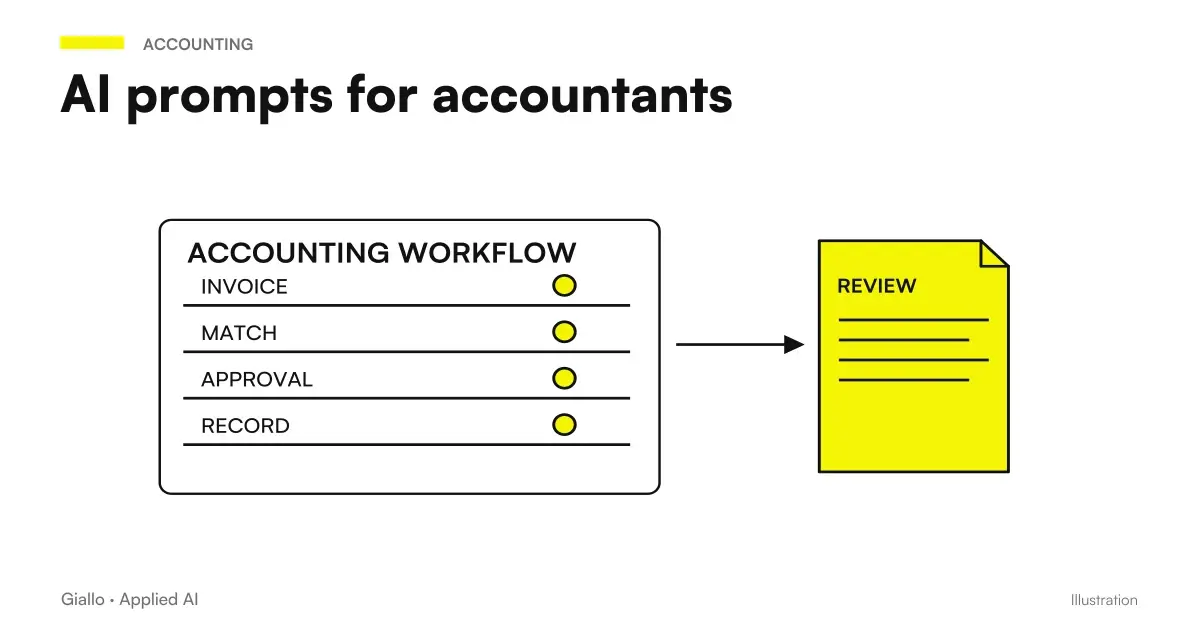
The AI prompt for accountants are structured instructions that allow you to use tools such as ChatGPT, Claude or Gemini to accelerate document, communicative and analytical activities of a study. In practice: draft letters to customers, summary of regulations, comments to budget data, replies to emails like tipo all in seconds instead of tens of minutes.
The critical point to bear in mind immediately is this: AI is not a tax advisor and does not verify regulatory compliance. It produces the most likely answer, not the legally correct one. On rates, deadlines, specific regulations and circular interpretations can be convincingly wrong. Each output must be read, verified and approved by the professional before being used. That said, for activities where AI is actually useful — structuring texts, analyzing data you provide, drafting drafts. time savings are real and measurable.
In this guide you will find prompt ready to use, broken down by task, with instructions to adapt them to your study.
In summary
- AI prompts allow accountants to reduce time on document drafts, communications and repetitive analysis.
- Never use without revision: AI fails on specific regulations, deadlines, and tax data ogni each output must be verified on official sources.
- The best prompts always include concrete data: numeric values, sector, period, document type.
- For customer personal and tax data: only use versions enterprise/business with DPA, never public tools.
- AI is useful as first layer (structure, draft, analysis) — the professional maintains judgment and responsibility.
- With tailor-made AI systems for accounting firms you can automate whole streams, not just single prompts.
What an accountant can concretely do with AI prompts
Generative AI is a text assistant: it is useful whenever you have to produce or rework text from information you already have. The tasks where it makes the most sense for a study are:
- Communications to customers: letters of request documents, expiry notices, answers to frequently asked questions
- Analysis of budgetary data: if you load the numbers, the AI will comment on them and calculate indices
- Summary of regulations: paste a circular and ask for an operational summary
- Drafts of formal communications: towards the Revenue Agency, towards credit institutions
- Reply to standard email: keep the professional tone on repetitive requests
To understand what makes a prompt effective in general, the guide on how to write AI prompt explains the basic principles applicable to any model.
Prompt ready for main tasks
Budgetary analysis
You are an expert in financial analysis for Italian SMEs.
I am providing the financial statement data for [company name/sector] for the year [year]:

BALANCE SHEET:
Current assets: [amount]
Non-current assets: [amount]
Short-term debt: [amount]
Long-term debt: [amount]
Equity: [amount]

INCOME STATEMENT:
Revenue: [amount]
EBITDA: [amount]
EBIT: [amount]
Net profit: [amount]

Calculate and comment on: current ratio, ROE, ROI, debt-to-equity ratio.
Identify the strengths and main risks. Do not make claims about tax regulations.
Letter to the client (request documents)
Write a professional, courteous letter to a client with an Italian VAT number.
Subject: request for documents for the [year] income tax return.
Include: a list of documents to provide (F24 forms, relevant purchase invoices, bank statements),
the submission deadline ([date]), and instructions for submitting them (email/portal/physical delivery).
Tone: formal but accessible. Length: max 200 words. Signature: Firm [name].
Reply to customer email
A client wrote this email:
[paste the email text]

Write a professional reply that:
- Answers the questions asked (without inventing answers about specific regulations)
- States that we will discuss the details in a call/meeting if necessary
- Maintains a warm but professional tone
- Is in formal Italian, max 150 words
Summary of a regulation/circular
Read the following regulatory text and produce an operational summary:

[paste the text of the circular or measure]

Structure the summary as follows:
1. What it concerns (2 lines)
2. Who it applies to
3. What changes in practice (bullet list)
4. Operational deadlines (if any)
Note: identify any ambiguous points that require verification against official sources.
Communication to the Revenue Agency
Help me structure a draft communication to the Agenzia delle Entrate.
Subject: [describe the subject, e.g. a reply to a compliance notice / a request for clarification]
Situation: [briefly describe the facts]
Taxpayer's position: [explain the position]
Attached documents: [list them]

Structure the communication with: a formal heading, a statement of the facts,
arguments, and a final request. Use a formal, bureaucratic register.
IMPORTANT: this is a draft for the professional to review before sending.
Reference table: prompt for specific tasks
| Task | What to include in the prompt | What Not to Expect |
|---|---|---|
| Budget analysis | Numerical values, sector, year, required indices | Automatic regulatory or tax interpretation |
| Letter to the customer | Subject, tone, deadline, document list | Legally Correct Answer on Specific Situations |
| Email Reply | Original email text, desired tone | Opinions on regulations or litigation |
| Circular Summary | Full text of circular | Automatic update on recent standards not in training |
| AdE Communication | Facts, location, attached documents | Draft ready to be sent without professional review |
| Quote/offer | Services, rates, study data | Automatic calculation of taxes or contributions |
Practical examples
Scenario 1 — Studio with 80 clients, reporting period. Every year the firm sends the same document request communication to dozens of customers, with small variations (type of taxpayer, list of documents). With a structured prompt, the contributor pastes the template, replaces the variables and gets the letter in 30 seconds. Control remains human (revision before sending), but production time goes from 10 minutes to 2. Out of 80 customers: about 13 hours saved in a week.
Scenario 2 — Budget analysis for an SME client. The accountant loads the numerical data into the prompt and asks for the calculation of the main indices with a synthetic comment. The AI produces the first draft of the narrative commentary in less than a minute. The professional verifies the calculations (AI can also be wrong about the numbers), adds professional judgment and customizes. The production time of the document drops dramatically. To learn more about how to use AI on structured documents, see the guide on AI prompt for documents.
How to Choose the Right Model
ChatGPT, Claude or Gemini: which one is best for an accountant?
There is no universal answer. Claude handles very long contexts (extended circles, contracts, multi-page budgets) better than average. ChatGPT is versatile and has a broad business usage base. Gemini natively integrates with Google Workspace (Docs, Gmail, Sheets) useful if the studio works on that suite.
For a studio that wants to start: try ChatGPT or Claude with the prompts of this guide and evaluate the quality of the outputs on your specific use case. Versions and prices change often verifica always check the official pages before choosing a plan.
To learn more about the available models: What are AI Agents and how they can automate whole streams, in addition to individual prompts.
Mistakes to Avoid
- Using output without review on any regulatory or tax issue. AI can cite outdated rates, incorrect deadlines or outdated interpretations. On everything related to rules, it must always be verified on official sources. See the article on AI Hallucinations to understand why it happens.
- Prompt too vague. "Analyze this balance sheet" without data produces nothing useful. The more context you give, the better the output.
- Treating the AI draft as the final document. Letters to customers and communications to the Revenue Agency come out of the professional's responsibility — the signature is yours, not the AI's.
- Entering personal data in non-GDPR compliant tools. Tax codes, VAT, bank statements, company balance sheet data are personal or confidential data. Public instruments do not have adequate DPA.
- Copying the prompt once and don't adapt it. Prompts improve by iterating: if the result is not what you wanted, add a constraint or example to the prompt itself.
How to apply it in the company
Introducing AI prompts into a firm does not require a technology project. Three concrete steps are enough:
- Choose a repetitive task. Which communication do you write most often? Start from there. The document request is almost always the best starting point.
- Build your template prompt. Use the examples in this guide as a basis, adapt them to the tone and format of the study. Save them in a shared document.
- Establish a review rule. Before sending or professional use, anyone in the team controls the output of AI. It's not bureaucracy: it's professional risk management.
If the next step is to move from individual prompts to automated streams —for example, a system that reads incoming emails, classifies requests, and prepares draft responses —you enter the territory of AI agents and integrated automations. For a tailored analysis of your study, the page AI for Accounting Studies collects industry-specific use cases.
Conclusion
The AI prompt for accountants are practical tools to reduce time on repetitive document and communicative tasks. The model that works is simple: AI produces the first structured draft, the professional revises, corrects and approves. For anything that touches regulations, tax calculations, and official communications, review is not optional — it is part of the process.
The most useful step is starting from a single task and measuring real savings: a week of testing with the prompts of this guide already gives you a clear idea of where it is worth investing. Fundamentals of generative AI and understand how the most advanced systems handle specific documents of your study, also read the article on RAG. If you want to compare the main models available today, the guide to Best AI for Companies helps you choose according to the use case.
AI becomes useful when it enters processes. Giallo Studio helps SMEs and teams to build concrete, measurable and sustainable automations.
Giallo Studio guides: methodology and sources
How we apply it in the company
Related resources
 AI prompts: a complete guide to effective instructions
 ChatGPT prompts: ready-to-use examples to copy and adapt
 Claude prompts: examples for better answers
 AI agents: what they are and how they work
 AI Hallucinations: What They Are and How to Avoid Them
 Best AI for business: which to choose in October 2026?
 AI SEO prompts: optimise content and rankings
Prompt Collections
Ready prompts for other roles and tasks.
- AI prompts for lawyers: legal documents and communications
- AI customer support prompts: ready-to-use examples
- AI prompts for real estate agents: ready-made examples for ads, emails and customers
- AI document analysis prompts: contracts, reports and PDFs
- AI video prompts: Runway, Kling and Gemini alternatives to Sora
- AI e-commerce prompts: product descriptions, email and support
- AI sales prompts: emails, offers and follow-ups
- AI email prompts: ready-to-use examples for every situation
- AI prompts for social media: ready-to-use posts, captions and content
- AI prompts for Excel and Google Sheets: formulas and data analysis
- AI SEO prompts: optimise content and rankings
- AI image prompts: examples for Midjourney, ChatGPT and Firefly
FAQ
What tasks can AI do for an accountant?
Generative AI is useful for drafting letters to clients, summarising regulations, analysing user-uploaded financial-statement data, answering standard emails and structuring communications to the Agenzia delle Entrate (Italian Revenue Agency). It does not replace tax advice or automatically check regulatory compliance: every output must be reviewed by the professional before it is sent or used.
Can an AI prompt go wrong on tax regulations?
Yes. AI models generate the statistically most likely answer, rather than the legally correct one. For legislation, deadlines, tax rates and specific regulations, a model may produce outdated or inaccurate information (hallucinations). The accountant must always check the output against official sources (Agenzia delle Entrate and Gazzetta Ufficiale) before using it with clients.
How do I write a good prompt for financial-statement analysis?
Always provide concrete data in the prompt: paste the numerical values from the balance sheet and income statement, specify the company's sector, indicate the period and request a focused analysis (e.g. margins, liquidity ratios or comparison with the previous year). The more context you provide, the less the AI generalises.
Can I use ChatGPT to write a letter to the Revenue Agency?
You can use it to build a structured draft, but the final letter should always be reviewed by the professional. The AI does not know the details of the customer's specific file or the last applicable circulars. The value lies in saving time on the structure, not in producing a document ready to send without control.
Is ChatGPT, Claude or Gemini better for an accountancy firm?
For long documents (financial statements, contracts and circulars), Claude handles large contexts reliably. ChatGPT is versatile for communications and analysis. Gemini integrates with Google Workspace. The choice depends on the ecosystem already used in the firm and its main types of tasks. Always check the available versions on the official pages.
Is customer data safe if I put it in ChatGPT?
No, it is not guaranteed. Pasting clients' tax data, tax identification numbers, VAT numbers, financial statements and personal data into public AI tools creates privacy risks and potential GDPR breaches. Use business/enterprise versions with DPA agreements, or AI systems internal to the firm that do not transfer data to third parties. Consult your DPO or privacy officer.