
Multimodal AI: what it is and how it works
Multimodal AI explained simply: text, images, audio and video in one model, with real SME examples, practical uses and limitations.
Reading time: 9 min
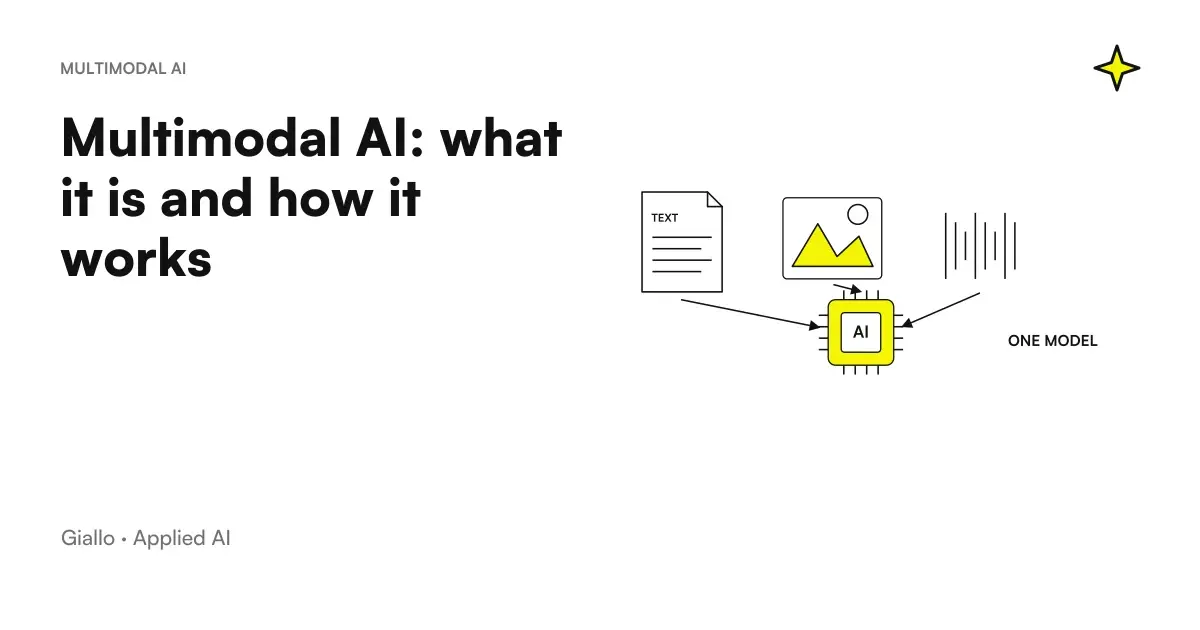
The Multimodal AI is a type of artificial intelligence capable of understanding and combining multiple types of data in the same system: text, images, audio and sometimes video. Instead of just reading words, a multimodal model can look at a photo, listen to a recording, and read a document, putting together information to answer a single request. In practice it is the natural extension of Language Models: the same technology, but with more "senses".
The difference with a traditional chatbot is simple to guess. A text-only chatbot understands and produces only words; a model multimodal it also understands a photographed image, an attached PDF or a voice message, and can link them together. You can show him the picture of a bill and ask "how much I pay and when it expires", or pass him the recording of a meeting and get the summary written. All within the same conversation.
In this guide we see what multimodal AI really is, how it works behind the scenes, what changes for an SME, where it is best to use it and what its concrete limits are.
In summary
- The Multimodal AI processes multiple types of data in the same model: text, images, audio, and sometimes video, instead of managing them with separate tools.
- Behind it is the same idea as language models: each input (even a photo or audio) is translated into a common numerical representation that the model can compare.
- For an SME the advantage is practical: fewer passes between different tools, because only one system reads the document, describes the image or transcribes the entry.
- The main assistants (ChatGPT, Claude, Gemini) are already multimodal: often nothing new is needed, just use what exists well.
- It remains a statistical AI: it can wrong to read disturbed numbers, details or audio, so critical data always needs human control.
What does "multimodal" mean?
In AI jargon, one mode is a type of data: the text is one mode, the images another, the audio another, and so video, tables or signals from sensors. A model unimodal works with only one of these (for example text only); a model multimodal It combines two or more.
The keyword is combine, not only accept. A truly multimodal system does not merely receive an image and then a text as two disconnected requests: it reasons them together. If you show him the picture of a shelf and ask "what products are missing compared to this list", he must relate what see with what law. It is this link between different modes that makes it useful.
A distinction that often comes back is between input and output:
- Multimodal input: the model receive more formats (give him a picture + a written question). It is the most widespread and the most useful capacity in the company today.
- Multimodal Output: the model produces multiple formats (generate text but also an image or audio). It is growing fast, but many business cases are already solved with multimodal input alone.
When a supplier says "our model is multimodal", always ask which mode accepts input and which output output: the difference changes what you can really do with it.
How multimodal AI works, step by step
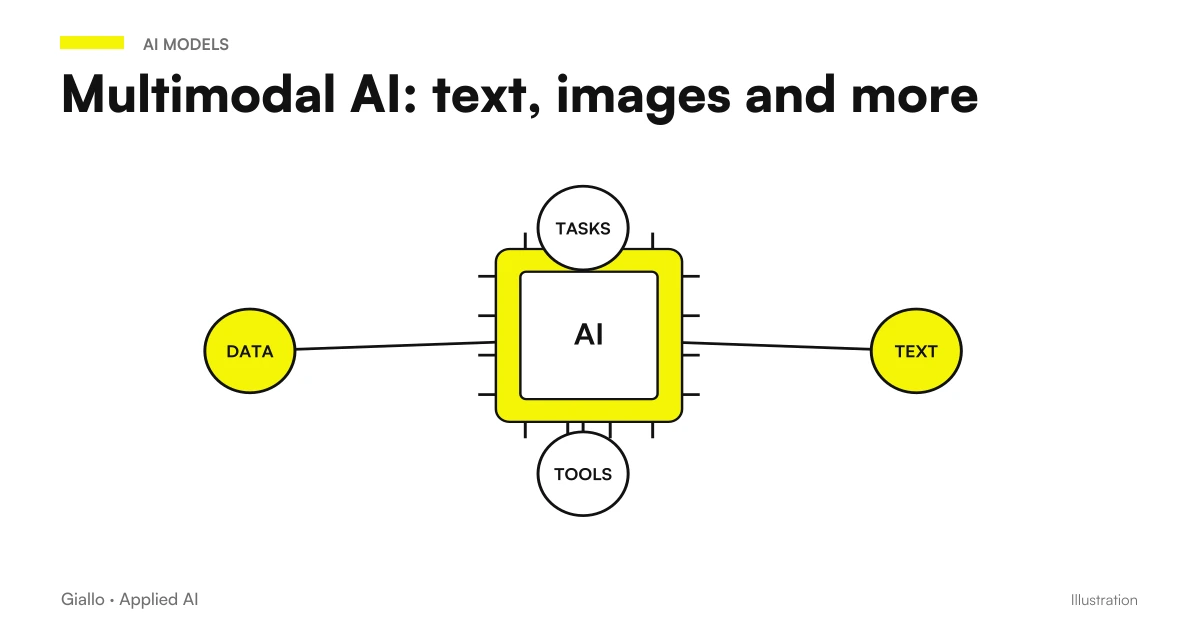
The mechanism is simpler than it seems and starts from an idea already seen in the Deep Learning: transform anything into numbers. A sentence, an image and a sound are very different data for us, but the model brings them all back to the same mathematical "language", so it can compare them.
- Encoding of each mode. Each type of data passes through a dedicated encoder: one for text, one for images, one for audio. Each transforms its input into a sequence of numbers (a vector representation).
- Common space. The different representations are taken to a shared space, where a similar concept —the word "cat," the photo of a cat, the meow —ends up in close positions. This is where the "talk" modes come in.
- Merge. The model combines representations to reason about everything together: it ties the written question to what it has "seen" in the image or "heard" in the audio.
- Generation of response. From the molten representation the model produces the most likely output, usually text: an answer, a summary, a classification.
- Human control. As with any AI, the result must be verified where it counts —especially on numbers, names, and data extracted from an image or audio.
Why "common space" is the real trick
The step that makes the difference is the second. As long as text, images and audio remain in separate formats, you cannot compare them. By bringing them all into one shared numeric space, the model can measure how close two things are to meaning, even if they belong to different modes. It is the same principle as embedding, extended beyond the text.
This explains why a multimodal model can respond to "find in the picture the object described in this sentence": compare the representation of the sentence with that of the regions of the image and choose the nearest one.
It's not magic: the limits remain
The model does not "understand" the image as a person. It recognizes patterns seen during training. If you show him a bad graphic, unreadable handwriting, or background noise audio, the representation is inaccurate and the response is affected. The principle of AI Hallucinations: can safely describe details that are not in the image.
Multimodal AI and AI models: where is it placed
Multimodal AI is not a separate technology: it is an evolution of the great models you already know. Almost all major generalist assistants have become multimodal, which is why you often don't have to adopt anything new. To orient yourself between the options you can start from Guide to the main AI models; here it is enough to understand families.
| System Type | What Accepts Input | Example of use |
|---|---|---|
| Text-only model | Text only | Write an email, summarize a pasted text |
| Multimodal model (text + images) | Text and Images | Read a photo invoice, describe a product photo |
| Multimodal model with audio | Text, images, audio | Transcribe a meeting, answer a voice question |
| Model with generative output | Text (+ images) input | Generate an image from a description, produce synthetic voice |
| Specialized system (OCR, dedicated vision) | One format, optimized | Quality control on a line, high-precision plate reading |
The practical rule: for most everyday business cases a good generalist multimodal assistant is all you need. Specialized systems are needed when you need very high precision on a narrow task and repeated thousands of times.
What Multimodal AI is for in the company
The value is not "doing new and futuristic things", but delete steps between different instruments. First it took three separate tools —one to read the document, one to transcribe the audio, one to write the summary. Now only one model acts as a bridge. This reduces "flip" errors and time spent copying data from one app to another.
- Photographed Documents: read an invoice, bubble or contract snapped with the phone and extract key data from it.
- Product Images: generate a first description starting from the actual photo of the article, not from invented adjectives.
- Audio and Meetings: transcribe a call, get the points decided and the actions to be done.
- Visual assistance: a customer sends the photo of a broken piece and the system suggests replacement or procedure.
- Consistency check: compare an image with a data sheet to report obvious differences.
The common thread remains the same as AI in general: the model manages the part repetitive (read, transcribe, extract, sketch), the person maintains the final decision on the points that matter. When this balance is clear, time savings are measurable.
Practical examples (text + image + audio)
Three realistic scenarios of Italian SMEs and professionals, one for each mode.
1. Text + image — workshop that handles spare parts. A customer sends a photo of a piece to be replaced on WhatsApp with a written message ("I need this, it's from a 2018 Panda"). The multimodal system reads photos and text together, proposes the most likely replacement code and prepares the response draft with price and availability. The mechanic confirms or corrects. You eliminate the ring of phone calls to figure out "what piece we're talking about."
2. Image + text — furniture e-commerce. For a catalog of hundreds of articles, the AI looks at the Real photo of the product and the data sheet, then writes a first description consistent with what you see (material, color, style), instead of inventing. The team reviews and publishes. It breaks down the time of the first draft without losing adherence to the product.
3. Audio + text — consulting firm. After a meeting with the client, the consultant uploads the recording. The model transcribes, identifies the points decided and prepares a summary with the assigned actions. The professional checks names, amounts and deadlines before sending it. From an hour of call you get in a few minutes a draft of the already structured minutes.
In all three cases the point is not "AI does everything", but "AI puts together different formats and prepares, the human decides". It is the model that works, applied to Generative AI and real data.
When it makes sense to use it and when not
When multimodal AI is convenient
- You have inputs in different formats that you handle by hand today (photo, audio, PDF).
- The task is repetitive and high volume (many invoices, many photos, many calls).
- A small margin of error is tolerable or there is a human review.
- You want to reduce steps between separate tools and copy-paste errors.
When to Avoid It (For Now)
- It takes absolute precision on every single number and there is no human control.
- The images or audio are of very poor quality (fluffy, noisy, handwritten).
- The data is confidential and the tool offers no guarantees on privacy and GDPR.
- You are adding mode for fashion, without a measurable process behind it.
Practical rule: the extra mode does not fix a confusing process, it accelerate. If the workflow is already chaotic, adding photos and audio doesn't make it better — it makes it chaotic faster. First you define the process, then you choose how many modes you really need.
Frequently asked question: "Multimodale" means it also generates images and voice?
Not always. Many models are multimodal Input (they understand photos and audio) but only produce outgoing text. The generation of images or voice is a separate capability, which some models have and others do not. When evaluating an instrument, always distinguish what it accepts from what it produces: for most business cases, the former counts above all.
Mistakes to Avoid
- Trusting what the model "sees" without verifying. Numbers read from a photo, amounts on a bill, handwritten codes: they should always be checked. A read error propagates throughout the downstream process.
- Uploading confidential data to public tools. Photos of documents with personal data, contracts, customer cards: in the free tools can be used for training. You need internal rules and, where you need them, a business plan or integration via AI API.
- Taking the quality of the input for granted. Blurred photos, noise-covered audio, crooked scans: the response is as good as the input. Often it is better to improve the source before the model.
- Pretending multimodal output when you only need input. Chasing image or voice generation when your problem is "reading documents" is wasting budget on a capability you won't use.
- Skipping measurement. Without a "before" and a "after" (minutes per document, errors avoided) you won't know if the extra mode gives you real value or just the wow effect.
How to apply it in the company
Introducing multimodal AI follows the same short, repeatable path as any sensible automation: it starts with the problem, not the technology.
- Locate a non-text input that you handle by hand. Photographed invoices, product photos, call recordings: where do you waste more time "translating" a format into data?
- Measure the starting point. How many minutes per document or per audio today, how many errors. Without numbers there is no ROI.
- Start with the tool you already have. Often the multimodal assistant you use for text also accepts images and files: try it before buying anything else.
- Keep the human in control. The model reads and drafts, the person verifies the critical data and approves. Especially in the beginning.
- Measure again and decide. If the numbers improve, extend the flow or connect it to the other instruments with a process automation; if not, change approach.
When the use case stabilizes, the next step is to lock it into the real stream: a AI Agent that receives the photo by email, extracts the data, updates the management software and prepares the answer. This is where the extra mode stops being a curiosity and becomes time saved every day.
Conclusion
The Multimodal AI It is not a new exotic technology: it is the extension of the models you already use, now able to read images, listen to audio and connect them to text within the same system. The value for an SME is concrete and inconspicuous — less separate tools, less copy-paste, less errors of transfer between apps. As always, it is important to choose the right process, keep the person where judgment and responsibility are needed, and measure the result. From here you can continue with the Main AI Models and with the basics of Artificial Intelligence to see how these bricks fit together.
Do you want to understand what processes in your company can be automated with AI? Giallo Studio can help you turn the problem into a real workflow — or take a look at the experiments of The Lab.
Giallo Studio guides: methodology and sources
How we apply it in the company
Related resources
 LLM: What Language Models Are
 AI Models: Guide to Major Models
 Generative AI: What It Is and Why It Matters
 Deep learning explained simply
 Artificial intelligence: what it is and how it works
 AI for customer onboarding: automate the first moment that matters
 How to automate processes in an SME: the practical guide
 RPA vs AI automation: differences, costs and when to use which
FAQ
What is multimodal AI in simple terms?
Multimodal AI is a model capable of working with several types of data together: text, images, audio, and sometimes video, within the same system. You can show it a photo and ask a question about it aloud, or give it a PDF and request a summary: it treats everything as part of the same conversation, without requiring separate tools.
What is the difference between multimodal AI and a normal text chatbot?
A text chatbot understands and produces only words. A multimodal model also understands images, audio and documents, and can combine them: for example, reading a photographed bill and explaining it, or listening to a call and writing its summary. It is the same family of language models, extended to other types of input.
Can multimodal AI misread an image or misinterpret audio?
Yes. It can misinterpret handwritten numbers, small details in a photo, noisy audio, or strong accents. Like any AI, it produces the most likely answer, not one that is guaranteed to be correct. Critical data (amounts, codes, and deadlines) always needs a human check before the result is used.
What multimodal AI tools can an SME use?
The main general-purpose assistants (ChatGPT, Claude, Gemini, and similar tools) are already multimodal: they accept images, files, and, in some cases, voice input. An SME can start with these to analyse photographed documents, describe product images, or transcribe meetings without building anything from scratch. Always check the official page to see which formats your plan supports.
Is multimodal AI secure for confidential business documents?
It depends on the tool and the plan. In free public tools data can be used for training; in business plans and via APIs often not. Before uploading invoices, contracts or photos with personal data, check the conditions of the provider and define internal rules on what can be shared, to remain compliant with the GDPR.
Do you need a different model for each data type?
Not anymore. Separate tools used to be needed: one for text, one for images, and one for audio. Today, a single multimodal model handles several formats together, reducing the steps and errors involved in transferring data between tools. Specialist cases remain where a dedicated model works better.