
Lead generation automation: how AI populates your CRM
How AI automates lead generation: prospecting, qualification, follow-up in CRM. Practical examples for Italian SMEs, tools, costs and GDPR.
Reading time: 8 min
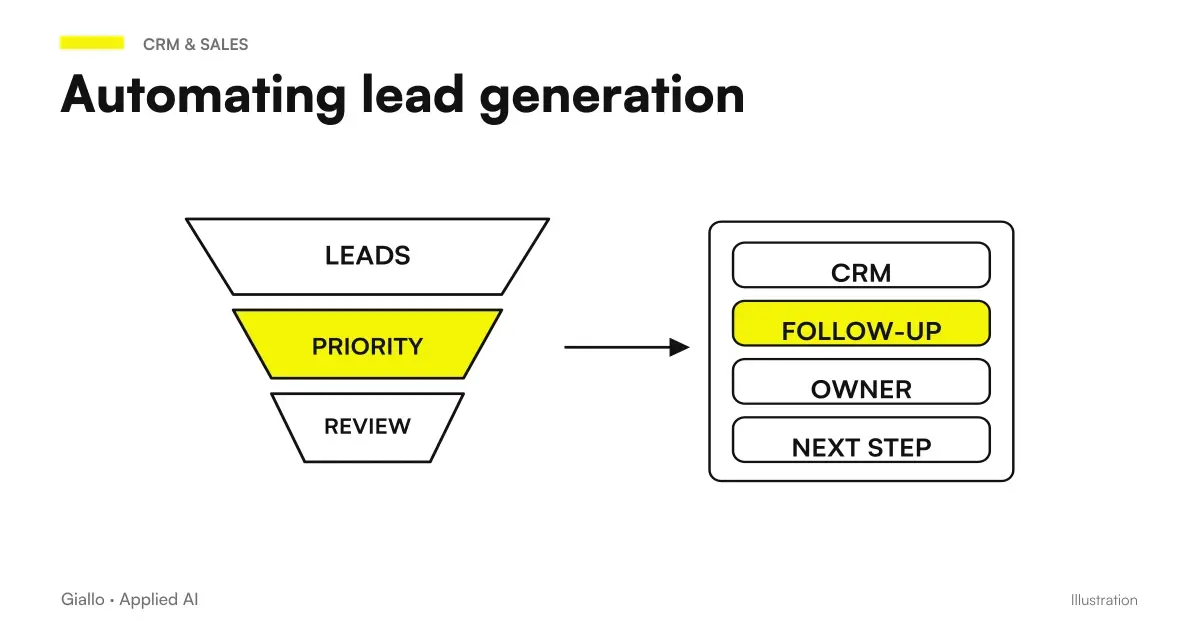
Lead generation automation with AI means delegating to an automatic system the slowest and most repetitive part of customer acquisition: finding prospects, verifying their data, qualifying them and inserting them into the CRM with the first message already ready. The salesman arrives at the table when the contact is already hot, not when he still doesn't know who to call.
The concrete point is this: an AI agent connected to your tools can do in a few minutes what a salesperson does in hours — search for companies with a certain profile on LinkedIn, extract contacts, enrich them with email and industry, assign a relevance score and open a negotiation in CRM. Not because AI is "smart", but because it performs sequences of operations without getting bored, without forgetting passages, without stopping for lunch.
In this guide we see how it works in practice, what processes are really automated, what never to delegate, typical mistakes and how to start without waste.
In summary
- The automation lead generation AI covers prospecting, data enrichment, lead scoring, first contact and CRM update — the commercial only handles negotiations.
- Convenient when the lead volume is high or the team loses 3+ hours per week in manual contact search tasks.
- The most used tools for SMEs: n8n / Make / Zapier for workflows, Clay or Apollo for enrichment, AI models for message personalization.
- The GDPR also applies to automations: legal basis, right of objection and register of processing are mandatory even if the process is automatic.
- The value is not in the volume of emails sent, but in the quality of leads entered in the CRM and over time saved by the team.
How an AI Automatic Funnel Works from Search to CRM
An automatic lead generation workflow consists of distinct steps. Not all systems cover everything — you can automate even part of it and already get measurable results.
- Definition of the Target Profile (ICP). The system starts from precise criteria: sector, business size, geographical area, contact role. Without a clear ideal customer profile, automation produces noise, not lead.
- Automatic prospecting. The agent searches for companies and contacts on LinkedIn Sales Navigator, public databases, category sites or vertical sources (e.g. crafters register, Companies register). Extracts name, role, company.
- Data enrichment. Tools like Clay, Apollo or Hunter complete the missing data: verified email, number, business size, technologies used. This step determines the quality of the lead.
- Lead scoring. An AI model assigns a score based on how much the prospect matches the ICP and on signals of interest (e.g. visited the site, changed role recently, his company just received funding).
- First custom contact. AI generates a tailored outreach message —not a generic template, but a text that cites something specific to the prospect (sector, size, typical problem). The trade approves or the system sends directly, depending on the process chosen.
- CRM update and follow-up. The lead is created automatically in the CRM (HubSpot, Pipedrive, Salesforce) with all the data, the date of the first contact and the score. If it does not respond within N days, the system activates a automatic follow-up.
Everything can run on tools like n8n, Make or Zapier connected to AI models via API. The difference between a well-made system and one that produces spam lies in the accuracy of targeting and the quality of customization.
What parts of lead generation can you really automate
Not everything is equally automatable. The table helps to decide where to invest and where to keep the human garrison.
| Phase | Automable? | References |
|---|---|---|
| Prospect search by sector/role | ✅ High | Workflow basis, great time savings |
| Enriching email and business data | ✅ High | Dedicated tools with built-in verification |
| Preliminary lead scoring | ✅ Average | Works well on objective criteria; needs to be calibrated on your ICP |
| First Outreach Message | ✅ With supervision | AI customizes, but someone has to validate the tone |
| Automatic follow-ups (2nd-3rd contact) | ✅ High | Timed sequences, high effectiveness if the first one is good |
| CRM Update | ✅ High | Zero margin of human error if integrated well |
| In-depth qualification (BANT, MEDDIC) | Partial | A chatbot can collect data, but the final judgment is human |
| Handling objections | No | Requires listening, empathy, context knowledge |
| Closure of negotiation | No | Human relationship, always |
To understand the broader picture of which business processes lend themselves to automation, you can read what to automate in an SME.
Practical examples in Italian SMEs
Tax consultancy firm — B2B prospecting. A study systematically looks for SMEs with turnovers between 1 and 10 million who do not yet have a structured accountant. The workflow searches LinkedIn companies with those parameters, extracts the owner's data, generates a first message that cites the company's sector and a tax problem typical of that sector. The accountant reviews leads with high score and sends. Result: 3-4 hours a week saved, pipeline more constant without depending on word of mouth.
Communication Agency — outbound for e-commerce. The agency aims to e-commerce with catalog >200 products that have not yet invested in structured content. The system monitors new Business Register subscribers in certain sectors, enriches data, checks whether e-commerce uses a certain platform (Shopify, WooCommerce) and sends a specific message for that platform. The follow-up starts automatically after 5 days with no response.
Mechanical workshop B2B — spare parts and maintenance. The workshop wants to contact company fleets in its own province. The workflow extracts transport and logistics companies from the area, checks that they have more than 5 registered vehicles (public data) and prepares a message with an offer for the first free check. Low volume (50-100 prospects per month), but highly qualified.
In all three cases the CRM Automation is the landing point: everything ends up in the management software with the data already compiled.
Tools: how to build your workflow
There is no single solution. The choice depends on the CRM you already use, the budget and the volume of leads.
| Category | Common tools | References |
|---|---|---|
| Orchestration workflow | n8n, Make, Zapier | n8n is self-hostable (more GDPR-friendly), Make and Zapier are cloud |
| Data Enrichment | Clay, Apollo, Hunter, Snov.io | Verifying email, business data, intent signals |
| AI Models for Texts | OpenAI API, Anthropic API | To personalize messages; do not send sensitive data without consent |
| Target CRM | HubSpot, Pipedrive, Salesforce | All have native APIs or connectors for the tools above |
| Prospecting Sources | LinkedIn Sales Nav, Business Register, Google Maps | Each source has its own terms of use: read them before automating |
For those who start from scratch with automation tools, Make vs Zapier vs n8n offers a practical comparison between the options.
When to use it / When to avoid it
When to automate lead generation
- The sales team devotes 3+ hours a week to manual search for contacts.
- The ideal customer profile is defined and stable (sector, size, role).
- The volume of prospect to contact exceeds 50-100 per month.
- CRM is already used consistently and the data is clean.
- The sales cycle is long and requires more touchpoints over time.
When to Avoid It (For Now)
- You don't have a clear ideal customer profile yet: first define it.
- The CRM is disorganized or out of date: fix it before powering it.
- Sell on exclusive referral and the volume is too low to justify setup.
- The product/service requires a deep relationship from the first contact.
- You have not yet tested the sales message manually: automation amplifies, does not correct, a pitch that does not work.
GDPR and automatic lead generation: what not to ignore
Automating does not mean circumventing the rules. In fact, an automatic system that sends thousands of emails without a legal basis is a greater risk than a manual one.
The essential points for GDPR compliance (EU Regulation 2016/679):
- Legal basis (Art. 6 GDPR): each contact requires a basis — explicit consent or legitimate interest documented. For B2B, legitimate interest is often applicable but needs to be assessed on a case-by-case basis. It is not enough to state it: it must be motivated.
- Right to object (Rule 21): each email must have a working opt-out option and the data must be removed within a reasonable time when requested.
- Data minimization: collect only what you need to contact the prospect. Name, role, email and company are enough; you do not need the date of birth or personal phone number.
- Register of processing (Rule 30): the automatic prospecting activity must be documented in the register.
- Non-EU data transfer: if you use cloud tools with servers outside the EU (e.g. Apollo, Clay on US infrastructure), check the standard contractual clauses (SCC) and country adequacy.
For an in-depth look at the subject, read AI and GDPR and AI and corporate privacy.
Mistakes to Avoid
- Automating without first validating by hand. Before launching a workflow on 500 prospects, send 10 emails manually and measure the response. If the response rate is close to zero, automation does not solve the problem: there is something wrong with the message or targeting.
- Using a generic template to "customize". An email that starts with "Hello .Name}, I've seen that you work in .Company." is not personalization — it's just mail-merge. AI can do better: cite the specific sector, a known problem of that type of company, a real reference.
- Feeding the CRM with dirty data. If auto-enrichment inserts incorrect emails, closed companies or outdated roles, you are filling the CRM with noise. Quality before quantity.
- Ignoring bounce rate and spam reports. An automation that sends in volume without monitoring deliverability burns the reputation of the domain. If the spam rate increases, you have to stop now.
- Not having a plan for leads who respond. Automation brings the lead to the door: if the commercial isn't there or doesn't have a clear process to handle the answer, all the work is wasted.
See also email automation with AI for details on the deliverability and customization part.
How to apply it in the company
- Define the ICP accurately. Sector, size, geographic area, decision-maker role. The more accurate, the better the lead quality will be. If you can't describe your ideal customer in 3 lines, start from there.
- Test the message manually on 10-20 prospects. Check that the open and response rate is acceptable before automating. A good starting point for B2B: positive response rate >5%.
- Choose the tools based on the CRM you already have. If you use HubSpot, start with tools with native integration. Avoid adding complexity without a precise reason.
- Build the workflow in "draft" mode first. Run the system in test mode for one week: check every lead generated, check data quality, correct filters.
- Activate with supervision. The first 30 days the salesperson reviews each lead before the message starts. After that, you can only loosen supervision on high-scoring cases.
- It measures every two weeks. Inserted leads, response rate, advanced leads in pipeline, open negotiations. If a step doesn't work, edit that. don't throw the system out.
To understand how this fits into the broader framework of business automation, read Business Process Automation and AI Agents What They Are — AI agents are the next step when you want a system that acts autonomously over multiple steps.
Qualify requests that come spontaneously
The search for new contacts and the evaluation of requests already received are two distinct streams. For the second, the qualification of commercial requests with AI collects need, context and missing information, then proposes a priority to the commercial. An incomplete request enters a clarification queue, without being automatically discarded.
Conclusion
The automation lead generation AI It's not a tool to send more emails — it's a way to get the business ahead of already qualified prospects, with the data ready, with no manual search hours. It works when the customer profile is defined, the CRM is in order and starts from a message that already converts by hand.
The main risk is not technical: it is leaving too early, with vague targeting or an untested pitch, and finding that automation amplifies a problem that had not been solved at the base.
If you want to go from testing with ChatGPT to an AI system integrated into business processes, Giallo Studio custom designed agents and automations.
Giallo Studio guides: methodology and sources
How we apply it in the company
Related resources
 CRM automation with AI: keep your business system up to date
 AI for CRM and sales: automate the sales process
 Automate customer follow-ups: fewer missed contacts, more closed deals
 AI agents: what they are and how they work
 How to automate processes in an SME: the practical guide
 AI for Logistics and Shipping
 OpenAI and Atlassian expand Rovo: Jira and Confluence in working with AI
 Logic Apps Automation: free quotas, AI costs and limits to check
FAQ
What is lead generation automation with AI?
It is the use of AI software to automatically find, qualify and insert new business contacts into the CRM, reducing the manual work of the sales team. The system identifies prospects, verifies data, assigns a quality score and initiates the first contact — all without human intervention in the repetitive part.
What lead generation processes can be automated with AI?
The main ones are: prospect search on LinkedIn or public databases, data enrichment (email, phone, sector), automatic lead scoring, first contact via personalized email, cascading follow-up and CRM update. Not everything should be automated: negotiation and closure remain human.
Is lead generation automation suitable for a small business?
Yes, but it depends on the volume. If you have less than 20-30 leads per month, automation could cost more than it saves. It becomes worthwhile when the volume is high, the sales cycle is long or the sales team spends more than 3-4 hours per week in manual prospecting activities.
What tools are used to automate lead generation?
The most common for Italian SMEs are n8n, Make (formerly Integromat) or Zapier for workflows; AI models (OpenAI, Anthropic) for customizing messages; Clay, Apollo or Hunter for data enrichment; HubSpot, Pipedrive or Salesforce as the destination CRM. The choice depends on the budget and existing systems.
Is it legal to automate the sending of commercial emails with AI? What does the GDPR say?
It depends on the legal basis. Sending commercial B2B emails to prospects not yet customers requires a valid legal basis (Article 6 GDPR): legitimate interest or explicit consent. Automation does not change the obligation: every contact must be able to exercise the right of opposition (Article 21) and the system must register consent or legitimate interest. Consult a legal expert before activating massive campaigns.
How much does it cost to automate lead generation with AI?
Costs vary considerably: tool licences (n8n self-hosted, Make, Clay) range from free to a few hundred euros per month. The main cost is the initial workflow configuration, which for an SME generally ranges from 1,000 to 5,000 euros as a one-off cost, plus maintenance. ROI is assessed on the team hours freed up and the qualified leads generated. It depends on the case; there are no universal figures.
What can't AI do in lead generation?
AI can't build real relationships, handle complex objections, understand nuances of a niche sector with no specific context, nor ensure that each lead is really qualified. It can mistake data, generate emails that look like spam, or contact people who are not relevant if the targeting is misconfigured. Human supervision remains necessary.