
Best AI for CRM: Sales Management Tools
The best AI tools for CRM in 2026: comparison of apps to manage sales, pipelines and customers in Italian SMEs.
Reading time: 8 min
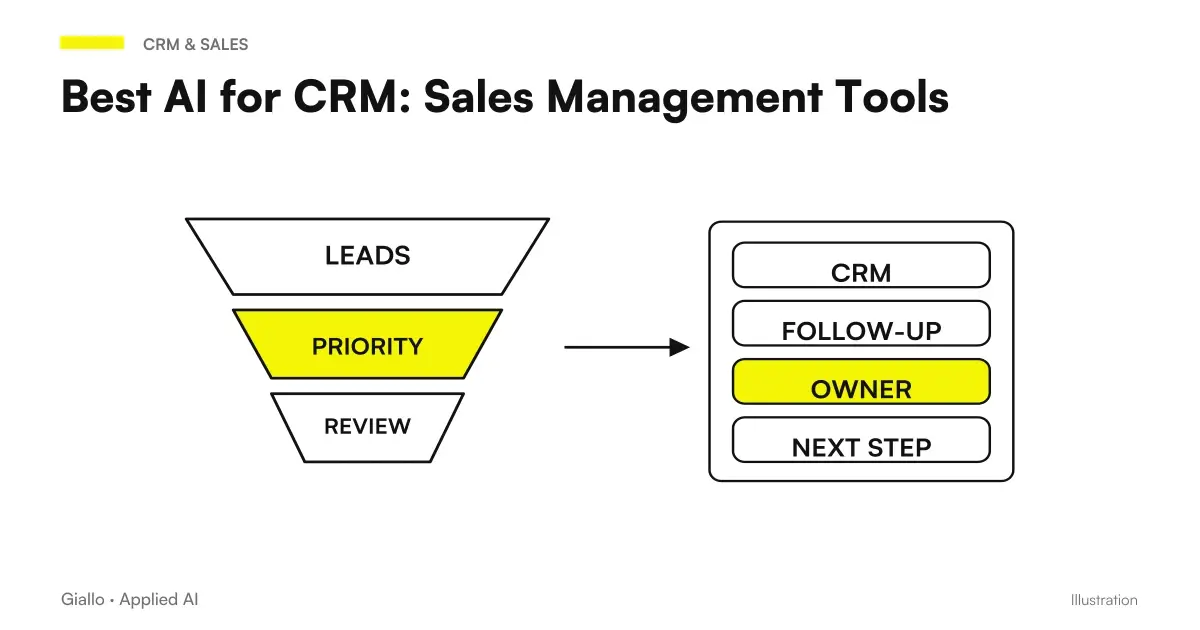
The best AI tools for CRM In 2026 they are not just digital columns: they analyze the pipeline, suggest the right time to contact a lead, summarize past conversations and predict which negotiations will close. For an Italian SME, this means less time to make manual notes and more time to sell.
The market for CRM with artificial intelligence It has consolidated around a few major players — HubSpot, Salesforce, Pipedrive. but is growing rapidly with lighter instruments such as Folk, Attio and Close. The choice depends on three variables: team size, sales process complexity, and available budget.
In this guide you will find a practical comparison of the most used tools, with real use cases for SMEs and Italian professionals, frequent mistakes to avoid and indications on how to choose the one that suits your context.
- HubSpot AI is the most complete CRM for SMEs who want marketing + sales in the same tool, with a working free plan.
- Salesforce Einstein is the enterprise choice: powerful and customizable, but requires technical resources for configuration.
- Pipedrive AI is the most suitable for small commercial teams (2-10 people) who want automation without overhead.
- Folk and Attio are modern CRMs with integrated AI, ideal for agencies, startups and those with non-linear relational pipelines.
- AI in CRM really serves when you have enough historical data: with less than 6 months of conversations in the system, predictions are unreliable.
- No AI CRM replaces a well-defined sales process: it automates what works, does not fix what is broken.
What are the best AI tools for CRM in 2026?
HubSpot AI
HubSpot is the reference for SMEs that want to manage marketing, sales and customer support in a single platform. AI features include: automatic contact scoring, email and call summaries (with transcript), follow-up tips, and pipeline predictions.
The free plan is generous and includes the basic CRM. Sales Hub plans with AI start at about 15-45€/user/month (check the official website for updated prices). The main advantage is native integration with Gmail, Outlook, LinkedIn and the main marketing automation platforms.
Main Limit: the more you add forms, the more the cost grows. For teams that only use CRM without marketing automation, it is oversized.
Salesforce Einstein
Salesforce Einstein is the AI layer above the Salesforce platform. It offers sales forecasts, lead scoring, conversation analysis, next step tips, and workflow automation.
It is the choice for companies with complex sales processes, large teams and advanced customization needs. However, it requires a significant investment in configuration and training. The cost for advanced AI functions is added to the Salesforce base — plans check the official website for the updated facility.
Main Limit: the time-to-value is long. An SME without a dedicated technical contact person will struggle to make full use of it in the first few months.
Pipedrive AI
Pipedrive is known for the visual simplicity of the pipeline. In recent versions it has introduced AI features: suggestions on tasks to be done, summary of conversations, closing rate analysis and pipeline predictions.
It is the fastest CRM to start for small business teams. The interface is also intuitive for those who have never used a CRM. Plans with AI functions are in the 25-50€/user/month range (check the official website).
Main Limit: less powerful than HubSpot or Salesforce for those in need of complex marketing automations or workflows.
Folk
Folk is a modern CRM designed for those with relational pipelines: agencies, recruiters, investors, consultants. The built-in AI suggests similar contacts, automatically groups leads by common features, and generates custom messages for the outreach.
It is particularly suitable for those who work a lot on LinkedIn and need a flexible CRM, not bound to a rigid sales process. Check out the official website for updated plans.
Main Limit: less structured for linear sales processes with defined stages.
Attio
Attio is a data-driven CRM that leverages AI to automatically enrich contact data, identify patterns in the pipeline, and suggest actions. The interface is similar to a smart spreadsheet, which makes it suitable for technical or analytical teams.
Main Limit: Higher learning curve than Pipedrive or HubSpot. It is not the ideal starting point for those who have never used a CRM.
Close
Close is a CRM focused on outbound sales with AI functions for call transcription, auto summary and follow-up suggestions. It is widely used by inside sales teams.
Main Limit: less suitable for those who mainly do inbound sales or need integrated marketing functions.
Practical examples: Italian SMEs using AI in CRM
Example 1 — B2B consulting firm (Milan, 5 commercial)
The firm handles about 200 active negotiations per year. Prior to the adoption of an AI CRM, commercials spent 30-40 minutes a day writing notes after calls and deciding who to contact again.
After HubSpot is adopted with AI functions active: automatic call transcription reduces manual notes to 5 minutes. Lead scoring prioritizes the 20-30 contacts most likely to convert each week. The trade focuses on hot contacts instead of scrolling through a list of 200 names.
Declared result: +25% of negotiations closed at the same time, without increasing the team.
Example 2 — Equipment B2B E-commerce (Brescia, 3 Sellers)
The team handles quote requests from small manufacturing companies. The problem was dispersion: email, WhatsApp, phone calls — no single track per customer.
By adopting Pipedrive AI with email integration: each conversation is collected in a single customer profile. AI suggests the best time for follow-up based on each contact's response history. Pipeline forecasts have made monthly revenue projections more accurate (previously they were spurious estimates).
Result: less leads lost by forgetfulness, more predictable pipeline.
Example 3 — Law Firm (Rome, 8 lawyers)
A law firm started using HubSpot as a CRM to track potential customers (not legal practices, for which it uses dedicated software). AI helps to summarize initial conversations with potential customers, identify those closest to signing the mandate, and automate reminders for follow-ups after the first interview.
To deepen the specificities of the sector, read AI for law firms.
AI Tools Comparison for CRM
| Tool | Strengths | Limitations | Indicative price |
|---|---|---|---|
| HubSpot AI | Complete platform, free plan, excellent marketing integration | Expensive if you use all modules, it can be oversized | From free to 45€+/user/month |
| Salesforce Einstein | Powerful, customizable, ideal for enterprise | Requires technical resources, time-to-value along | Official website verification |
| Pipedrive AI | Simple, visual, quick to start | Less powerful for complex automations | /25-50€/user/month |
| Folk | Great for relational pipelines, AI outreach | Less structured for linear sales | Official website verification |
| Attio | Data-driven, flexible, AI for data enrichment | High Learning Curve | Official website verification |
| Close | Excellent for inside sales and outbound | Limited for inbound and marketing | Official website verification |
When to use an AI CRM / when to avoid it
- Use an AI CRM if: you have at least 50-100 active contacts to manage, your team follows up on negotiations with multiple touchpoints, you lose leads for forgetfulness or lack of traceability, you want more precise turnover forecasts.
- Avoid (or postpone) if: you don't have a defined sales process yet (AI doesn't invent it for you), your team doesn't adopt digital tools regularly (an unused CRM is worse than no CRM), you have less than 20-30 active contacts (a spreadsheet is enough).
Errors to Avoid When Adopting an AI CRM
1. Choose the most powerful CRM instead of the most suitable. Salesforce is great, but if your team has 3 people and you don't have a technical contact, you'll spend more time configuring it than selling. Start with Pipedrive or HubSpot free and scale.
2. Do not import historical data. CRM AI works best with real data. If you start from scratch without importing at least the email and contact history, the predictions will be useless for the first 3-6 months.
3. Use CRM only as a address book. If you don't record tasks (calls, emails, meetings), AI functions have no input to work on. CRM requires refresh discipline, even when there is AI.
4. Ignore the adoption phase of the team. The most advanced tool is useless if commercials continue to use Excel or WhatsApp. Before adopting an AI CRM, define the rules of use and do practical training.
5. Expect AI to close the negotiations for you. AI suggests, prioritizes, and automates repetitive tasks. Customer relationship, negotiation, and closure remain human.
How to Choose the Right AI CRM for Your Business
Team size: 1-5 people → Pipedrive AI or HubSpot free; 5-20 people → HubSpot Sales Hub or Folk; 20+ people with complex processes → Salesforce Einstein or HubSpot Enterprise.
Type of sale: intensive outbound → Close or Pipedrive; inbound + integrated marketing → HubSpot; relational pipeline (agencies, consulting) → Folk or Attio; enterprise with many customizations → Salesforce.
Budget: if the budget is constrained, HubSpot free + Notion AI for document management covers most PMI cases. Scale when the process is validated.
Integration with existing tools: check compatibility with Gmail or Outlook, invoicing tools (e.g. Fatture in Cloud, Aruba) and any e-commerce platforms (Shopify, WooCommerce). An isolated CRM loses half its value.
To understand which processes in your company are ready for AI automation, read the guide AI automation for companies. If you are evaluating AI for the entire business process, the guide AI for businesses offers a wider overview.
Teams working in the B2B services industry can find specific guidance in AI for B2B services, where vertical use cases are collected.
Before choosing an AI CRM, it may be useful to understand what the AI agents and how they stand out from simple chatbot: the difference affects the level of automation you can expect. For those who want to deepen the technical part, the guide on AI API explains how CRMs integrate language models into their functions.
You can also compare AI CRMs with best AI tools in general or explore specific solutions for email and customer care, two areas closely related to customer management.
Conclusion
The best AI tools for CRM in 2026 Hub HubSpot, Salesforce Einstein, Pipedrive AI, Folk, Attio — share a goal: to reduce the time commercials spend on administrative tasks and increase the time devoted to customer relations. The difference between one tool and another lies in the complexity of the process they support and the ease of adoption.
For an Italian SME starting from scratch, the most effective path is: start with HubSpot's free plan or Pipedrive, import historical data, establish clear rules of use for the team, and scale AI functions only when the base process is solid.
If you want to understand what processes in your company can be automated with AI, Giallo Studio can help you turn the problem into a real workflow. Or explore The Lab to see concrete examples of automations already made for Italian SMEs.
Giallo Studio guides: methodology and sources
How we apply it in the company
Related resources
 Best AI for email: tools to write and manage mail
 Best AI for Customer Care: Customer Service Tools
 Best AI for Marketing: Tools and Platforms
 Best AI for business: which to choose in October 2026?
 AI automation: what it is and how it works
 Voice AI or chatbot: which channel to choose
 Anthropic OSS Scanner: free AI scans for eligible open-source projects
 GitHub Copilot: Local sandbox available, how it limits files, network and credentials
Comparisons by activity
Which tool suits the other tasks.
- Best AI to Create Websites
- Best AI for Customer Care: Customer Service Tools
- Best AI for Data Analytics: Tools and Platforms
- Best AI for email: tools to write and manage mail
- Best AI for Translations: Tools and Comparison
- Best AI for Excel (October 2026): Copilot, ChatGPT, Claude or Gemini?
- Best AI for Students: Tools for Better Studying
- Best AI for Marketing: Tools and Platforms
- Best AI for social media: tools for content and management
- Best AI for presentations: tools to create slides
- Best AI for SEO: Tools to Optimize Content
- Best AIs to summarize PDFs and documents
FAQ
What is the best AI tool for CRM in 2026?
It depends on the size and process. HubSpot AI is the most complete option for SMEs that are already digital. Salesforce Einstein is the enterprise choice. Pipedrive AI is ideal for small sales teams seeking automation without complexity. Folk and Attio are the most modern options for startups and agencies.
Does a CRM with AI really make a difference to a traditional one?
Yes, in three areas: automatic lead scoring (prioritising contacts more likely to close), conversation summaries (no manual notes after each call) and follow-up suggestions (the system remembers what to do and when). The estimated time saving is between 20% and 40% of repetitive sales activities.
Which AI CRM is suitable for an Italian SME without IT department?
Pipedrive AI and HubSpot (the free plan or Starter) are the easiest to get started with without technical skills. Both have Italian-language interfaces, support and extensive documentation. For simpler needs, Notion AI plus a customer database also covers basic cases.
Are AI CRMs suitable for professional firms, such as law firms and accountants?
Yes. A law firm can use an AI CRM to track cases, deadlines and client communications. HubSpot or Pipedrive work well; alternatively, specialised CRMs exist for the legal sector. AI mainly helps summarise communications and automate reminders.
How much does an average CRM with AI cost for an SME?
The range is wide: from free (HubSpot free, Notion AI base) up to 50-100€/user/month for advanced plans with AI. Most SMEs find value in the plans between 15 and 45€/user/month. Always check the official website for updated prices because they change often.
Can AI in CRM make reliable sales forecasts?
AI predictions are useful but not infallible. They work best with at least 6-12 months of historical data in the system. Tools such as Salesforce Einstein and HubSpot Forecasting AI give reasonable estimates of the pipeline, but should be used as support for the decision, not as oracles.