
Best AI for Students: Tools for Better Studying
Best AI tools for students: apps for summaries, explanations, flashcards and more effective study. A practical guide with prices and comparisons.
Reading time: 8 min
Every student now has access to tools that did not exist until a few years ago: AI assistants able to explain a concept, summarize dozens of pages, generate review questions and correct texts in seconds. The problem is no longer "is there anything?", but what are the best AI tools for students and how to use them so that they really help you learn, not just copy.
The difference between using these tools well and using them badly is subtle but important. An AI used as an interactive tutor spiegawhich explains, asks questions, and corrects correggeaccelerates learning. Used as a machine to produce tasks already done, it slows down understanding and creates dependence. This guide focuses on the most useful tools, with concrete use cases and clear limits.
The AI app to study they fall into some categories: general assistants (ChatGPT, Claude, Gemini), tools for reading and summarizing documents, apps for creating flashcards and tests, and platforms for taking smart notes. Each has different strengths.
- ChatGPT is the most versatile tool: it explains topics, corrects texts, answers questions about any subject.
- Claude excels in long document analysis and structured writing ideale ideal for theses, essays, relationships.
- Perplexity AI is the best for research with sources: it answers with verifiable citations, useful for academic research.
- Notion AI integrates AI directly into the clipboard: summarizes, organizes, generates patterns without changing apps.
- AI Quizlet turns study materials into flashcards and tests automatically, ideal for active review.
- No tool replaces real understanding: used as a tutor, they multiply learning; used as a shortcut, they reset it.
What are the best AI tools for students in 2026?
ChatGPT — the general guardian
ChatGPT remains the starting point for most students. Its strength is flexibility: you can ask it to explain the French revolution, help you structure an essay, correct a paragraph in English or solve a math problem by showing the steps.
With the free plan you access the basic model, enough for most daily tasks. The Plus version unlocks PDF uploads, image analysis (useful for physics or geometry problems with drawings) and a longer context for articulated documents.
When to use it: explanations of concepts, correction of texts, conversation in a foreign language to practice, structure of elaborate writings.
Main limit: sometimes “hallucinate” — invent dates, citations or details that seem credible but are not. Do not use it as a source for historical or scientific facts without checking. Learn how to avoid AI hallucinations.
Claude — the best for long texts and analysis
Anthropic’s Claude is particularly appreciated by university students for two reasons: it reads very long documents (up to 200,000 tokens, equivalent to hundreds of pages) and produces texts that are more structured and less repetitive than other models.
Load a textbook chapter, thesis or collection of articles: Claude extracts the key points, answers specific questions and synthesizes without losing the important details. Also useful for summarize PDFs and long documents.
When to use it: analysis of academic texts, preparation for the thesis, reworking of dense notes, revision of elaborate writings.
Perplexity AI — search with verifiable sources
Perplexity is different from others: it not only generates an answer, but accompanies it with the web sources from which it comes. For students it is valuable because it allows to verify the information and deepen by reading the original articles.
Compared to Google, Perplexity summarizes more results in a consistent response instead of returning a list of links. Compared to ChatGPT, it cites sources instead of generating referenceless information. Learn more about Perplexity AI for research.
When to use it: in-depth research, verification of information, finding academic sources on a topic.
Limit: less effective for complex mathematical or scientific reasoning; better for humanistic and interdisciplinary research.
Notion AI — smart notes
Notion AI integrates artificial intelligence directly into the environment to take notes. You can paste the notes of a lesson and ask to: create a summary, generate review questions, turn bullet points into a structured text, translate a section.
The advantage is not having to change apps: everything happens in the document where you are already working. The limit is that it requires a Notion AI subscription (verifies the official website for current costs) and works best if you already use Notion as a clipboard system.
AI Qui flashcard Quizlet and active review
Quizlet is historically the most popular flashcard tool among students. AI functions now allow you to upload a text or document and automatically generate a set of flashcards with questions and answers.
Active review —testing oneself instead of passively rereading —is one of the most effective study techniques according to cognitive research. Quizlet AI automates the creation of the material, reducing the time it used to take to do the cards by hand.
When to use it: preparation for examinations with many definitions or notions to memorize (anatomy, history, chemistry, foreign languages).
Practical Examples: How a Student Uses These Tools
Scenario 1 — university struggling with a thesis
Marco studies Political Science and has to prepare the three-year thesis on migration and European policies. He has a collection of 15 academic articles in PDF to analyze.
Use Claude to upload PDFs to groups and ask, "What are the main topics of this article? What thesis contradicts the previous one?" In a few hours he builds a map of the recurring themes that would have required him weeks of manual reading.
To find more sources use Perplexity: Search for "EU 2020-2025 academic sources reception policies" and get synthesis with verifiable links to papers. When writing chapters, use ChatGPT to correct paragraphs in Italian and rephrase sentences that are too complex — not to generate the text, but to improve it.
Scenario 2 — High School in Preparation for Maturity
Giulia attends the senior year of the scientific high school and has to prepare on modern physics, a topic she finds difficult. ChatGPT as a tutor: "Explain to me special relativity as if I had never studied advanced physics, with practical examples." Then he asks self-assessment questions: "You ask 5 questions about relativity and wait for my answers before you correct."
To store key formulas and concepts use AI Quizlet: Paste his notes and generate a deck of 40 flashcards in five minutes. Repeat it every night for two weeks, following Quizlet's spaced repetition system.
For the thesis of Italian he uses Notion AI to structure the index and rework the first draft — then correct everything by hand before delivering it.
Comparison of AI Tools for Students
| Tool | Strengths | Limitations | Indicative price |
|---|---|---|---|
| ChatGPT | Versatile, explains any matter, upload file (Plus) | Hallucinations on specific data, without quotations | Plan free; Plus check on site |
| Claude | Long documents, structured texts, accurate analysis | Less research-oriented with sources | Plan free; Pro check on site |
| Perplexity AI | Responds with verifiable sources, great for research | Less effective on mathematical reasoning | Free plan with limits; Pro check on site |
| Notion AI | Integrated into the clipboard, in-app summaries | Requires subscription Notion AI, setup curve | Check on official website |
| AI Quizlet | Automatic flashcards, active review | Restricted to memorization, not reasoning | Free plan with limits; Plus check on site |
| Gemini | Integrated with Google Docs/Drive, good for search | Less powerful than ChatGPT and Claude on complex reasoning | Plan free; Advanced site verification |
When to use AI / when to avoid it
- You have to understand a concept that the book explains wrong
- You want to practice with custom review questions
- You have a long text to synthesize before you read it whole
- You want to correct the grammar and style of an already written paper
- Study a foreign language and want to converse to practice
- You want me to write the task for you without understanding
- Are you looking for accurate historical or scientific data without verifying the sources
- You have to develop an original argument (AI produces the "mainstream", not critical thinking)
- Your school or university explicitly prohibits the use of AI in elaborate
Mistakes to Avoid When Using AI to Study
1. Belief in everything without checking. Generative AIs invent plausible but false details — dates, citations and authors’ names. For any information you include in an assignment, always check the original source.
2. Ask for answers instead of explanations. "What's the answer to exercise 5?" is less helpful than "I don't understand how to solve this kind of problem, can you explain the method step by step?" The second approach teaches, the first does not.
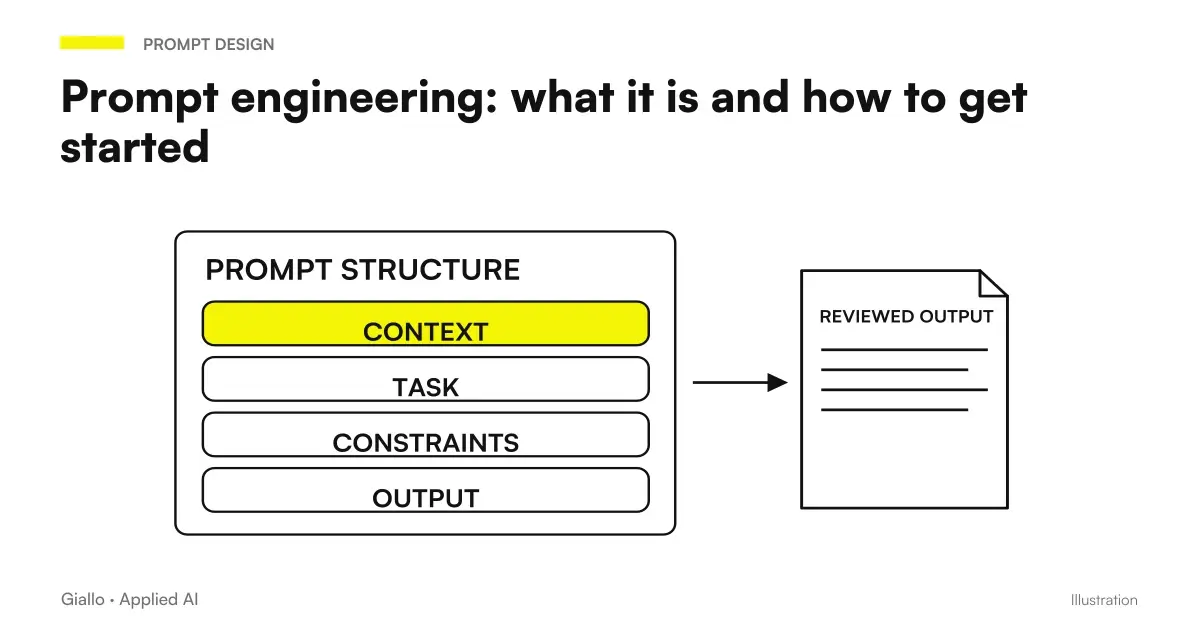
3. Use AI without customizing the prompt. Generic Answers = generic prompts. Specify the school level, the subject, what you already know and what you don't understand. The more context you give, the more useful the answer will be. Prompt engineering guide to get started.
4. Depend on only one tool. ChatGPT for explanations, Perplexity for sources, Quizlet for review: using them in combination produces better results than relying on just one.
5. Skip the final verification. Before delivering an elaborate written with AI support, reread it all: AI can introduce phrases that don't sound like yours, inaccurate information or repetitive structures that the professor will notice.
How to Choose the Right Tool for You
The choice depends mainly on the subject and the type of task:
- Humanities (history, philosophy, literature, law): Claude and ChatGPT for explanation and text analysis; Perplexity for finding sources; Notion AI for organizing notes.
- Scientific Matters (mathematics, physics, chemistry): ChatGPT Plus with uploads of photographed problems; Wolfram Alpha integrated for calculations; Claude to understand complex demonstrations.
- Foreign languages: ChatGPT as an interlocutor for conversation; AI Quizlet for vocabulary; Claude for correction of written themes.
- Exam preparation with many notions: AI quizlet for flashcard; ChatGPT to simulate oral interviews.
If you are a college student and work with long documents on a regular basis, Claude Pro is worth a try. If you are in high school and studying on your own notes, ChatGPT or Claude's free plan is enough to get you started.
Consider also the privacy factor: before uploading sensitive materials (notes with personal data, thesis not yet defended) on cloud platforms, check the conditions of use of the tool. Some uploaded data can be used to train models, except for specific privacy settings.
Conclusion
The Best AI Tools for Students They are not the ones who do the tasks for you, but the ones that help you understand faster, review more effectively and organize the material without wasting hours. ChatGPT, Claude, Perplexity and Quizlet cover most use cases with accessible free plans.
The real leap in quality comes when you use them intentionally: as a tutor, not as scripts. For those who study or teach and want to understand how to integrate these tools in a sustainable way, it is worth exploring How Prompt Engineering Works and, for those who already work in professional settings, how AI integrates into real business processes.
AI becomes useful when it enters processes. Giallo Studio helps SMEs and teams to build concrete, measurable and sustainable automations.
Giallo Studio guides: methodology and sources
How we apply it in the company
Related resources
Comparisons by activity
Which tool suits the other tasks.
- Best AI for social media: tools for content and management
- Best AI for Translations: Tools and Comparison
- Best AI for SEO: Tools to Optimize Content
- Best AI for Data Analytics: Tools and Platforms
- Best AIs to summarize PDFs and documents
- Best AI to Create Websites
- Best AI for presentations: tools to create slides
- Best AI for CRM: Sales Management Tools
- Best AI for Marketing: Tools and Platforms
- Best AI for Customer Care: Customer Service Tools
- Best AI for Excel (October 2026): Copilot, ChatGPT, Claude or Gemini?
- Best AI for email: tools to write and manage mail
FAQ
What is the best AI for studying?
There is no single answer: it depends on use. For explanations and questions on complex topics, ChatGPT and Claude are the most used. To summarise PDFs and long documents, Notion AI and Claude excel. For automatic flashcards, Anki with AI plugins or Quizlet AI are the most practical choices.
Are student AIs free?
Many tools offer a free plan with limits: ChatGPT (basic version), Claude (free plan), Perplexity (limited searches), Quizlet (basic functions). Paid versions unlock longer contexts, uploads of documents and unlimited use. Always check the official website for updated plans.
Can an AI explain a difficult topic to me?
Yes. Tools such as ChatGPT, Claude and Gemini effectively explain complex concepts through examples and analogies, adapting the difficulty level. Simply specify your level in the prompt (for example, 'explain it to me as if I were in high school') to obtain appropriately pitched answers.
Can AI do my homework for me?
Technically yes, but it is counterproductive. AI tools are more useful as interactive tutors: they ask questions, explain steps, correct errors. Using them to copy answers without understanding impoverishes real learning and can create academic problems.
What AIs help to summarize PDFs and long texts?
Claude (with 200k token context), ChatGPT Plus with upload files, Notion AI and Adobe AI are among the most effective for analyzing long documents, extracting key points and generating structured summaries. Perplexity is useful for web sources.
Can I use AI to prepare a thesis or school research paper?
Yes, as a support tool: finding sources, structuring the table of contents, correcting grammar and rephrasing passages. It must not be used to generate entire sections to present as your own: this is academically improper and often detectable by plagiarism-checking software.