
OpenAI Dots: ChatGPT's always-active agents explained
OpenAI Dots explained for SMEs: ongoing responsibilities, cloud, memory and controls. Differences from ChatGPT, Work and Codex, and access in Italy.
Reading time: 15 min
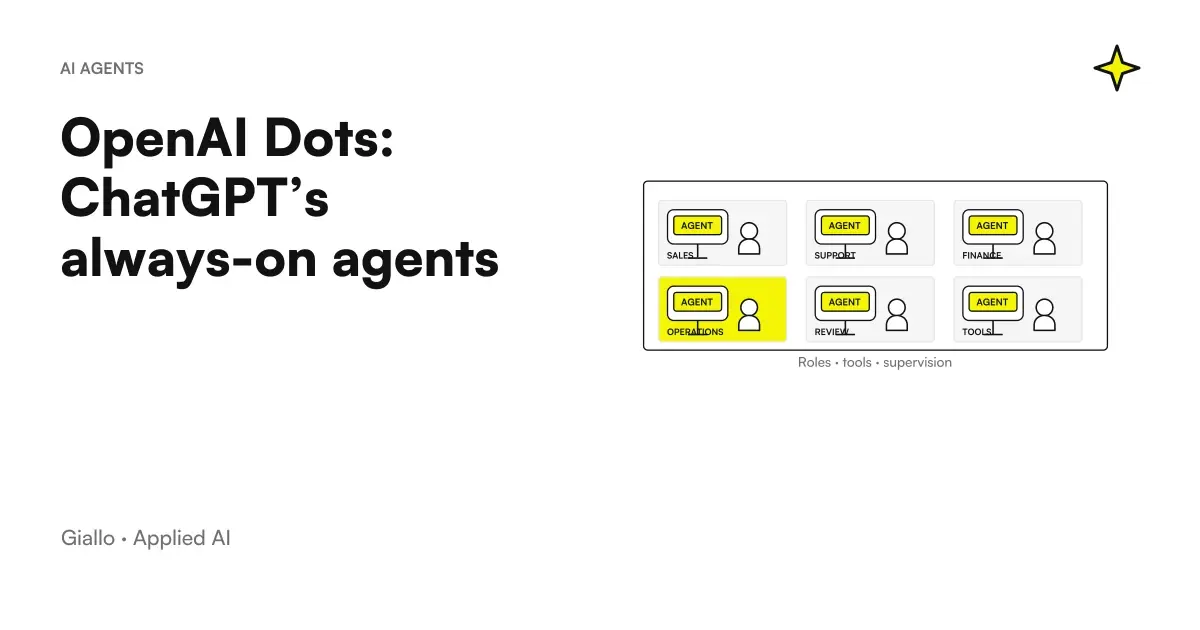
Dots OpenAI is a product for persistent personal agents inside ChatGPT: your dot can follow ongoing responsibilities, maintain relevant context and coordinate work through tools and a cloud computer. It was announced on 29 September 2026 and is powered, at launch, by GPT-6 Astra. The concrete promise concerns the continuity of work, not just the quality of an answer. OpenAI official announcement.
For an SME it means being able to assign an assignment as ‘keep the materials of this project up to date and report to me what a decision requires’, instead of starting over each time with attachments and explanations. To get a useful result, however, you need to define sources, boundaries, outputs and controls. An agent who retains context can also retain a misunderstanding: continuity makes it all the more important to correct the wrong information.
This guide describes the product according to the verified documentation on 9 October 2026. Availability and plans depend on the region and workspace: for an Italian reader the first control is the guide to Dots in Italy, plans and costs. The examples below are hypothetical scenarios, not Giallo customers nor measured results.
In summary
- A dot follows responsibility over time and can coordinate subsequent activities.
- ChatGPT Chat, Work, Codex and Dots have distinct roles.
- The cloud computer and the connected personal computer have different sessions and requirements.
- Memory, connections, and permissions must be handled separately.
- The first assignment must produce a small, verifiable and reviewable result.
- Pro access to launch does not include Italy; Business Premium is in worldwide rollout.
Dots OpenAI what is it for compared to a normal chat?
A normal chat is a great place to start when you want to understand a document, prepare a text or discuss a choice. Ask her something, get an answer, continue the conversation. With a dot the center of the assignment can become a Continued Responsibility: follow a project, keep relevant information and help you carry on the work. This distinction is explicit in the Dots presentation.
The difference emerges when the inputs change. A launch document receives a change, a deadline is moved, a request remains pending. In an all-manual process someone has to notice it, find the materials involved and figure out which ones should be reviewed. Entrusting a responsibility to the dot means defining how it should contribute to this path. It doesn't mean that any changes in any app automatically become an event that the agent detects.
Consider two demands. "Write a commercial presentation" describes a single output. "Keep a draft presentation consistent with the approved brief; when the brief changes, point me to the parts to review" describes a responsibility. In the second request, the official source, how the changes are detected and the review before external use are still to be clarified. The value comes from these details, not from the always-active label.
To recognize a good continuous assignment ask yourself if there is a stable source, observable changes and a controllable output. A vague idea such as "careful with marketing" does not meet these requirements. "Prepare editorial proposals based on the approved catalog and collect open questions" is more manageable. The Guide to differences between assistant, chatbot and agent helps to choose the degree of autonomy suitable for work.
What is the difference between Dots, ChatGPT Work and Codex?
The name OpenAI appears in different experiences. Confusing them leads to choosing the wrong product or looking for a setting where it does not exist. Dots coordinates continuous personal responsibilities; Work manages articulated and deliverable activities; Codex is dedicated to software. An ordinary chat remains suitable for conversation and exploration. These roles are described in Official Directions on ChatGPT Work and Codex.
| Experience | Useful question to choose | Result to be checked |
|---|---|---|
| ChatGPT Chat | Should I clarify a matter or develop an idea? | Answer, reasoning, proposed text |
| ChatGPT Work | Do I have to complete a multi-step task? | Document or other deliverable usable |
| Codex | Do I have to work on code and software development? | Modifications, verifications, diffs and technical artifacts |
| Dots | Do I have to take responsibility over time? | Status, proposals, coordinated activities and open issues |
| Workspace Agent | Do you need a repeatable and shareable workflow? | Configuration and results of the specific workflow |
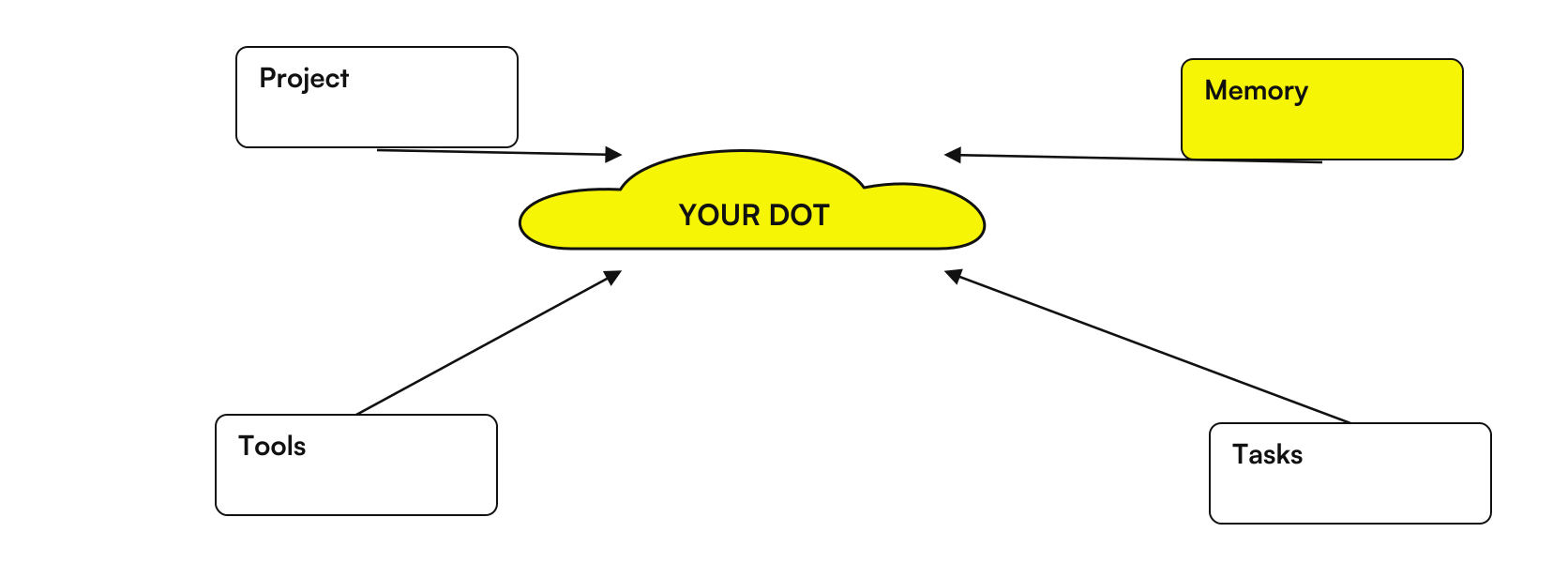
A dot can delegate tasks and link to already organized technical work, but delegation does not change the meaning of controls. If Codex has finished a change, the behavior of the software remains to be verified. If Work has prepared a presentation, it remains to be confirmed that numbers, promises and recipients are correct. In our in-depth study of Dots, Work and Codex find a path to distribute responsibility and review.
There are also buildable and shareable agents in the workspace, with a separate documentation. I'm not automatically your personal dot. The specialists dot cited by OpenAI instead concern a preview of responsibilities and identities dedicated to organizations through pilot Enterprise. Therefore, before designing a shared process, it is necessary to verify the actually available product, without inferring capabilities from a similar name. Workspace agents and ad specialist dots.
How does a continuing responsibility work?
A well-built assignment has a legible path: sources, work, output, review, update. Sources determine what is true about the project. The work indicates what the dot can prepare. The output makes the result controllable. The review identifies who can approve it. The update explains what needs to happen when changing data. It is an operational method, useful even when the chosen tool is not Dots.
The source should have an explicit role. If there is an official catalog and an old presentation, it is not enough to deliver both. It must be said which prevails in the event of a conflict. If a product appears in a transcript as "perhaps available in November", the dot must not turn it into a commercial commitment. The brief may require you to mark any uncertain information and report the document from which it came.
The output can be a difference checklist, a draft, or a summary. For the first assignment it is better to choose something easily comparable with the source. Asking for a list of changed deadlines is easier to verify than a complete rewrite of the project. In checking not only look for obvious errors: also look for omissions, irrelevant links and phrases that increase certainty with respect to the original document.
Continued liability also requires a rule of interruption. If the project ends, if the source is archived, or if the manager changes, the assignment must be reviewed. Otherwise the agent can continue to produce outputs that are correct with respect to a context that is no longer needed. For periodic activities, the way to save times, time zone and term is covered in the guide to automations and scheduled tasks Dots.
A concrete brief to follow project materials
Responsibility: Help me keep the project checklist consistent with the approved brief. Official source: the document indicated, in the agreed version. Output: list of differences, section references, and open questions. Boundaries: prepare proposals; do not modify the source and do not send materials. If you find incompatible data, stop at that point and ask which version prevails. Recurrence, if necessary, must be requested and verified separately.
This example separates the ability to reason from the ability to act. You could allow the preparation of a proposal without authorizing the modification of the original document. You could link a source but ask that the extracted information be used only for a specific project. The accuracy of the brief also makes human control clearer: the auditor knows what differences to look for and what activities were not to be performed.
What apps, data, and computers can a dot use?
Three elements must be distinguished: the communication channel, the connecting to an app and the Personal Computer. Talking to the dot in a channel is not the same as giving it all the actions of the app. Connecting an account does not automatically transfer local browser sessions to the cloud. OpenAI documents these differences in the pages on computers and apps and messaging.
Operationally, build a small access map: source, account, purpose, and expected action. A folder with approved materials may be sufficient to prepare a summary. It is not necessary to start from the entire company archive. If the job requires email, clarify if the dot needs to read a specified message, prepare a response or intervene on the account content. They are different tasks, even if they involve the same instrument.
The Guide to Gmail, Drive and Slack with Dots get into the links. For an Italian team it should be remembered that Teams is described in the administrative guide as alpha by invitation; SMS is not a documented channel as available for Italy. Therefore, avoid basing the process on a channel before verifying that it is present in the workspace. Dots Administrative Guide.
The dot has its own cloud environment that can continue to work without your personal device on. Local access has different requirements: the computer must be online and ChatGPT must remain open. This distinction matters if the necessary material is only on that computer. The Guide on Dots to Computer Off, Cloud, and Local Access helps to avoid assignments that depend on an unattainable resource.
Do memory and permissions make Dots reliable?
Memory and permissions help continuity and control, but they do not replace verification. A persistent context can reduce the need to repeat information; it can also maintain an old preference or misinterpreted fact. This is why an SME should keep official documents outside the agent, with a recognizable owner and version. The memory of the dot is a support to work, not the definitive register of business decisions.
On the product level, unplugging a plugin interrupts new logins but does not delete the context already obtained. Deactivate sharing of ChatGPT memory does not retroactively delete what the dot received. No controls are documented to view, edit, or delete individual dot memories. These boundaries are described in the Official Privacy FAQ and deepened in the guide to Dots Memory and Data.
Actions follow access, instructions, and authorization controls. Asking for a draft does not authorize sending. Custom Rules define conditions, but do not grant access to an app on their own and do not disable mandatory security. Proactive search uses tools limited to reading; any subsequent actions follow normal controls. Dots Controls and Product Safety.
For an enterprise, a useful rule identifies the permissible result and the passage to be reviewed. ‘Prepare draft commercial responses and show price, recipient and attachments before any sending’ is more verifiable than ‘act with caution’. Our article on permissions, approvals and emails shows how to make these boundaries legible without assuming that a sentence eliminates all risk.
How could a small Italian business use it?
A furniture manufacturer prepares to launch a line
Imagine a Brianza manufacturer preparing a new line for retailers. It has an approved catalog, selected photographs and a draft presentation. The responsibility assigned to the dot is to collect inconsistencies and propose updates of the materials. The required output contains the modified point, source, and consequence on presentation, product card, and commercial message.
The sales manager remains owner of prices, availability and promises. When a finish changes, the dot can prepare a proposal consistent with the accessible source and the assignment. Before using the materials, the manager compares the references, checks that the photos represent the right variant and checks that a provisional availability has not become a certain date. The comparison uses actual project documents, not a feeling of quality.
The first cycle may deliberately include incomplete information, such as a color yet to be approved. The useful answer does not invent color: it signals the open point. This behavior is worth more than a seemingly complete presentation. The case links to the guide on Dots for content and marketing of an SME, where the center is editorial consistency before publication.
A design study follows the activities of a clerk
Imagine an Emilian studio with multiple professionals working on a saleswoman. A coordinator can use their dot to prepare the personal summary of open issues starting from authorized minutes and checklists. The result is an internal note: required decision, source, person to be involved and document to be reviewed. It is not assumed that the dot can read every private conversation or automatically manage the work of others.
To begin with, the study uses a report lacking unnecessary data and only asks to distinguish decisions made, hypotheses and actions. The coordinator shall check that the responsibilities have been properly attributed. If a sentence says ‘hear the supplier’, the agent must not turn it into a ‘confirmed order’. Only after a positive review is a continuity of the assignment assessed, with updated source and defined control modes.
If the order requires a shared process, strict deadlines, and uniform tracking for everyone, a personal dot could only be part of the system. The team may need separate management software or automation. The Guide to AI Agents for Companies helps to distinguish personal support from the operational process that the organization must govern.
What mistakes make a dot unhelpful?
The first mistake is assigning a goal without deciding what counts as completed. ‘Improve materials’ leaves tone, recipient, sources and degree of modification open. An output with clear criteria is easier to accept or reject. Ask, for example, that each proposal show the original sentence and the reason for the intervention. Reduce ambiguity before increasing autonomy.
The second mistake is connecting many apps before finding a useful assignment. More context doesn't always mean better context. Old documents, duplicates, and mixed accounts can increase interpretation work. Start from the necessary source and add a connection only when it resolves an observed obstacle. The third is to exchange the absence of a notification for a test that has not changed anything: it counts to know if the check was actually planned and executed.
The fourth error concerns the stop. Pausing the main task does not mean that delegated tasks and recurrences are also stopped, which should be checked in Activity and Scheduled, respectively. Before changing project, check all relevant tasks. This distinction is documented in Official controls: the pause command should not be described as a universal switch.
A final mistake is to choose through too generic comparisons. A model, a chat and a persistent agent do not measure with the same question. The comparison Kimi AI vs ChatGPT it serves to reason about the needs of work; it does not prove on its own which product has accesses, responsibilities or controls suitable for your company. Functions must be verified in the concrete experience you intend to use.
Who remains responsible for the materials produced?
Operational responsibility must remain recognizable even when the dot coordinates more activities. A document may have a draft author, an auditor, and a person approving its use. They are not necessarily the same role. Writing them in the project prevents a material from becoming official because someone found it in the conversation or because a task is finished.
For the first assignment you can assign a single auditor and an internal output. If the project grows, clarify who decides on the technical data, who on the tone and who on the distribution. The dot may help to collect questions for these referents, but it should not implicitly resolve a conflict between their indications. A confirmed decision must be reported in the official source of the project.
This principle also helps when changing instruments. If the process has a clear owner and criteria, you can evaluate a chat, dot or dedicated automation without losing the logic of the job. The accepted result belongs to the project; the continuity of the agent serves to support it.
How to decide whether to start a project with Dots?
Write the assignment on a sheet first. If you can't indicate the source, expected result, and the reviewer, the problem is still organizational. When these items are clear, verify product access and connection availability. Then it assigns a circumscribed task, with an internal output and a conclusion condition. The Guide on how to create the first dot accompanies this phase without taking the plan for granted.
Evaluate the result with three questions: is the information true to the sources? Are open questions visible? Does the returned job help someone make the next decision? There is no need to invent a percentage of savings. You can record which steps you had to correct and how much revision work is left. If the output changes greatly between similar assignments, it first stabilizes sources and instructions, then evaluates further connections or recurrences.
Dots is interesting when a responsibility benefits from continuity, context, and coordination. An occasional request can remain in chat; a repetitive and rigid rule can be applied for a dedicated automation. For the basic concepts back to the guide on What are AI Agents. If you want to turn an assignment of your SME into a verifiable process, the work of Giallo AI Agent Design can start right from sources, outputs and review points, before choosing the tools.
Giallo Studio guides: methodology and sources
How we apply it in the company
Related resources
 Dots in Italy: updated availability, plans and costs
 How to create the first Dot in ChatGPT and assign it a project
 Dots automations: reminders, recurring checks and monitoring
 Dots Memory and Privacy: What Data Remains and How to Delete It
 Dots, ChatGPT Work and Codex: how to delegate a software job
 AI agents: what they are and how they work
 Kimi AI vs ChatGPT: which to choose for work?
 AI agents for business: when they are useful and how to adopt them
FAQ
What are OpenAI Dots?
Dots is the OpenAI product for persistent personal agents in ChatGPT. A dot retains relevant context, follows ongoing responsibilities and can coordinate activities through tools and a cloud computer, within available access and permissions.
What is the difference between a dot and a chat with ChatGPT?
A chat responds mainly to the current request. A dot can follow a responsibility over time, resume work and coordinate subsequent activities: the result still depends on instructions, sources, permissions and review.
Is Dots available in Italy with ChatGPT Pro?
As of October 9, 2026, Pro access at launch excludes the European Economic Area, hence also Italy. Business Premium is in worldwide rollout; Enterprise workspaces and other organizational plans require the authorization provided by the administrator.
Can a dot keep working when the computer is turned off?
Work in its cloud environment can continue without your personal computer being on. Using the connected personal computer, however, requires a connection and the ChatGPT app to be open; local files and logins do not automatically transfer to the cloud.
Does Dots replace Codex or custom business automation?
Dots can coordinate and delegate work to Codex, which remains the experience dedicated to software development. A process with strict rules, specific integrations or shared responsibilities may require separately designed automation.
Are specialist dots already available to every SME?
The announcement presents specialist dots as a preview with targeted Enterprise pilots. It does not document a self-service catalog available to any SME, nor should it be confused with the shareable agents of a workspace.