
Can Dots Send Emails? Permissions, Approvals, and Custom Rules
Dots and email sending: drafts, permissions, auto-review and Custom Rules. Define verifiable boundaries and stop tasks, delegates and recurring runs.
Reading time: 11 min
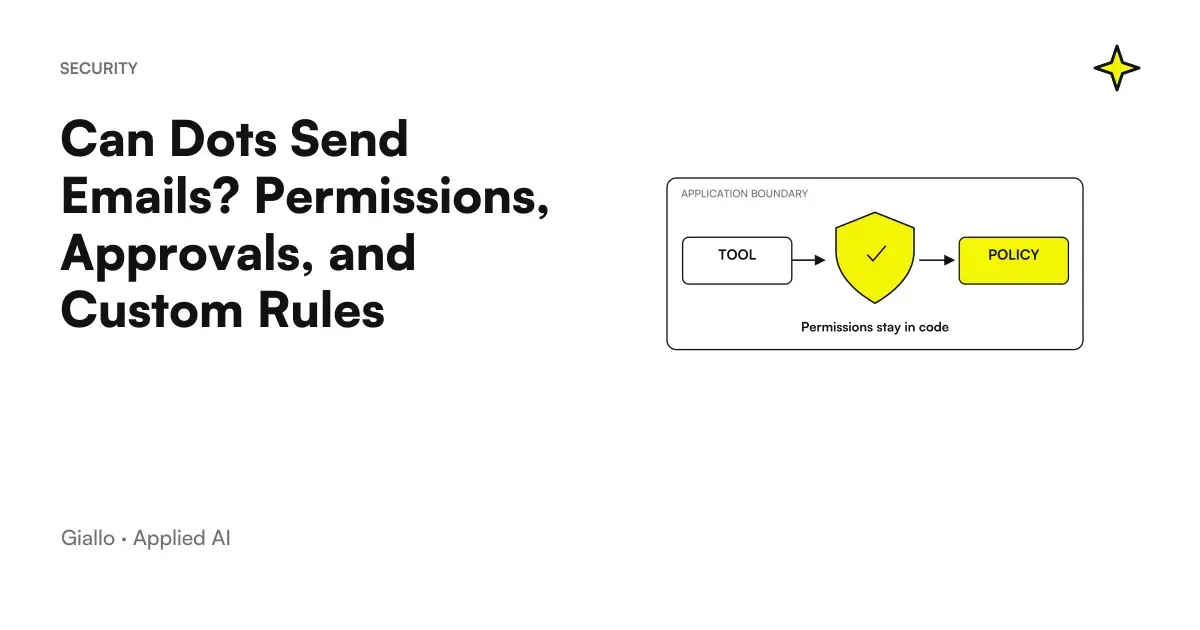
Dots can perform actions through the available tools, but asking for a draft does not authorize sending an email. Accesses, instructions, Custom Rules, and security controls define the path; the auto-review evaluates actions against these elements. A useful proxy indicates recipients, content, and conditions, instead of relying on "take care of the mail". Official controls Dots.
For an SME, the point is to separate preparation and external consequence. A draft can be reviewed; a sent message reaches people and can create engagements. The process must allow the manager to understand what he is approving, with text, recipient and attachments visible. Gmail's link does not resolve this decision alone.
The guide uses the verified documentation on 9 October 2026. It does not describe actions performed on an account nor does it guarantee that a rule will eliminate any error. For general concepts starts from OpenAI Dots: What They Are; for access to the product in Italy verify Dots plans and availability.
In summary
- Preparing a draft and authorizing a submission are different steps.
- The auto-review considers instructions, access, rules, and security.
- Custom Rules do not grant connections and do not delete mandatory checks.
- Proactive research documented is limited to reading.
- Main tasks, delegated tasks, and recurrences have separate controls.
- Sensitive actions may require approval or passage to the user.
When does a request only authorize a draft?
If you ask "prepare an answer", the expected result is a proposal. It should not be interpreted as being allowed to send it. The documentation distinguishes this case from authorisations for specific actions and any future conditions. Controls. In the brief you can make the border even clearer: «the answer remains to be reviewed; show me the intended recipient, text and attachments».
The reviewer must see the entire proposed action. The text may be correct but addressed to the wrong person. An attachment may contain an old version of the price list. A sentence may promise a date that the document describes only as indicative. Useful approval concerns these elements together, rather than simply whether the email sounds professional.
When an information is missing, the dot should make it visible in the result. ‘Price to be confirmed in the approved source’ is more useful than a value derived from a non-relevant message. Specify which document prevails and ask to distinguish confirmed data and open questions. The Guide on AI to Respond to Business Emails applies the same logic to the communication process, regardless of the chosen product.
| Request | Result to be expected | Decision still needed |
|---|---|---|
| Summarize this message | Synthesis True to Source | Eventual response |
| Prepare a draft response | Text to be revised | Sending, Recipients and Attachments |
| Propose an update to the document | Suggested edit | Application to official source |
| Follow this responsibility | Work within the agreed perimeter | Actions beyond the perimeter |
| Perform an authorized action | Action in the specified context | New conditions or cases excluded |
The table is a design guide, not a list of permissions of your account. Available actions depend on connections and workspace. Before assigning a send, then also check the guide to Gmail, Drive and Slack with Dots: a channel and access to the app are not the same thing.
What does auto-review do and what limits does it have?
The auto-review evaluates whether an action falls under the instructions, permissions, Custom Rules, and security rules. It does not replace the review of corporate content. An action may have a limited authorization and still require control of a price, name or promise. Controls Documentation.
To build a readable flow, therefore, it separates two questions: "Is this action authorized?" and "Is this result correct?". The first concerns the boundary of delegation. The second concerns the sources and judgment of the person responsible. If you treat the authorization as proof of quality, you risk skipping just the control that knows the business or professional context.
When the product asks for confirmation, read the proposed concrete action. If the text has changed from the approved draft, the revision must relate to that version. If the recipient is different, the perimeter has changed. A clear confirmation should allow to reconstruct the decision: what, to whom and under what conditions. Do not use generic consent phrases to cover an indefinite series of future actions.
For any continued authorizations, limit the cases allowed and those excluded. If a case does not fall under the rule, it must become a new decision. It is not necessary to start at this level immediately: for the first project, draft and manual revision help to understand the real variables. The route on how to create the first dot starts from internal results precisely to make errors visible before external consequences.
How to Write Controllable Custom Rules?
A useful rule contains a behavior, scope, and review condition. "Be cautious" is difficult to verify. "For commercial replies, prepare drafts based on the approved price list; if price, recipient or attachment are uncertain, it highlights the point before any sending" makes the boundary recognizable.
Custom Rules do not link accounts, do not grant access to the computer, and do not remove mandatory security. This distinction is explicit in Dots Controls. A phrase like ‘you can read everything’ does not replace the available accesses or an appropriate choice of sources. The rule must lie within the project, not attempt to enlarge it without a decision.
Example rule for business drafts
Only prepare proposals based on the price list and approved materials indicated. Show recipient, content, attachments, and open issues. Don't turn an indicative availability into a promise. Request a review before submitting or modifying official documents. If a request leaves this scope, submit the new case with the necessary information to decide.
This example is not an absolute protection. It must be verified by observing the results and the path of the actions. If a rule produces questions about every detail irrelevant, it can make the work unhelpful. If it is too broad, it may not clarify the cases that matter. Correct it from the real errors of the task, leaving explicit decisions with external consequences.
For a team, it retains operational rules in the place where corporate responsibilities are managed. The dot may have instructions of its own, but a procedure should not exist only in the personal context of an employee. The Guide to corporate policy on the use of AI helps to give an owner to the rules and their revision.
Can Proactive Search Act on Apps?
OpenAI describes proactive search with tools limited to reading: it does not send messages, does not edit apps, and does not control browsers or computers. Subsequent actions follow normal permit rules. It is therefore wrong to describe proactivity as the freedom to intervene anywhere. Official blog on security and privacy Dots.
For business work, a proactive proposal can be an input to evaluate. If you suggest changing a presentation, first compare the source and the consequence. If you suggest contacting someone, decide on recipient and content. The fact that the dot has identified a useful possibility does not replace the choice to act.
Sensitive actions also have their own boundaries. Purchases with saved cards require approval; password changes and financial transfers are handed over to the user. The same source explains private login flows that keep credentials away from the model. Do not paste secrets into conversations or documents: text supplied to the dot may be read. Security Dots.
How to stop the work without forgetting delegates and recurrences?
Pause should not be treated as a universal switch. The main task pause, tasks delegated in Activity, and recurrences in Scheduled are distinct paths. The Controls guide indicates that you control them separately. Labels may vary between surfaces, but the operational boundary remains essential. Official controls.
When a project is suspended, prepare a short list of active work. Check the main task, relevant delegates, and schedules. If the assignment changes, check which part must stop and which output already produced remains to be reviewed. A pause does not automatically erase files or context, theme deepened in Memory and Privacy Dots.
A recurrence may continue to require a source or prepare results even if you have stopped thinking about it. That is why the term should be defined from the outset and reviewed when the project changes. The Guide to Dots scheduled tasks explains how to check frequency, spindle and notification conditions without assuming that they are implied.
Two scenarios for distributing preparation and decision
A Manufacturing SME Responds to a Demand for Supply
Imagine a manufacturer in Piedmont receiving a request for a quote. The dot prepares a response based on approved information sheets and price list. It shows the intended recipient, data used, proposed attachments and points to clarify. The salesperson checks availability and terms before deciding to send it.
If confirmation of a variant is missing, the result must leave the point open. The proposal does not become an official offer because it is well written. The trader can approve a precise version or request a correction. The example shows why the review of communication must include sources, not just grammar and tone.
A store prepares a request to a supplier
Imagine an Italian store that wants to collect the necessary information before a reassortment. The dot shall prepare a draft request to the supplier from the agreed list. The holder controls items, quantity and recipient. The initial request concerns preparation, without orders or automatic purchases.
If the work moves to a buying action, the consequence changes and the appropriate controls must be respected. The account link is not an open budget. A business rule should make this phase change visible, so those who approve know whether they are reviewing a simple question or an economic commitment. Neither scenario is a customer case or a proof of operation on specific sites.
How to keep the approved version recognizable?
A review must relate to a precise proposal. Before deciding, identify text, recipient, attachments, and purpose. If the dot changes any of these items after the comparison, check the new proposal in the available path. Do not assume that a consensus on a draft applies to any later version. It is a rule of work organization that makes delegation readable even to a colleague.
For commercial materials, add the source of the data that can create commitments: price, availability, features and conditions. The auditor should be able to confirm these points without reconstructing the whole conversation. When a source is missing, the proposal must remain open on that data. Filling the blank with a generic formula can make the message elegant but less controllable.
If repeated actions are planned, describe the cases allowed in observable terms. The recipient must fall within the perimeter, the content must have a source and the exceptions must produce a new decision. This article does not invite you to activate continuous authorizations before the test: the first path can remain entirely based on drafts and revision.
A useful criterion is to ask whether the person responsible would be able to explain to another person what he or she approved. If the answer is ‘I told the dot to think about it,’ the border is still unclear. If ‘I reviewed that response, with that recipient and those attachments,’ the decision is more concrete. The process must then respect the controls of the product and the organization, without considering this clarity an absolute guarantee.
Finally, it records out of personal context the business decisions that must last. The dot's instructions help the job, but they should not be the only venue for a procedure involving multiple people. An approved document also makes it visible when a rule changes and who needs to review it.
What mistakes to avoid before delegating actions?
The first mistake is to use "manage emails" as an indistinct authorization. The second is to check only the text and ignore recipients and attachments. The third is to assume that Custom Rules grant access. The fourth is to consider the main task pause sufficient for any task. They are different errors, but they have the same origin: a boundary not represented in the process.
A further mistake is promising that the auto-review will prevent any mistake. Authorization control helps to evaluate the action; human review has yet to know the sources and consequences. If the process involves commercial conditions, sensitive communications or official materials, you attribute the decision to a recognizable person.
To get started, choose an internal draft, an approved source, and a review criterion. When the flow is readable, it evaluates any larger actions. If you want to build an operational delegation with well-defined boundaries, sources and external steps, the Giallo AI Agent Design can start with your own type email and turn it into a controllable process. AI Agents for Companies It helps to choose where the decision must remain human.
Giallo Studio guides: methodology and sources
How we apply it in the company
Related resources
 OpenAI Dots: ChatGPT's always-active agents explained
 Connect Dots to Gmail, Drive and Slack: permissions and channels
 Dots automations: reminders, recurring checks and monitoring
 Dots Memory and Privacy: What Data Remains and How to Delete It
 How to create the first Dot in ChatGPT and assign it a project
 AI to Respond to Business Emails: How It Works
 Corporate policy on the use of AI: how to write it
FAQ
Can Dots send emails instead of me?
It can perform the actions available through appropriate connections and permissions, with the controls provided. A draft request does not authorize sending: recipient, content and conditions must be circumscribed.
What does Dots auto-review check?
It evaluates actions against instructions, permissions, Custom Rules, and security requirements. It is an authorization check, not a guarantee that all content is correct or that a rule eliminates all errors.
Do Custom Rules grant access to apps?
No, they define instructions and conditions but do not link accounts or grant access to your computer. They also do not remove mandatory security checks.
Can proactive search send messages?
Documented proactive search uses tools limited to reading, without sending messages or modifying apps. Any subsequent actions follow normal authorization rules.
Does Pause stop all of the dot's work?
The main task pause doesn't automatically stop each task. You need to check separately for delegates in Activity and recurrences in Scheduled.
Can Dots change passwords or make financial transfers?
The security documentation provides for these operations to be passed to the user. Purchases with already saved cards require approval; you must not infer freedom to spend from linking an account.