
Best AI models for long documents
Compare AI models for long documents: context windows, citations, source fidelity and privacy. Claude, Gemini, ChatGPT and when RAG is needed.
Reading time: 11 min
When we talk about best AI models for long documents, the honest answer is: it depends on the document and what you have to do with it. To analyze a 200-page contract, summarize a balance sheet or query a technical manual, the factor that really matters is the context window — how much text the model can hold in memory at once. On this front Claude and Gemini they offer very large windows, while ChatGPT remains a solid and versatile choice, especially for those who already work in its ecosystem.
But the broad context is not enough. A model can "see" the whole document and anyway invent a clause that is not there, misquote a number or quote a passage inaccurately. For this, in addition to the capacity, three other practical criteria must be evaluated: the ability to quote the source (tell you which sentence the answer comes from), the fidelity to the text (how much it avoids hallucinating) and the privacy (what happens to your confidential data).
In this guide we compare the most used models on long documents according to these criteria, let's see when it is best to paste everything and when a RAG system is needed, and we close with a method of choosing without being guided only by marketing numbers.
In summary
- For long documents the number one criterion is the context window: how much text the model keeps in mind at once.
- Claude and Gemini stand out for very wide context; ChatGPT remains versatile and well integrated, excellent on medium-high length documents.
- Wide context is not enough: it also evaluates citations from sources, fidelity to the text (few hallucinations) and privacy of data.
- If there are many documents, they often change or exceed the context, a system is better RAG instead of pasting everything.
- Critical documents (contracts, balance sheets, customer data) are always needed Human Review and citation from the source.
What makes an AI model suitable for long documents
Before you compare names, you need to understand what measuring. A model good at writing an email is not automatically good at reading a fifty-page contract. For long documents, four things count, in order of importance.
1. Context window (how many pages "they're in")
The context window is the amount of text that the model can process in a single request, measured in Token (more or less word fragments). It is the decisive criterion: if the document does not enter the window, the model reads only part of it and everything else is invisible. The risk is sneaky, because the model does not always warn you: it responds the same, but on a halved text.
As a spannometric rule, a dense text document occupies about 1.3–1.5 tokens per word in Italian. A large window allows you to paste entire files without breaking them. If you want to deepen why you measure everything in tokens, there is the dedicated guide on what are AI tokens.
2. Quotations and traceability
A useful model on documents doesn't just answer: it tells you from where the answer arrives. The ability to quote the original passage (“on page 12 it says…”) turns AI from a black box into a verifiable tool. Without citations, you have to reread everything to check, and much of the time saving disappears.
3. Text fidelity (few hallucinations)
Even with the document in front, a model can invent: adding a condition that is absent, generalising a piece of data, answering “yes” where the text says “it depends”. This phenomenon is called hallucination and does not disappear simply because a source is present. A good model for documents tends to answer “this information is not in the text” instead of filling the gap. To understand the mechanism and how to contain it, see AI hallucinations: how to avoid them.
4. Privacy and data processing
Long documents often contain confidential data: contracts, balance sheets, customer records. The criterion privacy It's about what the provider does with that data. Free plans can use them to train models; business plans and APIs typically offer better guarantees (no training on your content, data processing contracts, residency options). For personal data this is not a detail: it is a GDPR obligation.
Best AI Models for Long Documents Compared
Here are the three most used models for working on documents, compared to the four criteria. The exact values of context, limits and prices often change: use the table to orient yourself on the character of each, and always check the official page before choosing a plan.
| Criterion | Claude | Gemini | ChatGPT |
|---|---|---|---|
| Context Window | Very wide: ideal for whole files glued at once | Very broad: strong on huge documents and mixed content | Wide, suitable for most medium-long documents |
| Citations/Sources | Good at reporting passages if you ask her explicitly | Good, with references to text points | Good, especially with uploaded files and targeted requests |
| Loyalty to text | He tends to be cautious and to point out what he does not find | Solid; verify numbers and clauses anyway | Solid; verify numbers and clauses anyway |
| Privacy (business/API plans) | Guarantees on business/API plans, to be verified by use case | Integrated into Google Workspace, enterprise governance | Guarantees on business/Enterprise plans and via API |
| When it shines | Very long documents, accurate analysis, writing | Google Ecosystem, Huge Files, Multimodal Content | Versatility, integration, already part of the flow |
The correct reading is not "win X". It is: for very long documents and careful analysis, Claude for long documents is often the most comfortable choice; if you already work in Google Workspace and you have huge or mixed files (PDF, sheets, slides), Gemini integrates naturally; if you want a versatile tool and you are already in the flow of ChatGPT for document analysis, often is already more than enough.
How to estimate if my document enters the context window
Count the words of the document (in Word: > Word Counting Tools). Multiply by about 1.4 to get an estimate of the tokens in Italian. Compare the number with the context window declared by the model on the official page. If you are close to the limit, leave margin: in addition to the document, your question and answer also consume tokens. If you exceed the limit, divide the document into coherent parts or move to an approach RAG.
When to paste everything and when the RAG is needed
Here is the decision that saves more time (and money). There are two ways of having an AI work on your documents, and they are not alternative in principle: they depend on volume.
Paste All means putting the entire document in the context window to every request. It's simple, immediate and works great for one or a few documents that enter the context. The disadvantage: if the text is huge you pay (in tokens and time) the whole document at each question, and if you have hundreds of files it becomes unmanageable.
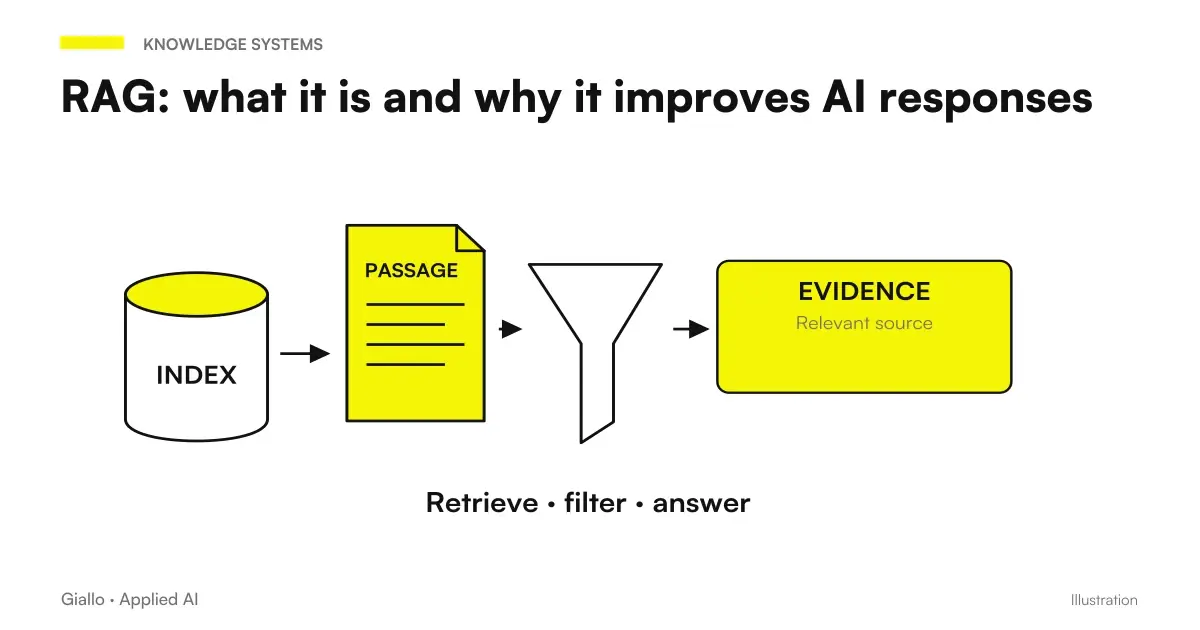
RAG (Retrieval-Augmented Generation) flips the approach: instead of giving the model everything, a system looks first for the Relevant Steps in an archive of your documents and passes only those to the model. This way, the AI answers from a narrow, relevant base, with lower costs, more precise citations and the ability to manage thousands of documents. It is the correct way to build an "assistant who knows business documents". To understand how it works, read RAG: what it is and why it improves AI responses.
Paste everything when...
- You have one or a few documents, one-off.
- The text enters the model context window.
- You need a quick analysis without building anything.
- The document is self-contained (does not refer to other archives).
It serves the RAG when...
- The documents are many, they grow or change often.
- The volume exceeds the available context.
- You want precise citations and costs under control.
- More people question the same archive continuously.
Practice rule: to read a document, paste; to query an archive, build a RAG. Many business projects start by pasting and move to RAG when files become too many. This type of transition is exactly the work of a automation of document processes.
Practical examples
Two realistic scenarios of Italian SMEs and professionals, to see how the theory translates.
1. Law Firm — analysis of a contract. A lawyer must compare an 80-page supply contract with the previous version to find amended clauses. They upload both documents to a model with a large context window and request a list of differences with the Exact quote the point where each appears. The model prepares the map of the changes; the lawyer verifies the sensitive clauses on the source and decides. The comparison time goes from hours to minutes, but the responsibility remains human. It is the type of flow described in AI for law firms.
2. Manufacturing SMEs — manuals and procedures. The company has 300 documents including machine manuals, safety procedures and specifications. Pasting everything to every question is impossible. A RAG system is built: documents are indexed once, then anyone in the workshop can ask "what is the lockout procedure for press 4?" and receive the answer with the page reference. Here you do not win the model with the largest window, but the right architecture. To set it you need a advice on agents and automation.
Mistakes to Avoid
- Choosing based on the number of tokens highest. The larger window is not useful if your documents are short: you pay for a capacity you don't use. It measures how long your real texts are as soon as possible.
- Trusting the unquoted answer. Without a reference to the source, you cannot verify it and do not know whether the model actually read that passage or invented it. Always ask for the citation.
- Pasting everything when the documents are hundreds. In addition to costing a lot, saturating the context and degrading the quality. When the volume grows, it switches to a system RAG.
- Uploading confidential data to the free plan. Free plans can use content to train models. For business documents use business plans or APIs with data processing guarantees, and verify GDPR rules.
- Taking figures and benchmarks for granted. Context, limits, and model prices change quickly. Numbers seen in an article (including this) go verified on the official page Before you decide.
How to apply it in the company
Choosing the right model for your documents is a short, repeatable path. It doesn't start with the model name, but with your actual files.
- Map your documents. How many they are, how long they are, how often they change, how reserved they are. It's the four numbers that drive everything.
- Decide: paste or RAG. Few documents that come into context → Paste. Many or growing → RAG.
- Choose the model on the criteria, not the brand. A large context window for long texts, citations for verification, privacy guarantees for confidential data.
- Set human control. AI prepares synthesis and citations; the person verifies the critical points on the source before using them.
- Measure and iterate. How many hours you save, how many mistakes you avoid. If the numbers come back, extend; if not, change approach.
If you don't know where to start, an overall guide is how to choose an AI model, while for the complete business framework there is best AI models for companies. Often the most important decision is not "which model", but "to glue or build an archive", and there it is better to confront those who do it by trade.
If you want to go into detail about specific models, Best AI Model for Long Documents and Best AI model for extracting data from documents.
Conclusion
There is no "best AI model for long documents" at all: there is the right one for long documents. yours documents. The criterion that weighs most is the context window, followed by citations, fidelity to the text and privacy. On very long texts Claude and Gemini they offer large windows; ChatGPT remains versatile and integrated. But the real strategic choice is another: Paste All for a few files, build a RAG when the documents become many. And in both cases, on what is critical, the person checks and cites the source.
If you want to go from testing with ChatGPT to an AI system integrated into business processes, Giallo Studio designs custom agents and automations — including the best way to have the AI read your documents, with citations and quality control.
Giallo Studio guides: methodology and sources
How we apply it in the company
Related resources
 Claude AI for long documents
 ChatGPT for document analysis
 RAG: what it is and why it improves AI responses
 How to Choose an AI Model
 Best AI Models for Companies
 Review documents with Claude Opus 5.5: inconsistencies, dates and numbers
 How to use Claude Opus 5.5 in the app: images, long documents, finished files
 Document automation with AI: contracts, forms and PDFs automatically
FAQ
What is the best AI model for long documents?
There is no absolute winner: it depends on the document and objective. For very long texts analysed in one go (contracts, financial statements and reports hundreds of pages long), models with large context windows, such as Claude and Gemini, are often the most convenient. For shorter documents or workflows already within the Office/Google ecosystem, integration and familiarity matter more. The right choice reduces your checking work, rather than having the highest number.
What is the context window, and why does it matter for documents?
The context window is the amount of text that the model can 'keep in mind' at the same time, measured in tokens. The wider it is, the more pages you can paste without the model forgetting the beginning. For long documents it is the most important factor: if the text does not enter the window, the model ignores some of it and the answers become incomplete or invented.
Is it better to paste the entire document or use a RAG system?
For one or a few documents that fit within the context window, pasting them directly is simple and effective. When there are many documents, they change frequently or they exceed the available context, a RAG system is a better option: the AI searches an archive for relevant passages and answers only from those, with lower costs and more precise citations.
Do AI models invent content when reading a document?
They can, even when starting from real text. If a question is not answered in the document, the model still tends to produce a plausible answer rather than saying 'it is not there'. To reduce the risk, always request quotations from the original sentences and check critical points against the source. Human review remains mandatory for numbers, clauses and customer data.
Is it safe to upload confidential business documents to these tools?
Depends on the plan and provider. Free plans can use your content to train models; business plans and versions via API typically offer better guarantees (no training on your data, data residency, DPA contracts). Before uploading personal or confidential data check your provider's official page and your company's GDPR rules.
Do you need a paid subscription to analyze long documents?
Often yes. Free plans limit file length, number of documents and context window. To work on long documents reliably, with file uploads and large context, you usually need a paid plan. Always check limits and updated prices on the official page before choosing.