
Claude Code Hooks: a practical guide in Italian
Claude Code Hooks: choose events and handlers, configure local automation and controls. Examples, limitations and an approach for an Italian team.
Reading time: 15 min
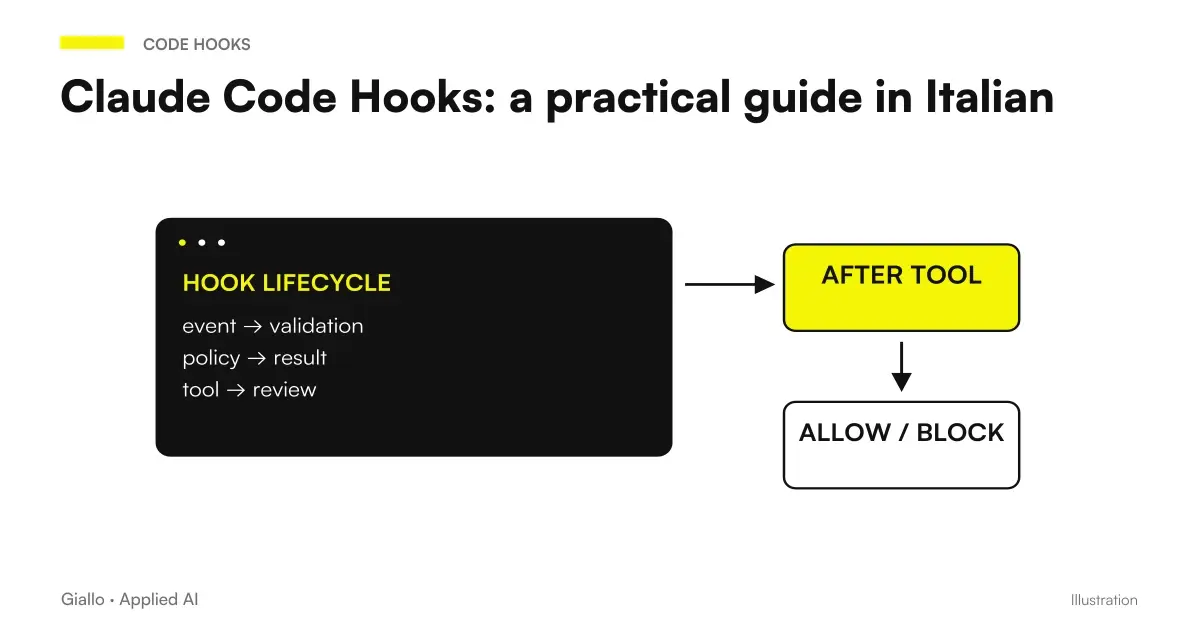
The Claude Code Hooks are automatic reactions to session events: before a call to an instrument, after a change, when a permission request arrives or when a response ends. A hook connects an event to a concrete control. It can start a formatter, add dynamic context, or return a decision before a tool is run. The documentation distinguishes five types of handlers: command, http, mcp_tool, prompt and agent. Official Hooks Reference.
The useful choice starts from the problem: what fact must provoke what action, with what data and what observable result? “Remember to be careful” is an instruction. “Before you change this path you check a rule” is a possible automation. A well-designed hook has a legible boundary, a way of proving errors and a maintenance manager. The name of the function counts less than these elements.
This guide uses the verified documentation on 9 October 2026. The original examples are educational proposals using synthetic data, not configurations executed by Giallo or results measured at clients. Those beginning with assisted development can first read Claude by code; those looking for a custom interface should also compare What are Claude's Mods.
In summary
- Event, matcher, and handler define when a check is executed.
- A pre-action check has a different purpose than subsequent feedback.
- A local hook can still execute code with user privileges.
- The verifications must produce evidence referring to the files actually modified.
- The configuration should also be tested when the service or command fails.
How do event, matcher and handler work?
The event describes a moment in the work cycle. The matcher select the relevant occurrences. The handler perform the reaction. With PostToolUse, matcher Edit|Write and handler command, the project can call a script after edits run with those tools. It does not mean that the script will see every change on the disk: a writing through Bash or an external application follows a different path. The reference explains the filtered fields for each event. Lifecycle and matcher.
It is best to describe the control in a sentence before writing JSON: “After a change to a TypeScript file, format only that file and return a short message if the command fails.” This sentence already contains moment, scope, action and outcome. If the phrase becomes “check everything, update everything and communicate to everyone,” the responsibility is too wide for a first hook.
The matcher is not a universal policy language. In tool events it filters the tool name; in SessionStart filter the boot pattern; in Notification the type of notification. Treating all matchers as filesystem paths is a frequent cause of seemingly correct but inactive configurations.
What kind of hook to choose?
The current reference lists five handlers and a set of 33 events, but the count serves to orient itself, not to choose a configuration. The following table compares the five forms from the point of view of the work to be done. A handler is not automatically compatible with every event: check the section of the contract you are using. Official types and camps.
| Type | Suitable Problem | Addiction to be controlled | Outcome to be observed |
|---|---|---|---|
command |
Deterministic rule or project command | Executable, path, shell | Exit code and output |
http |
Policy available in a service | Network, authentication, availability | JSON of the answer |
mcp_tool |
Control already offered by an MCP tool | Server connected and authorized | Tool Result |
prompt |
Limited textual evaluation | Model and context received | Assessment and motivation |
agent |
Check that it requires readings or tools | Agent and execution limits | Evidence Collected |
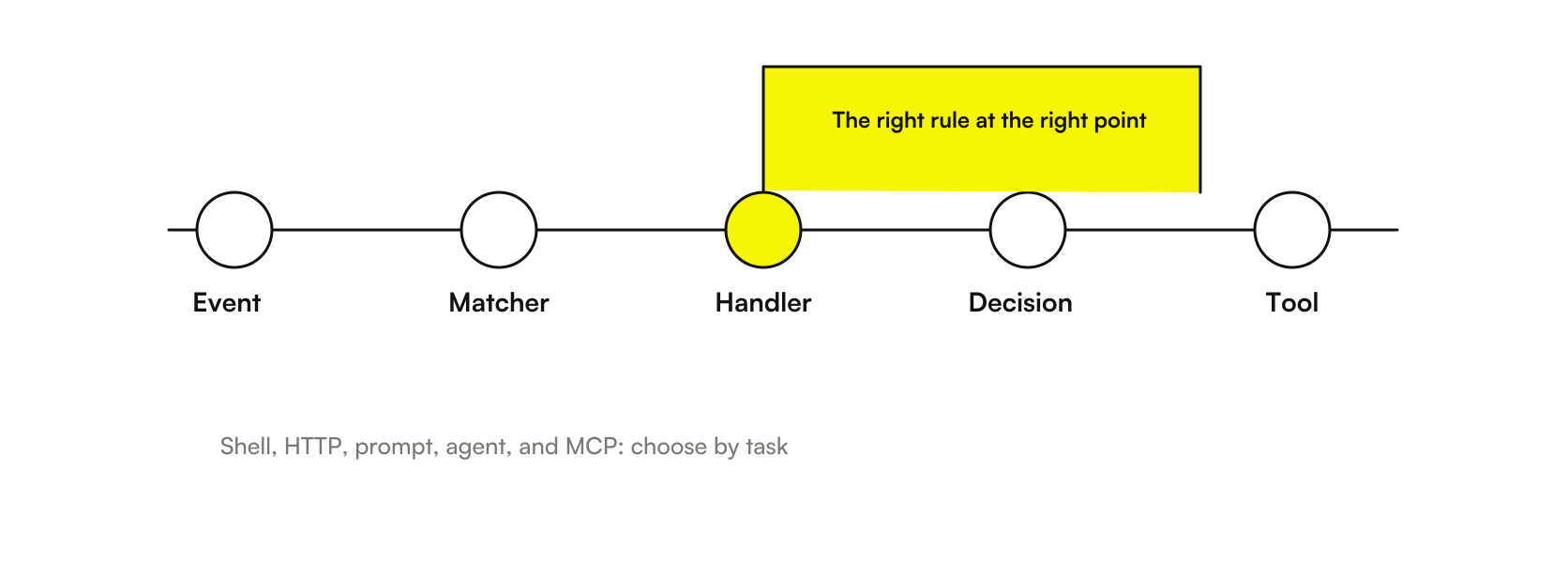
For a formatter in the repository, a command is often the most readable choice. For a shared policy between repositories an HTTP service can be sensible. An evaluation may be useful to understand if a response satisfies a complex delivery, but introducing a model where a string comparison is enough makes the behavior less predictable.
Where to put the Hooks configuration?
User settings live in ~/.claude/settings.json; the shared ones of the project in .claude/settings.json; local ones in .claude/settings.local.json. Organizations can apply managed settings. The precedence of the values and the union of some lists make it important to know all the sources: a change in the local file does not prove that a business check has been removed. Settings by Claude Code.
Choose the broom according to the responsibility. A desktop notification depends on the machine and can be personal. A formatter that everyone must use belongs to the project, along with the script and prerequisite documentation. A mandatory audit for the organization must be distributed through the appropriate administrative level, instead of hoping that each developer will copy the same file.
Keep out of shared settings tokens, passwords, and personal paths. For a reusable configuration you need to know which executables are needed and where they are located. Even a few lines script can interrupt the workflow if it assumes a tool installed only on the author's computer. The recording visible in /hooks helps to control the result of loading.
How to make a first readable setup?
Start with a local and harmless command. The following block is a smoke load test: when a permission request arrives, it writes on stdout, which Claude Code captures. Doesn't add a visible notification in the normal UI; verifies the output in verbose mode. It is an example of configuration, not executed in this guide; the environment must provide printf through the shell used by Claude Code. Quickstart and Hooks Menu.
{
  "hooks": {
    "Notification": [
      {
        "matcher": "permission_prompt",
        "hooks": [
          {
            "type": "command",
            "command": "printf 'Claude Code richiede attenzione\\n'"
          }
        ]
      }
    ]
  }
}
In an existing file, the field must be integrated hooks, keeping the other settings. Do not create two JSON properties with the same name for convenience: the result of the parser might hide the configuration you wanted to keep. Open /hooks, event verification and matcher, then causes a permission request in a test repository with synthetic data.
The output of the command seen in verbose only shows that the event has arrived at that handler. It does not prove that the checks on the files work or that the project is completed. A desktop alert needs a native effect, such as examples from the notifications with Claude Code Hooks. The first setup serves to separate recording problems from problems in the next script.
When to use PreToolUse to block an action?
PreToolUse intervenes before the tool call and can return decisions such as allow, ask and deny. It is the place to be evaluated for a preventive rule: protect a path, request a decision on a command or refuse an out of scope operation. In settings hook, a allow does not eliminate the assessment of permission rules deny and ask. Permissions and hooks.
The delicate point is the cover. Intercept Edit|Write can limit a form of editing, but not every process capable of writing. For this reason a policy must be described with its perimeter: observed tools, interpreted inputs, normalized paths and excluded channels. “Protects all secrets” would be a much broader promise than a rule on two tool names.
The Guide PreToolUse to protect files and commands deepens these boundaries. If the need concerns a visual preview of a command, Blast Radius addresses the same moment of workflow through a mod: the interface and the control rule remain distinct responsibilities.
Why is PostToolUse not a rollback?
PostToolUse comes after a successful tool call. It can start a formatter or provide feedback, but does not undo the action just performed. If a file contains an error, that content is already on the disk. A later fix or conscious restore is required through version control. PostToolUse Contract.
This changes the reading of a control: a response that reports a problem is useful, but it is not a barrier prior to writing. Reasonable sequence can be modification, formatting, relevant test, result reading and new modification if necessary. Not all of these activities need to be launched after each character: startup cost and competition can make the process louder.
To design the flow consult formatter and test with PostToolUse. When it is necessary to understand which edits have been attempted, Replay Theater can help read the turn; a turn display does not replace the repository diff or the test result.
How to choose between synchronous and async execution?
The async mode of settings hook is about handlers command. The work continues in the background and its response cannot retroactively block the action that initiated it. In addition, handlers that match the same event can be run in parallel. These behaviors impose caution when one process modifies files while another verifies them. Hook in the background.
A quick formatter on the newly written file may require sorting before the next check. A long suite can be started separately, as long as the result indicates which state verified and arrived before the declaration of completion. Putting both in two handlers and assuming the order written in the JSON is a fragile shortcut.
The question to ask is, "Can the next action proceed without this result?". If the answer is yes, the background may be appropriate. If the answer is no, the control must participate in a point in the workflow that really waits for the result. The async name does not transform an incomplete verification into a positive verification.
How to receive an alert without sending data out?
Notification allows you to select types such as a permission request or a waiting moment. An operating system command can display a warning on the computer. This is often enough for those who let Claude Code work while moving on to another business. The text of the notice should be short, stable and lacking the contents of the prompt. Official Notification Guide.
A notification does not prove the project is complete. It signals that an observed condition requires attention. Distinguishing “permission needed”, “response finished” and “task validated” prevents a sound being interpreted as approval to publish. The difference is operational, especially when the work involves business management software or a website already used by customers.
In Claude Code notifications on Mac, Windows and Linux find a local verification path. The first check is to run the native command out of Claude Code: if the system does not show the warning, changing the matcher does not solve the application permissions or concentration mode.
Does SessionStart need to reload all the memory?
SessionStart can add context when a session starts or resumes, including a resumption associated with compaction. It is useful for dynamic data, such as the current branch or a reference to the task status. Instruction files follow their own rules, however: you must not assume that compaction erases every persistent instruction and requires a complete copy at each resumption. Memory of Claude Code.
The best result is a small verifiable orientation. “Current branch: this; checklist: that file; read at the times indicated” is more useful than printing entire folders. The script must also avoid output containing customer credentials or data: a context hook can make information unnecessarily available to the model if it collects more than necessary.
The Guide SessionStart and compaction explains how to distinguish instructions, summary, project data and environment. For those who wish to observe the occupation of the context, Token Weather is about display: observing an indicator does not prove cost savings or perfect memory.
How to avoid loops when Claude finishes an answer?
Stop is about the end of an answer. A hook may ask for a continuation, but it must recognize stop_hook_active, indicating a continuation already provoked by the control. The reference also documents a limit to consecutive continuations: the product limit does not replace a sensible condition in the project. Event Stop.
A verifiable criterion may be "there is a test result referring to the last modification". “Better still everything” does not have an observable term. Even a valid check must handle the case where there is no login, dependency or external service: repeating the same request does not create the missing prerequisite.
Consult Stop hook without loop to compare scripts, prompts, and agents. The availability of an agent capable of reading files does not eliminate the need to limit the task. Asking for an independent review is different from authorizing an endless chain of agents who invoke other agents.
HTTP and MCP: When do you need shared controls?
An HTTP handler sends the event context with a POST. The service must return the expected JSON: a status 500 or 403 doesn't equate to deny on its own. Release 2.1,295, October 8, 2026, introduces onFailure: "block" for command and HTTP, but this review has not confirmed the complete schema for every event; it must be verified before being relied on as an operational guarantee. Official Release.
A handler mcp_tool is another possibility: the control is performed using a tool of a connected server. It is different from intercepting a normal Claude MCP call through PreToolUse. In the first case the tool performs the control; in the second the call is the object of the control.
The two guides HTTP Hooks and Hooks with MCP describe contracts and prerequisites. For a shared service it also counts what data to leave on the computer: do not send the entire transcript if the policy is sufficient tool name and identifier of the category of operation.
What controls apply in subagents and teams?
The settings hooks also apply to subagent tool calls. The hooks in the frontmatter of a supported agent instead have duration related to its activity. There is an important exception: agents distributed inside a plugin ignore the frontmatter field hooks; the controls must be declared at the plugin level. Plugin Components.
A delegate job has several ending moments. The agent can finish a response, a task can be scored completed and a teammate can become inactive. They're not synonymous. The policy must be linked to the moment that really represents the condition to be verified, with identification of the agent and the test produced.
In Hooks for subagent and team find a liability matrix. If the team also distributes interface customizations, Mods policy and distribution complete the path: approving a plugin does not mean automatically sandboxing all the code it executes.
Two Italian projects to start from
Hypothetical, untested example: a software house in Padua manages a booking portal. The team wants to standardize the newly modified files without launching the entire suite every time. It can start with PostToolUse on edit tools, a formatter limited to supported paths and a separate final verification. The proof requires at least one valid file, an excluded extension, and a formatter failure. The expected result should be noted before the test, without inventing a percentage improvement.
Hypothetical, untested example: a component manufacturer from Brescia maintains a script to import synthetic price lists into a test business management system. They want to prevent accidental changes to the configuration folder during experiments. A rule PreToolUse writing tools can help, but the team must also list shells, copies, and other processes they write. For real data, you need an access boundary in the system, not just an assistant convention.
Both projects can start with just one hook. The criterion for adding another is an observed need: repeated errors, unreported waits or forgotten verification. Installing many automations before knowing the flow makes it harder to figure out which one produced a result or a block.
What mistakes make a hook unreliable?
The most expensive errors are confusing registration and execution, choosing too-wide matchers, printing unnecessary data, presuming handler order, and treating a technical error as a policy decision. A valid JSON output must also belong to the correct event: copy an answer PreToolUse included Stop It does not automatically transfer its meaning.
A minimum test before adoption
Prepare a repository with synthetic data only. Try a call included and one excluded from the matcher, a positive result, an expected rejection and a command error. Separately records the result of the control and the observed effect on the tool. The availability of registration in the menu is not enough to certify the entire route.
For a problem already present use Claude Code Hooks debugging. The most useful path goes from symptom to test: loaded configuration, product event, matcher, input, output and final behavior. Adding indiscriminate logs can expose data without clarifying which step is missing.
How to turn the first hook into a maintainable process?
For each check, keep its purpose, scope, prerequisites, sample inputs, expected results and owner. An SME with one developer can do this in a short repository document. A larger team must also decide who can update the rule, how to test a new version and what happens if the checking service is unavailable.
The delivery is not “we have the Hooks.” It is “this condition produces this result, we have also tried the negative cases and we know where the control does not cover the workflow”. The final verifications of the software remain in the project pipeline, with results readable and consistent with the delivered change.
To set these controls on an internal application, the service of custom software can start from the real operations and the tests required. Then choose a deepening between Preventive file protection and feedback after changes: are two different responsibilities, to be designed and verified separately.
Giallo Studio guides: methodology and sources
How we apply it in the company
Related resources
 PreToolUse: Protect files in Claude Code
 PostToolUse: formatters and tests in Claude Code
 Claude Code Notifications: local hooks and permissions
 SessionStart: restore context after compaction
 Stop hook: loopless checks in Claude Code
 Mods by Claude: what they are and when they are needed in Claude Code
 Claude AI for code and development
 AI, AGI and ASI: differences between intelligence and autonomy
FAQ
What are Claude Code Hooks?
They are configured reactions to Claude Code events. They can run commands, call HTTP endpoints or MCP tools, or use prompt and agent evaluations.
What is the difference between a hook and a Skill?
A Skill provides instructions for a task. A hook activates on a configured event and can return a result or decision according to that event's contract.
Where do you configure hooks?
In user, project, or local settings, and plugin components. Administrative policies can narrow down which configurations are executed.
Can PostToolUse undo a change?
No. It is activated after a successful tool call and can produce feedback; the change has already happened. A preventive block requires a check before the action.
Does an HTTP 500 block a tool?
It is not tantamount to a deny decision. The ordinary contract requires a JSON decision response; error handling must be verified on the version used.
Do hooks replace project tests?
No. They can initiate checks and arrange feedback. Validation of a delivery remains linked to the relevant tests and review of the change.