
Hooks and MCP: filters and handlers in Claude Code
Distinguish hooks on MCP tools and mcp_tool handlers. Canonical names, authentication and read-only controls to connect Claude Code to external tools.
Reading time: 11 min
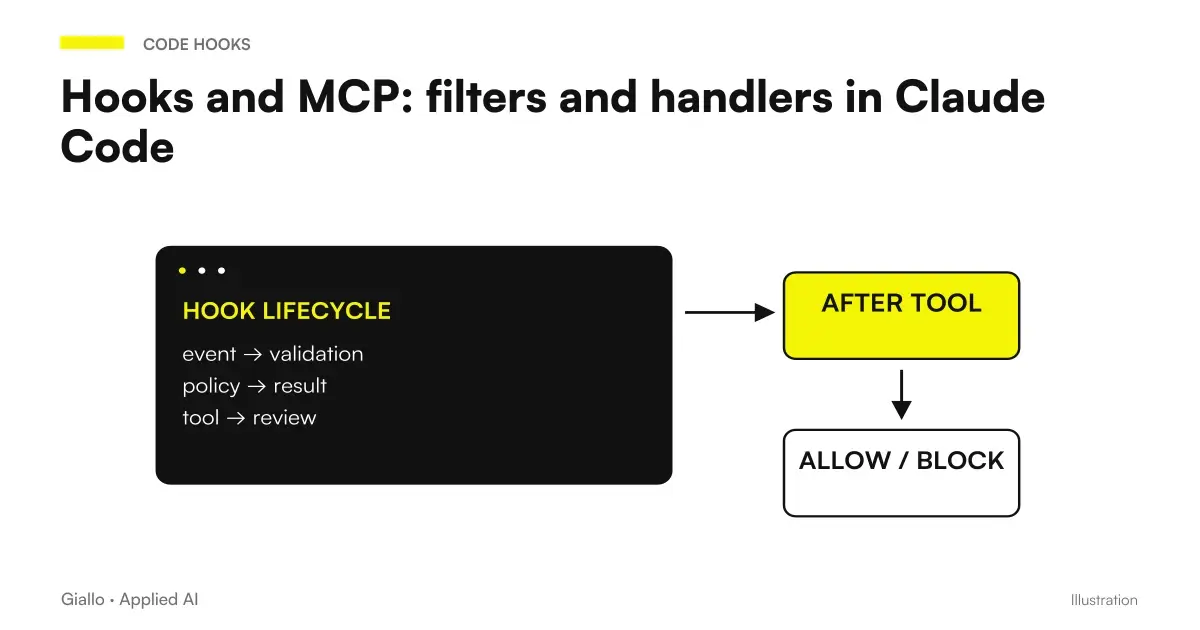
Hooks and MCP in Claude Code can collaborate in two distinct ways: a hook can intercept a normal call to an MCP tool, or use an MCP tool as a control handler. In the first case the external call is the object to be observed; in the second the tool performs the verification. Confusing these paths often leads to wrong matchers and permissions. Matching MCP and handler mcp_tool.
To control a call you need its canonical name, not a label invented by the team. Instead, calling a handler requires servers, tools, and inputs that are consistent with the actual connection. Authentication and availability must be resolved before entrusting the server with a responsibility. The Guide to the Claude Code Hooks presents the picture; here we separate the two contracts.
Verified Sources on 9 October 2026. Server and tool names in the examples are declared placeholders; they do not describe installed integrations or tests performed. Scenarios use synthetic data and do not authorize automatic operations on business systems.
In summary
- Intercepting an MCP tool and using it as a handler are different operations.
- The matcher must match the canonical name available in the session.
- An mcp_tool handler requires already configured servers and tools.
- A filter in the workflow does not replace the privileges of the external service.
- The control should be tried with tools included, excluded and connection unavailable.
What controls a hook on an MCP call?
An MCP call goes through tool events like other supported operations. A PreToolUse can read the call before execution; a PostToolUse can react after a successful result. The matcher selects the tool name. The script or handler must then interpret the input according to the pattern of that integration. MCP tools in the reference.
For example, a team may want to require attention before a tool that can update a ticket runs. This is not the same policy as for a tool that searches documentation. The server name alone does not describe the sensitivity of its operations: an integration can offer reads and writes with different data and permissions.
Do not return allow on a whole server because it contains a useful tool. Start with the necessary tool and its arguments. If the policy is about writing to files or commands, PreToolUse to protect files and commands shows the same preventive logic in a local context.
How to read canonical names without inferring them from the UI?
Reference uses names in the form mcp__server__tool for matching. The real name should be observed in the available session and configuration. A screen can show a readable title that does not match the string compared by the matcher. Before writing a regex, record the canonical name of the tool you want to include. Match MCP tools.
An illustrative pattern ^mcp__demo_catalog__.*$ select the tools of the named server demo_catalog if that name matches the actual registration. It is a placeholder, not an existing server. The anchors make it explicit that the comparison must cover the entire name. The matcher can be interpreted as regex when it includes metacharacters, according to documented rules.
It also controls a tool with a similar name but from another server. A positive test shows that the filter includes the expected case; a negative test shows whether the boundary excludes what you wanted to leave out. That is why name accuracy is a requirement of operation, not just a choice of style.
An example of an interception with a command hook
The following recording only intercepts a synthetic name and calls up a local script. demo_catalog and update_record are placeholder: the project must replace them with the names read in its session. The snippet has not been executed and does not imply an authorization to write the record.
{
  "hooks": {
    "PreToolUse": [
      {
        "matcher": "mcp__demo_catalog__update_record",
        "hooks": [
          {
            "type": "command",
            "command": "python3 \"$CLAUDE_PROJECT_DIR/.claude/hooks/check_catalog_call.py\""
          }
        ]
      }
    ]
  }
}
The script receives the hook JSON and decides according to PreToolUse. You must know the pattern of update_record: mandatory fields, meaning of the operation and allowed conditions. It cannot assume that a field called "preview" renders the tool read-only if the server does not guarantee it.
Open /hooks and verify the recording, then try with synthetic inputs. Debug of the Hooks helps when a visible call in the UI does not produce the expected execution. Diagnosis starts with the name and event, before the script logic.
When does an MCP tool become the handler?
With type: "mcp_tool", Claude Code calls up a tool on a server configured to run the check. Reference requires server and tool; input can provide arguments with replacement of event values. The text output of the tool is treated according to the command hook output path. MCP tool hook fields.
The practical difference is who does the work. In the previous case a local script observes an external tool. In this case the external server observes the data that passes it for control. You must then decide what information is needed and where it is processed, as well as verify its availability and authorization.
A handler should not be used as a shortcut to start an integration that has never been configured. Control the connection out of the hook, with one operation allowed and synthetic data. If the server requires logins or permissions, resolve them before considering it a prerequisite to control. An authentication failure is not a negative rating of the code.
A read-only handler with limited input
The following configuration illustrates a hypothetical server demo_checker which offers inspect_file. This tool should read a file and return a result without writing it; the warranty must be implemented in the server and its privileges. Names are placeholder and the configuration has not been executed. Official mcp_tool example.
{
  "hooks": {
    "PostToolUse": [
      {
        "matcher": "Edit|Write",
        "hooks": [
          {
            "type": "mcp_tool",
            "server": "demo_checker",
            "tool": "inspect_file",
            "input": {
              "path": "${tool_input.file_path}"
            }
          }
        ]
      }
    ]
  }
}
Here the controlled object is a file modified with Edit or Write; the handler controlling it is MCP. It's not about intercepting an MCP call made by Claude. This sentence must appear in the project documentation, because two configurations with similar terms can have a very different data path.
A path passed to the server does not automatically mean that the server can read it. If server and client run in separate environments, the filesystem may be different. The service must know how to interpret that reference; do not automatically copy the file to a network to fix the error.
What changes for a distributed server inside a plugin?
The reference distinguishes the scoped name of a server included in a plugin. For the field server of a handler, the documented form is plugin:<nome-plugin>:<nome-server>, instead of just the server key. Canonical call names and handler reference have different responsibilities, so they should not be exchanged without verification. MCP server in plugin components.
A project that distributes the connection through a plugin must retain consistent manifests, configuration, and authentication instructions. The installed copy may have a different version than the one in the development repository. Before diagnosing a schema error, check which component is actually loaded.
For the installation path see install Mods and plugins in Claude Code. For the packaging decision, Mods by Claude: what are they clarifies the relationship between plugins, customization, Skills and MCP. An MCP server can be part of a plugin without automatically becoming a mod.
What boundary makes a control really read-only?
A rule applied to query text is not a complete guarantee against writes. SQL, procedures, compound tools and other channels can have effects a regex does not describe. If the requirement is read-only access, the database account and service privileges must also enforce that limit.
| Level | What It Controls | What Doesn't Prove Alone |
|---|---|---|
| Hook Matcher | What Calls Does Automation See | Security of all calls excluded |
| Argument Rule | Policy Inputs | Effects of every possible operation |
| Tool declared read-only | Instrument Contract | Actual backend privileges |
| Accounts with limited privileges | Operations permitted by the service | Correctness of the results read |
| Verification of result | Observed Control Outcome | Lack of any future risks |
The protection consists of these levels, without attributing to one the responsibility of all the others. For the informational context consult AI and Data Security. The hook can make a policy visible in the workflow; the service must enforce its own contract.
What to check when the server is not responding?
If the server is disconnected, unauthenticated or in an error state, the check has not produced the expected assessment. The diagnosis must distinguish the absence of a result from a negative result. Do not claim that “the scanner found a problem” if the scanner never started.
Evidence should include valid connection, unavailable server, non-existent tool, and malformed output. For each one observes the behavior of the event in addition to the message. A follow-up check with PostToolUse does not cancel the modification that caused it; remembers the guide formatter and test after edits.
A diagnosis card with no confidential data
Record server scoped name, tool name, configuration version, and error category. Use a fixture with dummy path and content. Do not copy authentication tokens, transcripts, or customer results to show that the connection is not working.
If an HTTP service better resolves shared policy availability, HTTP Hooks describes a different contract. Don't turn an MCP error into a sending of data to an alternative endpoint without a defined need.
Two Italian integrations with synthetic data
Hypothetical, untested example: a service company in Monza connect a test ticket catalog. It wants a search tool to remain usable, while an update requires an explicit decision. The team reads canonical names, prepares separate matchers and tests calls included and excluded. The catalog account maintains limited privileges; the hook does not become a justification for approving all server operations.
Hypothetical, untested example: a software provider from Cagliari has a local control of files exposed via an MCP server. After the edits of Claude Code he wants to receive the result of the scanner. First check the tool directly with a synthetic file, then replace the path in the handler. It also tests an unreadable path and an incorrect response, without calling them an "unsafe code": they are failures of the control process.
Cases use two different forms of collaboration. The first intercepts the catalog calls; the second calls the scanner as a handler. Keeping them distinct makes it easier to choose relevant permissions, inputs, and tests.
How to avoid recursion and broad self-approvals?
A control that invokes tools or agents can generate other work observed by the workflow. The project must identify where other hooks are activated and prevent unintended chains. Even when there is no technical recursion, a generic check can produce duplicate requests and unattributable results.
Hooks for subagent and team adds the distinction between role, task end and response end. Stop hook without loop describes the management of continuations. Chain security comes from legible limits and contracts, not from the fact that all components are called "controls".
Errors to avoid are label-based matchers, wrong scoped server, unsolved authentication, ignored output, and approval of an entire server for convenience. Keep control of an operation or class declared, with a negative test every time you widen the filter.
What to do when changing the name of a tool?
A server update can change names or argument schema. The previous matcher may no longer intercept the call, while the recording continues to be present. The handler input could also refer to a field that is no longer available. For this, the compatibility test must use the names of the version that is actually linked.
Do not replace the precise filter with a generic pattern just to restart the control. Check the new name, review the contract, and repeat an excluded case. Integration maintenance includes both the connection and the policy boundary. A successful server update does not automatically certify configurations that depend on its tools.
How to adopt control in a business project?
Document observed operation, executed handler, received data and expected result. The documentation must allow a colleague to reconstruct the route without accessing confidential information. Preserve synthetic fixture and component versions, then repeat tests when changing server names or schema.
For an integration between assistant and internal systems, the design of AI agents may start with the minimum operation and the necessary privileges. The useful result is a check that sees exactly the chosen tool, receives only the necessary data and distinguishes a valid decision from an unavailable service.
Giallo Studio guides: methodology and sources
How we apply it in the company
Related resources
 Claude Code Hooks: a practical guide in Italian
 PreToolUse: Protect files in Claude Code
 PostToolUse: formatters and tests in Claude Code
 Claude Code Notifications: local hooks and permissions
 SessionStart: restore context after compaction
 Mods by Claude: what they are and when they are needed in Claude Code
 Claude AI for code and development
 Copilot in Teams: meetings, minutes and actions to be confirmed
FAQ
Can an MCP tool be intercepted by PreToolUse?
Yes, using the canonical name of the tool in the matcher. The name should be read in the configuration and in the actual session, not deduced from the visible label.
Is an mcp_tool handler the same thing?
No. Intercepting an MCP call means observing a tool used by Claude; an mcp_tool handler uses an MCP tool to perform the hook's check.
What pattern to use for an MCP server?
A pattern like mcp__nome_server__.* selects that server's tools according to the real name. Anchoring the pattern helps make the scope of the filter explicit.
Does the hook log in to the server?
It should not be designed as an implicit automatic login. Server connection and authentication must be resolved before you entrust it with a check.
Does a read-only filter make the database read-only?
No. Effective protection must also exist in the database account and privileges. A rule in the hook is an additional control over the workflow.
Do I need to authorize all MCP tools?
No. Select the necessary tools and keep permissions for sensitive operations. A generic matcher is no reason to approve them automatically.