
AI workflow builder: tools to create automations without code
What AI workflow builders are, how they work and which tools to choose for no-code business automation. A practical guide for SMEs.
Reading time: 8 min
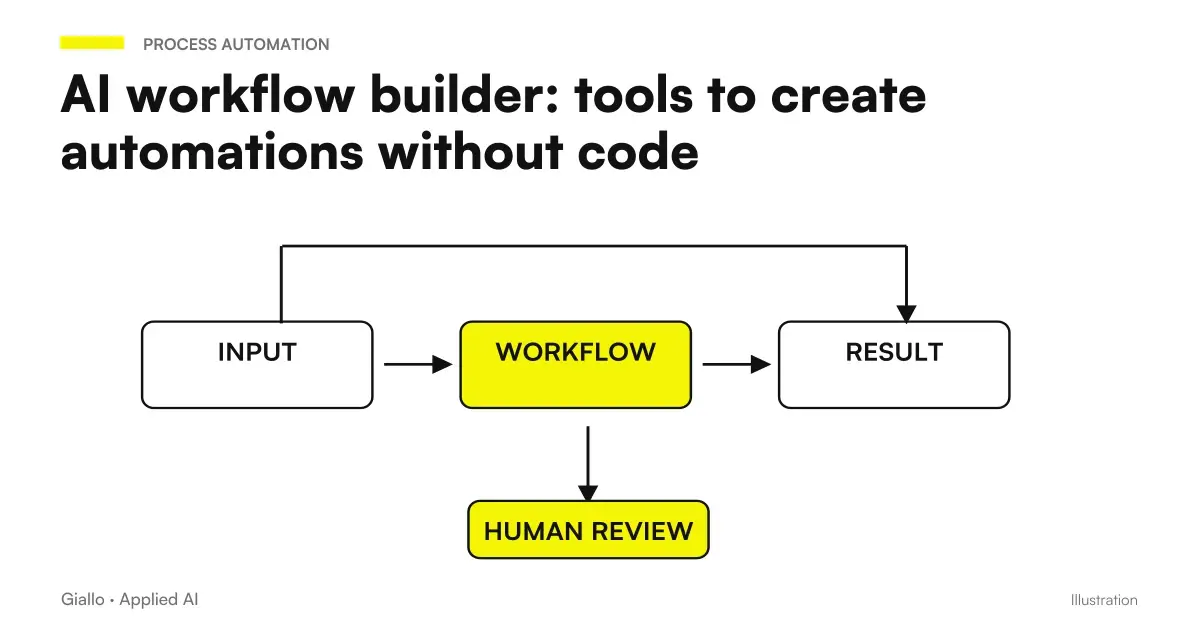
A AI workflow builder is a visual tool that allows you to connect applications, triggers and AI nodes in an automated stream, without writing a line of code. Instead of asking a developer to integrate two systems, you draw the flow on one screen: "when this comes, do that, then ask the AI to interpret it and update this other field."
The difference from classic automations is the intelligent node in the middle. A traditional workflow executes fixed rules. A AI flow builder adds the ability to reason on the content: understand what an email is about, extract data from a PDF, classify a request for assistance, generate a draft response. The flow stops being mechanical and becomes adaptive.
For Italian SMEs this changes the type of automatable processes: not only the simplest ("copy data from form to sheet"), but also those that previously required an operator to interpret the content.
In summary
- A AI workflow builder connects apps and actions in automated streams with a visual, codeless interface.
- AI nodes (GPT, Claude, Gemini) transform workflows from adaptive mechanics: they classify, extract, generate.
- The main tools are Make, Zapier and n8n: different in complexity, cost and flexibility.
- For personal data of European customers, attention must be paid to GDPR: residence of data, non-EU transfers, SCC.
- The value is measured in hours saved on repetitive high-volume processes, not in activated functionality.
- Starting with a real, measurable problem is the difference between a workflow that works and one that is abandoned after a month.
How a visual workflow builder works with AI
The interface of a visual workflow builder is a canvas: on the left you find the triggers (an email arrived, a form filled out, a time), in the center the processing nodes (filters, transformations, API calls, AI nodes), on the right the final actions (create a CRM record, send a notification, update a sheet).
The AI node It fits like any other block. Pass him an input text and he returns a structured output: the category of the request, the summary of the document, the draft of the reply, the data extracted from the invoice. The workflow uses that output to decide the next branch or to fuel the final action.
- Trigger. Event that starts the stream: email received, form sent, record created in CRM, scheduled time.
- AI node. Text or input data is sent to the model (e.g. GPT-5.6, Claude, Gemini). The prompt defines what it must produce: classification, extraction, synthesis, draft.
- Conditional logic. Based on AI output the flow splits: high priority → Slack notification; standard request → automatic response; missing data → alert the manager.
- Final action. CRM update, email sending, document creation, notification, database insertion.
- Error Management. Each node can have an alternate path if it fails: error log, operator notification, auto retry.
The critical part is the AI node prompt: it must be precise and return output in structured format (JSON, numbered list) that the workflow can use reliably. A vague prompt produces variable outputs that break the conditional logic downstream.
The main AI workflow builder tools
The no-code automation builder market has consolidated around three instruments, each with a different positioning for complexity, cost and flexibility.
| Tool | Learning curve | Native AI Knots | Self-hosted | Basic price | Suitable for |
|---|---|---|---|---|---|
| Zapier | Low | OpenAI, Anthropic (via actions) | No | Free / from ~$20/month | SMEs without technicians, simple flows |
| Make | Medium | OpenAI, generic HTTP | No | Free / from ~$9/month | SMEs with articulated flows, advanced visuals |
| n8n | High | OpenAI, Anthropic, Gemini, Ollama | Yes (open source) | Free self-hosted / from ~$24/month cloud | Technical teams, sensitive data, high volumes |
| Activepieces | Low-Media | OpenAI, Anthropic | Yes | Open source / cloud | Easier n8n alternative |
| Pipedream | Medium-High | OpenAI, Anthropic (via code) | No | Free / pay-as-you-go | Developer, custom code workflow |
The prices shown are indicative and change frequently: always check the official price list before choosing.
For a detailed comparison between the three main, you can read Make vs Zapier vs n8n. If you want to deepen a single instrument: Automation with Make, automation with Zapier, automation with n8n.
A visual interface can come to a limit when the task requires you to operate on screens. Claude SDK for computer use They represent a development alternative, with controlled browsers or desktops and approvals for actions that modify data.
When to use it and when to avoid it
When to use it
- The process is repetitive, high-volume and well-defined.
- Input is unstructured text that must be classified or extracted (emails, requests, documents).
- You already have the connected tools (CRM, email, management software) and you want them to talk to each other.
- The team has no developers but has someone willing to learn the tool.
- You want to measure ROI in saved hours on a monthly basis.
When to Avoid It
- The process is not yet defined: first it must be mapped, then automated.
- The data processed is highly sensitive and you have not clarified the GDPR issue (residence, non-EU transfers).
- Every execution of the flow requires a human decision that cannot be delegated to AI.
- The volume is low: an automation with 10 executions per month is not worth the setup time.
- The flow is so complex that it requires more code than visual nodes: better a tailored development.
Practical examples for Italian SMEs
Law Firm — sorting customer requests. Every morning, dozens of emails arrive with varied requests: consultations, quotations and updates on ongoing cases. A Make workflow reads each email, sends the text to Claude with a prompt that classifies the request type and urgency, then routes it: urgent → WhatsApp notification to the partner; quotation requests → draft in the CRM; case updates → automatic filing in the digital case file. Staff handle only exceptions.
E-commerce clothing — handling negative reviews. The workflow is activated when a review with a 1 or 2 rating arrives. GPT analyzes the text, identifies the main problem (shipping, cutting, quality) and generates an empathetic response draft calibrated to the specific reason. The operator reviews, customizes and publishes in one click instead of writing from scratch. Time to response: 15 minutes to 2 minutes.
Mechanical workshop — spare parts quotes. The customer sends a WhatsApp message with the car model and the problem. The workflow extracts model, year and type of intervention, queries the internal price list via Google sheet, generates a quote in PDF with the pre-compiled data and sends it by email to the customer. The mechanic enters only for final confirmation. Stream built on self-hosted n8n (no customer data on US servers).
Marketing agency — weekly customer report. Every Monday morning the workflow collects campaign data from CRM and Google Analytics, sends it to the AI model with a prompt that produces a summary in natural language ("the X campaign performed better than expected because..."), assembles a PDF and sends it to the customer via email. The team approves the PDF before sending but does not write the text from scratch.
These cases demonstrate a common pattern: AI handles the part of interpretation and first draft, the human maintains final control. This balance is what works in practice, as deepened in the guide on AI Automation.
GDPR and personal data in automated workflows
This is the point that Italian SMEs neglect most often. When you build a workflow that treats customer data (names, emails, requests, documents), the obligations of the GDPR come into play:
- Non-EU transfer (Art. 44-49 GDPR): If you use Zapier or Make with servers in the USA, your European customer data transits outside the EU. It is necessary to verify that the supplier has Standard Contractual Clauses (SCC) valid in the contract and that you have consciously accepted them.
- Data Processing Agreement (Art. 28 GDPR): Every tool that processes data on your behalf is a "processor" and requires a signed DPA. Zapier, Make and n8n cloud provide it, but it needs to be activated.
- Data minimization (Art. 5): The workflow must only process the necessary data. If the text of the email without the sender's name is sufficient, do not pass the name to the AI node.
- n8n self-hosted on EU servers It solves many of these problems at the root: data doesn't come out of the infrastructure you control.
To deepen the theme: AI and GDPR and AI and corporate privacy.
An AI stream must produce traces useful in understanding where it went wrong. The open source project Google AQuA to Investigate Agent Errors is a reference to link log, analysis and eval; the decision to correct and publish remains with the team.
Mistakes to Avoid
- Building the workflow before mapping the process. If the manual flow is confused, the automated flow will be more, only faster. First you draw the process on paper, then you build the workflow.
- Prompt AI vague in the classification node. A prompt saying "analyse this email and tell me what to do" produces unstructured output. The prompt must specify the output format (JSON with precise fields) and the allowed values (e.g. categoria: ["urgente", "preventivo", "informazione", "reclamo"]).
- No error handling. What happens if the AI node returns an unexpected value? If the email is spam? If the CRM API is down? Every workflow in production must have a fallback path and an error log.
- Ignoring costs as volume grows. Zapier at 10,000 tasks/month costs a lot more than 1,000. And every call to the AI model adds API cost. It always estimates the monthly cost at real volume before going live.
- Lack of initial human supervision. In the first 2-4 weeks the workflow should be monitored on a case-by-case basis: AI makes errors on unusual inputs. Only after validating accuracy can supervision be reduced.
How to apply it in the company
- Locate the process. Which repetitive stream absorbs the most hours? Email sorting, CRM update, document generation, notifications? Choose the simplest with the highest volume.
- Map the current stream. Draw manual steps: trigger → Who does what → where the data ends. Identify the point where the human decision you want to delegate to AI enters.
- Choose the tool based on the context. No technician available → Zapier. Complex workflows with a visual interface → Make. Sensitive data or high volumes → self-hosted n8n.
- Build a prototype on the simplest case. A trigger, an AI node with a precise prompt, a final action. Test on 20-30 real cases before activating it in production.
- Monitor and correct. Keep an AI output log for the first few weeks. Refine the prompt on the wrong cases. Measure the hours saved each week.
- Extend gradually. Only after the first stream is stable do you add a second. The workflows multiply best when the team is already familiar with the tool.
For SMEs who want to figure out where to start, the guide on what to automate in an SME offers a practical prioritization framework. If you are curious about how these flows fit into a larger architecture, read AI workflows what they are and AI Agents What They Are.
What is the difference between a workflow builder and an AI agent?
A workflow builder executes a predefined workflow: the steps are fixed and set by you during configuration. An AI agent decides its next steps autonomously based on the context and goal it receives: it can use tools, conduct research and iterate. Workflow builders are more predictable and easier to control; agents are more flexible but less deterministic. For most business automation, workflow builders are the right choice. Agents become worthwhile when the process has too many variations to map in advance.
Conclusion
A AI workflow builder is the most accessible tool to bring AI into business processes without software development. The difference from a traditional automation is the ability to interpret content — classify, extract, generate. instead of just following fixed rules. Make, Zapier and n8n cover most cases of Italian SMEs with different approaches: from the simplest to the most flexible.
The main risk is not technical: it is building workflows on unmapped processes, ignoring the GDPR issue or expecting the first flow to work without supervision. Those who get real results start from a small process, measure it and extend it only after validation.
Do you want to understand what processes in your company can be automated with AI? Giallo Studio can help you turn the problem into a real workflow.
Giallo Studio guides: methodology and sources
How we apply it in the company
Related resources
 Automation with Make: what it is and how it is used for SMEs
 Zapier: what it is and how it works, practical guide for SMEs
 n8n explained: how it works and how to use it in business
 Make vs Zapier vs n8n: which one to choose for your company
 AI workflows: what they are and how to build them
 AI for procurement and supplier management
 n8n Community Edition: the new clarification on business use, customers and SaaS
 OpenAI Decisions API in beta: classify tickets and requests with controllable answers
FAQ
What is an AI workflow builder?
An AI workflow builder is a visual tool that allows you to connect applications, triggers and actions in an automated workflow, without writing code. The latest ones integrate AI models (such as GPT or Claude) as nodes in the workflow, so automation can reason on the content, classify data or generate text autonomously.
What is the difference between a classic workflow builder and one with AI?
A classic workflow builder executes fixed rules: 'if an email arrives, copy it into a sheet'. An AI workflow builder adds a smart node that can interpret the content: understand what an email is about, extract unstructured data, decide the next path based on the text. The flow becomes adaptive, not just mechanical.
Are Make, Zapier, and n8n AI workflow builders?
Yes, all three support AI nodes (OpenAI, Claude, Gemini) that fit into the stream like any other action. n8n is the most flexible for complex and self-hosted cases; Zapier is the easiest to start; Make offers a balance between visuals and power. The choice depends on the volume, budget and complexity of the flows.
Do you need a technician to use an AI workflow builder?
For simple workflows (email → CRM, form → notification), no: the visual interface is accessible to people who do not program. For workflows with complex logic, loops, error handling, or non-standard integrations, a technician or consultant reduces time and errors. n8n has a steeper learning curve than Zapier.
How much do these tools cost?
It depends a lot on the volume of operations. Zapier starts from free for simple flows, paid plans scale with the number of tasks. Make has a free plan with limited monthly operations, then plans from a few tens of euros. n8n has a fair-code license (free self-hosted) or paid cloud. The real costs emerge when volumes grow: always better to estimate monthly operations before choosing.
Is an AI workflow builder suitable for an Italian SME?
Yes, provided you start from a real process rather than enthusiasm for the tool. SMEs benefit most when they have repetitive, high-volume workflows: email sorting, CRM updates, quote generation and internal notifications. Value is measured in hours saved, not features activated.
Are these tools GDPR compliant?
It depends on how you use them and where the data resides. Zapier and Make have servers mainly in the USA: if the workflow processes personal data of European customers, you need to verify the data transfer (Art. 44-49 GDPR) and the presence of Standard Contractual Clauses in the contract. n8n self-hosted on EU servers (e.g. Hetzner Germany) solves the problem at the root. Always consult a legal expert before putting personal data in automated flows.