
Prompts for Claude: Best Practices for Writing Effective Requests
How to write a good prompt for Claude in everyday work: practical tips, examples for SMEs, mistakes to avoid and checks to make.
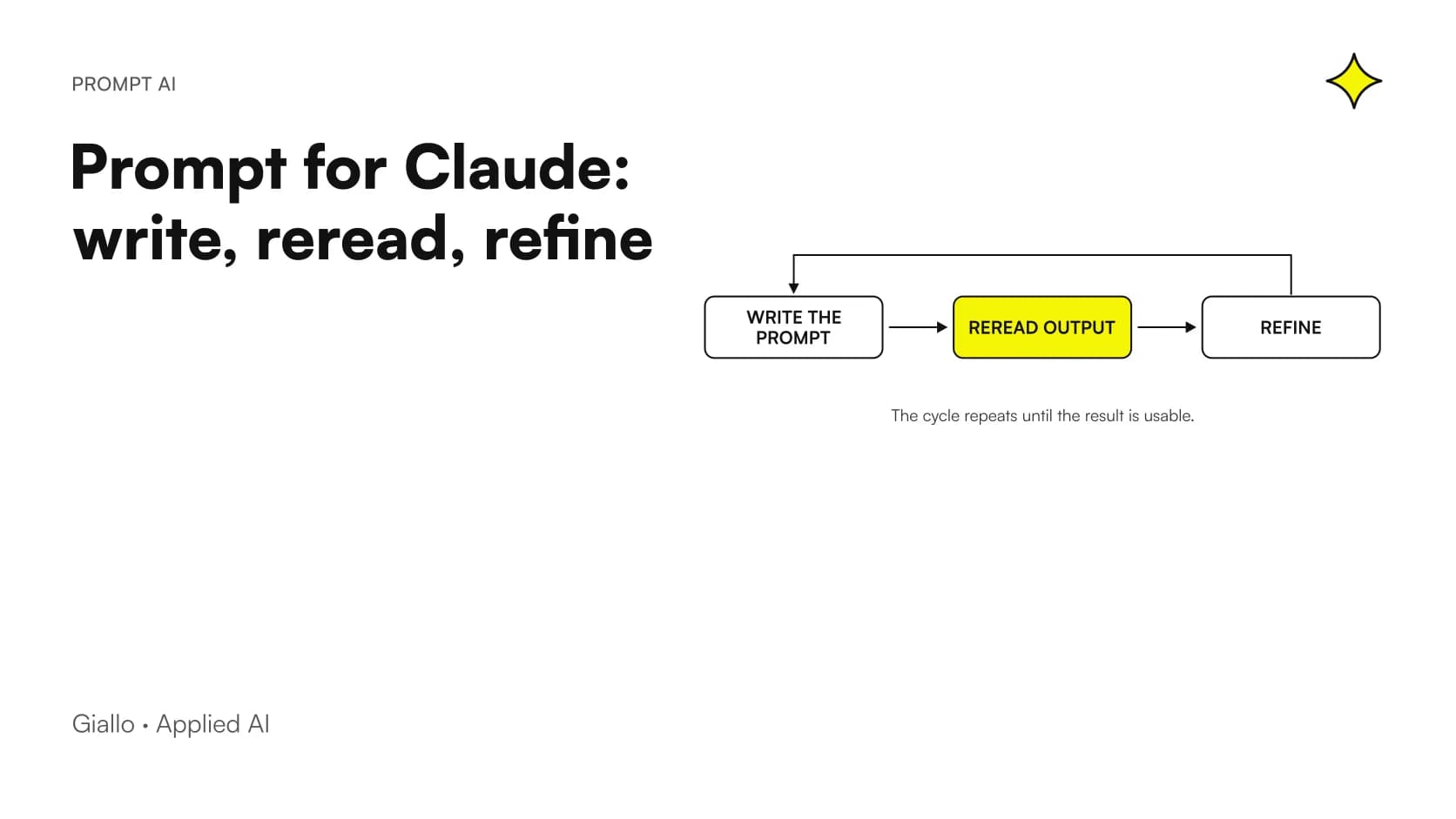
A good prompt for Claude is a request written in natural language, specific but concise, with all the useful context and an indication of the response format you need. It is not a magic formula: it is an orderly way of explaining to an AI assistant what you want, and it almost always needs to be corrected over several steps.
A prompt, according to the Google Workspace guide to effective prompts, is like a conversation starter, except that the other party is an AI-based assistant. As the conversation goes on you can write more prompts, each one building on the previous one. That is why the quality of the dialogue matters more than the perfection of the first sentence.
A note on method, to be honest with readers: the most complete guide among the materials we checked refers to Gemini, not to Claude. The principles are general and we have adapted them, but the guidance on method should be tested on your own case. The Anthropic Help Center pages, on the other hand, tell us clearly how to treat Claude's answers and how memory and search in past chats work.
In summary
- Write as if you were talking to another person: natural language, no jargon.
- Say specifically what Claude should do and give as much context as possible.
- If the answer is not convincing, refine the prompt with follow-up messages and try different approaches.
- Always reread the output: Claude can write things that look correct but are very wrong.
- Search in past chats and memory depend on your plan and account settings: check them case by case.
Why does a well-written prompt change everyday work?
Because the result depends on what you give it. The Google guide argues that writing effective prompts is essential to get the most out of an AI assistant, and that you do not need to be a prompt engineering expert: anyone can learn. That is good news for an SME, where nobody has the time to become a specialist.
In daily work this means fewer wasted rounds. A request like "write an email to the client" produces a generic text that you will have to almost completely rewrite. A request that explains who the client is, what happened and what tone you want produces a draft that needs only a few touch-ups. If you want a broader picture of the topic, you will find the basics in our complete guide to AI prompts.
How do you write a good prompt for Claude, tip by tip?
The tips below come from the Google guide and the Anthropic help pages. Each has its own reason, drawn from the sources.
Write as if you were talking to another person
The guide recommends using natural language and writing as you would address another person. The reason is practical: if a sentence is understandable to a colleague, it is understandable to the assistant too, and when you reread it yourself you immediately see whether something is missing.
Say specifically what you need
Also according to the same guide, it is best to describe the request specifically and repeat the key concepts, explaining whether you need to summarize, write, change the tone or create. The right verb removes ambiguity: "summarize" and "rewrite" lead to very different results.
Give as much context as possible
The advice of the guide is to provide as much context as possible. Whoever receives the request does not know your client, your price list or the history of the case: if you do not write it down, the assistant has to guess. Useful context means who the text is for, what the goal is and what constraints exist.
Be brief but precise, and leave out jargon
The guide asks you to phrase the request briefly but precisely and to avoid slang expressions. It seems to conflict with the advice on context, but it does not: context is needed, roundabout wording is not. An internal acronym that only you know should be explained or replaced.
Specify the response format
Saying the form in which you want the answer (a list, a table, an email ready to send) is part of a clear request. The sources do not give a rigid rule on this point, but the principle follows from the advice to explain precisely what you need: if you do not say it, the assistant chooses the format.
Refine the prompt instead of starting over
According to the Google guide, if the results do not satisfy you or you think there is room for improvement, you can work on your prompts to refine them, using additional prompts in an iterative revision process. In practice: instead of throwing away the chat, write "shorter", "less formal", "add the delivery times". If you still do not get the result, the same guide says you will probably need to experiment with different approaches.
Always reread before using
The guide recommends rereading the output before using it, to check clarity, relevance and accuracy. The Anthropic Help Center is even more explicit: users should not rely on Claude as their sole source of truth and should carefully review any high-risk advice.
Vague prompt and improved prompt: what is the difference in practice?
The table summarizes the elements of a well-built prompt and the link with the sources.
| Item | Vague prompt | Improved prompt | Source |
|---|---|---|---|
| Language | Fragmented sentences, internal acronyms | Natural sentences, as if to a colleague | Google Workspace |
| Requested action | "Tell me about this contract" | "Summarize this contract" | Google Workspace |
| Background | None | Recipient, goal, constraints | Google Workspace |
| Length | Too sparse or too wordy | Brief but precise | Google Workspace |
| Verification | The text is used right away | It is reread and the cited sources are checked | Anthropic Help Center |
A rule to keep in mind. A prompt is not a request you make only once: it is the start of a conversation. The first answer is a draft, the following ones make it useful.
What does a prompt look like in an SME? Two examples
The examples below are hypothetical, built to illustrate the method: they are not client cases or measured results.
Example one: a window and door company. The person who prepares quotes writes: "You support the sales office of a window and door company. Rewrite the reply below for a client who is complaining about a delivery delay. Courteous and direct tone, no promises about dates that I have not given. Format: short email with a subject line." Then they paste the draft. There is an action (rewrite), a context (client, delay), a constraint (no promises) and a format (email with a subject line). If the tone is too formal, the person writes a follow-up message and asks for a warmer version: this is the iterative process described by the Google guide.
Example two: a professional firm. A labor consultant wants a message to clients about an internal change. She asks: "Prepare a draft message for the firm's clients, in simple Italian, explaining the new front-desk hours. Avoid technical terms. Give me three subject line variants." Then she rereads everything, checks hours and references, and only then sends it. If the content touched on regulatory topics or high-risk advice, the checking step would become even more important, as the Anthropic guidancereminds us. For more ready-to-use examples, see prompts for Claude with effective examples and how to use Claude to write better.
When are search in past chats and memory useful?
When you work on cases that last over time and do not want to re-explain everything each time. The Anthropic Help Center explains that you can ask Claude to search previous conversations to find and recall relevant information in new chats, and that you simply need to ask it to find what you discussed before.
There are limits you should know about. The same page specifies that search in past chats is available on paid plans (Pro, Max, Team and Enterprise) on web, Claude Desktop and mobile apps. Claude saves automatically, and you can also ask it to "remember this" to save something directly.
As for sensitive data, by default Claude does not store personal or sensitive topics, such as health, race, ethnicity, religious beliefs, politics or gender identity, and some information is never saved to memory even if you ask. Since availability depends on plan and settings, check your account before building a process on it. On the subject of company data, also read what happens to what you write.
Which mistakes should you avoid when writing prompts?
There are five, and they almost always come from haste.
- Asking too little. A single sentence with no context forces the assistant to guess. Remedy: add recipient, goal and constraints, as the guide.
- Filling the prompt with jargon and roundabout wording. Precise brevity works better than internal acronyms. Remedy: rewrite the request as you would explain it to a new colleague.
- Stopping at the first answer. If it is not convincing, the recommended path is to iterate and try different approaches, not to give up.
- Treating Claude as the sole source of truth. It can produce text that looks correct but is very wrong, as the Anthropic Help Center. Remedy: check data, names and references before using the text.
- Trusting cited sources without opening them. When you work with web search results, the same page urges you to review the sources cited by Claude. Remedy: open the link and compare.
On the subject of made-up answers, you will find a deeper look in AI hallucinations: what they are and how to avoid them.
How do you apply this in a company, in an orderly way?
A simple method, suited to a small team, can be summed up in steps.
- Choose a repetitive, low-risk task, for example the draft of a reply email.
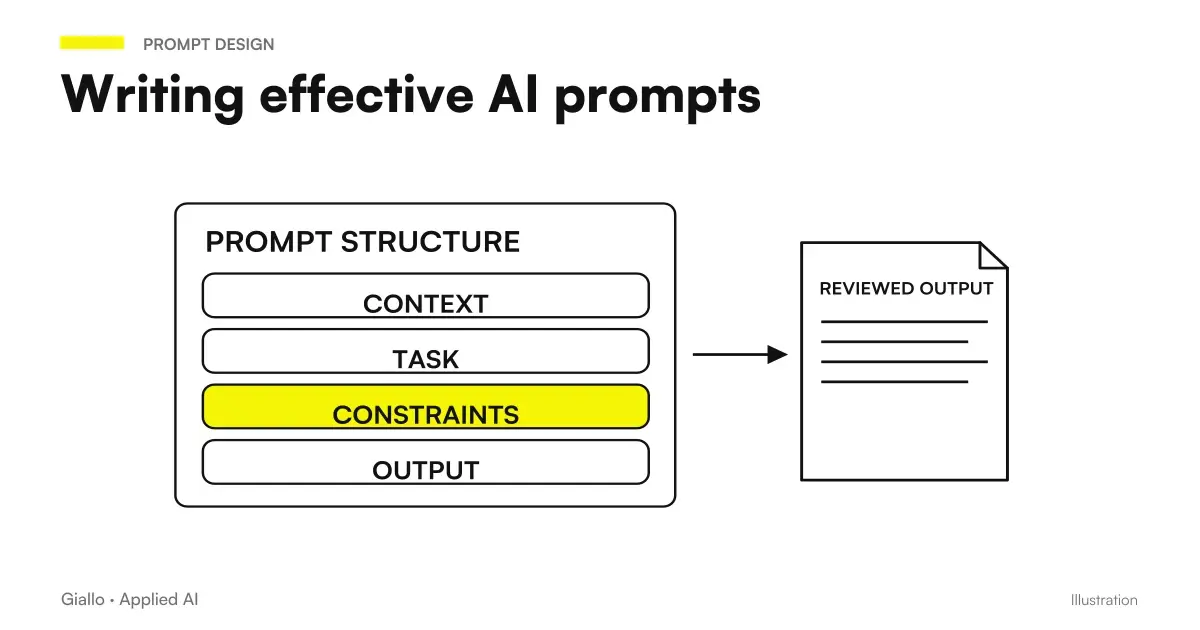
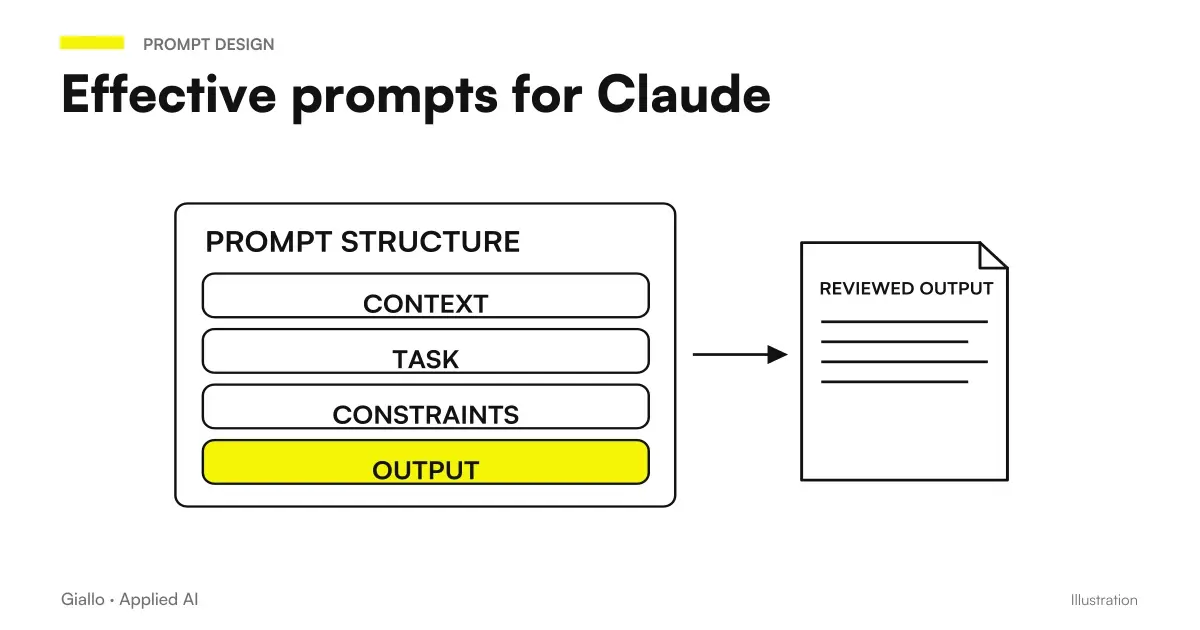
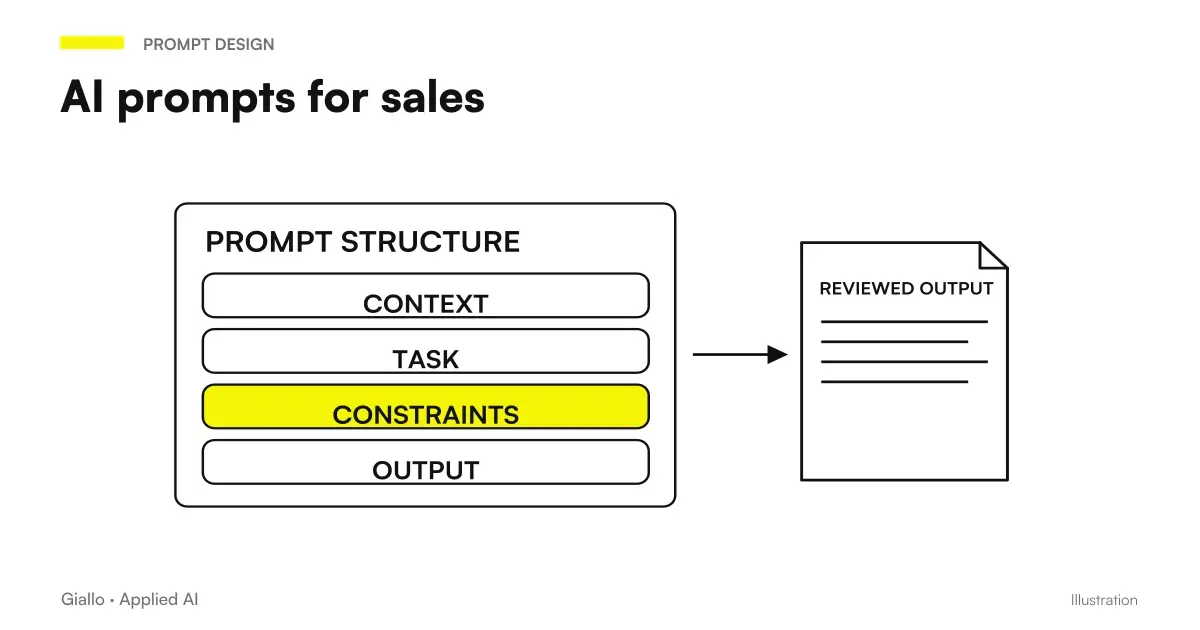
- Write a first prompt with action, context, constraints and response format.
- Read the answer and correct it with follow-up messages until the result is usable.
- Save the prompt that worked in a shared document, so others do not start from scratch.
- Decide who rereads and approves the text before sending, especially when high-risk advice is involved.
If the prompt needs to work with different tools too, read how to write prompts that work across multiple models. For shared internal rules, a corporate policy on the use of AI.
What can go wrong even with a good prompt?
The content can go wrong: an excellent prompt does not eliminate the risk of errors, because Claude can write things that look correct but are very wrong. Expectations about memory can also go wrong: if you do not have the right plan or the settings enabled, search in past chats may not be available. And the method may not work: the advice on method comes from a guide that refers to Gemini, so it needs to be adapted and tested on your own cases.
Where to start?
Start from a single workflow and one well-written prompt, then improve with each use. If you want to discuss where AI really helps you and how to organize checks, you can take a look at our AI consulting and talk to us with no obligation.
Giallo Studio guides: methodology and sources
How we apply it in the company
Related resources
 AI prompts: a complete guide to effective instructions
 Claude prompts: examples for better answers
 Claude AI to write better
 Prompts that work on multiple models: how to write them
 AI Hallucinations: What They Are and How to Avoid Them
 Claude vs Perplexity
 AI prompts for lawyers: legal documents and communications
 AI sales prompts: emails, offers and follow-ups
FAQ
Do I need to be a prompt engineering expert to use Claude well?
No. The [Google Workspace guide](https://workspace.google.com/intl/it/resources/ai/writing-effective-prompts/) states that you do not need to be a prompt engineering expert to write effective prompts and that anyone can learn. The method it describes refers to Gemini, so it should be adapted and tested on Claude.
Is a long prompt better than a short one?
Not necessarily. The guide recommends providing as much context as possible, but phrasing the request briefly and precisely, avoiding jargon. What matters is that every sentence helps clarify what you want, not the length.
What should I do if Claude's first answer is vague?
Refine the prompt with follow-up messages, using an iterative revision process, as the [Google guide](https://workspace.google.com/intl/it/resources/ai/writing-effective-prompts/) indicates. If that is not enough, the same guide suggests experimenting with different approaches.
Can I trust Claude's answers without checking them?
No. The [Anthropic Help Center](https://support.claude.com/it/articles/8525154-claude-sta-fornendo-risposte-scorrette-o-fuorvianti-cosa-sta-succedendo) says it should not be used as a sole source of truth and that high-risk advice should be carefully reviewed. When web search cites sources, they should be reviewed.
Can Claude remember previous conversations?
Yes, with conditions. [Search in past chats](https://support.claude.com/it/articles/11817273-usa-la-ricerca-chat-e-la-memoria-di-claude-per-costruire-sul-contesto-precedente) is available on the paid Pro, Max, Team and Enterprise plans on web, Claude Desktop and mobile apps. Some information, such as sensitive topics, is not stored by default.