
Claude Opus 5.5 for an SME: five concrete uses and when not needed
Claude Opus 5.5 for SMEs: review documents, photos and tables, prepare quotes and check work. Costs, use cases and when a lighter model is enough.
Reading time: 11 min
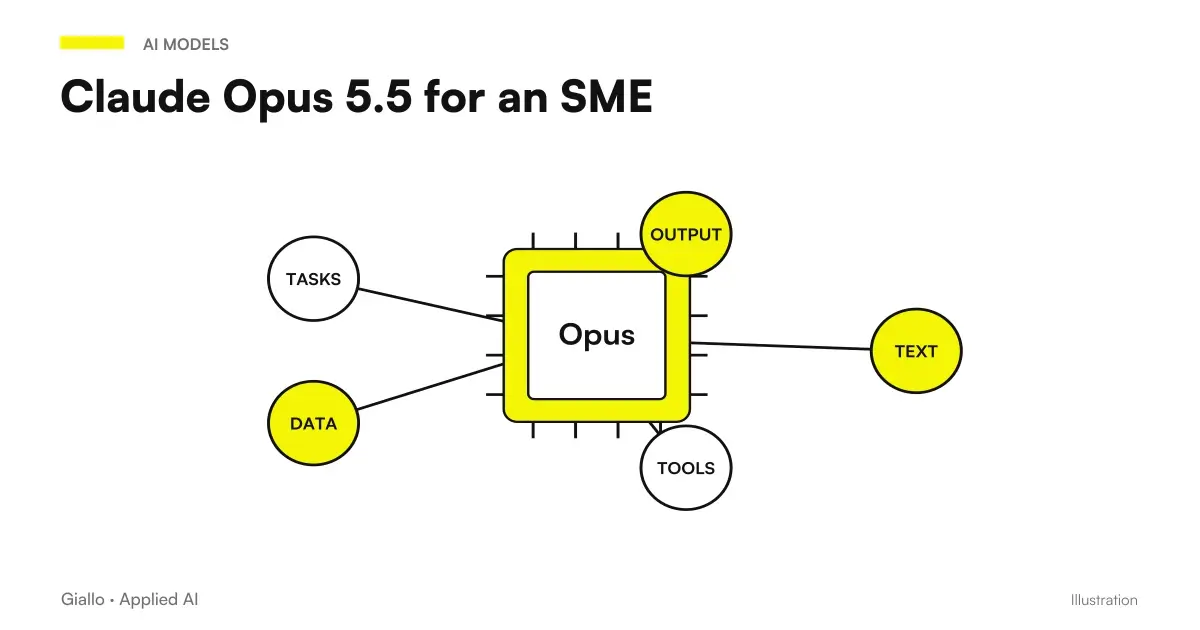
For an SME the news on Claude Opus 5.5 is not the ranking of benchmarks: it is that the top model costs as an average model of a year ago, and that the improvements stated by Anthropic are right on the tasks that in a small company you do by hand — check documents, read photographed tables, produce finished files.
This guide lists five concrete uses with the prompt for each, says what it really costs, and — most importantly — says when Opus 5.5 is not needed and just a model ten times cheaper. Verified data on 23 September 2026.
In summary
- Five uses: check documents, photos and tables, quotes, contracts, finished files.
- API Price 4 $ / 20 $ per million tokens; exercise −40% Opus 5.
- The model is the last cost item: the first is to connect it to what you have.
- To sort and classify just one light model.
- It starts from app with fixed prompts; automation comes later.
- Without described process and measurement of the first It doesn't change anything.
The Five Uses Worth the Price
| Usage | Why Opus 5.5 | Who benefits |
|---|---|---|
| Checking long documents | Find contradictions between numbers, dates and names | Who sends quotes, contracts, reports |
| Reading Photos and Tables | Read price lists, bubbles, schemes more accurately | Warehouse, purchases, administration |
| Draft quote from free text | Holds vague demands and structure | Commercial, craftsmen, technical studies |
| Model Contract Review | Compare to your standard, report deviations | Studies, companies with recurring suppliers |
| Finished files | Ready-made sheets and documents, less corrections | All those who today ask for "a draft" |
None of these require programming: they all start with the app. As they are used in practice — attachments, prompts, projects — it is in how to use Opus 5.5 in the app.
1. Check the documents before sending
The prompt, from the official guide: "Check that this document does not contradict itself: numbers, dates and names. Cite every problem and tell me where it is." It runs on twenty-page quotes and eighty-page reports. The value isn't that you find mistakes you wouldn't see: it's that it does it in two minutes, every time, before the customer finds them. Complete Method in have Opus 5.5 check a document.
2. Read photos, price lists, bubbles
Opus 5.5 reads images more accurately than Opus 5, and understands what depends on the position: a column, a highlighted row, an arrow in a pattern. The prompt: "Extract [fields] from this document. Put a question mark where reading isn't safe." The question mark is the rule that avoids invented data.
3. Quotes from misspelled requests
“Hi, I need a system like the one in my cousin’s warehouse but bigger. How much does it cost?” Opus 5.5 takes the text, asks for — or flags — the missing data, and prepares a structured draft based on your price list. A person signs the draft: the gain is in preparation time, not the decision.
4. Contracts with respect to your model
“Compare this contract with our attached template. List every missing, modified or added clause, with the page reference.” It does not replace the lawyer: it gives them a list instead of sixty pages.
5. Finished files instead of drafts
“Turn these notes into a spreadsheet I can share: one row per supplier, with columns for cost, contract expiry and contact person.” The model produces the ready-to-use file, and the new benefit is that it needs fewer corrections than before.
When Opus 5.5 is not needed
It is the most important section, because it is where you really save.
Opus 5.5 serves when
- The document is long and errors hide between distant sections
- Input is an image, a photo, a pattern
- The task has many conditions to hold together
- A mistake costs more than the price difference
Just a light model when
- You must sort emails or requests in a few categories
- You must answer frequently asked questions with known answers
- You must summarize short texts
- The volume is high and every penny per task counts
The cost difference between the two bands is about ten times. An SME that uses the top model to sort emails is throwing away the savings that the price drop has just given it. The method of using two models together is in the Mixed Model Strategy.
How Much Does It Really Cost
| Voice | What it includes | Typical Weight |
|---|---|---|
| Model (Opus 5.5) | The tokens consumed at each run | Often the smallest voice |
| Integration | Connect it to management software, mail, archives | Often the largest |
| Time of People | Describe the process, review outputs at the beginning | Always understated |
| Maintenance | Corrections when the process changes | Recurring, must be budgeted |
The −40% in operating cost is real, but affects only the first line item. If the project is poorly designed, the other three consume that saving. The full calculations, with questions to ask a supplier, are in AI Agents for Companies.
Start with the app, no project
For most SMEs the first step is not automation: it is one subscription and three saved prompts. The Claude app in the Pro, Max, Team and Enterprise plans gives access to Opus 5.5 without writing a line of code, and the five uses of this guide all start from there.
What you need, in order:
- A document shared with prompts, one per task, with written what to do with the missing data and who rereads the output.
- A Person Responsible for Task, which responds to quality and decides when the model should not be used.
- One month trial with a sheet where you mark the errors found: they are the data with which you will decide whether to automate.
The moment when the app is no longer enough is recognizable: when the same task is done every day by more people and no one reads the output anymore. There the prompt has become a system component, and should be treated as such —versioned, tested, linked to data —which is the work described in how to use Opus 5.5 in the app for the manual part and in AI Agents for Companies for the automatic one.
Practical examples
Impresa di impianti, 18 employees, Varese. Three uses in a month, all from the app: draft quotes from customers' WhatsApp requests, checking quotes before sending, reading price lists photographed by suppliers. No automation, three fixed prompts saved in a shared document. When the volume of quotes grew, the first of the three became a real automation.
Studio accountant, 7 people, Cremona. He had tried a light model for controlling budgetary relations: he lost the inconsistencies between notes and prospectuses. With Opus 5.5 he finds them, and the cost per relationship is acceptable because the task is rare. For the sorting of customers' emails, however, continue to use the light model: there the difference is not seen and the volume is high.
Mistakes to Avoid
- Passing everything to Opus 5.5 because it came out. Savings is in the right model for task.
- Buying before describing the process. The right order is the opposite.
- Not saying what to do with missing data. The model fills the voids.
- Attaching whole documents when one section is enough: it costs and increases filter reports.
- Not measuring the before state. Without starting numbers, at the end of the project it will be a matter of opinion.
- Neglecting the data. What comes out of the company and where it is processed must be clarified first, as per Business Data and AI.
How to apply it in the company
- Choose one of the five uses, the one that costs you the most hours today.
- Measure the first: minutes per document, errors per month, volume.
- A fixed prompt in the app, with the missing data rule, saved where everyone finds it.
- A month of use, with a person rereading the outputs and annotating the errors.
- Compare the numbers. If it holds, enlarges or automates. If not, stop: it is a legitimate outcome.
For the technical framework of the model — benchmark, where it is not first, availability — Claude Opus 5.5: what is it. For the use of Claude in business in general, Claude for Companies.
Conclusion
Opus 5.5 for an SME applies to five precise tasks, and applies because now It costs little enough to use on every document, not just the important ones. But the model remains the last cost item. The first is a defined process, a number to improve on and a responsible person: with those, you realise the −40% saving; without them, nothing changes.
If you want to go from testing with ChatGPT to an AI system integrated into business processes, Giallo Studio custom designed agents and automations.
Giallo Studio guides: methodology and sources
How we apply it in the company
Related resources
 Claude Opus 5.5: what it is, what it changes and who it suits
 AI agents for business: when they are useful and how to adopt them
 Claude AI for companies
 Mixed model strategy: light and powerful
 Review documents with Claude Opus 5.5: inconsistencies, dates and numbers
 Claude Opus 5.5: official benchmarks, prices and comparison with Fable 5.1 and GPT-6 Astra
 Google AQuA: Finding AI Agent Errors Even When Logs Are Green
 Claude Managed Agents extends network limits to search and web fetch
FAQ
What is Claude Opus 5.5 for in a small company?
Five things in particular: check long documents before sending, read photos and tables of price lists and bubbles, prepare drafts of estimates from badly written requests, review contracts with respect to a model, and produce finished sheets and documents. These are the tasks on which Anthropic declares the greatest improvements.
How much does it cost to use Opus 5.5 in the company?
Via the API, $4 per million input tokens and $20 per million output tokens, 20% less than Opus 5; the stated operating cost is 40% lower. But the model is almost always the last cost item: the first is connecting it to business management software and documents.
Do you need Opus 5.5 for everything?
No. To sort mail, classify requests and answer frequently asked questions a lightweight model is enough, which costs about ten times less. Opus 5.5 serves where the task is difficult: long documents, images, reasoning on many conditions.
Can it be used without programmers?
Yes, from the Claude app in the Pro, Max, Team and Enterprise plans, with fixed prompts saved and shared. When a task becomes daily and no one rereads the output, it's time to turn it into a real automation.
Does the price drop change anything for an SME?
Yes: automations ruled out on budget grounds a year ago can fit the budget today. But the savings only materialise if the process is already described, measured and verifiable.
What to check before adopting it?
The process must be repetitive and describable, the data must be accessible, someone must take responsibility for it, and a baseline measurement must exist. Without these four things, the model changes nothing.