
Kimi Code: an agent for coding and development
Kimi Code for coding: CLI, VS Code, models and differences from API access. Prepare the repository and verify changes before release.
Reading time: 10 min
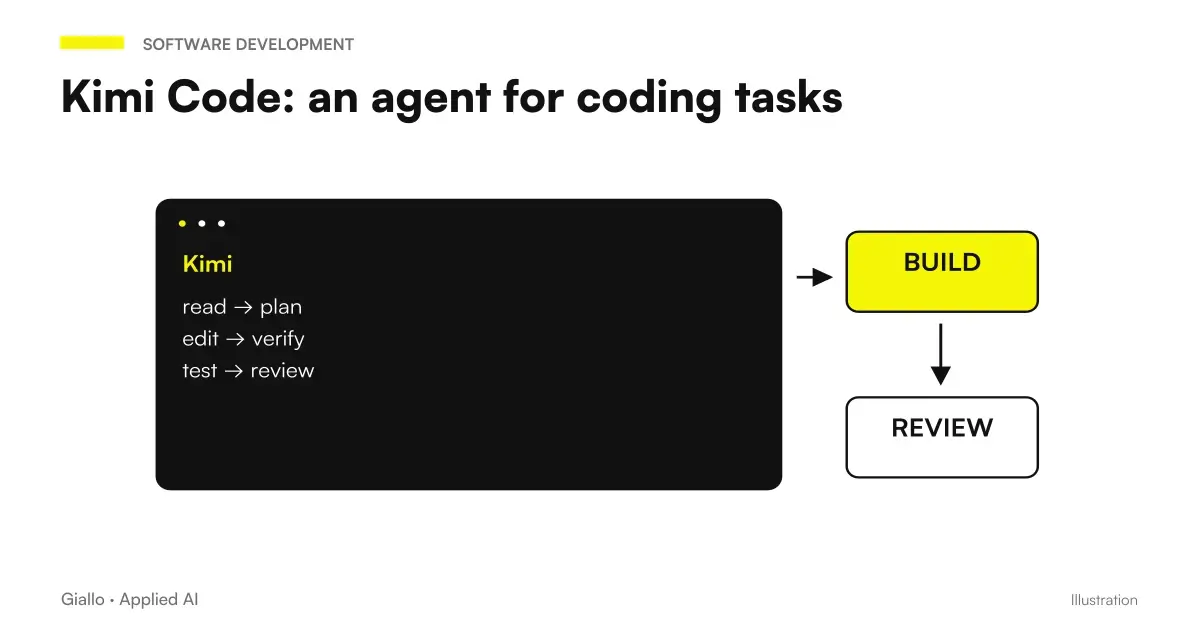
Kimi Code is an agent to work on code within a software project, with tools to read files, propose changes and use the terminal. The official guide presents it for development, understanding of repositories and technical automation activities. The difference from asking for code in a chat is the link between instructions, files, and command results. Kimi Code CLI Guide.
For an SME this can mean correcting an exporter, preparing an integration or understanding a function inherited from the previous supplier. It does not mean getting reliable software by simply describing a desire. You need a delimited assignment, an environment separate from production, and someone who can recognize a wrong modification.
This guide considers the documentation available at 9 October 2026. To distinguish the product coding from the chat and models, parts from the general guide to Kimi AI. Here the point is how to set the work on the repository, from the first access to the final revision.
In summary
- Kimi Code works on the software project: a clear request must indicate expected behavior and modification boundaries.
- The coding service and generalist API have distinct endpoints, credentials, and billing.
- A large context helps to read the project, but does not replace the choice of relevant files.
- Branches, synthetic data, and limited permissions make the first experiment more controllable.
- Useful delivery includes diffs, checks performed, and proven behavior, not just generated code.
Kimi Code, CLI and VS Code: which environment to choose?
The documentation offers Desktop clients, CLIs and an integration for VS Code. The CLI is used in the terminal; Desktop adds an interface for tasks and revision; the extension brings the work into the editor. The choice is about how to interact with the project, not a promise that one of the clients will automatically produce better code. Configuration of Kimi Code models.
If the team already works in the terminal with documented tests and commands, the CLI makes it natural to observe operations. If a person has to evaluate modified files and approval requests from a visual interface, Desktop can be more readable. If developers spend the day in the editor, it makes sense to start with the editor client.
The first decision, however, is who will lead the session. The holder can describe the commercial problem: a poorly exported price list, a form that loses requests, a synchronization that duplicates products. Those who follow the development must translate it into verifiable conditions. Without this step the agent can implement behavior that is consistent with the prompt and different from what the company needs.
What models does Kimi Code use today?
The official page distinguishes Code service models and identifiers. At the time of verification, kimi-for-coding has been updated to K2.8 Preview; Code identifiers should not be copied without verification in calls to the generalist API. Contexts and access also depend on the benefits of the plan. Models and access Kimi Code.
| Identifier Code | Documented model | Documented context | What to check before use |
|---|---|---|---|
k3 |
K3 | Up to 1,048,576 tokens, according to plan | Effective access to extended context |
k3-256k |
K3 | 262.144 tokens | Size of the current session |
kimi-for-coding |
K2.8 Preview | 1,048,576 tokens | Routing and Updated Benefits |
kimi-for-coding-highspeed |
K2.7 Code HighSpeed | 262.144 tokens | Availability of the variant in the plan |
The link between Kimi K3 and the Code product is therefore less simple than "I always use the same model". The page also documents that disabling thinking in the Code service routes to K2.8 Preview without thinking; this does not change the always-thinking property of K3 in the generalist API. Always check the official page before freezing a configuration. Code Selection Rules.
To compare development tools, the useful question is which environment correctly completes the work in your stack. Our guide to best AI model for coding helps build this assessment; a new name in the selector is not alone a reason to change the whole process.
How to install and start Kimi Code CLI?
The current guide provides either an official script or a global installation via package manager. For the npm path requires Node.js 22.19.0 or later and indicates the package @moonshot-ai/kimi-code. They are supplier's instructions, to be rechecked before installation: do not confuse them with historical tutorials dedicated to kimi-cli. Current installation of CLI.
The documented npm path is:
node --version
npm install -g @moonshot-ai/kimi-code
kimi --version
Before running a global installation, verify that your business computer allows this type of software and that the package comes from the official guide. For the first startup enter the project folder and launch kimi; the command /login opens the choice of API source. The guide distinguishes Kimi Code login and Kimi Platform key. First start and authentication.
If you use an external compatible tool, the international OpenAI-compatible URL coding base is https://api.kimi.ai/coding/v1. The consumption API has instead base https://api.moonshot.ai/v1: Matching a key to the wrong service can make it unnecessary to correct the prompt. The distinction is documented in Code interfaces and in the API overview. For that route you will find a guide dedicated to Kimi API.
What to prepare in the repository before the first modification?
Prepare a separate working copy and check Git status. You need to know which files were already modified before booting: otherwise it becomes difficult to attribute a variation to the agent or to a colleague's work. A dedicated branch keeps the change legible and allows you to abandon the experiment without mixing the proposal with the current release.
Then collect the real project commands: start, test, static controls, build. Don't ask to "launch all the tests" if you don't know which ones exist. A repository with outdated instructions or missing dependencies can cause the session to lose in the reconstruction of the environment, without approaching the initial problem.
Exclude unnecessary secrets and archives from context. A database dump, a token file, and customer list don't become harmless because they serve to reproduce a bug. Replace examples with synthetic data and leave only the required resources accessible. The conditions of the services and the treatment of the material should also be evaluated when the code is the property of the company: see Kimi AI and privacy.
Finally write the arrest rule. If the task is to correct CSV export, the agent must stop when the expected format is verified. It doesn't have to take the opportunity to update the framework, rewrite authentication, or reorganize the application. These activities require a distinct assignment.
How to write a request that produces a controllable diff?
A useful request links the symptom to the result. “Improving management software” leaves too many interpretations open. “Order export badly separates fields that contain commas; keep columns and fix escaping” offers a verifiable criterion.
You can use this example of a brief, adapting it to the actual files:
Examine the exporter for relevant orders and tests. The CSV must retain the order of the columns and correctly represent commas, quotation marks, and indentations in the fields. First, identify the cause. Only modify the necessary code. Don't add addictions without motivation. Deliver the diff, the checks performed and the cases that remain to be proven.
This text is a design example, not the account of a test performed. Its value is forcing the conversation to talk about entry, exit, constraints and verifications. Asking for an explanation of the cause avoids rewarding a patch that hides the symptom without solving the path that produces it.
If the change goes through multiple forms, have a plan proposed first. Desktop documentation distinguishes direct execution and Plan mode with confirmation of approach. Authorization control remains separate from the quality of the plan: a clear proposal may still require excessive access. Running and Reviewing in Desktop.
The diff changes files you didn't name: what to check?
A side change may be necessary, for example when changing a shared contract. Ask what requirement makes it indispensable and how it will be verified. If the agent doesn't link that file to the problem, reduce the perimeter. It also controls lockfiles, build configuration, and permissions: they can change the release behavior without appearing on the affected screen.
Two Italian examples: e-commerce and technical study
Hypothetical scenario: spare parts e-commerce in Brescia. The store receives a catalog from the distributor and imports codes, descriptions and availability. Some products are duplicated when the code contains end spaces. The referent prepares a synthetic sample with equivalent and different codes, then asks to follow the path from import to duplicate control.
The expected result is not a ‘clean catalogue’. It is an explicit rule of normalization, applied at the correct point, with tests that preserve the really different codes. The test must include a second import of the same sample: if it creates new records, the problem remains. Access to the live database and massive product update remain out of the first assignment.
Hypothetical scenario: technical study in Verona. An internal tool calculates a summary of tasks from exported logs. After a change to the file format, the application shows an empty table. Before requesting a rewrite, the developer provides an anonymous export, the expected screen, and the error message.
Kimi Code is tasked with locating the incompatibility between parsers and new headers. The delivery must show how the parser behaves with the previous format, with the new one and with an incomplete file. The agent proposes the patch; the manager checks that the hours and categories remain correct before using the tool for a document intended for the customer.
The two examples have a common feature: the agent enters an already identified technical path. It does not decide the shop's business rules or the firm's billing criteria on its own.
How to verify code, security and behavior?
The verification begins from diff, not by the phrase "I'm done." Read the changes from the initial base and look for unnecessary variations. An agent can introduce a useful check and simultaneously remove a validation, change an addiction, or alter error handling.
Run existing controls and observe outputs. A command that ends without tests collected is not equivalent to tests passed. A successful build shows that the project builds in that environment, not that the export produces the right data. The official guide recommends checking and verifying behavior, even in the browser for web projects. Review of the result.
Then try the action that had revealed the problem and the neighboring cases. For a form you also need missing inputs and server errors; for an import you need malformed files and repetitions; for a screen you need different states and sizes. The auditor must be able to repeat the test without reconstructing the whole conversation.
On sensitive code do a dedicated review: who can call the function, what data it reads, where it writes and what it records. The fact that the model has reasoned for a long time does not prove that a route controls authorization. The method also applies with Claude by code or ChatGPT for coding.
What mistakes lose the advantage of Kimi Code?
The first is to authorize a broad session on a project not included. Wider permits can speed up operations and simultaneously increase the cost of an oversight. In the first experiment, choose readable operations and replaceable data.
The second is changing pattern and effort all the time. The documentation reports that these changes can invalidate the context cache. Define a consistent configuration for the task and evaluate the result, rather than chasing each selector option. Model and cache management.
The third is to compare only the first answer. A quick agent that leaves defects to be corrected may require more total work. It records how long it takes to bring the proposal to the required quality, what regressions emerge and how many extraneous changes have been introduced. For a choice between ecosystems, delve into the Kimi AI and Claude.
The fourth is confusing development and publication. An acceptable patch has yet to go through the project release process. Keep explicit permission for deployments, migrations, and operations on real data.
When is it best to take him to his daily work?
Kimi Code deserves an experiment when you have concrete software tasks, a maintained repository, and criteria that a developer can verify. The best starting point is a reproducible defect or a small function with a defined behavior. A successful test allows the perimeter to be widened with evidence, without immediately transforming the team.
If the problem is an internal system that no one understands, first devote a task to the map of flows and risks. If you need to connect business services, the project may require API integration instead of an open coding agent on the operator's computer.
To transform a defect or internal function into an intervention with clear acceptance criteria, Giallo designs custom software and integrations. The starting point is the behavior to be obtained; Kimi Code becomes one of the tools to realize and verify it.
Giallo Studio guides: methodology and sources
How we apply it in the company
Related resources
 Kimi AI: what it is, what it does and when to use it
 Kimi API: models, prices and Moonshot integration
 Kimi K3: model, reasoning and practical limits
 Kimi AI vs Claude: documents, code and costs
 Kimi AI and privacy: what to check on company data
 Best AI Model for Programming
 Claude AI for code and development
 Stop hook: loopless checks in Claude Code
FAQ
What is Kimi Code?
Kimi Code is an environment with AI agents for working on software. It can help read a project, modify files and use development tools; the result must be verified using the repository's checks.
Is Kimi Code the same as Kimi chat?
No. Chat is a product for conversation and knowledge activity, while Code works in the context of a software project. Accesses, quotas and configuration of the coding service should be verified separately.
Can Kimi Code replace a developer?
It can perform parts of the work, but does not guarantee the correctness of the requirements or changes. A person capable of evaluating architecture, security, testing and release is needed.
Can I use Kimi Code on a private repository?
First you need to verify permissions, content sent to the service, and applicable conditions. A private repository may contain intellectual property, secrets, or personal data: private on Git does not mean local in the model.
How do I compare Kimi Code with another coding agent?
Use the same task, codebase and acceptance criteria. Compare remaining defects, out-of-scope changes, review time and total cost, as well as generation speed.
Does a passing test make a generated change safe?
No. The tests only cover the expected cases and may be incomplete. Read the diff, test the affected behavior and mainly check for access, data, errors and compatibility.