
WhatsApp Cloud API: how it works and how much it really costs
How WhatsApp Cloud API works: the 24-hour window, templates, media and delivery statuses. Actual costs and why to avoid unofficial methods.
Reading time: 10 min
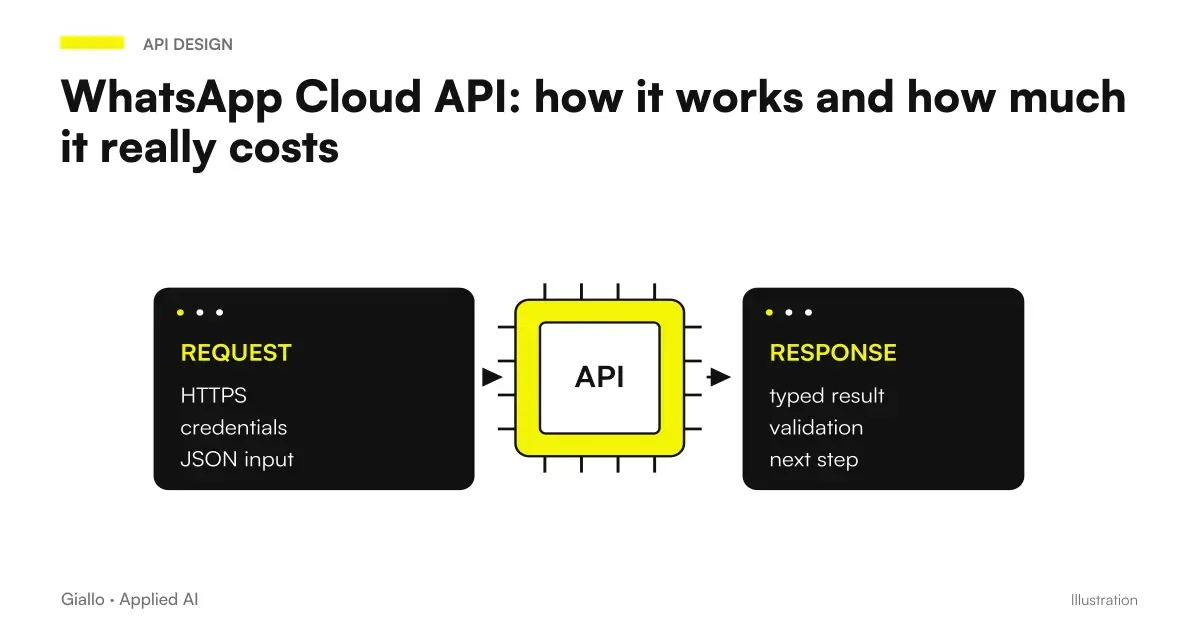
WhatsApp Cloud API is the official interface by which Meta allows a software to send and receive WhatsApp messages from a business number, without any phone remaining on somewhere. It is the official road, and the only sensible one for a company: the unofficial libraries that fly WhatsApp Web work until they are detected, and then the account is blocked.
The difference with any integration lies in three constraints that cannot be circumvented: the 24-hour window, the preapproved templates and management of medium. Who designs an automation on WhatsApp without taking it into account builds something that will break in production.
This article explains how they work in the concrete, with examples taken from the WhatsApp agent case study for short rentals made for Rial Estate.
In summary
- WhatsApp Cloud API is the official access of Meta: business number, no phone turned on, much less exposed to the block than unofficial libraries.
- The 24-hour window divides the world in two: inside you write what you want, outside only templates already approved.
- You pay every message delivered: the templates always, the answers inside the window only beyond the first 1,000 per month per number (from 1 October 2026). The rate varies by country and category, it should be read on the official list.
- Documents can be attached via a media identifier instead of a public address: safer, but with a deadline to be managed.
- The Delivery Statuses must be collected: without, you never discover the message that has not arrived.
How it works: the three pieces to understand
The architecture is simpler than it looks. There are a number, a set of templates and two traffic directions.
- The business number. A phone number connected to a WhatsApp Business account, verified, not active on normal WhatsApp. It is the identity with which the company writes.
- The sending. Your software calls the Meta interface indicating recipient and content. If you are out of the 24-hour window, the content must be an approved template with its variables filled in.
- The reception. Meta calls a web address that indicates you every time a message arrives or changes the status of a sent one. It is the channel from which your system finds out what happens.
The piece that almost everyone underestimates is the third. Receiving is more important than sending: without the receiving channel you don't know if your messages arrive, and you can't respond to the writer.
The 24-hour window: the constraint that decides everything
This is the rule from which every architectural choice descends.
| Situation | What you can send | Cost |
|---|---|---|
| The user wrote less than 24 hours ago | Free text, images, documents, anything | Free up to 1,000 service messages per month per number, then paid |
| They've passed more than 24 hours from the user's last message | Only templates already approved | You pay for the template |
| User didn't have you never written | Only templates already approved | You pay for the template |
Meta's logic is clear: you can converse freely with those who have just written to you, but you cannot contact those who have not searched for you, except with messages that Meta has read and approved before.
How to manage it in the staff interface
There is an experience detail worth stealing. In the shared box built for the project, the write field He disabled himself. when the window is closed, and instead shows the list of available templates.
The alternative — let write and show an error after sending — is technically simpler and much worse: the writer loses the newly composed message and does not understand why. Making the constraint visible before the action, instead of after, is almost always the right choice.
Templates: What they are and why they exist
A template is a message with a fixed structure and variables, which Meta approves before use. It helps prevent companies from using WhatsApp for unsolicited advertising.
A template has three parts: an optional header (text, image, document), a body with numbered variables, and an optional footer. The variables fill them at the time of sending: host name, date, amount.
The rules for getting them approved without losing days are collected in WhatsApp Business template: how to get them approved. The point to keep in mind at the project stage is time: approval is not up to you and should be taken into account for each language you want to support, as explained in Multi-language automatic messages.
Attaching documents: two roads, two different risks
If the message is to carry a PDF — instructions, receipt, form — there are two ways.
Media ID
- Load the file once on the dedicated endpoint and get an identifier.
- The document is not accessible from any public address.
- Suitable when the file contains confidential information.
- Counterparty: Identifiers expire and need to be renewed periodically.
Public Address
- Put the file on a reachable address and pass the link.
- No deadlines to manage, no renewal scripts.
- The document remains accessible to anyone with the address, even months later.
- To be avoided if the file contains data that you do not want to see run.
In the short rent project the PDFs contained the access codes to the doors: the choice fell on the identifier, accepting the recurring work of the renewal. It's the kind of decision that needs to be made consciously and written somewhere, because in six months no one will remember why that script exists.
The delivery states: the data that hardly anyone collects
Each message sent generates status updates: sent, delivered, bed, or failed with a reason. Meta sends them to your receiving address.
Collecting them costs little and changes a lot. Without it, you just know that your system has called the API error-free — which doesn't mean the recipient has received anything. With, you can answer the question that really matters: Did the guest read the instructions?
In the shared project box, each automatic message appears next to the conversation with its status. It was the function that justified the tailored software, because no tool ready showed the states of the automatic messages inside the chat — the complete reasoning is in Custom PWA or software ready.
How Much Does It Really Cost
The cost model has three entries, and two depend on WhatsApp.
- Templates sent. You pay per message, with rate that changes by country of destination and by category (utility, marketing, authentication): for Italian numbers, from 1 October 2026, 0.0248 € the utility and 0.0658 € the marketing (Meta’s pricing). Meta changes the price list at the beginning of the quarter: always check the official page before making a budget.
- The answers inside the 24-hour window. They are service messages: from 1 October 2026 the first 1,000 per month per number are free, then you pay (0,0248 € in Italy).
- The infrastructure. The automation engine and hosting are fixed subscriptions, independent of the volume of messages.
To give a concrete order of magnitude: in the short-term rental project, with 17 apartments and five message types, message spending was in the order of a few tens of euros a month under the price list in force until September 2026: with the new rules, it must be recalculated using actual volumes. This is not the item that weighs heavily on the budget for a project like this: design work weighs much more.
Practical examples
A date reminder. A study sends the memo 24 hours earlier. It's out of the window, so you need a template with two variables: name and time. The patient replies "confirmation": the window opens, and from there for 24 hours the study can write freely.
An order to be confirmed. An e-commerce sends the shipping confirmation with the tracking code. If the customer responds by asking to change their address, the conversation continues in free text. The pattern is close to that described in customer care automation.
A message that fails. The number is wrong or is not on WhatsApp. The attempt produces a "failed" state with a reason. If you pick up the states, the staff sees it and calls; if you don't pick them up, no one notices until the customer complains.
Mistakes to Avoid
Using unofficial libraries. Piloting WhatsApp Web with unauthorized tools works until it is detected. Then the account gets blocked, and with the same number you don't start again. It's a shortcut that costs the channel.
Designing as if the window did not exist. Building a stream that sends free text cold means building something that will fail on the first real send.
Not collecting statuses. It is the most useful and the most ignored data. It costs an extra endpoint and tells you if your work is working.
Ignoring error per recipient. In a massive sending, a single recipient in error can stop the whole queue: the subsequent sendings do not start. It is one of the mistakes we paid in the field, told in Six errors paid in the field.
How to apply it in the company
If you are evaluating WhatsApp as an automated channel, the questions in order are these:
- Do your messages start cold or in response? If they start cold, the project is made of templates and you have to count approval times.
- Who oversees the answers? Opening a channel that no one reads makes the service worse. You need a person and a place to read.
- What data ends up in messages? Phone numbers and conversation content are personal data: the theme is covered in AI and GDPR.
- How do you link management software? That's where the data that fills the templates comes from: see Integrating management software.
If the WhatsApp channel interests you in terms of assistance more than operational, the overview is in Automation WhatsApp Business.
Conclusion
WhatsApp Cloud API is not complicated to use: it is constrained. The 24-hour window, templates to approve and media management are not obstacles to bypass, they are the form that the project must take. He who accepts them at first builds something that holds; he who discovers them in the race does the work again.
The two things to do from day one: collect delivery statuses, and consciously decide whether your documents can stand on a public address or not.
If you want to go from testing with ChatGPT to an AI system integrated into business processes, Giallo Studio designs custom-made agents and automations. The complete project from which these examples come is in the case study.
Giallo Studio guides: methodology and sources
How we apply it in the company
Related resources
 WhatsApp agent for short-term rentals: the full case study
 WhatsApp Business templates: get approval from Meta
 WhatsApp automation: 6 mistakes we learned from in practice
 Automated check-in for short-term rentals: how it works
 Multilingual Automatic Messages: How to Choose the Right Language
 Kimi API: models, prices and Moonshot integration
 Jev AI: API pricing and cost of business automation
 Parallel questions in Jev AI: fewer requests and repetitions
FAQ
What is WhatsApp Cloud API?
It is Meta's official interface allowing software to send and receive WhatsApp messages from a business number without using a phone. It replaces older unofficial integrations that controlled WhatsApp Web and exposed the account to blocking.
What is the 24-hour window?
It is the interval that opens when a user writes first: for 24 hours the company can reply with free text, images and documents. After the 24 hours you can send only templates preapproved by Meta. It is the constraint that most conditions the design of any automation on WhatsApp.
How much does it cost to send messages with WhatsApp Cloud API?
You pay for each delivered message. From 1 October 2026, free-form replies within the 24-hour window (service messages) are also charged beyond the first 1,000 per month per number, while templates are always charged. In Italy, service and utility messages cost €0.0248 each, and marketing messages €0.0658. Meta updates its price list at the start of each quarter: always consult the official version. API use itself has no separate fee.
Do I need a new number or can I use my existing one?
You need a number connected to a WhatsApp Business account and not active on normal WhatsApp. A number already in use on personal WhatsApp must first be freed. In practice, a number dedicated to the activity, separate from the personal one of the person who manages it, is convenient.
Can I attach a PDF to an automatic message?
Yes, in two ways: by passing a public address of the file, or by uploading the file to Meta's media endpoint and using the returned identifier. The second way avoids exposing the document to a public address, but the identifiers have a deadline and need to be renewed.
How do you know if a message has arrived?
Meta sends status updates to a web address you specify: sent, delivered, read and failed. These data are valuable and often ignored: without collecting them, you never discover the worst case — a message that never reached its recipient.