
Best AI Models for Video
Best AI video tools for SMEs: Runway, Veo, Kling, Pika, Synthesia and HeyGen for scenes, avatars and translation, with rights, consent and deepfake rules.
Reading time: 9 min
The Best AI for Video, for a company, they do three different jobs. They generate scenes from a text or photo (Runway, Veo by Google, Kling, Pika, the Adobe Firefly video models), make a digital presenter speak from a script (Synthesia, HeyGen), or translate a video you have already shot, with your voice and labial synchronized (HeyGen). Before comparing quality it is best to figure out which of the three jobs you need.
The market moves faster than any ranking. Sora of OpenAI, one of the most cited names until a few months ago, is gone: apps and web version were closed on April 26, 2026 and APIs close on September 24, 2026, as explained by the Official Notice of OpenAI. Also in the Gemini app the video generation has moved to a new model, Gemini Omni. Here you will find verified tools and conditions at the update date, then the rules on faces, voices and deepfakes that apply in Italy.
In summary
- To choose the Best AI for Video parts from the work to be done: generated scenes, digital presenters, translation of existing videos.
- Sora of OpenAI has been closed: if a tutorial recommends it, it is passed.
- Translation with cloned voice and synchronized labial is often the most useful work for SMEs selling abroad.
- Read what the provider does with your files: some reserve the right to use input and video to train models.
- From 2 August 2026 a video that can pass as true must be declared as artificial; in Italy spreading it without consent, causing damage, is a crime.
Scenes, presenters, translations: three works for three families of instruments
The Scene Generators create a clip from a description or a starting image. Runway generates and extends video and allows you to intervene on real shots, moving or deleting elements, changing the light or background, adding dialogues (product page). Veo, Google's video model available via API, produces 8-second clips with generated audio along with the images (documentation); in the Gemini app the same function passes today from Gemini Omni, with native audio and reserved for paid plans (Gemini page). Kling generates video from text and image and has a video editor, Pika offers a video studio, product photos and clip extension; Adobe presents Firefly models, including videos, as safe for commercial use.
The digital presenters start from a script. Synthesia declares over 160 languages and more than a thousand voices, and focuses on business training, onboarding and compliance videos (avatars page). HeyGen works on the same ground, with even custom avatars.
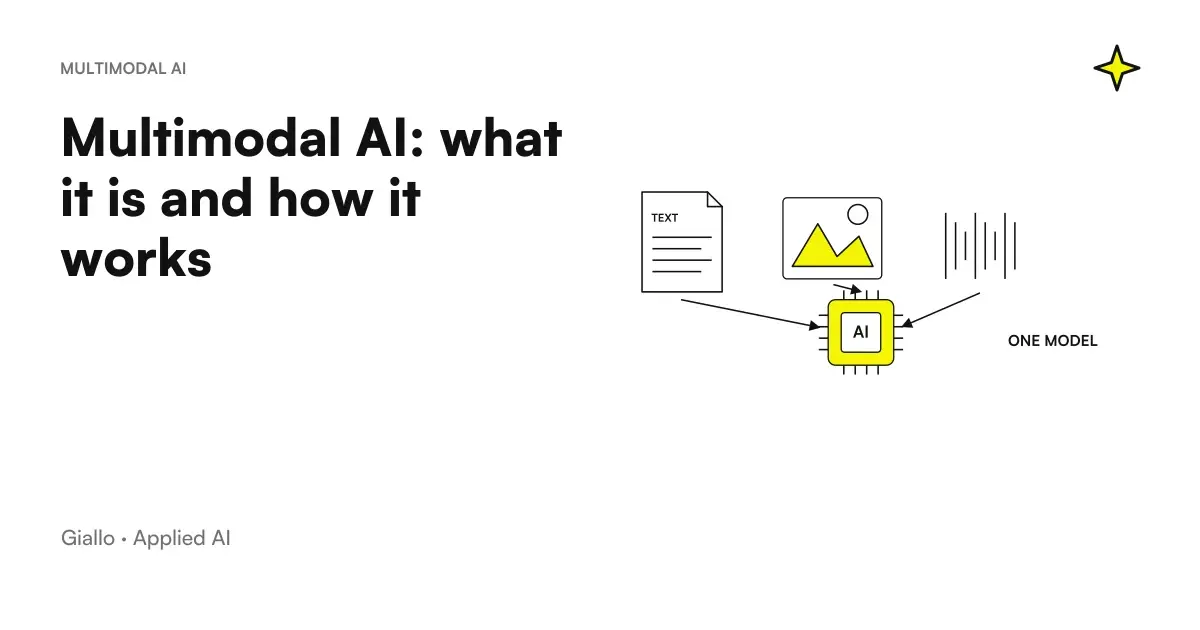
The translation of existing videos is the third job, and often the most useful. You don't generate anything from scratch: you take a video in which a real person speaks and you get the version in another language, with the same voice and lips moving accordingly. The general operation of these systems, which combine text, audio and images, is explained in Multimodal AI: what is it.
Translate a video you've already shot: how it works and what to check
HeyGen's video translation declares over 175 languages and dialects, clones the voice of the speaker and synchronizes the labial with the new audio (video translation page). The step that makes the difference is the revision of the translated script, which the platform allows to correct before generating the final video.
- Start with a clean video. A person who speaks in the room, clear audio, few overlaps of voices and music: the result depends a lot on the starting material.
- Gather written consent. Those who speak must know that their voice will be cloned and in which languages and channels the video will come out.
- Correct the translated script. Product names, technical terms and units of measurement are typical errors; do so before generating, not after.
- Have a native speaker watch the video. Pronunciation, tone and register choices are judged only by listening to the final result.
- State the translated version. A line in the description or end credits prevents the audience from finding out for themselves that the entry is synthetic.
Other tools offer automatic dubbing with similar functions. Before choosing compare on official pages the languages you really need, the quality of labial on your videos and the conditions on the use of cloned voice.
What to check for each instrument before paying
| Tool | Work | What to Check | Official Source |
|---|---|---|---|
| Runway | Scenes, modification of real footage | No claims on video ownership and no limit on commercial use; Runway, however, reserves a license to use input and output to train models as well | Terms of Use |
| Veo (Google API) | Scenes with audio | Short clips, SynthID watermarks on all videos | Veo Documentation |
| Gemini App | Scenes and photo animation | You need a paid plan; SynthID in all videos generated | Video Generation |
| Kling | Scenes, avatars, effects | Text and image generation; conditions of use to be read on the site | kling.ai |
| Pika | Short videos, product images, soundtracks | Tools and plans often change | pika.art |
| Synthesia | Digital Presenter | Over 160 languages; for a personal avatar the consent must be recorded live | Personal avatars |
| HeyGen | Avatar and video translation | Over 175 languages; video of the person's consent portrayed | Consensus video |
| Sora (OpenAI) | Closed | App and web closed on April 26, 2026, API on September 24, 2026 | OpenAI Notice |
The watermark should also be read in detail. On Runway Price Page the absence of watermarks appears among the functions of paid plans, while the free plan offers one-time credits to try. Google's SynthID watermark, on the other hand, is invisible and stays in the file: it serves to recognize the content as generated, not to ruin the frame.
Who owns the video and what the provider does with your files
In the Runway terms the company does not claim ownership of input and output and does not restrict commercial use of the videos, but warns that the outputs may not be unique, because other users may get similar results. In the same document, the user grants Runway a broad, perpetual license to use input and output, including to train and improve models.
Translated for an SME: the photos of a collection not yet for sale, the face of an employee or the video of a customer's construction site do not load on a service without having read this part. For confidential materials a business plan is evaluated with different conditions, or only work with already public content. The theme of ownership of the generated content, for texts and images, is covered in the guide on who owns the content created with AI.
Faces, voices and deepfake: what AI Act and Italian law say
The AI Act calls deepfake a video, audio, or image created or altered by AI that resembles someone or something real and can pass as authentic. The company that publishes them must say that they are artificial; if it is a clearly artistic, satirical or fictional work, just report it in a way that does not disturb the vision. The obligation lies in the Article 50 of the AI Act and is valid from 2 August 2026; the amendment approved in July 2026 gave more time to suppliers for technical content marking, not to those who publish them.
In Italy the Act 132 of 2025 added Article 612-quater to the Criminal Code: anyone who causes unjust harm to a person by distributing, without their consent, AI-falsified images, videos or voices capable of misleading risks imprisonment from one to five years. An older rule still applies beforehand: a person’s portrait must not be displayed, reproduced or marketed without their consent (Article 96 of the Copyright Act).
Face and voice are also personal data, and become biometric data when a technical treatment allows its unique identification (art. 4 of the GDPR). For the avatar of an employee, involve first those who follow privacy in the company: in the employment relationship consent must be evaluated with particular attention. The platforms add their own rules: TikTok asks to labeling realistic content generated with AI, and Meta applies the label "AI info" based on the metadata or statement of who publishes (Meta approach).
Do this.
- Written and specific consent of those who lend face or voice, with indicated channels and languages.
- Clear statement when the video can go through a real shot.
- Archive of consents, scripts, tools and plans used, as for photographic releases.
- Human review of each video before publication.
Avoid
- Voices or faces of customers, collaborators or well-known people without permission.
- Videos that make someone say things they never said, even as a joke.
- Confidential materials uploaded to plans granting licenses of use to the supplier.
- Remove watermarks or source metadata from the generated files.
Three typical productions for a small business
An online clothing store publishes weekly short videos for social media. The team animates the real photos of the garments with an image generator, instead of organizing a set for each item. Fabric and color are authentic, movement is not: a line in caption that declares it avoids discussions, and on platforms that ask it becomes mandatory. For the part of static images the rules seen in best AI models for images.
A consulting firm with many German clients, on the other hand, once records the partner explaining the Italian deadlines and producing the German version with his cloned voice. The member signs the consent, a native speaker colleague revises the translated script and the final result, and the video states that the version has been translated with AI. The longer work remains to write a good script.
Finally, a manufacturing company uses a digital presenter for onboarding videos and departmental procedures. When a procedure changes, you edit the text and regenerate the video, without calling anyone in front of the camera. For mandatory safety training, before replacing the classroom check with the manager what modalities are allowed; the other uses of AI in training are in AI for Internal Training.
To create advertising variants from a reference, the new interface of Higgsfield Ad Multiplier is an option to be evaluated. Before the generation you need authorized materials, verification of the cost shown and revision of the variants; the performance is then measured in the campaign.
The first video to be produced with AI
Choose only one repetitive format, for example the English version of the videos produced or the welcome video for new hires, and produce it with two different tools on the same script. Compare the total time, including revision and fixes, not just the demo rendering. What the AI Act specifically asks of those who use these tools is explained in the guide on obligations of SMEs; the overall picture of technology is in Generative AI: what it is.
When videos become a recurring stream, including translations, product cards, and training updates, the real savings come from the process that produces them, gets them approved, and publishes them. If you want to build it around the tools you already use, Giallo Studio design these streams with approval steps in the right place.
Giallo Studio guides: methodology and sources
How we apply it in the company
Related resources
FAQ
What are the best AIs for video today?
It depends on the work. Runway, Google's Veo, Kling and Pika are used to generate scenes from text or photos; Synthesia and HeyGen for a digital presenter reading a script; and HeyGen for translating an existing video with the same voice and synchronised lip movements. Names and terms change frequently, so always check the official page.
Can OpenAI Sora still be used?
No. OpenAI closed Sora's app and web version on April 26, 2026, and announced closure of the Sora APIs for September 24, 2026. Those who had content on Sora can export it by following the instructions in OpenAI's Help Centre.
What is the difference between an AI video generator and an AI avatar?
A generator creates a clip from a written description or image: scenes, movements and environments. An avatar starts from a script and produces a digital presenter delivering it, often in many languages. The first is for advertisements and supporting footage; the second for training, tutorials and spoken communications.
Can you translate a video while keeping your voice?
Yes. Tools such as HeyGen's video translation clone the speaker's voice, synchronise lip movements in the new language and let you correct the translated script before generation. The person's consent and review by a native speaker are needed before publication.
Do you need consent to use a person's face or voice in an AI video?
Yes. In Italy, a person's portrait must not be displayed or commercialised without their consent, and distributing AI-falsified videos or voices without consent that cause unjust harm is a crime. HeyGen and Synthesia also require a consent video recorded by the person before creating their avatar.
Must AI-generated videos be disclosed?
If they realistically portray existing people, places or events and they might seem authentic, yes: the AI Act asks those who publish them to declare it. Even platforms like TikTok ask to label realistic content generated with AI.
Is using AI for videos worthwhile for a small business?
Yes for repetitive videos that need frequent updates: tutorials, internal training, animated product descriptions and versions in other languages. It is less worthwhile for the brand's flagship video or when real people and places are needed: traditional filming remains the safer choice there.