
Read PDF traffic fines automatically: text, OCR and limitations
Extract a vehicle registration number, date and amount from a PDF fine notice: text reading, OCR, field validation and what to do when the system is uncertain.
Reading time: 9 min
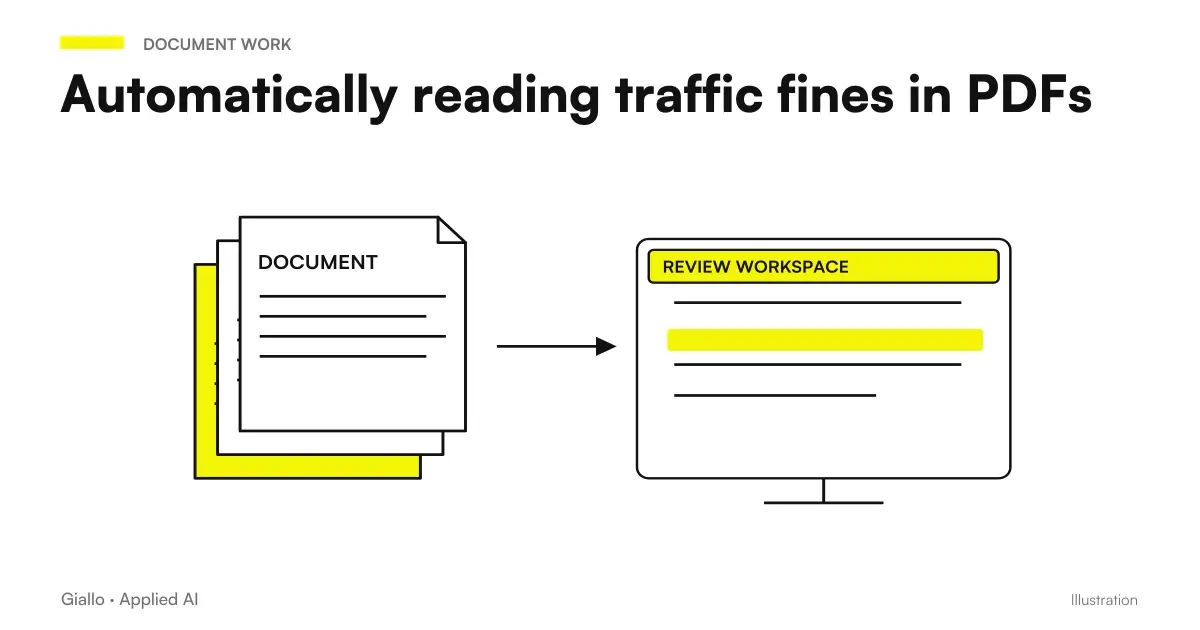
Read the fines in PDF automatically means extracting from a record the data that is needed — plate, date and time of the infringement, place, amount — without anyone reconstructing them by hand. It is one of the most concrete document extraction cases, and also one of the most instructive about what automation knows and cannot do.
The central lesson comes immediately: It's not an algorithm problem, it's a right field problem. Extracting "a date" from a record is trivial; understand that it serves that of infringement and not that of notification is ninety percent of the value, and is not discovered by reading the documentation.
This article describes the implementation made in the CRM for car rental of Rial Rent, where the minutes come in very different formats.
In summary
- Two Roads in waterfall: first the text layer of the PDF, then the OCR if the document is a scan.
- The OCR is wrong predictable — the O instead of the zero is the classic — so the extracted fields must be validated against an expected format.
- The critical data is not the most difficult: it is the right date, that of the infringement and not that of notification.
- Process in the browser keeps the documents on the device, but the first reading is slow: progress should be shown.
- When the system is not secure it must say it and ask for manual insertion, do not fill in the fields with a hypothesis.
The two streets, in cascade
A PDF is not a format, they are two very different things that share an extension.
| Type of PDF | What it contains | How do you read | Reliability |
|---|---|---|---|
| Digital | A selectable text layer | You read the text directly | High, immediate |
| Scanning | Just an image of the page | Need OCR on image | Variable |
| Mixed | Text on some pages, images on others | First the text, then the OCR on the rest | Depends |
The correct sequence is to try always before the text. If there is, the reading is instantaneous and not wrong. Only when the text layer is absent or empty is it worth making the page as an image and passing it to the OCR.
The OCR in the browser: advantage and price
In the project the OCR turns on the device of who uploads the file, not on a server. The page is rendered on a canvas and passed to a recognition engine configured for Italian.
What You Earn
- The documents do not leave the company: no minutes are uploaded on third-party services.
- No cost per page processed.
- No dependence on an external service that can change prices or close.
- Less compliance with data processing, because there is no transfer.
What you pay for
- The first processing is slow: the language model must be downloaded.
- The speed depends on the user's device.
- On very heavy documents the browser can struggle.
- You need to show the progress, or the user thinks it's blocked.
The last point seems aesthetic and is not. A wait of twenty seconds without any signal is read as a failure: the person reloads the page, tries again, and on the third time stops using the function. A progress bar with a line of text that explains what is going on completely changes the perception.
Validating Instead of Trusting
The OCR does not err at random: it errs in a predictable way, confusing graphically similar characters. Typical confusions are always the same:
- The Letter O read as zero, and vice versa.
- The I capitalized confused with the number 1.
- The S confused with the 5, the B with the 8.
- Spaces inserted or lost in the middle of a sequence.
Knowing this, the strategy is simple: you look for the expected format instead of free content. An Italian plaque has a precise structure —two letters, three digits, two letters.and a regular expression can look for it by tolerating known substitutions. If in the "digit" position he finds an O, he interprets it as zero; if in the "letter" position he finds a zero, he interprets it as O.
If after the expected corrections the result still does not respect the format, the system does not guess: it declares that it has not recognized the plate and asks for manual insertion.
The Right Field: The Date That Matters
This is the part that is not found in the technical documentation and that is only discovered by talking to those who do the work.
A record contains at least two dates: the date on which the infringement and the one in which the record was notified. They can be weeks away. For all technical uses — filing, searching, ordering — both are fine. For the use that really serves, that is, figuring out who was driving, only one works.
Taking the wrong one does not produce a visible error: it produces a plausible and wrong attribution, which comes to a customer who did not have the car that day. It's the kind of mistake that costs a business relationship.
The implementation looks for the textual indicators that precede each date in the document and distinguishes the two cases. Where the document is ambiguous, the system shows both and asks to choose. The next step —finding the driver —is described in Matching the fine to the driver.
Regular expressions or language model?
There is a basic choice worth making, because today the instinctive answer is "we use a model" and it is often wrong.
When regular expressions are enough
- The documents have recurring formats, although different from each other.
- The fields to be extracted have a known structure: plates, dates, amounts, codes.
- We need deterministic and repeatable behavior.
- You want to be able to explain exactly why the system extracted that value.
When you need a language model
- The documents are very heterogeneous and not traceable to patterns.
- The useful data is expressed in free language, not in a field.
- You need to interpret the sense, not locate a format.
- You can accept a share of errors and expect a human review.
For verbals the answer is the first column. An Italian plaque has a fixed structure, an amount has a recognizable format, a date as well. A language model would do the same job by introducing unpredictability where it is not needed, at a cost per document and without the ability to explain the output. The general comparison between the two approaches is in AI to analyze business documents.
This does not mean that AI has no place: on very variable supplier documents, or on texts in which the information is narrated instead of tabulated, the reasoning changes completely.
What happens after extraction
Extraction is not the end, it is the beginning. The extracted fields must end somewhere and serve something.
- Precompilation of the card. The recognized fields fill the form, the uncertain ones remain empty and reported. The person checks instead of typing.
- Vehicle search. The validated plate is searched in the fleet: if it does not exist, the process stops with a clear message.
- Pairing with the driver. With plate and instant you look for the active contract, as described in Matching the fine to the driver.
- Archiving the document. The original PDF remains attached, because the extracted data never replaces the source.
The last point is a general rule of document automations: The original document is never thrown away. The extracted value is an operational convenience, the proof remains the file.
Practical examples
A digital record from a large municipality. The PDF has the text layer, the reading is instantaneous, all fields are recognized. It is the majority case and does not require intervention.
A crooked photographed scan. The document was photographed instead of scanned. The OCR extracts the plate with the wrong character; the format validation corrects it because it falls within the known substitutions. The date on the other hand is illegible: the system declares it and asks to insert it.
A report from an entity with an unexpected format. The structure of the document does not match those expected. The system extracts what it recognizes and leaves the rest empty, signaling which fields are missing. No attempt at inference.
Another type of document. The same scheme — text first, OCR then, validation always — applies to supplier invoices, bubbles and forms. The general theme is in document automation with AI and in AI to analyze business documents.
Mistakes to Avoid
Sending everything to the OCR. It costs time and introduces errors on documents that would be perfectly read from the text.
Not validating the extracted fields. A data extract without format control is a data you know nothing about. Validation is what makes the output of an OCR usable.
Filling the fields with the best guess. It is the choice that makes automation unusable: no one controls a field that is compiled, so the error passes.
Not showing progress. A silent wait is interpreted as a failure, and the function stops being used.
Extract the wrong data with great precision. It is the most insidious error because technically the system works: it reads a date that is not needed very well. Correction is not technical, it is understanding the process.
How to apply it in the company
- Look at twenty real documents before writing anything. How many are digital and how many scans? From this proportion depends how central the OCR will be.
- Ask who does the work which data really serves, not what data there are. They are different questions and the second door off the road.
- Define the expected format of each field: is the basis of validation and is worth more than any model.
- Decide what happens when the system is unsafe, and turn it into a screen, not an unhandled case.
- Evaluate where you process: in the browser for confidentiality, on servers for speed and uniformity. On data processing it is worth reading AI and Data Security.
If the documents to be processed are many and come from different channels, the theme widens to the data entry automation.
Conclusion
Read the fines in PDF automatically works, as long as you accept two things: that the OCR errs in a predictable way and needs to be corrected with format validation, and that the value lies in the right field more than in the accuracy of the extraction.
The rule that's worth the most: make the system say when it's not safe. Honest automation about one's limits is used; one that guesses is abandoned after the first mistake discovered by chance.
Do you want to understand what processes in your company can be automated with AI? Giallo Studio can help you turn the problem into a real workflow. The complete project is in custom software.
Giallo Studio guides: methodology and sources
How we apply it in the company
Related resources
FAQ
Can you read the data of a fine from a PDF automatically?
Yes, through two different approaches depending on the document. If the PDF is digital and has a text layer, the data can be read directly and reliably. If it is a scan, OCR is needed to recognise characters in the image and is less accurate: it must always be accompanied by validation of the extracted fields.
How reliable is OCR on a penalty notice?
It depends on scan quality. It works well on a straight, clear document; on a skewed or low-resolution scan, it confuses similar characters, such as the letter O and zero. This is why the system must validate the format of what it extracts rather than simply trusting it.
Is it better to process documents in the browser or on a server?
In the browser, documents do not leave the device, which is a concrete confidentiality benefit. The trade-off is that the first processing run is slow because the language model must be downloaded: show the user its progress, otherwise it appears stuck.
What is the most difficult data to extract from a penalty notice?
Not the most technically difficult, but the easiest to get wrong: the date. A penalty notice contains the date of the offence and the notification date, which are different things. Using the wrong one means attributing responsibility to the wrong person.
What does the system have to do when it can't read?
State this and ask for manual entry. Automation that stops when it is uncertain is more useful than automation that fills fields with its best guess: the first case costs thirty seconds, while the second creates errors that nobody checks.
Do you need artificial intelligence to do this?
Not necessarily. In this project text reading and regular expressions cover most cases, and OCR only intervenes on scans. A language model can help on very variable documents, but introduces unpredictability where determinism would be needed.