
Kimi K3.1 Pro: multimodal agents for business processes
Kimi K3.1 Pro for multimodal agents: images, video, tool calling and controls. How to assess an SME workflow while distinguishing the model from the app.
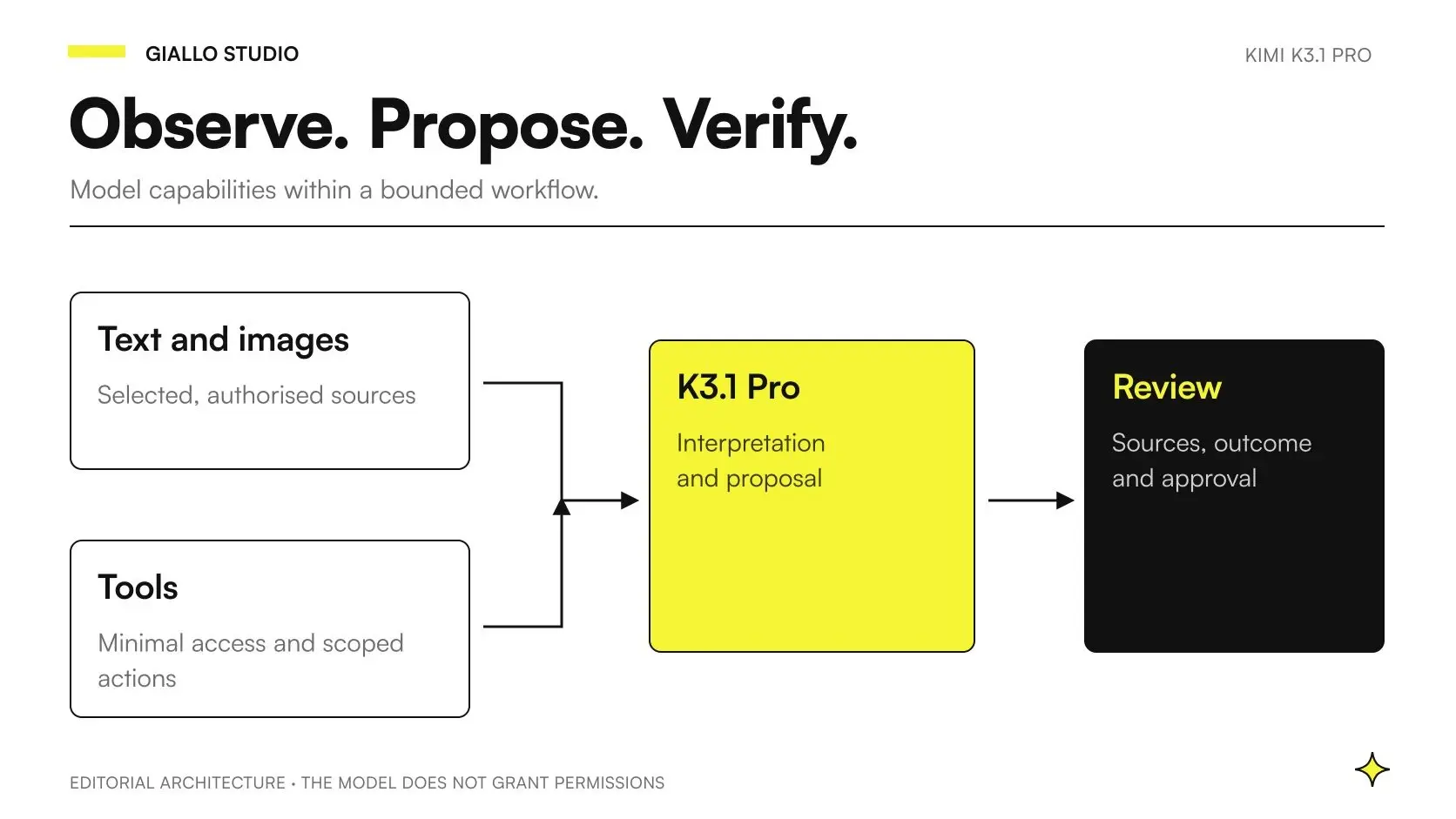
Kimi K3.1 Pro can be a component of a multimodal agent that interprets visual material and uses tools. For an SME, the value lies in connecting a photo, diagram or screenshot to a task that can be checked: reconstructing a request, comparing information and preparing a proposal with references. The integration must define which data the model receives and what effects the software can produce.
The official visual input documentation, checked on October 24, 2026, includes K3.1 Pro for images and video. The API example returns text: the word “multimodal” alone does not justify promising audio, generated video or a complete Excel file. The general guide to Kimi K3.1 Pro introduces the model; here we discuss how to assess a process that starts with different types of input.
The workflows described below are proposed designs, rather than business capabilities already tested by Giallo on the new model. Both scenarios are hypothetical. This distinction allows us to use documented capabilities as a starting point without turning a vendor demonstration into an operational guarantee.
In summary
- A multimodal agent connects visual and textual information to tools with a specific goal.
- Recognizing a detail does not amount to technical or commercial confirmation of that detail.
- The model, Kimi app and integrated system have capabilities and responsibilities that must be checked separately.
- Every important conclusion must be traceable to the original material.
- Limited permissions, approvals and stop conditions are part of the proposed architecture.
What does Kimi K3.1 Pro add to multimodal agents?
K3.1 Pro launches the K3.1 series and is a post-trained version of K3. The vendor claims improvements in agentic tasks and a context window of a million tokens; hosted access and the future release of the weights must be distinguished. As of October 24, the full weights are promised by November 4, 2026. Source: official K3.1 Pro introduction.
The practical goal is not to turn every document into a new automation project. Look for tasks where text leaves out relevant information: a screenshot shows the state of the software, a photo distinguishes two configurations, or a diagram helps identify the component mentioned in a note. The system must then explain which piece of evidence it used for each conclusion.
A chat that comments on a photograph may be enough for an occasional query. An agent becomes useful when you also need to retrieve an approved data sheet, verify an item's code and prepare a result in the system your team uses. Before increasing autonomy, identify which step requires interpretation and which can follow a deterministic rule.
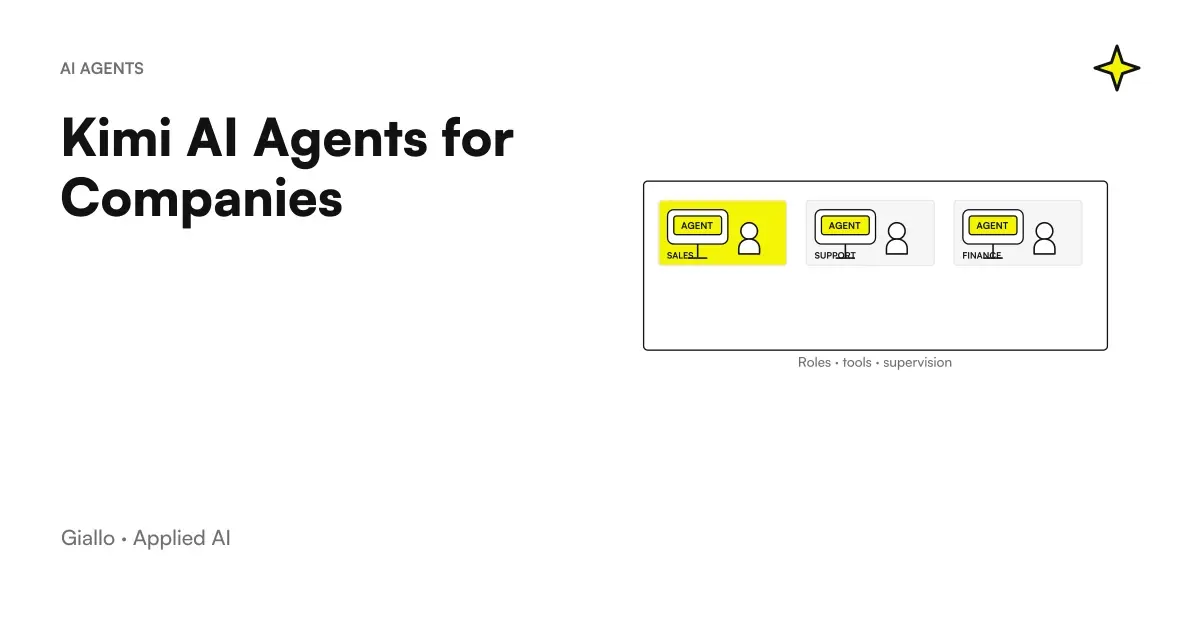
The earlier guide to Kimi AI Agents for Companies introduces general roles and controls. Here, the additional challenge is preserving the links between different representations of the same object: photos, extracted text, product codes and business system records may not match.
What does multimodal mean in the API and the app?
The Vision API documents parts named image_url, with content as an array, and file references using ms://; public image URLs are not supported in the documented workflow. For video, it describes uploading the file and using a part named video_url. The format must be respected even when an intermediary claims general compatibility. Source: Kimi Vision Input.
The app experience includes an interface and can coordinate its own tools. In business software, you need to decide how to extract text, which images to supply and how to produce the final document. The model's ability to read a chart does not establish that a single call can open, edit and return any spreadsheet while preserving its formulas and layout.
| Level | Result to verify | A misunderstanding to avoid |
|---|---|---|
| The model's visual understanding | A description or interpretation supported by the image | Confusing it with a certified measurement |
| Tool calling | A coherent request to use an available tool | Treating it as authorization to execute the tool |
| App tools | An artifact or task available in the product and plan | Automatically attributing them to the API |
| Business Integration | Data linked to the correct record and validated output | Assuming that changing the model is enough |
| Final file | Correct content, formulas and layout, and a file that opens properly | Accepting a “completed” message as sufficient evidence |
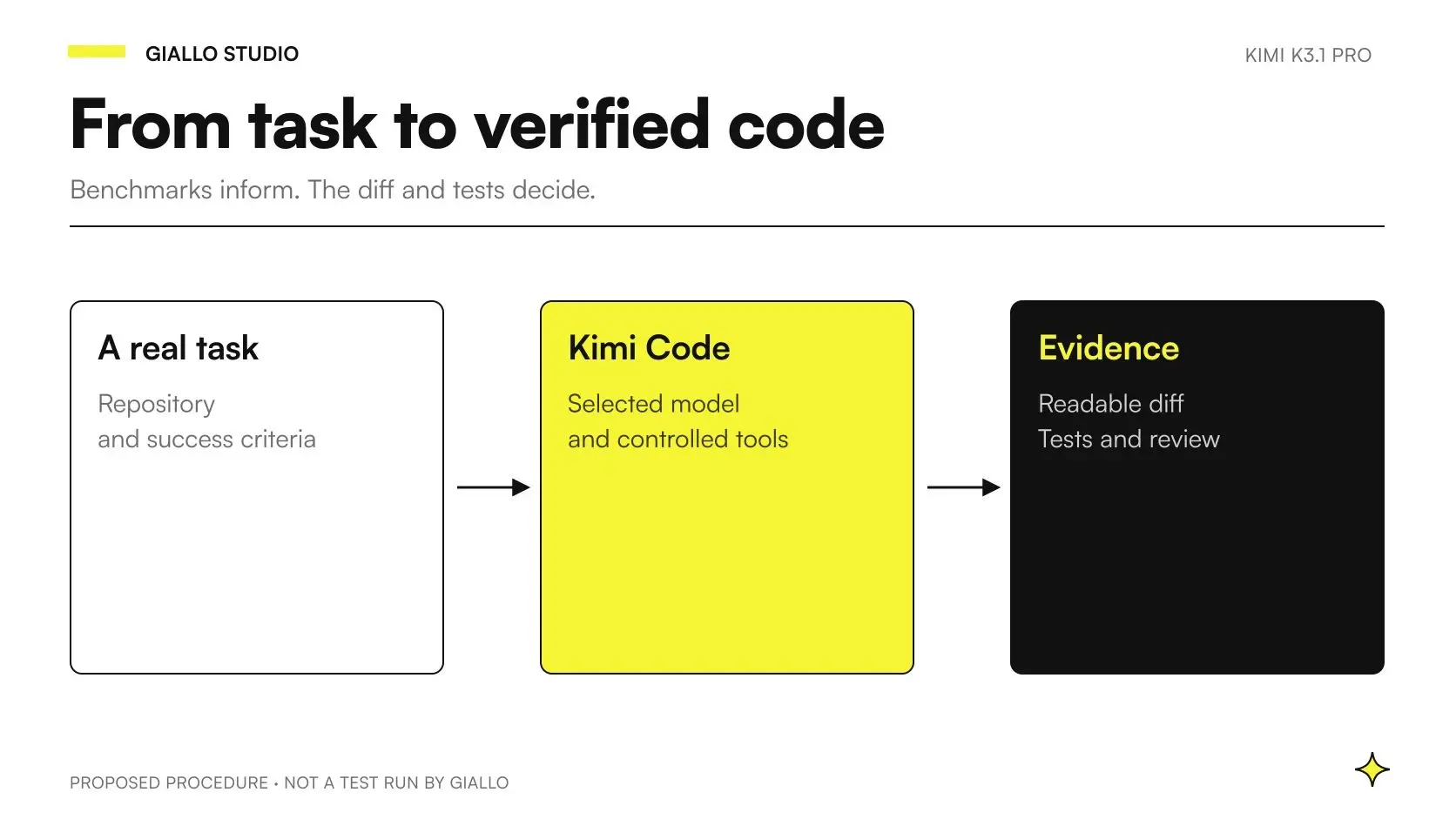
For work with repositories and development tools, the guide to K3.1 Pro for coding covers a different assessment. A sales workflow may not need a terminal: adding one without a specific task only expands what the system must control.
How do you keep a photo from becoming a fabricated certainty?
Ask the system to distinguish between observation, interpretation and missing information. “This code appears in the photo” differs from “the code identifies this spare part” and “the spare part is available.” The first statement depends on the image; the second requires a technical source; the third needs current data from the relevant system.
Even a plausible description must retain a reference to its input. The work record can include the file name, relevant page or region, and the value read. If a detail is missing, the correct outcome may be to request a better photograph. Do not fill in a field simply because the format requires it.
Prepare examples with reflections, cropped text, conflicting units and nearly identical images. These test your process; they do not create a new model ranking. The reviewer must be able to open the original in the same interface and challenge a reading without reconstructing the entire conversation.
This separation also reduces cascading errors: if a misread code becomes the key used to find a manual, every later step may look coherent while referring to a different item. Identity must therefore be verified before expanding the task.
What tool chain does a verifiable agent need?
We propose a chain with four observable outcomes: acquiring permitted material, extracting information with references, comparing it against approved sources and delivering a draft. Each outcome must be checkable without relying on the model's narrative.
The official tool calling guide describes the loop between function declarations, model requests and tool results. In an integration, this loop is where application controls belong: the tool sees only permitted data, and the backend checks arguments before executing the operation.
For example, “retrieve the approved data sheet for the selected code” is more tightly scoped than “find any useful information.” The function should return the source's version and identifier. If the code is ambiguous, it should report the ambiguity rather than silently selecting the first result. These are suggested design requirements, not properties already demonstrated by K3.1 Pro.
What should be shown before writing to business software?
Show the destination record, current fields, proposed values and supporting sources. If the draft changes after approval, require another review. The software must prevent duplicate execution of the same proposal and make every error visible. This is an architectural choice to implement and test in the business system.
Do not give the model general access to all files when a test folder is enough. A component that interprets images should not be able to expand the set of accessible archives on its own. A convenient interface must still have boundaries that the person responsible for the process can understand.
What do benchmarks say about visual tasks with tools?
An agentic test may include a Python interpreter, browsing or another execution environment. Its score therefore describes a combination of model, settings and tools. It cannot be directly substituted for the result of a visual request without those tools.
A useful reading of the K3.1 Pro comparative benchmarks keeps tests with and without tools separate. The figures in the introduction are published by Moonshot; they are not independent verification. We do not turn a benchmark advantage into a forecast of correctly completed cases in your business.
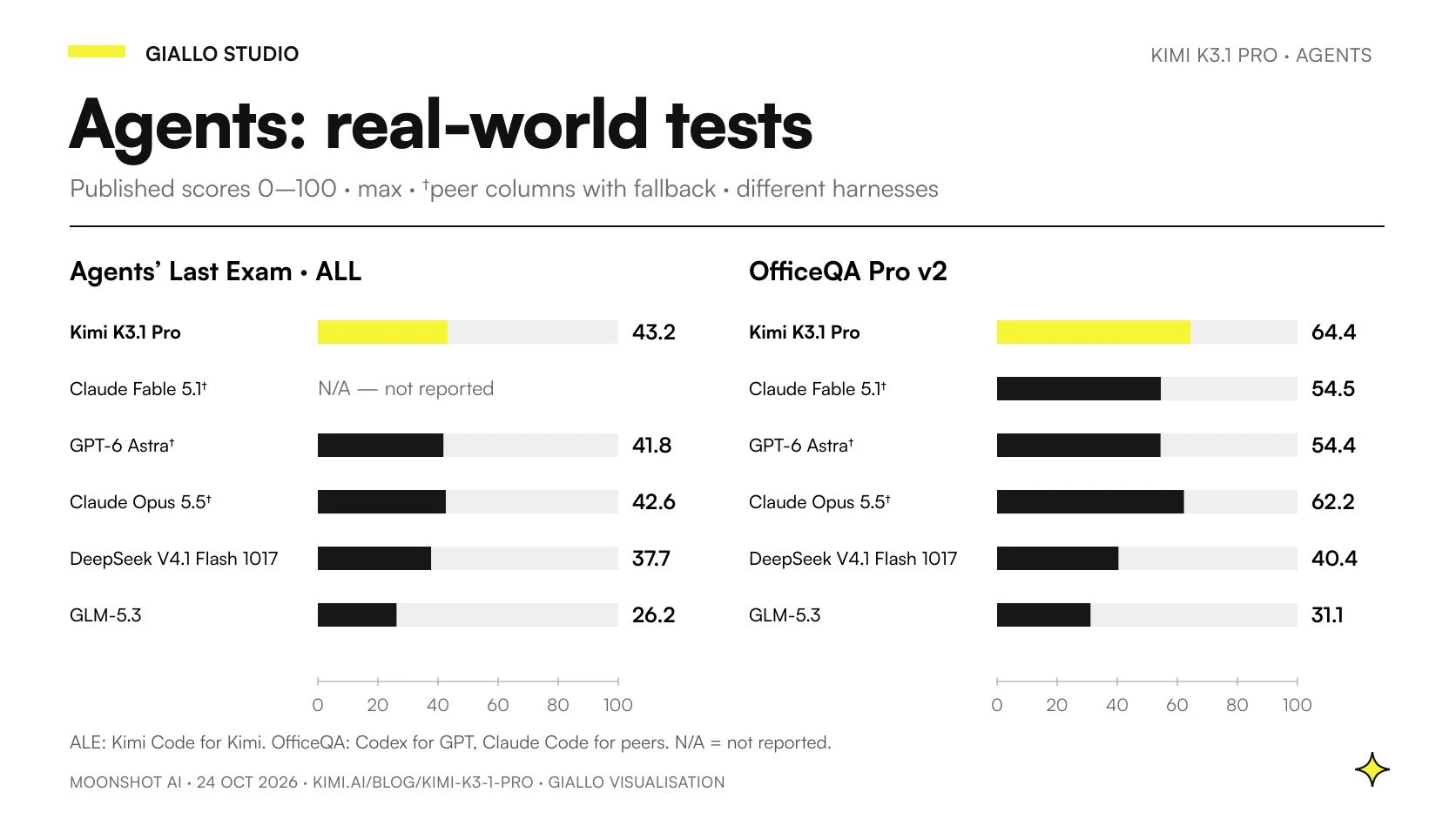
| Model in Moonshot's compilation | Agents' Last Exam (ALL) | OfficeQA Pro v2 |
|---|---|---|
| Kimi K3.1 Pro | 43,2 | 64,4 |
| Claude Fable 5.1 | Not published | 54,5 |
| GPT-6 Astra | 41,8 | 54,4 |
| Claude Opus 5.5 | 42,6 | 62,2 |
| DeepSeek-V4.1-Flash-1017 | 37,7 | 40,4 |
| GLM-5.3 | 26,2 | 31,1 |
These are the scores reported by the Moonshot source, without averaging across tests. The columns specify max reasoning and, for proprietary models, fallback. In Agents' Last Exam, Kimi uses Kimi Code, DeepSeek uses Claude Code and the other results come from the benchmark website. In OfficeQA, GPT uses Codex and the others use Claude Code; PDFs are rendered as images. “Not published” does not mean zero.
OfficeQA does not establish automatic Office document generation. The score concerns the evaluation task and its environment; your system still needs to demonstrate that it reads, associates and returns the requested information correctly.
For an operations manager, the benchmark helps build a shortlist. The business test must check specific errors: does the system link the photograph to the right product? Does it read the correct revision? Does it flag an illegible label? A polished answer that goes beyond the available evidence is not an acceptable result.
Does the long context let you upload the entire archive?
A large context provides space, but selection remains a design decision. A request containing many revisions of the same manual can be less clear than a small set of documents with the approved version. Before adding more attachments, define the rule that makes a document relevant.
For a multimodal agent, maintain a mapping between files, objects and the case. An undated photo may show an earlier configuration; an image inserted into the wrong document may introduce a conflict that is hard to notice. Simply asking it to “consider everything” does not resolve provenance.
The article on Kimi K3 explains the continuity with the previous model. A long context alone is not a sufficient new feature to justify migration. The decision depends on the accuracy and manageability of the complete workflow.
How could it help a plant maintenance SME?
Hypothetical scenario: a maintenance company in Modena. An operator receives a request with photos of the control panel, a problem description and the stated machine code. Currently, they must transfer the information into a work record before a technician assesses the case.
The proposed pilot uses synthetic images or authorized material. The agent prepares a work record that separates what it reads in the photos from what the requester reports. It retrieves only permitted manuals and states which revision it consulted. If the code on the nameplate does not match the request, it pauses the association and flags the conflict.
The acceptable result is a faithful reconstruction: the code, visible message, checks already reported and unresolved questions. The agent does not certify the cause of the fault or issue risky operating instructions based on a photo. The technical lead decides what guidance may be communicated.
When comparing models, what matters is whether this separation holds even when information conflicts. The reviewer checks the source supporting each field and records corrections. If checking the work record requires repeating all the work, the benefit has not yet been demonstrated.
A later integration can create a draft case. Any communication to the customer is a separate step, tied to the approved text and an authorized person. Designing AI agents is precisely about these connections between generative capabilities and operational effects.
How could it check an e-commerce catalog?
Hypothetical scenario: a furniture SME in Pordenone. The team needs to prepare product listings from images, approved descriptions and variant tables. The challenge is not producing more adjectives: it is preventing a photograph of one finish from being linked to another finish's code.
The pilot gives the model a bounded set of materials and a mapping table. The agent flags inconsistencies between variant names, visible attributes and supplied data. It retains a source reference for each proposal. Dimensions and materials come from approved data sheets; they are not estimated from the photograph.
The output can be a structured draft with a title, attributes and uncertainties. The backend checks that codes exist and required fields are present. The catalog owner approves corrections before import into the store. An image without a reliable reference remains unverified, even if the model produces a plausible description.
The test includes images showing accessories that are not included, lifestyle photographs and nearly identical variants. It checks whether the agent avoids turning a detail of the scene into a feature of the product being sold. The quality of the Italian matters, but a fluent description does not compensate for an incorrect attribute.
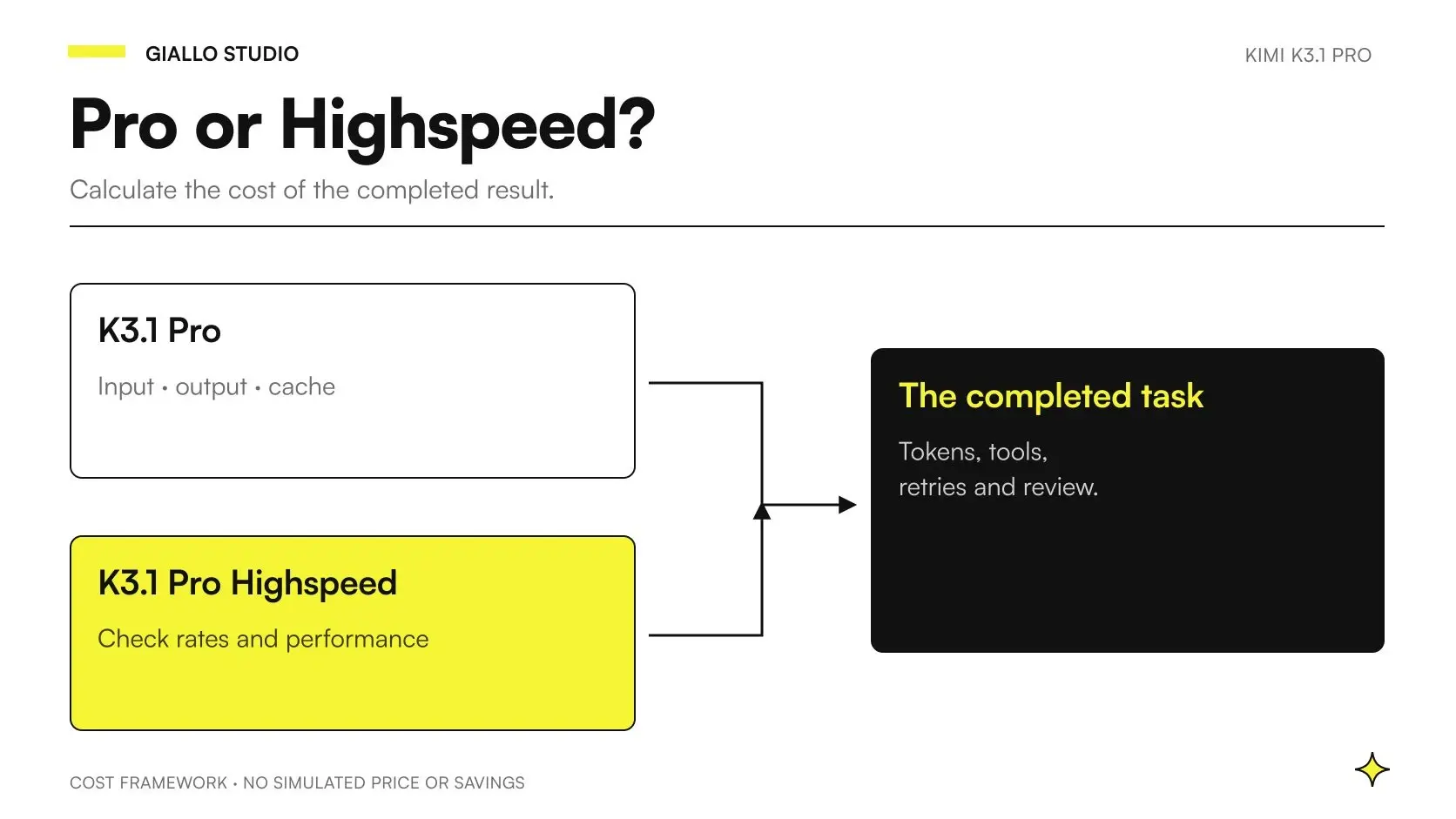
This scenario does not represent a client or a result measured by Giallo. It illustrates an adoption criterion: maintaining control over catalog data while reducing manual copying. Costs should be considered together with review effort in the guide to K3.1 Pro pricing and APIs.
What data checks are needed before uploads?
Map the path of each input: where it comes from, which component receives it and who can retrieve it later. A photograph may contain people, license plates or details of a confidential setting. Preparing a version suitable for testing is part of the work, rather than a check to postpone until the end.
The guidance on Kimi Zero Data Retention describes enterprise ZDR on request and lists exclusions: Batch, images and video sent directly to the File Upload API, operational data and third-party services. It therefore does not automatically cover the entire multimodal chain.
This policy does not establish EU data residency or GDPR compliance for your processing. Before using real data, verify the channel, contract and actual components with the person responsible for data protection in your company. To help distinguish the products, the guide to Kimi AI and privacy keeps the app and API platform separate.
Meanwhile, the pilot can proceed with relevant synthetic or public cases. This allows you to check the schema, exceptions and result quality without making the initial assessment depend on uploading an entire company archive.
How do you measure a multimodal agent before adoption?
Use a correctly completed case as the unit of measurement. Record correctly extracted fields, incorrect associations, omissions and appropriate clarification requests. An “unreadable” response can be correct when the input does not support a reliable reading.
Define the criteria before seeing the outputs. For a photograph of a nameplate, for example, the model must preserve the exact code or flag its ambiguity; for a catalog, it must avoid attributing other objects in the scene to the product. These are examples of criteria, not performance already observed.
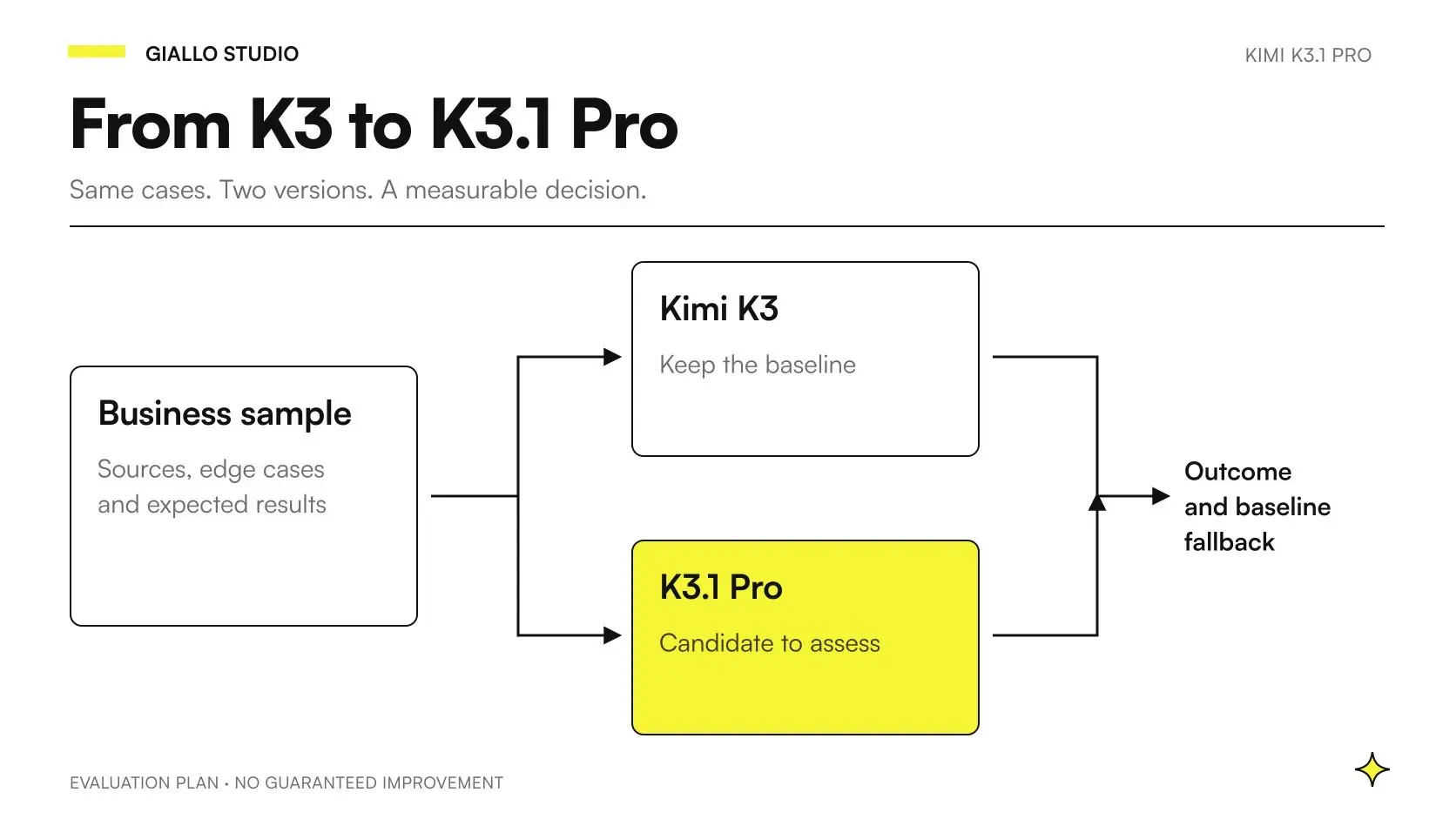
If you compare K3 and K3.1 Pro, keep the same inputs and sources. You can then run a second test with instructions optimized for each model, making the configuration change explicit. The K3 to K3.1 Pro migration guide explains how to preserve this distinction.
Include total duration, attempts, tool usage and reviewer effort. Do not offset the model's cost against a theoretical time saving to claim a financial return: first you need an observed, repeatable result. A system that produces more drafts but requires more checks may not improve the process.
Which mistakes make the project fragile?
The first is treating an ambiguous image as a definite identification of an item in the business system. The second is losing sources between reading and summarizing: the final answer looks documented, but nobody can trace it back to the detail.
The third is accepting a field because it passes format validation. A code may have the right structure and still refer to the wrong item. The fourth is extending a feature observed in the app to an API integration without checking the tools and conditions of the chosen channel.
The last is allowing the agent to decide when to stop without system limits. We propose an execution budget, permitted tools and a clear paused state. Sandboxing and approval are controls to implement; mentioning them in a prompt does not prove they exist.
Which task should you start with in K3.1 Pro?
Choose a case where a visual input adds necessary information, someone owns the result and the original remains accessible. Prepare clear, ambiguous and contradictory cases; define which outputs can be accepted and which require a stop.
The first milestone is a useful draft with evidence, rather than the largest possible number of automated actions. If the project passes this check, you can add a connection to business software while retaining controls and a return to manual work. The overview of Kimi K3.1 Pro and the benchmark comparison help keep features and results separate.
To turn photos, data sheets and requests into a case your team can verify, Giallo designs AI agents around your data and process checks. The project can start with a single input and a deliverable your team knows how to assess.
Giallo Studio guides: methodology and sources
How we apply it in the company
Related resources
 Kimi K3.1 Pro: what it is, what changes and when to use it
 Kimi K3.1 Pro benchmarks: comparison with other LLMs
 Kimi K3.1 Pro: API pricing, caching and budgets for SMEs
 Kimi K3.1 Pro for coding: configuration and practical tests
 Kimi K3.1 Pro vs K3: differences and a verifiable migration
 Kimi AI Agents for Companies: Roles, Tools, and Controls
 Kimi K3: model, reasoning and practical limits
FAQ
Can Kimi K3.1 Pro power multimodal agents?
The API documentation describes visual inputs and tool calling for K3.1 Pro. A business agent also needs software to select data, execute tools and check permissions. The model alone does not establish the reliability of the process.
Does Kimi K3.1 Pro understand images and video?
The Vision Input guide lists K3.1 Pro among the models that understand images and video. Submission methods and limits must be checked for the channel being used. Understanding inputs does not mean native video or audio generation.
Does an API call automatically create Excel or PowerPoint files?
No. The model's multimodal capabilities alone do not establish that it can produce Office artifacts. A system that delivers those files must include creation tools, content checks and verification of the final artifact.
Does tool calling authorize the agent to modify business software?
No. The model proposes a call, while the software executing it must check the user, arguments and permissions. Reading, drafting and writing operational data require permissions that must be designed separately.
Does the one-million-token context replace document retrieval?
No. A large context can hold more material, but it does not guarantee complete coverage or correct interpretation. A process that can be checked requires identifiable sources, versions and references to the passages used.
Is Kimi K3.1 Pro already available for self-hosting?
As of October 24, 2026, the official announcement promises the full weights by November 4, 2026. We therefore do not treat them as already released. Access to the hosted service and availability of the weights are separate matters.
Does ZDR cover every agent built with Kimi?
No. The documentation describes ZDR for Open Platform enterprise customers, on request and with exclusions. It does not automatically extend this protection to the app, uploaded files or third-party services, nor does it establish compliance for the entire data processing operation.