
Codex with GPT-6 Sol and Luna: models, reasoning, costs and review
Codex with GPT-6 Sol and Luna: choose a model and reasoning level, understand catalogue changes, agent caching, cost per task and review.
Reading time: 12 min
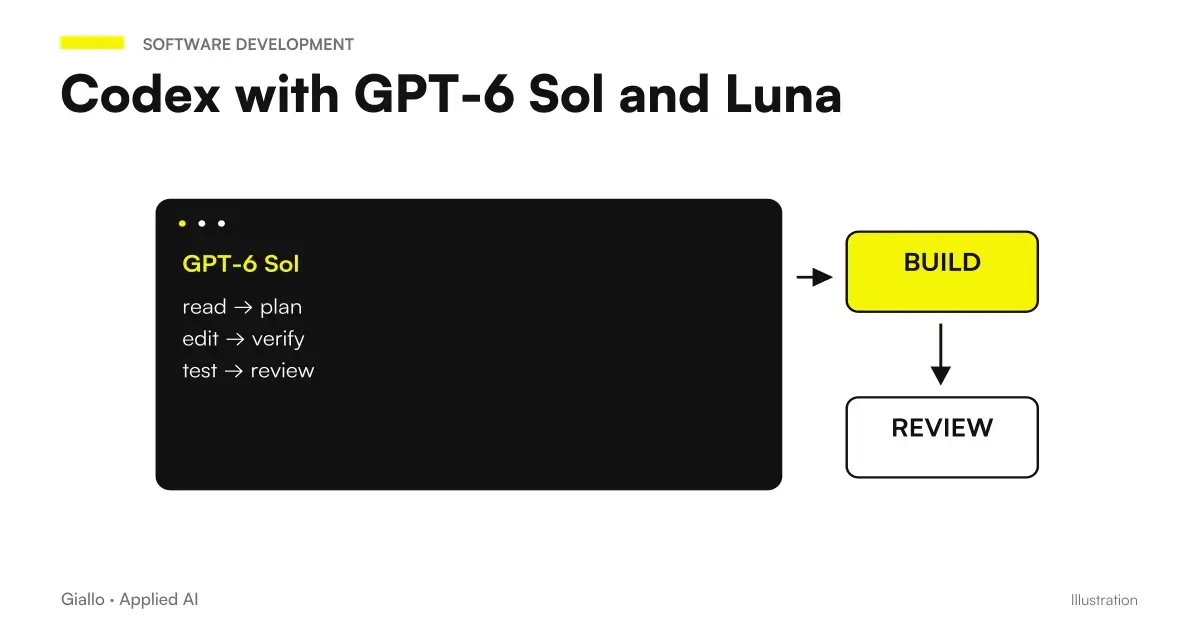
To work in Codex with GPT-6 Sol just choose it in the app model selector or, in the CLI, use the command /model or start codex --model gpt-6-sol. The default level of reasoning is Medium. For targeted and repetitive tasks there is GPT-6 Luna, so documentation recommends starting from High. In the Codex cloud, however, the model for now is not chosen.
The two models arrived in Codex on September 22, 2026 and entered the CLI selector with version 0.156.1 the next day (changelog). This guide is for those who program or program their team; for the flagship model of the family there is GPT-6 Astra for developers.
In summary
- Sol you choose with /model, with codex -m gpt-6-sol or from the selector below the text box; the default level is Medium.
- Luna starts at High and goes all the way to Max; Ultra, which divides the work between subagent, there is for Sol and not for Luna.
- Codex proposes to switch to Sol to those who use GPT-5.5, GPT-5.6 Sol and GPT-5.6 Terra, and to Luna to those who use GPT-5.6 Luna.
- GPT-5.5 exits ChatGPT, Work and Codex on 14 October 2026: must be removed from scripts, agents and configurations.
- In Codex cloud the model is not chosen; Sol and Luna work locally, in the app, in the CLI and in the IDE.
- In OpenAI's simulation of Codex's internal traffic, Sol reduces serious reports without zeroing them (system card).
How to choose GPT-6 Sol in Codex, surface by surface
The rules are written in the Codex Models page and change according to where you work.
| Where you work | How to choose Sol | To know |
|---|---|---|
| Desktop, Work and Codex Apps | Model selector and reasoning below the text box | In the documentation the cursor start preset is Sol Light |
| ChatGPT Work on the web and extension for the IDE | Same selector | In these interfaces the lowest level is called Light |
| Codex CLI | /model during the session, or codex --model gpt-6-sol on startup | Here the lowest level is called Low |
| Non-interactive executions | codex exec -m gpt-6-sol followed by task | Useful in scripts and CI |
| Codex cloud | You don't choose | ChatGPT plans cloud chats use GPT-5.6 Sol |
To avoid repeating the choice at each session, write to the config.toml file. The keys are documented in the configuration reference: model for the model, model_reasoning_effort for the layer, plan_mode_reasoning_effort for the planning mode and review_model if you want the /review command to use a different model than the session.
model = "gpt-6-sol"
model_reasoning_effort = "medium"
review_model = "gpt-6-astra"
The last line is optional, and Astra is just one example.
Two exceptions for companies. In Enterprise Sol and Luna are off by default, it enables them an administrator and config.toml does not override the workspace (availability of models). With an API key, instead, key models and API prices apply, without cloud functions such as automatic review on GitHub.
What level of reasoning, what work
The documentation gives a net starting point: Medium for Sol, High for Luna, Light for Astra, raising only when the task asks for more planning or controls. It also warns that the levels do not match between generations: the Medium of GPT-6 Sol does not equal that of GPT-5.6 Sol, so rehearse on a task you know. The API level none in the Codex selector is not there.
| Model and level | For what does the guide to choosing the model |
|---|---|
| Luna, Low | Timely changes, well-defined problems, extraction of simple data |
| Luna, Medium | Work from clear instructions and coordinated updates to existing material |
| Luna, Extra high | Look for context across multiple applications, prioritize, solve problems with clear constraints |
| Sol, Low | Targeted writing and review, fact-checking, linear work in apps |
| Sol, Medium | Code, research and daily flows that require judgment and completeness |
| Sol, Extra high | Deep analysis, accurate verification, careful review of documents, data and code |
At the top of the ladder there are two different levels. Max gives the model more time on a single task, and in the app should be activated in the settings if it does not appear. Ultra uses subagents in parallel on separate parts of the same task: it makes sense when the job really splits, like a migration on independent modules. Luna goes all the way up to Max. And the page warns that most tasks don't need either of them. What happens to the bill when you raise the level is explained in reasoning effort: what changes with regard to.
What changes in the Codex catalog, and what you need to update
The change that adds Sol and Luna to the catalog is described in pull request #47401 the official repository, the version for a release branch of #47332, merged into the main branch on 22 September. It does four things: adds the two models with updated descriptions, proposes migration from gpt-5.5, gpt-5.6-sol and gpt-5.6-terra to gpt-6-sol and from gpt-5.6-luna to gpt-6-luna, redirects selections still pointing to the retired GPT-5.4 and GPT-5.4 mini, and suggests switching to Luna when you reach usage limits.
In the catalogue file Sol is the working model for code and everyday activities, Luna the fast and cheap one for the simplest tasks, GPT-5.6 Sol now the "old" model for complex work. For GPT-5.6 there is no withdrawal date: they remain available during rollout.
The deadline that requires intervention: on October 14, 2026, GPT-5.5 exits ChatGPT, ChatGPT Work and Codex on all plans, while in APIs it remains (Models page). Those who use Codex with ChatGPT access must replace it with Sol, or with Luna on the Free and Go plans, in all these places:
- Workspace defaults and models saved in preferences
- Configurations managed by the administrator
- Custom Agents and Scheduled Activities
- The scripts and pipelines that choose the model by name
The cache in agents: the prefix that Codex refers to each turn
At every step, a coding agent sends the model an almost identical prefix: system instructions, tools, your AGENTS.md and files already read. The basic instructions alone with which Codex introduces Sol exceed 2,900 words in the catalogue file, even before your project is included: this is why caching matters more than list prices.
With GPT-6 the reading from the cache costs one tenth of the normal input and the discount applies to reused prefixes within 30 minutes (Better prompt caching for GPT-6). Changing the level of reasoning in the middle of the conversation no longer breaks it, if you do so with a configuration update. For instruments, the opposite of instinct is true: stable definitions, patterns and order, limiting those that can be recalled instead of removing and putting them back. OpenAI diagnostics tells why a prefix has not been reused, for example why tools have changed.
Those who use Codex with a ChatGPT plan have an extra incentive: in credits the cached input of Sol costs 5 credits per million tokens against 50 of the normal input, and the cached writing is not paid apart (Codex prices). The same page gives two practical tips: keep small AGENTS.md, possibly dividing it by folder, and turn off the MCP servers that you don't need, because each adds context to each message.
If you build your own agent on APIs with Sol
The cache guide allows explicit breakpoints where the stable part of the prompt ends: what follows is charged at the normal input rate, without a write charge. The minimum cacheable prefix is 1,024 tokens, and each request can create up to four cache writes. To change the level between responses without losing the prefix, a configuration_update element is used.
How much does a task cost, according to OpenAI numbers
The ad gives only one cost per dollar task and several relative savings, measured by OpenAI with competitor scores taken from public reports and different line-to-line reasoning levels (launch page).
| Tests | Configuration | Declared cost |
|---|---|---|
| AutomationBench 1.0.6 | Sol to xhigh, 33.2% | $0.27 per task, about an eleventh of Opus 5 to max |
| DeepSWE v1.1 | Sol to max, 68.8% | About 80% less per Fable 5 task at xhigh (69.9%) |
| DeepSWE v1.1 | Luna to max, 66.6% | 93% less than Opus 5 and 96% less than Fable 5, compared to medium |
| FrontierCode 1.1 Main | Sol (level not indicated) equal to Fable 5.1 at xhigh | "Very low", no numbers |
| OSWorld 2.0 offline | Sol to xhigh, 60.5% | About 80% less than Opus 5 at medium (60.3%) |
The comparison is with Claude Opus 5 and Fable, not with Opus 5.5 released on the same day, and common tests between Sol and Opus 5.5 are not: what can you say the same is in GPT-6 Sol vs Claude Opus 5.5. And a benchmark measures tasks chosen by others, not your repository, as it explains SWE-bench and coding benchmarks. In ChatGPT plans the cost is read in the usage limits, collected in GPT-6 Sol and Luna prices.
How much OpenAI researchers spend on tokens
OpenAI writes that its internal use of programming agents grows exponentially: assessed at API prices, daily consumption exceeds $600 for the median researcher and $7,000 per 90th percentile (announcement). The figure comes from a September 6 report, Research acceleration: the view inside OpenAI, which defines "researcher" anyone who works in the research organization and adds two useful numbers: in mid-August the organization used 3.1 days of agent work for each day of human work, and in the last six months more than half of the successful tasks from four to eight hours required at least one person's intervention.
For an SME the lesson is not the figure. It is that when agents work for hours the cost per task becomes the voice that decides, and that even within OpenAI the long tasks succeed only with someone who intervenes.
Where Sol is still wrong: limits and code review
Astra's system card contains an appendix on Sol and Luna with a test done right on Codex. OpenAI simulated the switch to GPT-6 Sol on 50,319 tasks of its internal Codex traffic: reports of misbehavior of gravity 3 or higher drop from 66 (0.131%) to 42 (0.083%), none of gravity 4, and those of gravity 1 or 2 go from 19.67% to 14.80% of tasks (system card). Major drops are about ignored instructions, hidden uncertainty and deception; reports of exfiltration instead increase.
Translated: on one task every seven or so something still deserves a look. The /review command serves this: in the CLI, app and IDE it revises the branch with respect to the basic one, changes not yet recorded in a commit or a single commit, even with your own criteria, and reports the problems in order of priority without touching the files (Review Guide). If you ask Codex to apply the fixes, your sandbox and approval rules apply.
Two Ways of Organizing Team Work
A team of three developers on an internal management software. An example: the team works in the IDE with Sol at Medium as the default in the shared config.toml. Repetitive jobs, such as renaming a field to a hundred rows or writing the basic tests, go to Luna at High, which consumes much less altitude than the plan. Before each merge you launch /review on the branch and a person reads the reported issues.
A software house that uses Codex in the pipeline. Another example: Codex runs in CI with an API key and codex exec -m gpt-6-sol to review changes. Here, pay-as-you-go API prices matter, so reasoning level and caching become line items to measure every month. The overview of models for coding is in best AI model for programming, the choice between the two OpenAI models in GPT-6 Sol vs Luna.
The settings that waste time and credits
- Max or Ultra fixed for safety. They lengthen the time and consume altitude for nothing.
- Fast mode always on. For Sol and Luna it consumes 2.5 times the Standard credits; it is checked with /fast status (speed in Codex).
- MCP servers turned on and off mid-session. They change the tools in the prefix and can cause the cache to lose.
- Expect Sol in the cloud. Codex cloud chooses the model itself.
- Belief that the model chosen in ChatGPT also applies in the CLI. A ChatGPT workspace setting does not apply to Codex alone.
Where to start with your team
- Update the CLI and the app. Sol and Luna appear in the CLI selector from version 0.156.1.
- Set Sol to Medium as default and moves repetitive work to Luna.
- Do ten tasks already closed and compare times, iterations and quality with the model of before.
- Remove GPT-5.5 from scripts and configurations before October 14.
- Put /review before each merge and controls the limits with /status.
Codex with GPT-6 Sol costs less per token and, according to OpenAI, makes the limits of the plan last longer, but remains a colleague to be instructed and reread. If you want to bring Codex or a programming agent into your team's processes, or have the missing tool built, let's talk about it from your code: it's the work we do in custom software.
Giallo Studio guides: methodology and sources
How we apply it in the company
Related resources
 GPT-6 Astra for developers: code, API and computer use
 GPT-6 Sol and Luna: what they are, where they are used and what changes
 GPT-6 Sol and Luna pricing: API rates, sample calculations and ChatGPT plans
 Best AI Model for Programming
 Reasoning effort: what changes in model comparisons
 Kimi K3: model, reasoning and practical limits
 Dots, ChatGPT Work and Codex: how to delegate a software job
 Can Dots Send Emails? Permissions, Approvals, and Custom Rules
FAQ
How to choose GPT-6 Sol in Codex?
In the CLI you use the /model command or you start Codex with codex --model gpt-6-sol. In the desktop app, in ChatGPT Work on the web and in the extension for the IDE there is the selector below the text box. To make it default you set model = "gpt-6-sol" in the config.toml file.
What is the default reasoning level of Sol in Codex?
Medium. Codex documentation recommends starting with Medium with Sol, High with Luna, and Light with Astra, and only raising the level when the task requires more planning, analysis, or verification.
What is the Ultra level of Codex?
It's a level that goes beyond the individual agent: Codex divides the task and uses subagents that work in parallel on separate parts. It's available with Sol but not with Luna, which goes as far as Max, and according to OpenAI most tasks don't need either Max or Ultra.
Can I use GPT-6 Sol in Codex cloud?
For now no. The Codex cloud model is not chosen and, according to the pricing page, the cloud chats of ChatGPT plans use GPT-5.6 Sol. Sol and Luna are used in the desktop app, in ChatGPT Work on the web, in the CLI and in the extension for the IDE.
What should I change before 14 October?
If you use Codex through ChatGPT access, GPT-5.5 must be replaced wherever it is configured: on October 14, 2026, it is removed from ChatGPT, ChatGPT Work, and Codex, while remaining available through the APIs. The documentation identifies workspace settings, saved models, managed configurations, custom agents, scheduled tasks, and scripts.
How much does a programming task cost with GPT-6 Sol?
It depends on the task and reasoning level. The only dollar cost per task published by OpenAI concerns AutomationBench: $0.27 with Sol at the xhigh level. For code tests, the announcement gives only relative savings compared with Claude models. You must measure the figure on your own code.
Do I still need to review the code with Sol?
Yes. In the OpenAI simulation of its internal Codex traffic, GPT-6 Sol receives fewer reports of incorrect behavior than GPT-5.6 Sol, but not zero. The command /review and review by a person before the merge remain part of the job.