
Claude Duet with Gmail and Google Calendar: workflows and checks
Claude Duet, Gmail and Google Calendar: three workflows for briefings, meetings and drafts, with inputs, approvals and practical checks for each outcome.
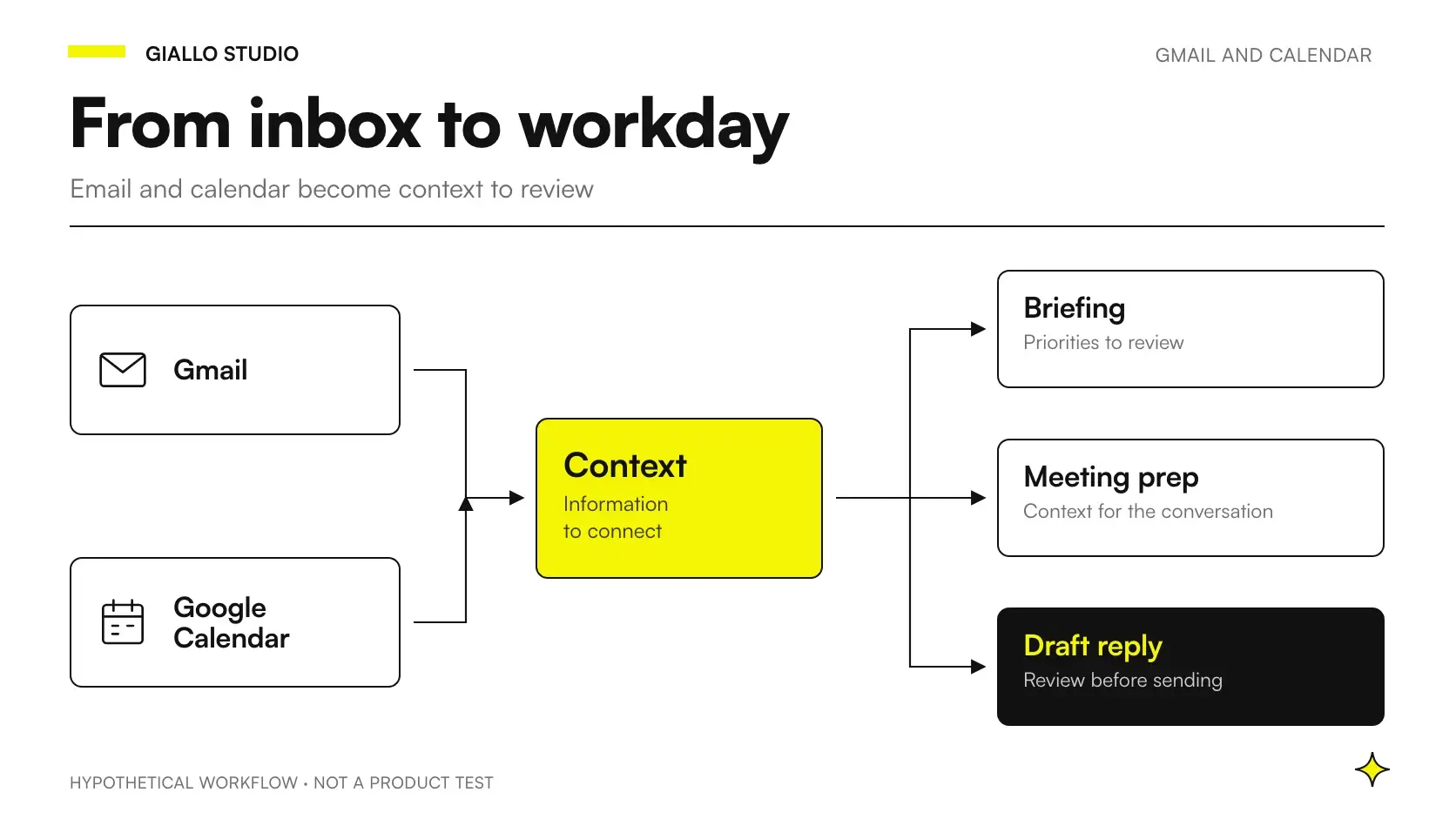
An inbox and a calendar tell different parts of the same day's story. A customer writes that an attachment is missing; the appointment remains scheduled; participants only discover the problem during the meeting. A useful workflow connects those pieces and presents a decision you can check.
To evaluate Claude Duet with Gmail and Google Calendar, first design the input, deliverable and approval. Here are three editorial scenarios: a briefing on unresolved issues, a meeting preparation sheet and a draft proposing a time. They are illustrative examples, rather than Giallo tests or promises of results.
As of 22 October 2026, the documentation mentions Gmail, Google Calendar, briefings, drafts and meeting preparation; the preview is invitation-only for US Pro/Max users. Source: Claude Duet Help Center. The general picture is in what Claude Duet is.
In summary
- Every workflow must produce a verifiable proposal, with references to the starting information.
- The briefing distinguishes decisions to make from updates that simply provide information.
- Meeting preparation separates facts, unresolved issues and requests for confirmation.
- A draft proposing a time is not an agreed appointment.
- Recipients, commitments, attachments and the calendar require different checks.
What should you define before connecting email and calendar?
Start with the question you want to answer. “What happened?” produces a summary; “which decisions do I need to make before my appointments?” requires selecting and connecting information. These are different tasks, even when they use the same sources.
Then choose the scope. A limited trial might cover a sales case or a group of meetings, using only permitted data. This does not assume the product offers every filter or permission you want: if the available technical scope is too broad, rethink the use case before connecting the account.
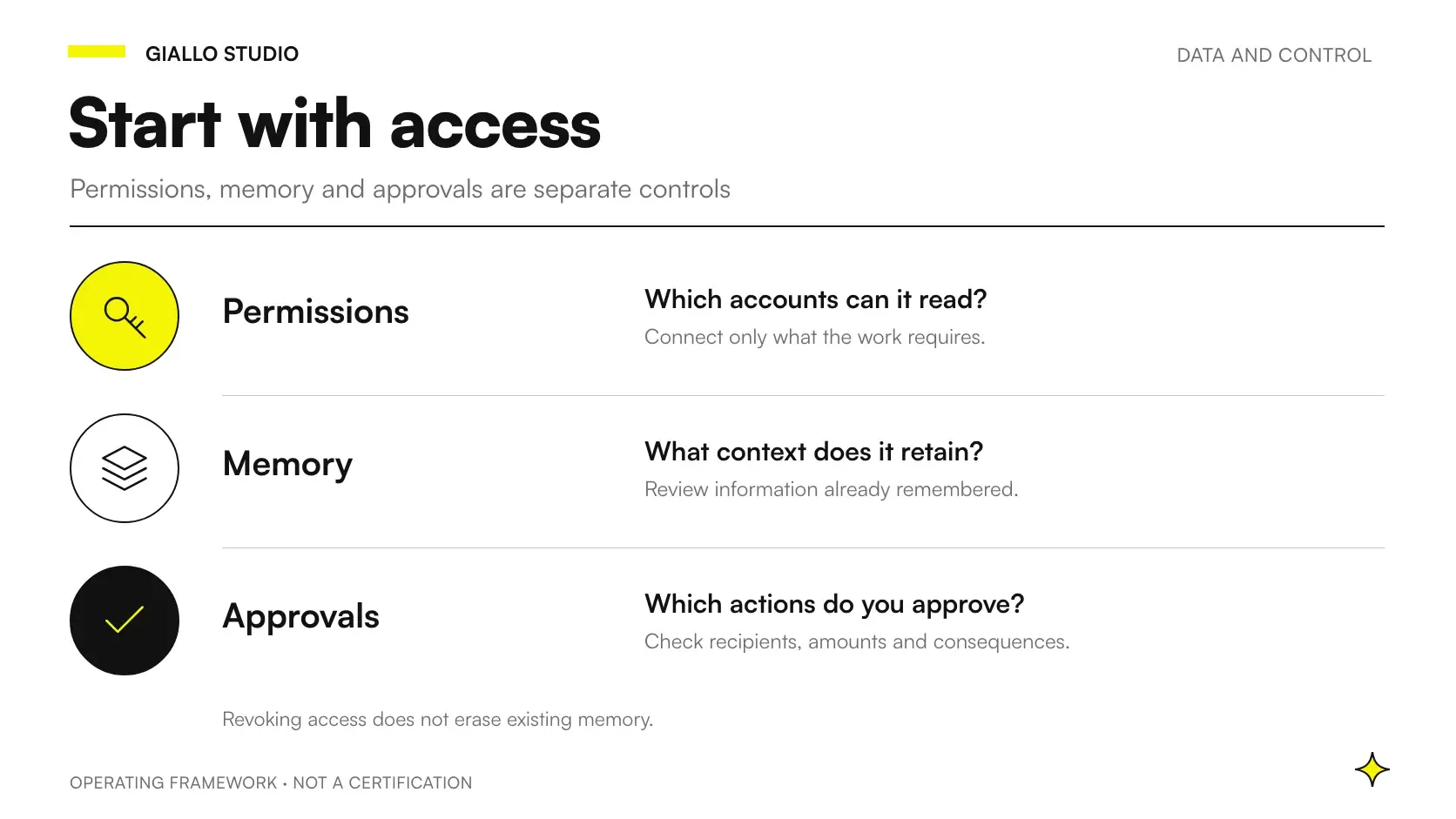
Finally, establish where the assistant's work ends. Preparing a sheet, suggesting a reply and making a commitment are separate steps. The guide to Claude Duet privacy and permissions helps frame this assessment; the company AI policy helps colleagues apply it consistently.
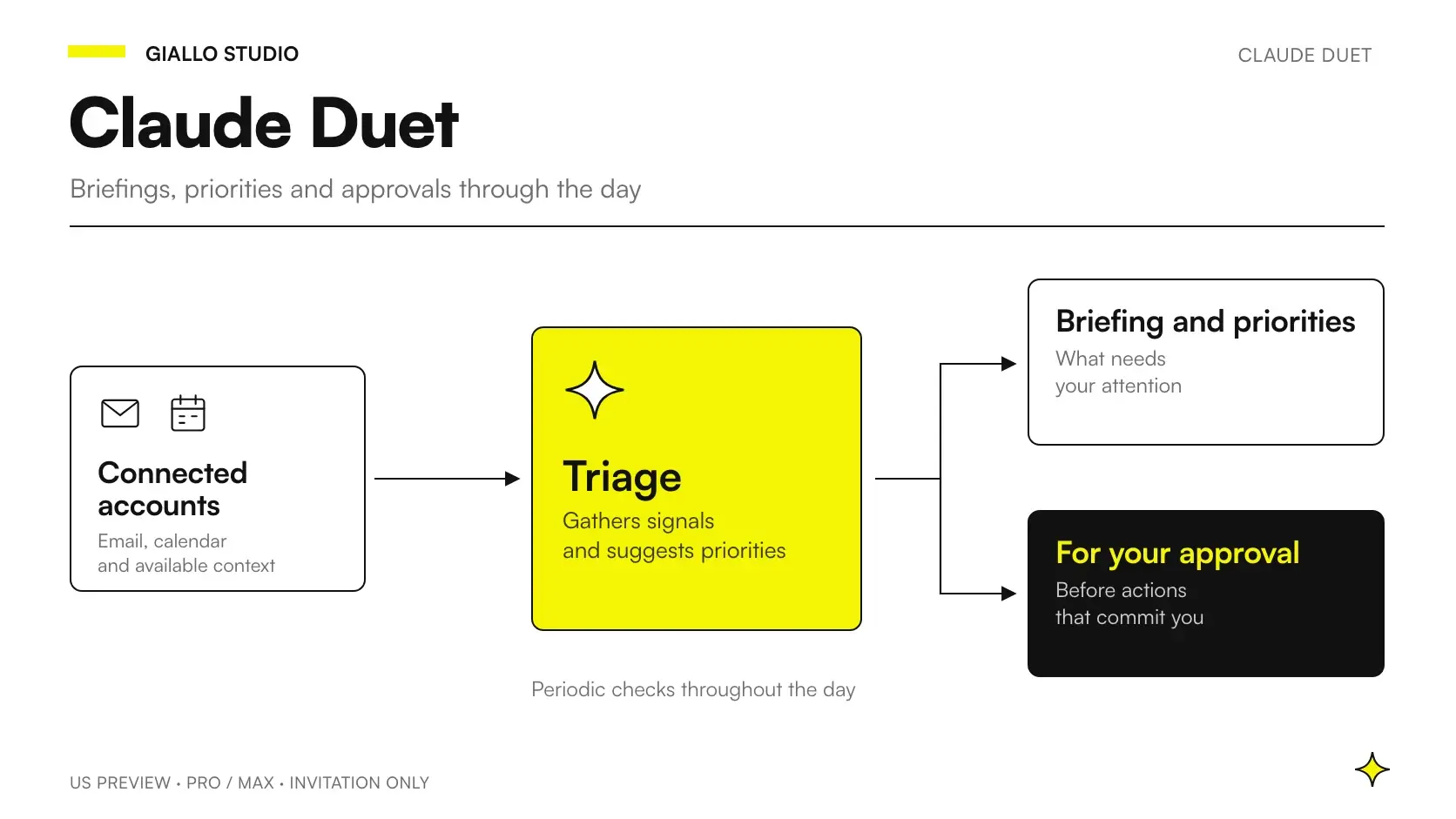
The announcement describes periodic checks and message approvals, rather than real-time monitoring for urgent matters. Source: Claude Duet announcement. For critical deadlines, therefore, keep an operational channel with a clearly identified person responsible.
Which outcomes should you request in the three workflows?
The table defines the desired outcome. It is not a list of operations guaranteed by the connector: every concrete action must be checked in the available product and account.
| Proposed workflow | Minimum input | Deliverable you can check | Human decision |
|---|---|---|---|
| Briefing on unresolved issues | Relevant messages and appointments within scope | Issues with a source, blocker and owner | What to address and whom to assign it to |
| Meeting preparation | Relevant conversation and meeting objective | A sheet with facts, uncertainties and questions | Which points to bring to the meeting |
| Draft proposing a time | Received request and confirmed constraints | Proposed text with conditions highlighted | Whether the content and availability are approved |
Use a consistent format, because it helps you spot changes from one day to the next. Keep the response flexible when information is missing: the system must be able to say “unconfirmed” or stop. Always filling every box makes the result neater and less reliable.
Workflow 1: how can you get a briefing that leads to decisions?
Imagine a design practice with several projects in progress. The owner does not want a full account of every email: she wants to know which issues could block meetings and what decision is needed. This is a fictional scenario for designing the workflow, rather than a Giallo client.
Proposed input: authorized conversations about the selected projects, relevant appointments and a definition of priority. A customer's message may express a preference; it must not automatically become the whole practice's priority. The owner decides which blockers deserve attention.
Proposed deliverable: one line per issue, with its subject, source, missing information and next step. Add a separate section for updates that require no action. This separation prevents a well-written newsletter from taking up the same space as a document needed for a meeting.
Illustrative prompt written for this article:
Prepare a briefing on the authorized projects. For each issue, state the source, what prevents the next step and which decision is needed. If urgency is your interpretation, say so. Do not commit people to anything, and keep information requiring confirmation separate.
The owner first checks a sample of sources, then assigns tasks. The briefing should not turn “we will update you as soon as possible” into a firm deadline. If no date is given, the deliverable must flag its absence and leave the person to decide whether to ask for clarification.
Success criterion: every priority must have a traceable reason and a clear next step. Record both omitted issues and those prioritized without reason. Counting only the number of items produced rewards noise. A short list with accurate references can be more useful than an exhaustive summary.
Workflow 2: how can you prepare for a meeting without inventing agreements?
Second illustrative scenario: a maintenance company meets a prospective customer to discuss a recurring service. The conversation includes requests, assumptions and terms that remain unresolved. The preparation sheet must prevent a proposal from being mistaken for an agreement already reached.
Proposed input: the meeting objective, relevant conversation and authorized documents defining the service. State which version of the quote is valid. If two revisions have circulated, ask for the discrepancy to be shown: the more recent date alone does not prove that both parties approved that version.
Proposed deliverable: three sections. The first contains documented facts; the second, unresolved issues; the third, questions to ask. Every relevant point must be traceable to its original message or document. The assistant's interpretations remain separate from the facts.
Illustrative prompt:
Prepare a sheet for this meeting. Distinguish the customer's requests, our proposals and explicit agreements. Flag missing information that could change the quote. Provide a reference for every important point. Do not infer approval from silence or an ambiguous message.
The sales manager decides which questions to use and verifies financial or operational commitments. A calendar title such as “service confirmation” is not enough to prove that the service has been confirmed. An accepted invitation also confirms attendance at the meeting, rather than acceptance of the terms.
Success criterion: someone who has not followed the entire conversation must be able to distinguish what they know from what they need to ask. Verification means finding the main points in the sources and checking that no assumption is presented as a promise. For similar document-based outcomes, see how to use Claude in the app.
Workflow 3: how can you prepare a reply proposing a time?
Third illustrative scenario: a small training company receives a meeting request. The goal is to prepare a relevant reply with a proposal that fits the confirmed constraints. We do not assume that every invitation and calendar operation is available or reliable for every account.
Proposed input: the received request, required participants, desired duration, time zone and availability constraints. Add preparation time and any travel. An empty slot is not necessarily a usable slot, especially for someone alternating online meetings with work at customer premises.
Proposed deliverable: a draft that answers the request and presents times as proposals. Missing information must be shown separately for the approver. The text should not include discounts, new terms or colleagues' availability that have not been confirmed.
Illustrative prompt:
Prepare a reply to the indicated request. Use only confirmed constraints and present times as proposals to be agreed. Highlight separately what I need to check before sending. Do not infer other participants' availability or add commercial terms.
The approver checks recipients and content, then the times. These are different checks: a proposal with a suitable time may still be addressed to the wrong person. Also check quoted text, copied recipients and any attachments. The guide to email permissions and approvals explores this step in more detail.
Success criterion: the proposal must be possible to approve without reconstructing the whole conversation, while retaining access to the sources. If the recipient chooses a different time, the updated constraints need another check. The first draft does not become permanent authorization for later changes.
How should you handle conflicting data and changed messages?
Set a rule for conflicts. If the calendar says one thing and a conversation says another, the system should show the discrepancy. Automatically preferring the latest information is not enough: a recent message may refer to a different appointment or contain a proposal that is still open.
The same applies to names and contact details. Two people at the same company may have different responsibilities. Do not assume that the meeting organizer can approve financial terms. In the briefing, distinguish the organizer, the person handling the case and the decision-maker.
Also define when a draft expires: when recipients, objectives or availability change, the proposal must be checked again. There is no need to invent a universal interval. It is more useful to link the check to changes in the data supporting the reply.
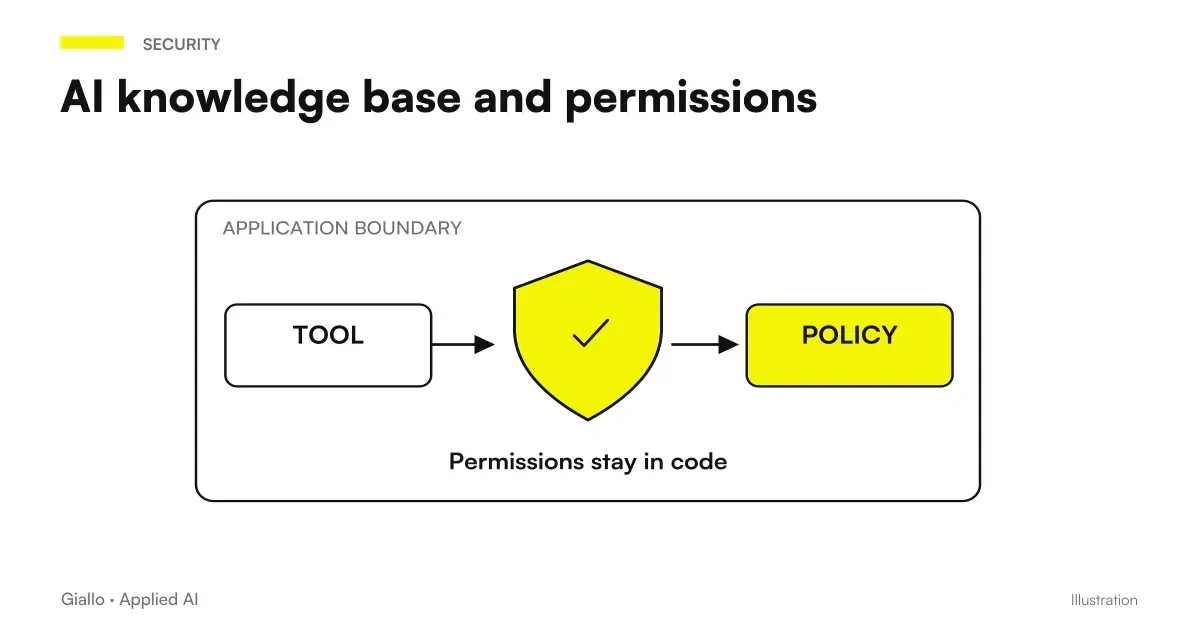
The AI knowledge base with permissions helps distinguish authoritative data, copies and outdated documents. For all three workflows, the question remains concrete: which information supports this decision, and who is authorized to see it?
Check the proposal before approving it
- Case: do the message and appointment really concern the same subject?
- Sources: is the decisive information traceable and still valid?
- People: are the recipients, copied recipients and participants correct?
- Commitments: does the text promise only what has been authorized?
- Times: are the time zone, preparation, travel and constraints compatible?
- Attachments: is every file relevant and suitable to share with these recipients?
Which mistakes make these workflows less useful?
The first is asking it to “manage all email”. Without priorities, exclusions and responsibilities, the result will be hard to assess. Narrow the trial to an operational question and check that the response actually enables the next step.
The second is confusing summary with confirmation. A summary can accurately report a proposal without proving it was accepted. Keep the status of information visible: requested, proposed, confirmed, awaiting clarification. You do not need a complex system to begin distinguishing these categories.
The third is measuring only how many drafts are ready. A draft that requires reconstructing the entire case shifts the work without resolving it. Record omissions and corrections, especially when they concern recipients or promises to the customer.
The fourth is using the same rule for every communication. An information request, a complaint and a contractual change require different checks. The person responsible for the business must define the categories, with a clear rule for cases outside the trial's scope.
Where should you store decisions after checking them?
Once a proposal is approved, record the decision in the place the team considers authoritative. This may be the case record or another business tool already in use. What matters is that a colleague can distinguish the assistant's draft from the version accepted by the person responsible.
Do not leave this step to people's memories. If availability changes after approval, the person handling the case needs to see what was agreed and what still needs updating. Even a short note can prevent an old proposal from being reused as though it were still valid.
For pending cases, assign an owner and state the missing information. “To be checked” without an owner leaves the work open; “wait for the participant's confirmation before proposing the time” makes the condition for proceeding clear. This rule applies to all three workflows, regardless of the tool chosen.
Which workflow should your small business start with?
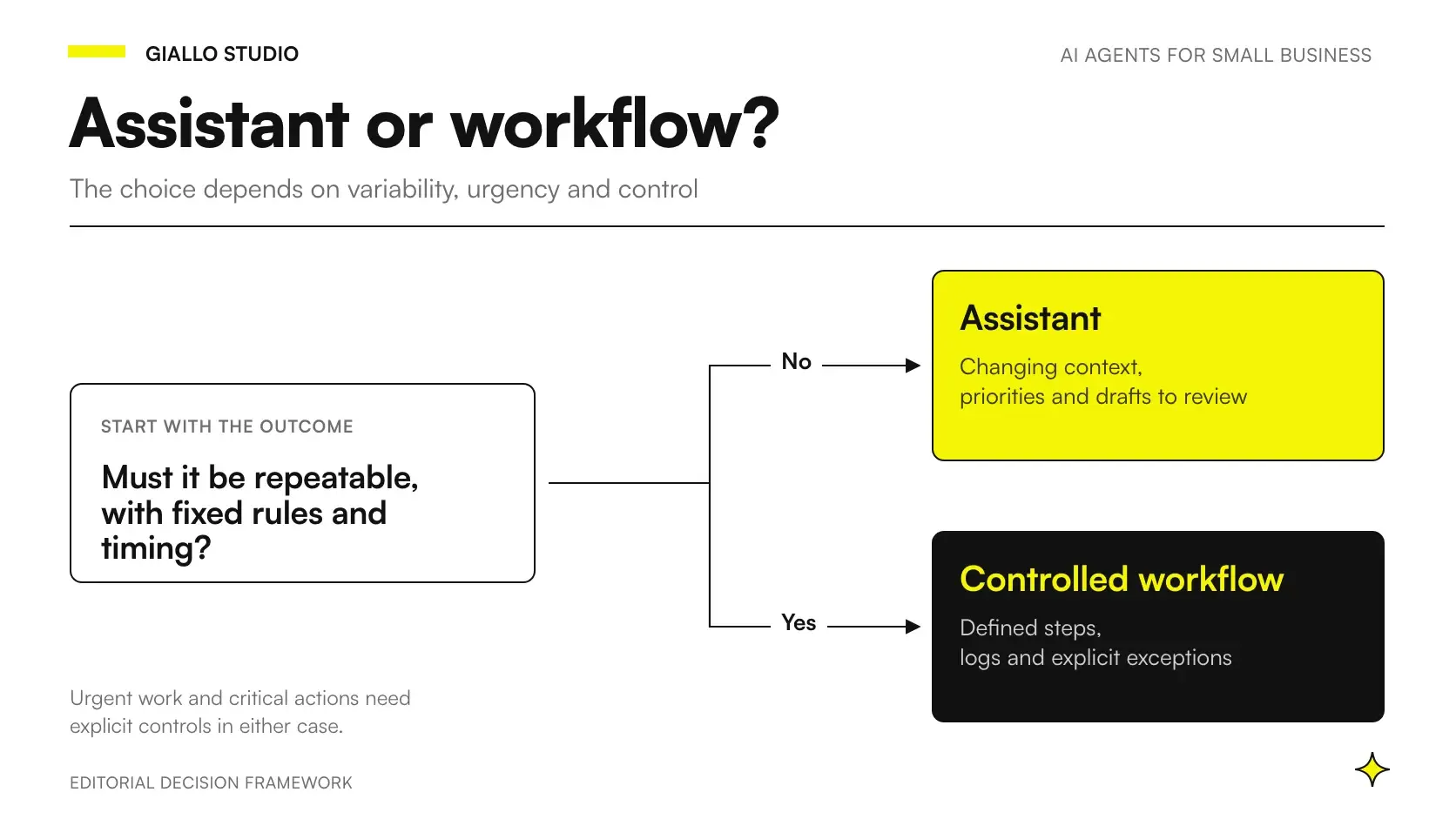
Choose the one whose outcome you can verify with the least ambiguity. If the inbox contains many confidential commercial terms, a preparation sheet built from a limited set of data may be a more manageable trial than a proposed reply. If assigning responsibilities is the problem, start with the briefing.
Prepare normal, incomplete and conflicting examples. Write down your expectations and who will check the outcome in advance. A successful trial must also show when to stop: an assistant that flags missing information may be more useful than one that always produces finished text.
The next step depends on how repeatable the process is, a topic explored in Claude Duet and proactive agents for small businesses. To turn these three outlines into a workflow with responsibilities and checks suited to your work, design your email and calendar automation with Giallo Studio, starting with a single decision to make simpler.
Giallo Studio guides: methodology and sources
How we apply it in the company
Related resources
 Claude Duet: what it is, how it works and what changes at work
 Claude Duet and privacy: permissions, memory and business data
 Claude Duet and proactive AI agents: what changes for SMEs
 Can Dots Send Emails? Permissions, Approvals, and Custom Rules
 AI knowledge base and permissions: who can read what answer
 Claude Code hooks for subagents and teams
 HTTP Hooks: controls for Claude Code
 Dots for marketing an SME: content and materials always up to date
FAQ
How do you design a Claude Duet Gmail Google Calendar workflow?
First define the operational question, permitted data and outcome to check. Separate preparing a proposal from the decision that commits the business. The article's three workflows are editorial examples to adapt and verify.
What information should a useful briefing contain?
Each item needs a subject, a reason for its priority, a source reference and the next person responsible. Separate uncertain information from confirmed facts. A list without a next decision risks becoming another inbox to read.
How can you prevent a draft from promising too much to a customer?
Explicitly state which availability, terms and commitments are authorized. Ask for missing information to be highlighted. Before sending, check the recipients, text, attachments and promises in the reply.
Does a free time slot mean you are available for a meeting?
No. You need to consider preparation, travel, personal constraints and required participants. An empty calendar slot is information to interpret, rather than a confirmation to send to the customer.
How can you measure whether the workflow works?
Compare the outcome with the original sources and record omissions, incorrect priorities and corrections needed. Also check whether a person can understand and approve the proposal without reconstructing everything from scratch.
Are these workflows real cases or Giallo tests?
No. They are illustrative scenarios designed for small businesses and professionals, rather than product test results. Every requested operation must be checked against the availability, permissions and limits of the account being used.