
How to use Grok on X: tagging @grok, what changes with @bot and why it doesn't always reply in Italy
How to use Grok on X: asking @grok in a reply, what @bot does, why @bot doesn't respond from Italy and which rules apply to privacy and images.
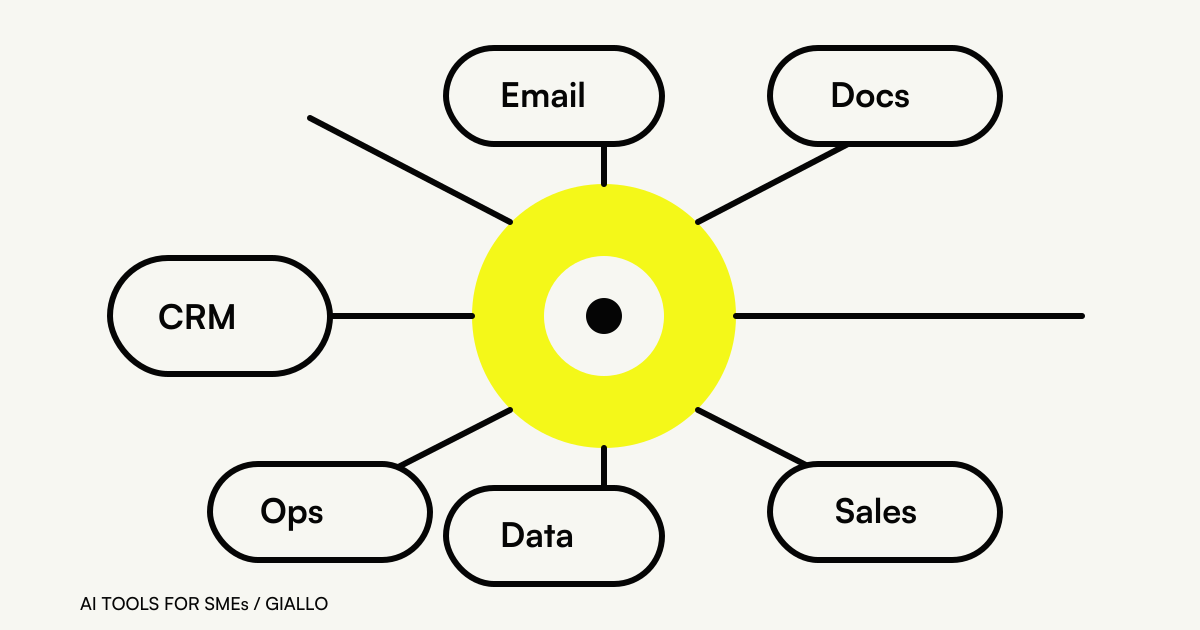
To use Grok on X, just mention @grok in a post or a reply and write your question: Grok replies directly in the conversation. @bot is different: it doesn't reply, it passes the post as a task to your Grok Bot, and as of November 2026 it is not yet available from accounts based in Italy (official documentation). Before you trust the answer, remember that SpaceXSI's FAQ warns that Grok can make mistakes.
The feature for querying Grok with a mention has existed since March 2025, when TechCrunch reported its launch. Since then, the question “how does Grok work on X” has become more complicated: Grok Bot arrived, triggered on X with the @bot tag, and the company that develops Grok changed its name to SpaceXSI. Here you'll find how it works in practice, why it sometimes doesn't reply, and a few common-sense rules for anyone who manages a business profile.
In summary
- @grok replies by itself in the conversation: you use it by writing a mention with your question.
- @bot forwards the post to your Grok Bot and leaves only a confirmation on X: the work happens in the app.
- @bot is not yet available for X accounts based in the EU, the UK, Australia, Iceland, Liechtenstein and Norway.
- @bot ignores posts with videos or GIFs and posts that also tag @grok.
- Inside X, X's privacy policy and terms apply, not SpaceXSI's.
What is Grok on X, and who's behind it?
Grok on X is SpaceXSI's AI assistant that comes into play inside the social network when someone mentions it. SpaceXSI (SpaceX Super Intelligence LLC) is, according to its privacy policy, a US company separate from X Corp.: it provides the Grok service inside X, but the Grok FAQ states that it has no operational oversight of the X service. In plain terms: if the problem is with X, you write to X.
Outside X, Grok lives on grok.com and in the iOS and Android apps, with chat, images, voice and files (official overview). One of its features is the ability to search public posts on X and run real-time web searches, as stated in the legal FAQ. It's this link with the X feed that makes it interesting for people who work on current events. For the full picture of the model, see Grok AI: what it is and how it works.
How do you ask Grok something on X?
The gesture is the same as for any mention. A practical sequence:
- Pick your spot in the conversation. Replying to a post gives Grok the context of that post; a new post starts from scratch.
- Mention @grok and write your question. A precise request works better than “what do you think?”: ask for a summary, a check on a figure, the context of a term.
- Read the answer as a draft. Check the cited sources before you share it further or use it in brand content.
- Remember it's public. The question and the answer stay in the conversation, visible to anyone who reads it.
We give no figures on which accounts can use @grok for free and with what limits: X's Help Center page on Grok could not be read during our check, and the only available sources are articles from 2025. If you need the current rule, check it directly in the app.
How do you write a good question for @grok?
The quality of the answer depends heavily on how the mention is written. In a public conversation space is tight and the context is the thread, so be explicit about three things: what you want, which part of the conversation, and in what form.
A few examples of clear requests, to post as a reply to the post you're interested in:
- “@grok summarize the main positions in this thread in three points”;
- “@grok where does the figure quoted in this post come from? Give the source”;
- “@grok explain in two sentences what this acronym means for people working in logistics”.
On the other hand, vague questions like “is it true?” or “what do you think?” get vague answers, and in public a vague answer can be read as a confirmation. When you ask for a source, open it: a cited link doesn't guarantee that it actually says what the answer attributes to it. For prompt-writing techniques in general, the place to start is AI prompts for social media.
What changes with @bot?
@bot is the tag linked to Grok Bot, SpaceXSI's agent that works on a cloud computer (we explain it in What is Grok Bot). When you tag @bot in a post or a reply, that post becomes a task for your Bot. On X you only get a confirmation; the work is carried out and reviewed in the Grok Bot app (docs.x.ai).
The X Help Center puts it plainly: unlike @grok, @bot does not reply to requests on its own. The same article presents it as an early-stage feature.
| @grok | @bot | |
|---|---|---|
| Who does the work | Grok, in the conversation | Your Grok Bot, in the app |
| What you see on X | The reply | Only a confirmation |
| Available from accounts based in Italy | Updated rules not verified | No, as of November 2026 |
| Requires a subscription with Grok Bot | Not verified | Yes: Grok Bot is included in the Premium, Super and Ultra plans |
| Source | help.x.com | docs.x.ai |
The plans that include Grok Bot start at $30 a month excluding VAT as of November 2026 (x.ai/pricing); details are in Grok: pricing and subscription.
Why isn't Grok on X replying?
It's the most searched question, and the documented causes mostly concern @bot. According to the official tag page:
- Account country. @bot is not yet available for X accounts based in the European Union, the United Kingdom, Australia, Iceland, Liechtenstein and Norway. What counts is the country X has on record: changing your location or using a VPN changes nothing.
- Post content. @bot does not respond if the post contains videos or GIFs.
- Double tag. If the same post includes both @grok and @bot, @bot does not respond.
For @grok we found no updated official list of reasons why it may not reply. If the problem seems to be with X (notifications, account, post visibility), the route indicated by the Grok FAQ is to contact X, because SpaceXSI does not run that service.
What rules apply to privacy and images inside X?
Two points to keep in mind, especially if you use Grok from a business profile.
Privacy. The SpaceXSI privacy policy states that the use of Grok inside X is governed by X's privacy policy and terms, not by SpaceXSI's. So the settings you find on grok.com are not automatically the ones that apply inside the social network: check them in X's settings.
Images. In January 2026, after the controversy over sexualized images of real people, X restricted Grok's image generation on X to subscribers (January 9) and then blocked, for everyone, the editing of real people into revealing clothing (January 15), as reported by Decrypt. On January 8, 2026, the Italian Data Protection Authority (Garante per la protezione dei dati personali) warned anyone using services like Grok not to generate content from real third parties' images or voices without consent. For a brand, the practical rule is simple: no faces of real people without written permission.
How can someone who manages a business profile use it?
Grok's strength on X is real-time context: understanding what a thread is about, reconstructing a discussion, checking the meaning of a new term. Some sensible uses for people who work on social media:
- asking for a summary of a long thread before deciding whether to step in;
- getting an explanation of an acronym or reference that's circulating in your industry;
- drafting a first reply to rewrite in the brand's voice.
And some to avoid: publishing a generated reply without rereading it, using Grok in a conversation with a customer that contains their data, handing the tone of a crisis over to the assistant. The official FAQ reminds you that answers can contain errors, and an error in public weighs more than one in private.
For real editorial work, content plans and copy, there are better-suited tools: we compare them in the best AI tools for social media, and the prompts we use are in AI prompts for social media. If you're choosing between assistants, ChatGPT vs Grok and Grok vs Claude bring the differences into focus.
When do you need more than a mention?
A mention on X solves one question. A business, though, needs processes: replying to messages within an hour, routing sales inquiries, preparing weekly reports on the conversations in its industry. That takes an agent that works on your channels and your data, clear rules on what it can publish on its own, and a log of what it has done. A public mention, by its nature, can do none of these things: it can't see your inbox, doesn't know your price list, doesn't know which customers have already been followed up. And every question stays visible in the thread, which is fine for curiosity but not for work with customers.
A tag on X solves one question; a company's social channels need something else: replies consistent with the brand's tone, drafts to approve, nothing published without sign-off. For this we build AI agents that work on your profiles with OpenAI GPT, Google Gemini or Anthropic's Claude. If your social media manager is swamped, write to us.
Giallo Studio guides: methodology and sources
Want to apply this to your business?In 30 minutes, free of charge: the first process to automate and its estimated return, in writing.
Book the free auditHow we apply it in the company
Related resources
 Grok AI: what it is and how it worksGrok Bot: what it is and what it really does (and why it's not the Grok chat)Grok Pricing: How Much the Subscription Costs in 2026 (Free, Plus, Premium, Super, Ultra)
 ChatGPT vs Grok
 Best AI for social media: tools for content and management
 AI prompts for social media: ready-to-use posts, captions and contentGrok vs Claude: which to choose for work, code and documentsGrok privacy and GDPR: training on your data and investigations in Europe
FAQ
How do you ask Grok something on X?
You write a post or a reply that mentions @grok and includes your question: Grok replies directly in the conversation. The feature for querying Grok by mentioning it in replies launched in March 2025, as reported by TechCrunch. The updated rules on who can use it for free are not published on any page we were able to read.
What's the difference between @grok and @bot?
@grok replies on its own in the conversation. @bot doesn't answer the question: it takes the post you tag it in and passes it as a task to your Grok Bot, SpaceXSI's agent that works on a cloud computer. On X it leaves only a confirmation; you find the result in the Grok Bot app.
Why doesn't @bot respond from Italy?
Because, according to the official documentation read on November 8, 2026, the @bot tag is not yet available for X accounts based in the European Union, the United Kingdom, Australia, Iceland, Liechtenstein and Norway. What counts is the country X has on record, not your location or a VPN.
Why is Grok on X not working or not replying?
The documented causes concern @bot: accounts based in the excluded countries, posts containing videos or GIFs, posts that tag both @grok and @bot. For @grok, the detailed rules cannot be verified from an official source. For X malfunctions, contact X: SpaceXSI provides Grok inside X but does not run the X service.
Who is Grok on X?
It's the account through which the Grok assistant, developed by SpaceXSI, replies inside X when someone mentions it. SpaceXSI is a US company separate from X Corp.; the use of Grok within X is governed by X's privacy policy and terms.
Are Grok's answers on X reliable?
They need to be checked. SpaceXSI's official FAQ warns that Grok can give inaccurate information or hallucinate, and asks users to check answers before using them. In a public conversation, an error also becomes content that others read and share.